You already know a video message is better than a text. Everyone knows that. And yet most people still send the text.
The gap between knowing and doing is usually friction — not knowing what to say, not being sure how to send it cleanly, not wanting to bother coordinating a group message when a quick typed wish is right there. This guide removes every one of those friction points.
Personalized video greetings are the highest-impact personal communication format available in 2026 — not because of the technology, but because of what they signal. When someone records a video specifically for you, you hear their actual voice, you see their face, and you know without question that they stopped what they were doing and gave you a minute of their full attention. That is the thing a text message cannot replicate, no matter how many emojis are attached.
This guide covers what to say for every major occasion, how to send across every platform without losing quality, how to coordinate a group video tribute when multiple people want to contribute, and how augmented reality delivery transforms a video greeting from something someone watches once into something they keep and return to.
📋 Jump to Your Section
- Why Personalized Video Greetings Work (The Honest Reason)
- Every Occasion That Calls for a Video Greeting
- What to Actually Say — Frameworks by Occasion
- Single Person vs Group Video Greetings
- How to Coordinate a Group Video Tribute Without It Falling Apart
- How to Send on Every Platform Without Losing Quality
- What Is AR Video Greeting Delivery and Why It Changes Everything
- How MessageAR Works — Step by Step
- Video Greetings for Long Distance Relationships
- Personalized Video Greetings for Business
- The Mistakes That Make Video Greetings Miss
- Frequently Asked Questions
1. Why Personalized Video Greetings Work (The Honest Reason)
It is not about the production quality. It is not about the platform. It is about a very simple thing: a video greeting is hard to fake.
You cannot schedule a personalized video greeting the way you can schedule a birthday text reminder. You cannot copy-paste it to ten different people. You cannot produce it in five seconds while doing something else. A video requires you to stop, set up, look at a camera, and say something specifically to one person. That effort is visible in every second of the recording — and the recipient feels it.
This is why a slightly shaky, slightly stumbling 60-second video from your best friend on your birthday lands harder than a perfectly written paragraph. The imperfections are proof it is real. The fact that they made it at all is the message.
What Research Says About Video vs Text
Studies on digital communication and social closeness consistently find that video messages are rated as significantly more personal and emotionally connecting than text messages of identical content. The words matter — but voice, facial expression, and the visible evidence of effort layer emotional signals on top of those words that text cannot carry. A video says “I was here, present, thinking of you specifically” in a way that even the most beautifully written text message cannot quite replicate.
The Underuse Problem
Despite this, most people default to text for greetings. The barrier is not effort — recording a 60-second video takes less time than composing a thoughtful written message. The barrier is awkwardness: the self-consciousness of being on camera, the uncertainty about whether the video will send properly, and the fear that it will not land the way you imagined. Every section of this guide is designed to eliminate one of those barriers.
2. Every Occasion That Calls for a Video Greeting
Most people think of video greetings as a birthday thing. They are useful for far more than that.
| Occasion | Why Video Works Here | Format |
|---|---|---|
| Birthday | Stands out from every other text wish they receive | Single or group |
| Milestone birthday (30th, 40th, 50th+) | The emotional weight calls for a format that matches it | Group tribute |
| Graduation | Graduate is often away from family — video bridges the distance | Single or group |
| Wedding | Guests who cannot attend can be present in video form | Group tribute |
| Anniversary | Children and family tribute to parents is deeply personal | Group tribute |
| New baby | New parents are overwhelmed — a warm personal video cuts through | Single |
| Farewell or going away | Captures the moment before someone leaves — a permanent record | Group tribute |
| Retirement | Colleagues and friends across a career captured in one tribute | Group tribute |
| Recovery or illness | Seeing and hearing loved ones has real psychological benefit | Both |
| Holiday (Christmas, Diwali, Eid) | For family who cannot be together — video creates presence | Both |
| Long distance relationship | Maintains emotional closeness more effectively than text | Single |
| No occasion at all | A random video carries more signal than any occasioned text | Single |
3. What to Actually Say — Frameworks by Occasion
The most common reason people abandon the idea of recording a video greeting is not knowing what to say. Here is a simple framework that works for every occasion — and specific scripts for the most common ones.
The Universal 3-Part Framework
Every effective personalized video greeting has three components — not necessarily in this exact order, but all three present:
- Their name, said aloud, at the start. This sounds obvious. Most people skip it. Hearing your own name spoken at the beginning of a video makes the message feel immediately directed at you rather than generic. It is the single fastest way to make a video feel personal.
- One specific thing. A shared memory, a quality you genuinely admire, something about their current life that proves you have been paying attention. The more specific it is, the more it lands. “You are such a good friend” is forgettable. “I keep thinking about what you said to me in October when I was going through a hard time and needed to hear exactly that” is not.
- A genuine close. Not a formal sign-off — something warm and specific to them. What you wish for them right now, in their specific life. “I hope this year is the one where [the thing they have been working toward] finally clicks” lands harder than “hope you have a great day.”
Birthday Video Greeting — What to Say
You have about 90 seconds. Use them like this:
- Open with their name and a genuine burst of energy — “Hey [Name] — Happy Birthday!”
- Go straight into the specific thing — a memory, a quality, something real: “I was thinking about [specific memory or observation] and I just wanted you to know that [genuine sentiment about it].”
- Close with something forward-looking — what you wish for them in the year ahead, or a concrete plan: “I cannot wait to celebrate properly — let’s sort out [specific plan] soon.”
For 200+ birthday message starters sorted by relationship and tone, see the birthday wishes guide. The same frameworks apply to video — you are just saying them rather than typing them.
Graduation Video Greeting — What to Say
Graduation video greetings should acknowledge the achievement without reducing it to generic congratulations, and should look forward rather than just back.
- Name the specific thing they worked through to get here — not “all your hard work” but the specific challenge you witnessed
- Say something about who they are as a person, not just what they achieved academically
- End with something specific about the next chapter — what you believe they are going to do with it
For complete graduation message frameworks, see the graduation wishes guide.
Anniversary Video Greeting — What to Say
For a couple’s anniversary video greeting from a family member or friend, the most powerful angle is the observer’s perspective — what you have witnessed about their relationship that they may not fully see themselves.
- Reference something specific you have noticed about them as a couple — a behavior, a dynamic, something they do for each other
- Acknowledge the milestone specifically — not “happy anniversary” but “25 years of [something specific true about them]”
- Close with something genuine about what their relationship has meant to you to witness
No-Occasion Video Greeting — What to Say
These are the rarest and the most impactful. A video sent for no reason, on a random Tuesday, saying something specific and genuine to someone who was not expecting it. The framework is even simpler: “I was thinking about you, specifically because of [thing], and I wanted you to know [genuine sentiment].” That is it. Keep it under 60 seconds. The fact that there is no occasion is the entire point.
4. Single Person vs Group Video Greetings
These are two completely different formats with different purposes, different logistics, and different emotional impact. Understanding which one you need before you start planning saves a significant amount of confusion.
Single Person Video Greeting
One person, recorded on any device, sent directly to the recipient. Fast to produce, highly personal, works for any occasion. The limitation is that it represents one relationship — one person’s feelings about the recipient. For occasions that call for a broader acknowledgment (a milestone birthday, a retirement, a significant life transition), a single-person video greeting may feel undersized relative to the moment.
Best for: birthdays (regular), quick check-ins, no-occasion gestures, long-distance relationship messages, professional greetings, accompanying a physical gift.
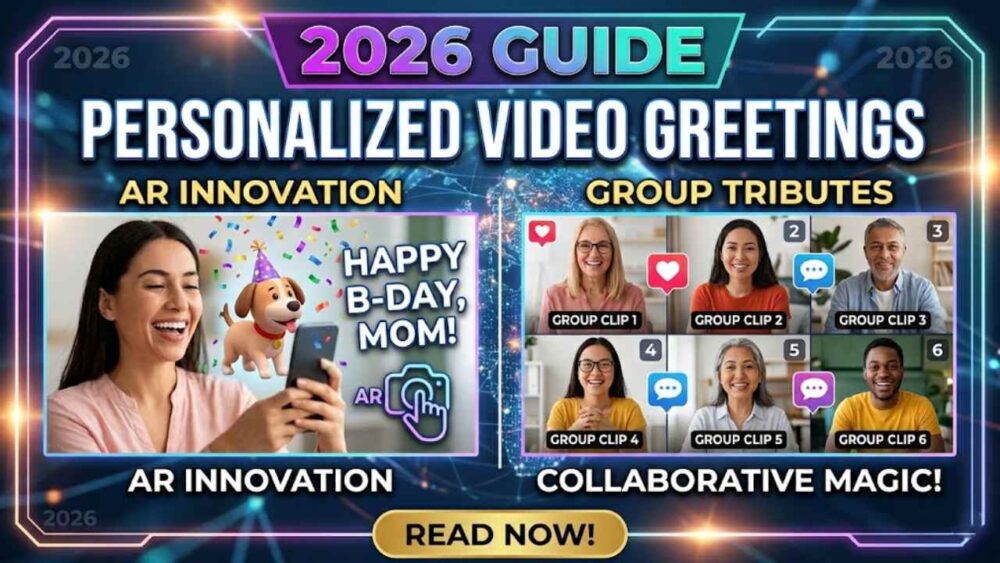
Group Video Tribute
Multiple people, each recording their own clip, compiled into one video the recipient watches. Significantly more complex to produce but exponentially more impactful to receive. When a person watches a group tribute, they are not just hearing from one person — they are experiencing every important relationship in their life represented simultaneously. For someone who is far from home, facing a major transition, or celebrating a milestone that deserves real weight, there is nothing that competes with this format.
Best for: milestone birthdays (30th, 40th, 50th+), farewells, retirements, anniversaries, graduations, and any occasion where the recipient is geographically separated from the people who matter to them.
5. How to Coordinate a Group Video Tribute Without It Falling Apart
Group video tributes consistently produce the strongest emotional response of any greeting format. They also consistently fall apart in the planning phase. Here is the coordination system that prevents that.
Why They Usually Fall Apart
The failure mode is almost always the same: someone sends a WhatsApp message to a group asking people to “send a video clip,” gets four responses immediately, waits two weeks for the rest, receives files in seven different formats at different resolutions from people using different devices, spends an afternoon trying to edit them together in iMovie, and either sends something that looks like it was assembled under pressure or abandons the idea entirely.
The solution is not a better editing app. It is a better coordination system.
The Coordination Rules
Assign one coordinator with actual authority. One person makes all decisions — the deadline, the format, who gets followed up with. Not a committee. One person.
Set a hard deadline that is five days before you need it. Tell contributors the deadline is five days before you actually need the final video. The five-day buffer is for chasing the people who miss the deadline, which will be roughly half of them regardless of how clear the instructions were.
Give specific instructions, not open-ended ones. “Record a video for Sarah” produces wildly inconsistent results. “Record a 30 to 60-second video on your phone, horizontal if possible, in a quiet place with decent light, saying [specific thing]” produces usable clips. The more specific the brief, the better the output.
Follow up individually, not in the group chat. A follow-up message in a group chat gets seen and ignored. A direct message to each person who has not submitted gets a response. It takes longer but it works.
Using MessageAR for Group Coordination
The platform that makes group video tribute coordination genuinely manageable is MessageAR. Instead of chasing files across WhatsApp threads and email attachments, you send contributors a single link. They click it, record directly in the platform from any device — phone, laptop, tablet — and their clip is automatically added to the collection. You see what has been submitted in real time, can send reminders from within the platform, and assemble the final experience without ever touching a video editing app. The result is delivered as an AR experience the recipient unlocks from a physical card or photo — not a video file they download and watch on a flat screen, but a moment that appears in their actual space.
6. How to Send on Every Platform Without Losing Quality
Video quality degrades when platforms compress files during upload. Here is what to know about each major platform so your greeting arrives looking as good as it left your phone.
WhatsApp compresses videos over 16MB significantly. For personal video greetings under 2 minutes this is usually fine — the compression is noticeable on large screens but acceptable on phones. For longer or higher-quality videos, send as a document rather than a video: tap the paperclip icon → Document → select your video file. This bypasses WhatsApp’s compression entirely and delivers the original quality file.
Do not attach large video files directly to emails — most email providers cap attachments at 25MB and the recipient may not be able to open them on mobile. Instead, upload the video to Google Drive or iCloud, generate a sharing link, and paste the link into your email. This works for any video length, delivers original quality, and the recipient can watch it directly in their browser without downloading anything.
💬 iMessage
iMessage handles video well between Apple devices — files are sent at full quality when both parties are on iMessage (blue bubble). If the message crosses to SMS (green bubble), video quality degrades significantly. For non-Apple recipients, use WhatsApp or a link instead.
📸 Instagram DM
Instagram DM compresses videos noticeably. Fine for casual short greetings. Not ideal for anything where quality matters — use a link instead.
🔗 A Link (Best for Quality)
For the cleanest delivery at full quality: upload the video to Google Drive, Dropbox, or MessageAR, generate a shareable link, and send that link via any platform. The recipient clicks the link and the video plays at full quality in their browser. This method works everywhere, preserves quality, and does not require the recipient to have any particular app.
📦 Attached to a Physical Gift (Best for Impact)
The highest-impact delivery format is attaching the video greeting to a physical object — a gift, a card, a printed photo — as an AR experience. The recipient opens the physical item, scans a tag or the image itself, and your video plays in their space as if you are there with them. This is what MessageAR is built for. The combination of something physical to hold and a personal video to watch is the format that produces the strongest emotional response across every occasion.
7. What Is AR Video Greeting Delivery and Why It Changes Everything
Most video greetings are sent as files or links. The recipient taps a notification, a video plays on a flat screen, and then it is over. The experience lasts as long as the video and leaves nothing behind.
Augmented reality delivery is different. The video is not attached to a notification — it is attached to a physical object. A birthday card. A printed family photo. A gift tag on a wrapped present. The recipient looks at the physical object through their phone camera, and your video appears to play in their real environment — in their living room, on their kitchen table, in the space where they actually are.
The difference in impact is not subtle. A video that appears to exist in your physical space, delivered by someone you love, on a day that matters — that is not a notification. That is a moment. It is the difference between receiving a message and experiencing a memory being made.
Why Physical + Digital Is More Powerful Than Either Alone
Physical objects have permanence and tangibility — they can be kept, displayed, and returned to. Digital videos have immediacy and emotional range — voice, face, movement. AR video greetings combine both: the recipient keeps the physical card or photo, and every time they look at it with their phone, the video plays again. The greeting does not end when the video finishes. It lives in the object.
Who It Is For
AR delivery is particularly impactful for:
- Milestone occasions where the greeting deserves to feel as significant as the milestone
- Recipients who are far from home and will not experience the occasion surrounded by people who love them
- Group tribute deliveries where you want the reveal to feel like an event rather than a file share
- Gifts where you want the greeting to be integrated with the physical object rather than attached as an afterthought
- Any occasion where “happy birthday” in a text message is genuinely not enough
8. How MessageAR Works — Step by Step
MessageAR is the platform built specifically for personalized AR video greetings. Here is exactly how it works, start to finish.
For a Single Person Video Greeting
- Record your video — directly in the MessageAR app or upload a video you have already recorded. 60 to 90 seconds is the sweet spot for personal greetings.
- Choose your trigger — the physical object the AR will be linked to. This can be a photo you already have printed, a specific birthday card, a gift tag, or any image that is meaningful to the recipient.
- Share the magic link — MessageAR generates a shareable link. Send this to the recipient alongside the physical object (or print and include the trigger image with a gift). When they open the link and point their camera at the trigger image, your video plays in their space.
For a Group Video Tribute
- Create a collection — set up a google drive share its access to people with a deadline.
- Invite contributors — share each person the link. They click it, record their clip from any device, and and add it to the google drive folder you shared.
- Assemble and deliver — you review all submitted clips, arrange them in the order you want, and generate the final AR experience. Share the magic link with the recipient for delivery on the day.
What the Recipient Experiences
They receive a physical card, photo, or gift tag alongside a link or QR code. When they open the link and point their camera, the video plays as if it exists in their physical space. For a group tribute, they watch each person appear one after another — every important relationship in their life, in one place, speaking specifically to them. It is the greeting that gets replayed. The one people describe to other people afterward. The one that gets kept.
9. Video Greetings for Long Distance Relationships
Distance changes the stakes of a video greeting. When someone is celebrating an occasion far from the people who matter to them, a text message from across the world feels like exactly what it is — small and far away. A personalized video feels like presence, which is what distance takes away.
For a Partner Long Distance
Record on the morning of their birthday, anniversary, or milestone day — before the day has a chance to build up the small disappointments of being apart. Say their name, say something specific about what this day means, say what you wish for them that day specifically. Close with something forward-looking — when you will be together, what you are looking forward to. Keep it warm and direct rather than dwelling on the distance itself.
For a Family Member Abroad
For parents, siblings, or children who are living in a different country — a video greeting on a significant occasion does something a text cannot. It shows them a face, a familiar voice, a visual reminder of home. For milestone occasions, coordinate a group tribute so the family member sees everyone at once. MessageAR is particularly well-suited to this scenario because contributors can record from anywhere in the world and the recipient experiences the full tribute as one cohesive moment.
For a Friend in Another City
The standard birthday text from a friend who lives in another city is easy to send and easy to receive and leaves no particular impression. A 60-second video, sent in the morning, saying something specifically about why this friendship matters to you — this is the kind of thing that makes someone pick up the phone and call you back. Use it for occasions that matter, especially when you cannot be there in person.
10. Personalized Video Greetings for Business
Business video greetings occupy a specific lane — warmer and more human than a standard email, but professional enough that they strengthen rather than complicate a business relationship. Done right, they are one of the most effective tools in a business relationship manager’s toolkit because they are rare. Most businesses send identical text emails. A personal video stands out before the recipient has even pressed play.
When to Use Business Video Greetings
- Client appreciation — a short personal video at the end of a project or at a year-end milestone says “we value you as a person, not just an account.”
- Holiday greetings — a personalized video holiday greeting to key clients, delivered via MessageAR’s magic link, is significantly more memorable than the standard “Season’s Greetings from the team” email.
- Milestone acknowledgments — a client’s business anniversary, a colleague’s promotion, a team member’s work anniversary. These are the moments where a video message produces a disproportionate impression relative to the effort.
- New client onboarding — a brief personal welcome video from an account manager, delivered alongside onboarding materials, starts the relationship on a genuinely human footing.
What to Keep in Mind for Business Video Greetings
Keep business video greetings to 30 to 60 seconds. Reference the specific relationship — a project you worked on together, a specific thing they did that you appreciated — rather than generic warmth. Keep the production quality adequate but do not over-produce it; a natural, genuine 45-second video from a real person beats a slick but impersonal branded video. Deliver via a link that plays in the browser rather than a file attachment — easier to open, works on any device, and no download required.
11. The Mistakes That Make Video Greetings Miss
A badly executed video greeting is worse than a text message because it requires more effort and still fails to connect. Here are the patterns that produce that outcome.
Reading from a script word for word. Scripted videos have a particular quality — slightly stiff, eyes slightly off-camera, pauses in the wrong places. A bullet-point structure (name, specific thing, genuine close) keeps you on track without locking you into a recitation. The goal is to sound like yourself, not like a prepared statement.
Starting with “Um” or “So.” The first second of a video shapes how the entire message is received. Take a breath before you press record, not after. Start with their name and energy — not with the filler words that come out when you begin before you are ready.
No specific detail. “You are such an amazing person and I am so lucky to know you” is kind and completely unmemorable. “I keep thinking about the thing you said to me in March when I was struggling with [thing] — it changed the way I approached the whole situation” is something they will think about for weeks. The specific detail is what separates a video that lands from one that gets watched once and forgotten.
Sending without context. A video message that arrives with no context — no note, no accompanying message explaining what it is — can create confusion before it creates warmth. Pair every video greeting with a brief message: “I recorded something for you — open this with the photo from your card.” Give them enough context to know what they are about to experience.
Sending too late. A birthday video that arrives three days after the birthday says the opposite of what you intended. Build in the same timing awareness you would for a physical card. For occasions you know about in advance, record a day early and schedule the send, or have it ready to go on the morning of the day.
12. Frequently Asked Questions
What is a personalized video greeting?
A personalized video greeting is a short recorded video message created specifically for one person or occasion — content, tone, and delivery specific to the recipient rather than reusable for anyone else. It can be a single person speaking directly to camera, a group of contributors each recording a clip, or a compiled tribute delivered as an augmented reality experience via a platform like MessageAR.
How do you send a personalized video greeting?
You can send via WhatsApp (send as a document to preserve quality), iMessage, email link (upload to Google Drive, share the link), or directly through MessageAR as an AR experience attached to a physical card or photo. For quality, a shareable link always outperforms a compressed file attachment. For impact, an AR delivery attached to a physical object outperforms any link.
What should I say in a personalized video greeting?
Start by saying their name. Include one specific thing — a memory, an observation, a quality — that could only be about this person. Close with something genuine about what you wish for them right now. Keep it to 60 to 90 seconds for a single-person message. Do not read from a script — use bullet points to stay on track and let the delivery be natural.
What is an AR video greeting?
An AR video greeting is a personalized video delivered through augmented reality — the recipient points their phone camera at a physical object (a card, a photo, a gift tag) and the video appears to play in their real environment. MessageAR is built for this: you link your video to a trigger image, and the recipient experiences the message as if it exists in their physical space rather than on a flat screen.
How do I coordinate a group video greeting?
Assign one coordinator, set a deadline five days before you actually need the final video (to allow for chasing), give contributors specific instructions rather than open-ended ones, and follow up individually rather than in a group chat. Using MessageAR for group coordination eliminates the file-chasing problem entirely — contributors record directly in the platform via a shared link, and you assemble the final experience without managing multiple video files across different apps.
What occasions are best for a personalized video greeting?
Any occasion where a text message genuinely feels inadequate — milestone birthdays, graduations, anniversaries, farewells, retirements, holidays when family cannot be together, and any moment when someone you care about is far from the people who love them. Single-person video greetings work for most personal occasions. Group video tributes are best for milestone events where the recipient deserves to hear from multiple people simultaneously.
🎬 Send a Greeting That Feels Like Being There
MessageAR is built for personalized video greetings that go beyond a link in a chat. Record your message, attach it to any physical card or photo, and deliver it as an AR experience that plays in the recipient’s space. Or coordinate a full group tribute — anyone can contribute a clip from anywhere in the world, and the recipient experiences every person who loves them, all at once, on the day that matters.
No app download required for recipients. Works on any smartphone. Shareable via WhatsApp, email, or any messaging platform.
Related guides:
- 🎂 Birthday Wishes: 200+ Messages for Every Relationship and Tone
- 🎓 Graduation Wishes: 150+ Messages for Every Graduate
- 💍 Marriage Anniversary Wishes: 200+ Messages for Every Milestone
- 🎉 How to Surprise Someone: The Complete 2026 Guide
- 📨 How to Wish Someone a Happy Birthday: The Complete 2026 Guide