Posts by Vivek Raj

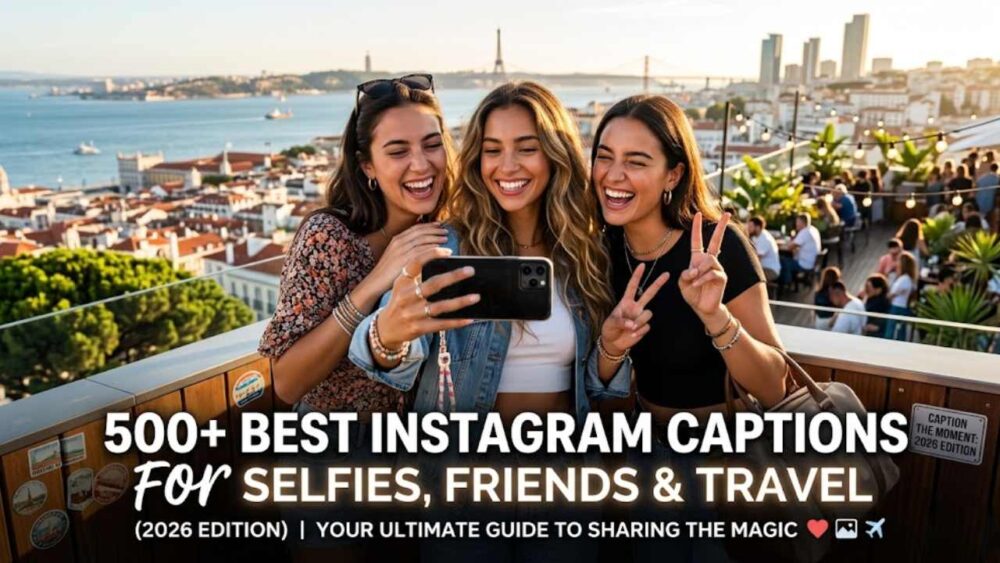
500+ Best Instagram Captions for Selfies, Friends & Travel (2026)

You took the photo. You cropped it perfectly. You picked the filter. And now you are staring at the caption box like it personally offended you.

This is the universal Instagram experience — and it happens because captions are surprisingly hard. The photo does the visual work. The caption does something entirely different: it gives the image a voice, a context, a personality. A great caption can turn a decent photo into a viral post. A bad caption can make a perfect photo feel hollow.

The difference between the two is almost never talent. It is preparation. The people whose captions always seem effortlessly right are not writing them on the spot — they have a mental library they pull from, or they understand something structural about what makes captions land.

This guide gives you 500+ Instagram captions across every category — selfies, friends, travel, couples, birthdays, aesthetic, funny, savage, short, and more. It also gives you the HOOK Formula, the four-part structure that separates captions people scroll past from captions people screenshot, share, and quote back to you three weeks later.

The HOOK Formula: How to Write Captions That Stop the Scroll

Before the captions, the framework. Because even with 500 options below, understanding why a caption works will help you modify any of them to fit your specific photo, your specific voice, and your specific audience. That is always more powerful than copying verbatim.

The HOOK Formula has four parts:

H — Hook (the first line is everything). Instagram truncates captions at roughly 125 characters before showing a “more” link. Everything that matters needs to happen before that cut. Your first line has one job: make them tap “more” or stop scrolling. The most effective first lines are either surprising (“I wasn’t going to post this, but”), specific (“This photo was taken exactly three hours before everything changed”), emotionally direct (“I don’t have the words for how good this day was”), or funny in a way that feels personal. Generic openers — “Living my best life!” or “So grateful!” — are not first lines. They are the thing people scroll past.

O — Observation (what the moment actually meant). After the hook, tell them something real. Not what is visible in the photo — they can see the photo. Tell them what is not visible. The conversation that happened right before the shutter clicked. What you were thinking in that moment. What this place/person/day meant to you. The observation is what separates a caption from a label.

O — Opinion (your take, your voice). The accounts people return to consistently have a point of view. Not controversy for its own sake — just a perspective that is recognizably theirs. A caption that says “sunsets are beautiful” adds nothing. A caption that says “I’ve seen thousands of sunsets and none of them have ever once made me feel like I had enough time” adds everything. State your take. The people who agree will love you for it. The people who don’t will at least remember you.

K — Keep it real (close with something human). End with a question, a self-deprecating joke, a quiet truth, or an invitation. Not a call to action in the marketing sense — a human close. “What’s everyone doing this weekend?” hits differently than “Double tap if you agree!” The goal is to end the caption in a way that feels like you finished a sentence with a friend, not a brand announcement.

Not every caption needs all four elements. Short captions only need the H. Funny captions live in the O-O space. The structure is a guide, not a mandatory template. Use it as your filter: before you post, ask which element is doing the work. If none of them are, rewrite the first line.


Short Instagram Captions

Short captions are not lazy captions. They are the most confident captions. A one-line caption that perfectly matches the energy of the photo outperforms a five-line caption that over-explains it. The rule: if you can say it in six words, don’t use twelve. These work for any photo and any vibe.

Clean & Minimal

  • “And just like that.”
  • “Living, not just existing.”
  • “This one’s for the memories.”
  • “Main character energy.”
  • “Good things take time.”
  • “No bad days.”
  • “Still figuring it out.”
  • “Unbothered.”
  • “Do it for the story.”
  • “Here we go again.”
  • “Worth it.”
  • “Just vibes.”
  • “The best is yet to come.”
  • “Not all who wander are lost.”
  • “In my element.”

Mood-based Short Captions

  • “Soft life era.”
  • “Reset. Recharge. Return.”
  • “Peace was the goal.”
  • “Choose joy. Every single time.”
  • “Grounded but make it glam.”
  • “Healing looks good on me.”
  • “New chapter loading.”
  • “This is my happy place.”
  • “Grateful and glowing.”
  • “Exactly where I’m meant to be.”
  • “Do less. Mean more.”
  • “Quiet confidence.”
  • “Less noise, more magic.”
  • “Showing up anyway.”
  • “Permission to be happy: granted.”

Cute Instagram Captions

Cute captions land when they feel genuine rather than performed. The ones below are warm without being cloying, sweet without losing personality. They work for portraits, lifestyle photos, feel-good moments, and anything where the energy of the photo is light and happy.

  • “Smiling because something good is happening.”
  • “This version of me took a while to get to. Worth it.”
  • “The best days look a lot like this.”
  • “I found my happy and I’m staying here.”
  • “Soft, bright, and figuring it all out.”
  • “She’s a 10 and she’s doing her best.”
  • “Somewhere between perfectly fine and absolutely thriving.”
  • “Doing the most. It’s working.”
  • “You deserve nice things. This is one of them.”
  • “Bloom where you are planted — especially if it’s the good spot.”
  • “Some days are just a gift.”
  • “I am exactly where I need to be.”
  • “Happier than I look in any photo, but this one comes close.”
  • “The light hit different. So did the day.”
  • “This is what full feels like.”
  • “Good energy only from this point forward.”
  • “Choosing happiness like it’s a full-time job.”
  • “Golden hour, golden mood, golden era.”
  • “Too busy being happy to explain it.”
  • “Cute, kind, and absolutely cannot be tamed.”

Funny Instagram Captions

Funny captions are the highest-engagement category on Instagram for one reason: they are shareable. When someone laughs at a caption, their first instinct is to send it to someone. These are written to actually be funny — not “lol relatable” funny, but the kind that makes someone read it twice and send it to their group chat.

Everyday Funny Captions

  • “I’m not lazy. I’m in energy-saving mode.”
  • “Professional overthinker. Open to feedback.”
  • “Currently pretending to have my life together. It’s going okay.”
  • “This was not planned, which makes it significantly better.”
  • “I woke up like this. Eventually. After several alarms.”
  • “My skin is clear, I found parking, and I remembered the reusable bags. Today is my day.”
  • “Emotionally available. Physically somewhere with good lighting.”
  • “I contain multitudes. Mostly snacks.”
  • “Not all heroes wear capes. Some just show up with snacks.”
  • “I’m a lot. I’ve been told this. I’ve decided to keep going.”
  • “Plot twist: the main character is me and she is managing.”
  • “I don’t have it all together. But my caption does.”
  • “Personality type: needs 48 hours’ notice for spontaneous plans.”
  • “Accidentally dressed well today. Took the photo to prove it happened.”
  • “This is not my final form but it’s a solid draft.”

Self-aware Funny Captions

  • “Took 47 versions of this photo. Chose this one. Respect the process.”
  • “No I am not posing I am simply standing here and this is how I look.”
  • “The caption is more work than the photo. Both of us know this.”
  • “I got dressed, went outside, and had a nice time. I’m as surprised as you are.”
  • “Normal amount of photos taken for this caption: 63.”
  • “I thought about this caption for longer than I’ll admit.”
  • “Diet starts Monday. This photo was taken on Saturday. Timeline unclear.”
  • “Yes this is a candid. No I will not be answering further questions.”
  • “My therapist said to go outside. She didn’t say anything about not posting about it.”
  • “Feeling cute, might delete later, definitely won’t delete later.”

Selfie Captions for Instagram

Selfie captions have one job: match the confidence of the photo without sounding like you’re trying too hard to sound confident. The sweet spot is self-assured without being performative, fun without being hollow. These captions are calibrated for that register.

Confident Selfie Captions

  • “Feeling myself, no notes.”
  • “Confidence level: selfie with no filter.”
  • “I am my own muse.”
  • “Self-love is the best love. Also the hardest. But worth it.”
  • “She’s not perfect, she’s real. That’s better.”
  • “Owning it. All of it.”
  • “I’ve been looking for myself and I finally found her here.”
  • “The only validation I need comes from this mirror.”
  • “Be your own biggest fan. Nobody else is going to do it for free.”
  • “This face took years to make peace with. We’re good now.”
  • “I don’t look like this every day. But when I do, I take a photo.”
  • “Flawed and still fully showing up.”

Playful Selfie Captions

  • “This is my ‘I’m doing amazing actually’ face.”
  • “Main character and director of photography.”
  • “Lighting is a form of self-care.”
  • “My camera roll told me to post this.”
  • “Out here minding my business and looking good while doing it.”
  • “The version of me you got today: top tier.”
  • “I came, I saw, I took a selfie.”
  • “Nobody asked, I’m posting anyway.”
  • “Not a phase. This is the whole thing.”
  • “This is my everything-is-fine face. I’m trying to make it true.”

Instagram Captions for Girls

These captions are written for the full range of moods — powerful, soft, funny, reflective, and unbothered. The best captions for girls are not one-dimensional. They match the complexity of the person posting them.

Powerful & Boss Energy

  • “She remembered who she was and the game changed.”
  • “Built different. Styled accordingly.”
  • “She is not behind. She is on her own timeline and it’s perfect.”
  • “Difficult women build interesting lives.”
  • “The glow up is not just physical.”
  • “She decided she was enough. That was the beginning.”
  • “Soft on the outside. Absolutely not on the inside.”
  • “Not waiting for anyone’s permission.”
  • “She who is brave is free.”
  • “Unbothered. Moisturized. Thriving. In my lane. Focused.”

Soft & Feminine Energy

  • “Glowing from the inside out.”
  • “Soft life. Hard boundaries. No compromise.”
  • “She bloomed in a season nobody expected.”
  • “Femininity is not weakness. It’s the whole point.”
  • “Gentle with myself. Fierce about my peace.”
  • “She wore her confidence like a crown — and it looked amazing.”
  • “The prettiest thing she wore was her authenticity.”
  • “Tender heart, strong spine.”
  • “She chose herself. It was the best decision she ever made.”
  • “Living in my feminine era and it is going extremely well.”

Instagram Captions for Friends

The best friend captions feel specific enough that the people in the photo could tell it was written about them — even if the words are universally relatable. They balance celebration with humor, warmth with realness.

Best Friend Captions

  • “The ones who know everything and stayed anyway.”
  • “Found my people. Not letting go.”
  • “We don’t remember the days, we remember the moments.”
  • “The group chat in real life.”
  • “These are the days we’ll talk about when we’re old.”
  • “Chosen family hits different.”
  • “Friends who laugh like this are the ones you keep.”
  • “We didn’t find each other. We were supposed to find each other.”
  • “Somewhere between ‘this is a bad idea’ and ‘worth every second.'”
  • “Good friends make ordinary days extraordinary.”

Funny Friend Captions

  • “We’re the reason they made group therapy.”
  • “Collectively, we are a lot. Individually, also a lot.”
  • “Nobody in this photo has any business looking this good.”
  • “We came, we saw, we spent too much.”
  • “Friends don’t let friends post unflattering photos. Usually.”
  • “This is the photo we agreed to post. There are better ones we will never speak of.”
  • “Started as strangers, ended as each other’s problem.”
  • “We’ve been having the same conversation for 10 years. Still not bored.”
  • “I love these people even when they’re a lot. Especially then.”
  • “The thing about your real friends: they show up. And then they stay too long. And it’s perfect.”

Heartfelt Friend Captions

  • “A good friend knows all your stories. A best friend was there for all of them.”
  • “Thank you for being the kind of friend I didn’t know I needed.”
  • “We grew up. We grew together. Still the same people who’d do anything for each other.”
  • “Not sisters by blood. Sisters by choice. The better kind.”
  • “You’ve seen me at my worst and still chose to stay for the best parts.”

Couple Captions for Instagram

Couple captions are the trickiest category because they can easily tip into either cringe or cliché. The ones that land are the ones that say something specific and true about this particular relationship — not a relationship in general. Use these as starting points, then add one detail that belongs only to you two.

Romantic Couple Captions

  • “Home isn’t a place. It’s a person.”
  • “I’d choose you again in every version of my life.”
  • “The best decision I ever made was saying yes to you.”
  • “Still my favorite adventure.”
  • “Found my person and I’m never letting go.”
  • “With you, ordinary becomes extraordinary every single time.”
  • “Every love song finally makes sense.”
  • “I love you more than yesterday. Less than tomorrow.”
  • “You make every place feel like the right place.”
  • “The rest of my life can’t start soon enough.”

Cute & Playful Couple Captions

  • “Two weirdos who found each other. This is what happiness looks like.”
  • “My favorite person to annoy.”
  • “We make a good team. Even when we argue about directions.”
  • “Relationship status: obsessed with each other.”
  • “He/she laughs at all my jokes. That’s how I knew.”
  • “Together is the best place to be.”
  • “Built-in best friend. I highly recommend it.”
  • “You’re my favorite notification.”
  • “Still choosing each other. Still glad about it.”
  • “We’re in this together. Even the weird parts.”

Anniversary & Milestone Captions

  • “Another year of choosing you. Easy decision every time.”
  • “[X] years in and I’m still the luckiest person in this photo.”
  • “We didn’t just make memories. We built a life.”
  • “Here’s to every year that proved this was the right call.”
  • “From that first day to this one — still the best thing that ever happened to me.”

Planning something special? Our 725+ Date Night Ideas guide has everything from home to travel — and our Anniversary Wishes collection has 250+ messages for the post you write before this one.


Aesthetic Instagram Captions

Aesthetic captions have a specific register: poetic without being pretentious, introspective without being heavy. They match the visual language of moody, artistic, or carefully composed photos. The best ones feel like the first line of something longer — inviting enough that people want to linger.

Soft Aesthetic Captions

  • “She lives in the in-between — too warm for winter, too wild for spring.”
  • “The quiet ones carry the loudest worlds inside them.”
  • “There is beauty in every imperfect moment if you slow down enough to see it.”
  • “She collected moments the way others collect things.”
  • “Somewhere between a memory and a dream.”
  • “Let the soft things be soft. That’s where the magic is.”
  • “She was made of stardust and very good intentions.”
  • “The world looks different from here.”
  • “Quiet mornings, honest thoughts, gentle light.”
  • “This is what healing looks like — not perfect, but alive.”

Dark Aesthetic Captions

  • “She wasn’t dark — she just understood the night better than most.”
  • “Born to stand out. Forced to fit in. Currently in negotiations.”
  • “There’s beauty in the chaos if you stop trying to fix it.”
  • “Not all storms come to destroy. Some come to clear the path.”
  • “She wore her shadows like a crown.”
  • “Complex is just another word for interesting.”
  • “The moon doesn’t apologize for its phases. Neither do I.”
  • “Beautiful things are rarely simple.”
  • “Depth is underrated. I’ll keep mine.”
  • “She burned like the sun. They called her complicated.”

Minimalist Aesthetic Captions

  • “Less, but better.”
  • “This is enough.”
  • “Calm is a superpower.”
  • “Intentional living.”
  • “Space. Light. Peace.”
  • “Simplicity is the highest form of sophistication.”
  • “Slow down. Look around.”
  • “The view from here.”
  • “More of this.”
  • “Everything I need.”

Savage & Attitude Captions

Savage captions have one rule: they should be confident without being bitter. The best attitude captions are empowering rather than reactive — they communicate that you are unbothered because you genuinely are, not because you are trying to look like you are. That distinction is everything.

Classic Savage Captions

  • “Not everyone deserves a seat at my table.”
  • “I’m the girl you wanted but couldn’t handle.”
  • “My standards are high and my patience is low. It’s a lifestyle.”
  • “Know your worth. Then add tax.”
  • “I didn’t change. I grew. Big difference.”
  • “I’m not for everyone. That was always the plan.”
  • “The upgrade was from the inside out.”
  • “Too busy leveling up to look back.”
  • “I stopped explaining myself when I realized not everyone deserves an explanation.”
  • “They said it couldn’t be done. They were not talking about me.”

Unbothered Energy Captions

  • “Peaceful, productive, and pleasantly unavailable.”
  • “My only competition is who I was yesterday.”
  • “Minding my business is a full-time job and the benefits are incredible.”
  • “You had your chance. The window is now closed.”
  • “Not cold. Just selective.”
  • “I don’t chase. I attract. What’s for me will find me.”
  • “Quiet. Focused. Undefeated.”
  • “The glow up continues regardless of who’s watching.”
  • “I don’t have a type. I have standards. Different thing.”
  • “They’re still talking about her. She stopped listening years ago.”

Funny Savage Captions

  • “I’m not a snack. I’m the whole meal, sides included.”
  • “My presence is a present. Not everyone gets it.”
  • “I’d agree with you but then we’d both be wrong.”
  • “I’m not arguing. I’m just explaining why I’m right.”
  • “Not everyone will understand your vision. That’s fine. They don’t need to.”
  • “I’m doing things my way. It’s working.”
  • “Strong opinions, lightly held — except about this.”

Birthday Captions for Instagram

Birthday captions break into two categories: posting a photo of yourself on your birthday, and posting a birthday tribute to someone else. Both have very different energy requirements. The self-birthday caption should radiate celebration without apology. The tribute caption should be specific enough that the person knows you meant every word.

Birthday Captions for Your Own Post

  • “Another year of figuring it out and looking great while doing it.”
  • “[Age] looks like this. I’ll take it.”
  • “Grateful, glowing, and completely unbothered.”
  • “Birthday mode: activated.”
  • “I have survived every difficult day so far. That deserves a cake.”
  • “Another trip around the sun. Still here, still going, still me.”
  • “Today I celebrate the fact that I showed up for every version of myself.”
  • “[Age] feels exactly like [age-1] but more intentional.”
  • “The best is yet to come. I feel it in my bones.”
  • “Less cake, more memories. Just kidding, equal amounts of both.”
  • “I’m not getting older. I’m getting more refined.”
  • “Born this day, blessed every day after.”

Birthday Tribute Captions for Someone Else

  • “Happy birthday to the one who makes every room better just by walking in.”
  • “The world got significantly more interesting the day you arrived in it. Happy birthday.”
  • “Another year of you existing in the world. The rest of us are very grateful.”
  • “Happy birthday to my favorite person to celebrate.”
  • “You deserve a day as good as you make every day around you.”
  • “I’m so lucky I get to be the one who celebrates you. Happy birthday.”
  • “Another year older, still the best one in the room. Happy birthday.”

Writing a longer birthday message to go with your post? Our Birthday Wishes guide has 200+ options across every tone and relationship type.


Travel Captions for Instagram

Travel captions fail when they are generic. “Wanderlust” as a caption on a photo of Paris is not a caption — it is a placeholder. The travel captions that actually get engagement are either funny about the reality of travel or specific enough to make people feel like they were there.

Wanderlust & Adventure Captions

  • “The world is too big to stay in one place.”
  • “Not all who wander are lost. Some of them just have bad data plans.”
  • “Collect moments, not things. Also collect local food.”
  • “I haven’t been everywhere but it’s on the list.”
  • “Travel is the only thing you can buy that makes you richer.”
  • “New place, new version of me — still the same carry-on bag issues.”
  • “Somewhere between the map and the moment.”
  • “The best stories start with a flight.”
  • “Adventure begins where the plan ends.”
  • “Every place I’ve been has left something in me.”

City & Urban Travel Captions

  • “Every city has a heartbeat. This one is speaking my language.”
  • “Lost in the best way possible.”
  • “Cities are just the stories of the people who built them.”
  • “I came for the landmark. I stayed for the side streets.”
  • “The best views aren’t always the ones in the guidebook.”

Funny Travel Captions

  • “My budget said no. My heart said go. My heart won.”
  • “Jet lag is just your body’s way of saying you had a good trip.”
  • “I need six months of vacation twice a year. Non-negotiable.”
  • “Passport: full. Bank account: humbled. Heart: entirely full.”
  • “Spent three hours finding this spot. Would do it again immediately.”
  • “New city. Same problems. Much better backdrop.”
  • “The world is a book. I’ve been aggressively reading it.”

Beach & Summer Captions

Beach and summer captions have a very specific energy: sun-warmed, slightly salt-hazed, and genuinely uncomplicated. The best ones are light without being hollow — they capture what it actually feels like to be exactly there.

Beach Captions

  • “Salt air and not a single care.”
  • “The ocean fixes things. I have data to support this.”
  • “She needed the sea to remind her of what was constant.”
  • “Tan lines and good times.”
  • “Good vibes happen on the tides.”
  • “I’m a mermaid on a budget.”
  • “Beach hair, don’t care — and I mean that sincerely.”
  • “The sea is calling and I must go. I always go.”
  • “Salty, sandy, and exactly where I’m supposed to be.”
  • “Life is short. Buy the beach house. Or at minimum, go to the beach.”

Summer Captions

  • “Summer: officially in my era.”
  • “Chasing sunsets all summer long.”
  • “Main character energy, summer edition.”
  • “Hot girl summer but make it meaningful.”
  • “These are the days we’ll miss when it’s cold.”
  • “Vitamin D and good company. My two requirements.”
  • “Summer loading… 100%.”
  • “Sunburned, happy, not even a little sorry.”
  • “Golden hours and golden memories.”
  • “Summer is a state of mind. I’m choosing to stay in it.”

Nature & Outdoor Captions

  • “Nature doesn’t hurry, yet everything is accomplished.”
  • “In the woods, I finally remember what matters.”
  • “The mountains called. I didn’t hesitate.”
  • “Fresh air is the best therapy and the cheapest.”
  • “Every trail has a view worth the climb.”
  • “Grounded. Literally and figuratively.”
  • “Nature is not a place to visit. It’s home.”
  • “The world is big and I am small and that is exactly what I needed to remember.”
  • “Sunsets out here doing the absolute most.”
  • “There is no WiFi in the forest but I found a better connection.”
  • “Golden hour belongs to whoever shows up for it.”
  • “Sky above, earth below, peace within.”
  • “Good trails lead to good moods.”
  • “The earth has music for those who listen.”
  • “Outside: where thoughts get quiet and things get clear.”

Food & Drinks Captions

Food captions live at the intersection of humor and appreciation. The best ones make people hungry — or make people laugh — or both.

  • “Good food is my love language.”
  • “First, we eat.”
  • “I came for the view. I stayed for the menu.”
  • “Calories consumed in beautiful places don’t count. Scientific fact.”
  • “Honestly I’m here for the food and the rest is a bonus.”
  • “Life is short. Order the dessert.”
  • “What I lack in skills I make up for in snacks.”
  • “Fine dining era. Fine meaning: anything with a nice presentation.”
  • “Eating my way through [place]. No regrets.”
  • “Food is the universal language and I am fluent.”
  • “You had me at the menu.”
  • “Coffee in hand, everything under control.”
  • “Running on caffeine and good intentions.”
  • “This meal deserved a moment of silence and also this photo.”
  • “They said money can’t buy happiness. They hadn’t been to this restaurant.”

Life, Mood & Vibe Captions

These are the catch-all — for the photos that don’t fit a specific category but capture a feeling. Life captions are the most personal because they are the most universal. They work for literally any photo and any moment.

Life Captions

  • “Just living the life I used to dream about.”
  • “Every day is a chance to start fresh. I’m taking it.”
  • “I am not where I thought I’d be. I am better.”
  • “Some chapters write themselves. This is one of them.”
  • “This is the life. The exact, specific life I wanted.”
  • “I’m building something. It takes time. I’m patient.”
  • “The good old days are happening right now.”
  • “This is what it looks like when things are working out.”
  • “Life is not a highlight reel — but when the highlights happen, document them.”
  • “Ten years from now I’ll look back at this and smile.”

Vibe & Mood Captions

  • “Current mood: this photo.”
  • “The energy in this moment: unmatched.”
  • “Vibes are immaculate and I’m riding them.”
  • “If my energy doesn’t match yours, that’s useful information.”
  • “In my good era and fully intending to stay.”
  • “Mood: something good is about to happen.”
  • “Feeling myself and not accepting criticism.”
  • “Today’s vibe: elevated.”
  • “The vibe is right. Don’t overthink it.”
  • “Everything is exactly as it should be.”

Motivational & Inspirational Captions

Motivational captions work when they feel earned — when the photo itself reflects the message, or the person posting has visibly been through something. Generic inspiration falls flat. Grounded, specific motivation resonates because it sounds like it came from experience rather than a poster.

  • “She didn’t wait for someone to open the door. She built her own.”
  • “The comeback is always stronger than the setback.”
  • “Bet on yourself. Aggressively.”
  • “Hard days are just days that test whether you want it.”
  • “The version of you that made it here is the proof.”
  • “Progress is invisible until suddenly it’s everything.”
  • “Do the work. Trust the process. Don’t skip the celebration.”
  • “Your story isn’t over. It’s barely started.”
  • “Slow progress is still movement. Keep moving.”
  • “One decision at a time. One day at a time. One year later: this.”
  • “You are not behind. You are building something that takes longer. That’s different.”
  • “The hardest thing and the right thing are usually the same thing.”
  • “She decided to start before she was ready. It worked.”
  • “What got you here is not what will get you there. Adapt. Grow. Go.”
  • “This is what showing up looks like. It works.”

Instagram Bio Ideas That Actually Work

Your bio has 150 characters to explain who you are to someone who landed on your profile for the first time. Most bios fail not because people don’t know who they are but because they try to list everything instead of saying one specific, memorable thing. The best Instagram bios have a hook, a personality signal, and something that makes people think “I want to follow this person.”

Short & Punchy Instagram Bio Ideas

  • “Living with intention. Posting with no filter.”
  • “Building something. Documenting it here.”
  • “Too many interests, one life. Making it work.”
  • “Soft life enthusiast. Loud opinions. Send coffee.”
  • “[City] | [passion] | [thing that makes you you]”
  • “Professional overthinker. Occasional human.”
  • “Creating the life I want one day at a time.”
  • “Main character of my own story. Finally.”
  • “Making memories and sharing the good ones.”
  • “Here for the stories, the food, and the people.”

Creative Instagram Bio Ideas

  • “If you’re reading this: hi, yes, follow.”
  • “I came. I saw. I took a photo.”
  • “Currently: everywhere. Eventually: somewhere specific.”
  • “Collector of moments, good playlists, and window seats.”
  • “[Current obsession]. Also: [other current obsession]. It’s a lot.”
  • “Doing the thing everyone said wasn’t practical. It’s going well.”
  • “[Profession] by day. [Passion] always.”
  • “Figuring it out and sharing the process.”

Aesthetic Instagram Bio Ideas

  • “She was made of stardust and very good timing.”
  • “Soft girl. Big dreams. Loud laugh.”
  • “Living at the intersection of beauty and chaos.”
  • “Creating something slow and intentional.”
  • “Made of light and complicated feelings.”

7 Rules for Writing Instagram Captions That Get Engagement

Now that you have 500+ captions to pull from, here are the structural rules that make any caption — borrowed or original — perform better.

Rule 1: The first line has to work alone. Instagram cuts your caption at around 125 characters in the feed. If your first line doesn’t stop someone scrolling at full speed, nothing else gets read. Write the first line last. It is the hardest part. Spend the most time on it.

Rule 2: Match the energy of the photo. A moody, dark photo with a cheerful “living my best life!” caption creates cognitive dissonance and neither element lands. The caption and the photo should feel like they belong to each other. If they don’t match, rewrite one of them — usually the caption is easier.

Rule 3: Specificity always beats generality. “Had an amazing time” tells people nothing. “I laughed so hard at dinner that my mascara needs a moment of silence” tells people everything they need to feel something. Specificity is not about word count — it is about detail. One specific detail is worth three generic sentences.

Rule 4: Read it out loud before posting. If it sounds like you wrote it — like you, specifically, in the voice you use in person — post it. If it sounds like you are performing a version of yourself for the internet, rewrite it. The captions people share are always the ones that feel like a real person said them.

Rule 5: Emojis are punctuation, not decoration. Used sparingly and intentionally, an emoji at the end of a line adds rhythm. Used excessively, they make captions look like spam. One or two strategic emojis: good. A row of six at the end because the caption felt incomplete: no.

Rule 6: Ask a question only if you actually want an answer. A question at the end of a caption invites comments, which helps with Instagram’s algorithm. But only ask if the question genuinely invites a response you would find interesting. “What do you think?” after a sunset photo is not a question. “What’s the most unexpectedly beautiful place you’ve ever accidentally ended up?” is.

Rule 7: Hashtags are separate from the caption. The cleanest approach is to either put hashtags at the very end of the caption after a line break, or in the first comment. Hashtags inside a well-written caption interrupt the reading experience and make the whole thing feel more like an SEO exercise than a human expression. Keep them functional and invisible.


FAQ: Instagram Captions Answered

How long should an Instagram caption be?

Instagram allows up to 2,200 characters, but the algorithm typically favors captions between 138–150 characters (about one tight paragraph) or longer narrative captions of 400+ characters for accounts that do storytelling well. The worst length is medium — long enough to need “more” but not long enough to reward clicking it. Either be short and sharp, or be genuinely long and worth reading. The middle is where captions go to die.

How many hashtags should I use?

Instagram’s own data has shifted recommendations over time. In 2026, the consensus from creators with strong organic reach is 5–10 highly relevant hashtags, either at the very end of the caption or in the first comment. The days of stuffing 30 hashtags are over — Instagram has confirmed that keyword-based searchability in captions themselves matters more now than hashtag volume.

What makes a caption go viral?

Viral captions have one of three qualities: they are funny enough to share, they say something true that people felt but couldn’t articulate, or they open with a line so surprising or specific that people stop scrolling to read the rest. The most common trait of viral captions is that they feel accidental — like the person wasn’t trying to go viral, they were just being honest. That quality cannot be faked, but it can be practiced. Write more honestly. Edit less. Leave the weird specific thing in.

Should I write my own captions or use templates?

Both. Templates and lists like this one are starting points — they help you break through blank-page paralysis and give you language to borrow. But the captions that perform best always have one line that is yours: a specific detail, a reference, a piece of your actual voice dropped into the borrowed structure. The goal is to use templates the way you use a recipe — as a framework that you then add your own ingredients to.

Do captions actually affect Instagram reach?

Yes, in two ways. First, Instagram uses caption text as a searchability signal — longer, keyword-rich captions help your content appear in search results for those terms. Second, captions that generate comments (because they are funny, ask a genuine question, or say something that provokes a response) tell the algorithm that the post is generating engagement, which increases distribution. A genuinely engaging caption is not just aesthetics — it is a functional part of how the post performs.

What’s a good caption for a photo with no context?

The best captions for context-free photos are either very short (“Exactly.”) or deliberately mysterious (“I’ll tell you the story behind this one someday”). Trying to explain a confusing photo in the caption usually makes it more confusing. Let the photo breathe. If it needs explanation, the explanation is usually not the caption — it’s a Story or a carousel slide where context fits naturally.


Final Thought: Your Voice Is the Whole Point

Instagram captions are not just text. They are the difference between a photo that gets a quick double-tap and one that gets screenshotted, shared to a story, sent to a best friend, and quoted back to you two weeks later.

The 500+ captions in this guide are a starting library — use them, steal from them, mash them together, and most importantly, add the one specific thing that makes them yours. That detail — the thing only you would include — is always the most powerful line in any caption.

The HOOK Formula keeps you structured. The voice keeps it human. Put them together and you will never stare at an empty caption box the same way again.

For the posts that deserve more than a caption — the surprise parties, the big announcements, the milestone moments worth celebrating in a way that goes beyond a grid post — MessageAR lets you embed a personalized video in an augmented reality card that the recipient scans and experiences in real life. Think of it as the caption that reaches beyond the screen.


Related: 500+ New Year Captions · 300+ Christmas Instagram Captions · Good Morning Messages (300+) · Romantic Messages for Her · Anniversary Wishes (250+)


Top AI Tools for Every Task in 2026: Free, Paid and Everything in Between

Introduction: Why AI Tools Matter in 2026

Artificial intelligence has moved from a futuristic curiosity to an everyday companion. In 2026, AI powers the tools that help us write, design, code, edit videos, compose music and even run businesses. The shift is profound – AI is no longer just a chatbot answering questions. Agentic systems and automation platforms enable individuals to build systems that handle research, outreach, content creation and product development. According to insights from KDnuggets, people are earning money by building small AI‑driven services and products, proving that AI is now a practical income stream.

This article explores the best AI tools across key tasks. For each tool we note whether it is free, paid or freemium (a basic free tier with paid upgrades). Our focus is practicality: we look at how these tools can save time, improve quality and even generate income. We also include real‑world uses and tips to get started.

By the end of this guide, you will know which AI tools are right for your needs, whether you are a content creator, designer, programmer, marketer or student. Let’s begin!

Writing & Content Creation

Why AI Writing Tools?

Writing tools powered by AI can brainstorm ideas, draft articles, correct grammar and refine tone. They speed up workflows and allow people to focus on strategy rather than typing. Many professionals use AI to improve their copywriting and deliver higher‑quality outcomes.

Top Tools

1. ChatGPT (OpenAI)

  • Type: Freemium (free basic usage with limitations; paid plans for higher volume and advanced features)
  • What it does: ChatGPT is a conversational AI that can draft blog posts, summarize articles, generate social media content, provide coding help and brainstorm ideas.
  • Key features: real‑time conversation, advanced reasoning, customizable tone, integration with external data (via plug‑ins or APIs on paid plans).
  • Use case: a blogger can use ChatGPT to draft an outline, expand sections and refine language. With proper fact‑checking, it becomes a powerful writing partner.
  • Tip: always verify facts and add personal insights to avoid generic content.

2. Jasper

  • Type: Paid (free trial available)
  • What it does: Jasper (formerly Jarvis) is designed for marketing copy, blog posts, emails and ad copy. It offers templates for content types and has a strong focus on brand voice.
  • Key features: brand voice training, SEO integration, collaboration features, art generation add‑on.
  • Use case: marketing teams use Jasper to draft product descriptions and email campaigns that align with their brand voice.
  • Note: while there is a free trial, full functionality requires a subscription.

3. Writesonic

  • Type: Freemium
  • What it does: Offers AI writing assistance for blogs, landing pages and ads. It integrates with SurferSEO for keyword optimization.
  • Key features: multiple languages, integration with SEO, content rephrasing, AI chat.
  • Use case: small businesses can generate high‑quality marketing copy and headlines quickly.
  • Free tier: limited monthly credits; paid plans offer higher volume and premium features.

4. GrammarlyGO

  • Type: Freemium
  • What it does: GrammarlyGO is an AI assistant within the popular Grammarly grammar checker. It rewrites text, suggests improvements and offers tone adjustments.
  • Key features: grammar and spell check, tone rewrites, context‑aware suggestions.
  • Use case: students and professionals can quickly polish emails and essays.

5. Copy.ai

  • Type: Freemium
  • What it does: Copy.ai specializes in marketing copy, sales letters and brainstorming. It offers dozens of templates and supports multiple languages.
  • Key features: tone options (friendly, professional, witty), content rewrites, brainstorming mode.
  • Use case: entrepreneurs use it to generate product descriptions and website copy quickly.

Tips for Using AI Writing Tools

  1. Combine AI and human creativity: AI accelerates drafting but should not replace human insight. Add personal stories, examples and unique data.
  2. Fact‑check and cite sources: AI sometimes invents details. Check facts and provide citations from reliable sources.
  3. Train the AI to your voice: Many tools allow brand voice training. Feed examples of your writing to maintain consistency.
  4. Optimize for SEO: Tools like SurferSEO or content editors within Jasper help align content with search intent.

Graphic Design & Image Generation

Why AI Design Tools?

Graphic design has traditionally required professional skills and expensive software. AI tools democratize design by offering templates, automatic formatting and image generation. They are ideal for social media graphics, logos, presentations and brand assets.

Top Tools

1. Canva

  • Type: Freemium
  • What it does: Canva is a popular design platform offering templates for social media posts, flyers, presentations and more. Its AI features include a Magic Design assistant and text‑to‑image generation.
  • Key features: drag‑and‑drop editor, brand kits, stock photos, video editing, Magic Resize for different social platforms.
  • Use case: small businesses can design professional graphics without hiring a designer.
  • Free tier: offers many templates and basic features; paid “Pro” unlocks premium assets and advanced tools.

2. Adobe Express (formerly Spark)

  • Type: Freemium
  • What it does: Adobe Express provides templates, one‑click branding and design assets. It integrates with Creative Cloud and uses AI to suggest layouts.
  • Key features: quick actions (resize, remove background), design templates, stock photos, video templates.
  • Use case: marketers can create on‑brand social media posts quickly.
  • Note: the free plan has limited premium templates; full features require a subscription.

3. DALL‑E 3

  • Type: Paid (via OpenAI API or integrated in ChatGPT Plus)
  • What it does: DALL‑E 3 generates images from text descriptions with high fidelity. Users can specify style, composition and details.
  • Key features: high‑quality generation, style control, ability to edit existing images.
  • Use case: designers can create concept art, album covers or unique illustrations.
  • Cost: usage is billed per generated image through OpenAI’s API or included in ChatGPT Plus subscription.

4. Midjourney

  • Type: Paid
  • What it does: Midjourney is an art generator that runs on Discord. It excels at painterly and cinematic visuals.
  • Key features: style prompts, iterative generation (version 6 improves photorealism), community gallery.
  • Use case: digital artists and brand designers looking for abstract or stylized art.
  • Cost: monthly subscription; no free plan.

5. Figma Designer with AI Add‑ons

  • Type: Freemium (Figma Starter plan is free; AI plugins may cost extra)
  • What it does: Figma is a collaborative design tool for UI/UX work. Numerous AI add‑ons automate tasks like layout generation, color palette suggestions and icon creation.
  • Key features: real‑time collaboration, vector editing, plugin ecosystem with AI design assistants.
  • Use case: product teams design interfaces and prototypes more efficiently.

Tips for AI Design Tools

  1. Start with templates: Many tools offer templates for specific platforms (Instagram stories, YouTube thumbnails). Use them to save time.
  2. Customize with brand guidelines: Upload your logo and choose brand colors to ensure consistency.
  3. Use text‑to‑image tools for unique visuals: DALL‑E and Midjourney are great for one‑of‑a‑kind images. Combine them with Canva to create polished designs.
  4. Optimize file sizes: compressed images load faster on websites and social platforms.

Video Creation & Editing

Why AI Video Tools?

Videos dominate social media and marketing. AI tools simplify production by generating scripts, creating voice‑overs, editing clips and resizing for different platforms. They reduce the time and cost required for professional results.

Top Tools

1. Descript

  • Type: Freemium
  • What it does: Descript is an all‑in‑one video and podcast editor. Its AI “Studio Sound” cleans up audio, and its video editor lets you edit by editing the transcript.
  • Key features: text‑based editing, overdub (AI voice cloning), screen recording, filler‑word removal, green screen.
  • Use case: YouTubers and podcasters can edit content quickly by cutting words instead of video frames.
  • Free tier: limited exports and watermark; paid plans remove watermarks and add features.

2. Pictory

  • Type: Paid (free trial available)
  • What it does: Pictory converts long‑form content (blog posts, articles) into short videos using AI. It automatically extracts key points and pairs them with stock footage and music.
  • Key features: text‑to‑video, voice‑over options, subtitles, video summarization.
  • Use case: marketers can repurpose blog posts into social videos for YouTube, Instagram and TikTok.

3. InVideo

  • Type: Freemium
  • What it does: InVideo offers templates for ads, promo videos, presentations and social media. It includes text‑to‑speech and automated video creation from scripts.
  • Key features: AI voice overs, text‑to‑video, 5,000+ templates, stock media library.
  • Use case: small business owners create professional ads without a production team.
  • Free tier: access to basic templates; watermarked exports; paid plans remove watermarks and unlock premium assets.

4. Runway

  • Type: Paid (limited free credits)
  • What it does: Runway is a creative suite with AI video editing, background removal, motion tracking and generative tools like Gen‑1 and Gen‑2 for turning text into videos.
  • Key features: multi‑model editing (text‑to‑video, image‑to‑video), style transfer, instant rotoscoping.
  • Use case: filmmakers and visual artists create experimental visuals and special effects.
  • Cost: free trial offers limited credits; subscription required for extended use.

5. Fliki

  • Type: Freemium
  • What it does: Fliki turns scripts or blog posts into videos using realistic AI voices and a large media library.
  • Key features: natural‑sounding voices in multiple languages, automated visuals, text highlighting.
  • Use case: educators create explainer videos quickly.
  • Free tier: limited minutes of video creation per month; paid plans expand capacity.

Tips for AI Video Tools

  1. Script before generating: even with AI, good videos start with a clear script and structure.
  2. Use natural voices: choose AI voices that match your brand tone or record your own voice and use tools like Descript’s overdub for corrections.
  3. Add captions: accessibility increases reach; many tools automatically generate captions.
  4. Resize for platforms: tools like InVideo and Runway help convert a video to different aspect ratios for YouTube, Instagram or TikTok.

Audio & Music Production

Why AI Audio Tools?

AI audio tools help creators produce podcasts, audiobooks and music without the need for expensive equipment. They include voice cloning, noise reduction, music composition and mastering.

Top Tools

1. Adobe Podcast (formerly Project Shasta)

  • Type: Freemium
  • What it does: Adobe Podcast offers AI‑powered enhancements like noise removal, speech enhancement and automatic leveling.
  • Key features: Studio Sound (removes background noise), script‑based editing, automatic transcription.
  • Use case: podcasters clean up audio quickly and edit via text.

2. AIVA

  • Type: Freemium
  • What it does: AIVA composes music in various genres using AI. Users can adjust style, tempo and instrumentation.
  • Key features: music composition, sheet music export, genre selection, editable arrangements.
  • Use case: filmmakers or game developers need custom background music.
  • Free tier: limited downloads and non‑commercial usage; paid plans offer higher quality and commercial rights.

3. LALAL.AI

  • Type: Freemium
  • What it does: LALAL.AI separates vocals and instrumentals from audio files using stem splitting technology.
  • Key features: high‑quality stem extraction, batch processing, voice cleaner.
  • Use case: remixing songs or creating karaoke tracks.
  • Free tier: limited sample length; paid tiers provide longer processing and better quality.

4. Soundraw

  • Type: Paid (trial available)
  • What it does: Soundraw generates original music based on mood, genre and length. Users can edit individual instruments and structure.
  • Key features: customizable music, adaptive length, AI composer with human editing.
  • Use case: YouTube creators and advertisers needing unique background music.

5. MusicLM (experimental)

  • Type: Experimental/free (access via Google AI Test Kitchen)
  • What it does: MusicLM, from Google, can generate music from textual descriptions, similar to text‑to‑image models.
  • Key features: style and instrument control, extended compositions.
  • Use case: experimental music projects, concept tracks for films or games.

Tips for AI Audio Tools

  1. Define your mood: specify genre and mood to get better compositions.
  2. Experiment with voice cloning responsibly: ensure you have legal rights when cloning voices.
  3. Use noise reduction: tools like Adobe Podcast improve clarity and reduce editing time.
  4. Mix human and AI editing: AI can generate drafts; human producers can refine structure and mastering.

Coding & Developer Assistance

<a id=”coding”></a>

Why AI Coding Tools?

Developers increasingly rely on AI to boost productivity. Coding assistants can suggest code snippets, debug errors, generate unit tests and automate documentation. According to KDnuggets, micro‑tools and small SaaS products built using automation are a lucrative avenue for earning with AI.

Top Tools

1. GitHub Copilot

  • Type: Paid (free trial for verified students)
  • What it does: Copilot suggests code completions, entire functions and tests based on context. It supports major programming languages.
  • Key features: integration with Visual Studio Code and JetBrains IDEs, contextual suggestions, code explanations.
  • Use case: reduces boilerplate and accelerates development for professionals and learners.

2. Replit Ghostwriter

  • Type: Paid (some free features)
  • What it does: Replit’s Ghostwriter helps you write code, fix bugs and deploy applications in the browser. It also suggests projects and code improvements.
  • Key features: AI‑assisted coding, chat interface, code explanations, built‑in deployment.
  • Use case: beginners learning to code or building prototypes quickly.

3. Tabnine

  • Type: Freemium
  • What it does: Tabnine provides AI code completion and suggestions across languages. It runs locally for privacy and integrates with popular IDEs.
  • Key features: local inference, team training, pair programming mode.
  • Use case: teams needing private code suggestions and autopilot for repetitive tasks.

4. Codeium

  • Type: Freemium
  • What it does: Codeium offers free AI code completion with unlimited usage. It supports multiple languages and integrates with major IDEs.
  • Key features: high‑quality suggestions, minimal configuration, continuous updates.
  • Use case: students and developers wanting a free alternative to Copilot.

5. Cursor

  • Type: Freemium
  • What it does: Cursor is an AI‑first IDE built on Visual Studio Code. It can explain code, generate functions, search within codebases and help refactor.
  • Key features: integrated AI chat, built‑in search, code generation.
  • Use case: exploring codebases and onboarding quickly.

Tips for AI Coding Tools

  1. Understand suggestions: treat AI outputs as suggestions; verify their correctness and security.
  2. Use version control: always commit before testing AI‑generated code to easily revert changes.
  3. Combine tools: use Copilot for completions, Replit for rapid prototyping and GitHub Codespaces for cloud environments.
  4. Build micro‑tools: apply automation to solve small problems and monetize them, as recommended by KDnuggets.

Research & Data Analysis

Why AI Research Tools?

The explosion of information requires tools that can search, summarize and analyze data quickly. AI research assistants help gather insights and make sense of complex topics.

Top Tools

1. Perplexity AI

  • Type: Freemium
  • What it does: Perplexity is an AI search engine and answer engine. It provides concise answers with citations and allows follow‑up questions.
  • Key features: citation of sources, conversation memory, support for code execution and document search.
  • Use case: researchers gather quick summaries and drill down into sources.

2. Elicit by Ought

  • Type: Free
  • What it does: Elicit helps researchers find papers, summarize findings and brainstorm hypotheses. It uses AI to extract key information from academic papers.
  • Key features: literature review support, question answering, data extraction.
  • Use case: academics writing literature reviews or exploring new research areas.

3. IntelliRef

  • Type: Paid (trial available)
  • What it does: IntelliRef leverages AI to summarize books, research articles and videos. It creates outlines, highlights themes and suggests questions.
  • Key features: multi‑format summarization, content extraction, knowledge maps.
  • Use case: students or professionals needing deeper comprehension.

4. DataRobot

  • Type: Paid (enterprise software with trial)
  • What it does: DataRobot automates machine learning model building and deployment. It handles data preprocessing, feature engineering and model selection.
  • Key features: AutoML, time series forecasting, model explanations, deployment pipelines.
  • Use case: data scientists accelerate model development.

5. Wolfram Alpha

  • Type: Freemium (Pro subscription for advanced features)
  • What it does: Wolfram Alpha answers mathematical and computational queries. It computes integrals, solves equations, plots graphs and analyzes statistics.
  • Key features: knowledge engine, step‑by‑step solutions, interactive widgets.
  • Use case: students, engineers and analysts solve complex calculations.

Tips for AI Research Tools

  1. Verify citations: even if a tool provides sources, always cross‑check the information.
  2. Combine search and summarization: use Perplexity to find sources, then Elicit to summarize multiple papers.
  3. Use AI for brainstorming: AI can suggest directions for research or alternative hypotheses.
  4. Automate data analysis: platforms like DataRobot free data scientists from repetitive tasks, enabling them to focus on interpretation and strategy.

Customer Support & Chatbots

Why AI Support Tools?

AI chatbots have evolved into sophisticated support agents, handling simple queries, triaging customer issues and even personalizing responses. By automating routine conversations, businesses save time and deliver faster service.

Top Tools

1. Intercom Fin

  • Type: Paid (usage‑based pricing)
  • What it does: Intercom Fin is an AI agent integrated into the Intercom customer support platform. It uses large language models to answer questions based on your knowledge base and can hand off to human agents.
  • Key features: conversation summarization, automatic ticket creation, tone control.
  • Use case: SaaS companies reduce support load by letting Fin handle common queries.

2. Freshdesk Copilot

  • Type: Paid (part of Freshdesk suite)
  • What it does: Freshdesk’s Copilot suggests responses, creates knowledge base articles and summarizes conversations.
  • Key features: agent assist, response drafting, knowledge base suggestions.
  • Use case: support teams respond faster and maintain knowledge base articles.

3. Drift Conversational AI

  • Type: Paid
  • What it does: Drift’s AI powers chatbots for marketing and sales. It engages website visitors, qualifies leads and schedules calls.
  • Key features: conversation flows, lead routing, personalization, Slack integration.
  • Use case: B2B companies convert website traffic into qualified leads.

4. Chatbase

  • Type: Freemium
  • What it does: Chatbase lets you train custom chatbots on your data (PDFs, docs) and deploy them on websites.
  • Key features: knowledge import, no‑code configuration, multi‑channel deployment.
  • Use case: small businesses create self‑service support without coding.
  • Free tier: limited chat sessions; paid plans expand usage.

5. Tidio AI

  • Type: Freemium
  • What it does: Tidio provides chatbots for customer support and sales. Its AI features include intent recognition and order tracking.
  • Key features: multichannel support (live chat, email, messenger), analytics, chatbot templates.
  • Use case: e‑commerce stores manage customer inquiries and upsell products.

Tips for AI Support Tools

  1. Train bots with accurate data: provide clear answers and update your knowledge base regularly.
  2. Use human takeover: ensure customers can reach a human when issues are complex.
  3. Personalize interactions: integrate with CRM data to tailor responses.
  4. Monitor performance: analyze chat logs to improve AI responses and customer satisfaction.

Productivity & Automation

Why Productivity & Automation Tools?

Automating repetitive tasks frees up time for creative and strategic work. According to KDnuggets, building simple workflows and micro‑tools can even become a business model.

Top Tools

1. Zapier & Make (formerly Integromat)

  • Type: Freemium
  • What they do: Zapier and Make automate workflows by connecting apps. They move data between services, trigger notifications and run multi‑step processes.
  • Key features: thousands of app integrations, no‑code builder, scheduling, conditional logic.
  • Use case: automatically send Slack alerts when new leads arrive or add form responses to a spreadsheet.

2. n8n

  • Type: Open source (self‑hosted) & Paid cloud version
  • What it does: n8n allows more complex workflows with code blocks, loops and data transformations. It can run on your own server or n8n’s cloud.
  • Key features: unlimited workflows, advanced logic, custom nodes.
  • Use case: build data pipelines, integrate internal tools, automate marketing.
  • Monetization: some users charge businesses for building and maintaining n8n workflows.

3. Otter.ai

  • Type: Freemium
  • What it does: Otter transcribes meetings, generates summaries and provides real‑time captions. It integrates with Zoom, Google Meet and Teams.
  • Key features: live transcription, summary keywords, automated meeting notes.
  • Use case: teams capture meeting details and follow‑up tasks automatically.

4. Notion AI

  • Type: Freemium (Notion Plus with AI add‑on)
  • What it does: Notion AI assists with writing notes, summarizing pages and generating action items within Notion. It also offers AI spreadsheets and database querying.
  • Key features: page summarization, translation, content generation, Q&A on databases.
  • Use case: teams maintain knowledge bases and plan projects efficiently.

5. Microsoft Copilot for Office

  • Type: Paid (Microsoft 365 subscription)
  • What it does: Copilot brings generative AI into Word, Excel, PowerPoint and Outlook. It drafts emails, analyzes data and creates presentations based on prompts.
  • Key features: data analysis in Excel, slide generation, meeting recap in Teams.
  • Use case: knowledge workers accelerate document creation and data insights.

Tips for Productivity Tools

  1. Start small: automate simple tasks like sending daily reports or updating spreadsheets.
  2. Monitor automations: ensure your workflows run correctly and handle errors gracefully.
  3. Document processes: write instructions so others can maintain the automations.
  4. Charge for expertise: if you master tools like n8n, consider offering automation services as a side hustle.

Marketing & SEO Tools

Why AI Marketing Tools?

Marketing and SEO require understanding search intent, optimizing content and running ads efficiently. AI tools help analyze keywords, generate optimized content and manage campaigns.

Top Tools

1. Semrush

  • Type: Paid (free trial available)
  • What it does: Semrush is an all‑in‑one marketing platform for keyword research, competitor analysis, backlink audits and site health checks.
  • Key features: keyword magic tool, on‑page SEO checker, backlink analysis, advertising research.
  • Use case: SEO specialists plan content strategies and monitor website performance.

2. SurferSEO

  • Type: Paid (free trial available)
  • What it does: SurferSEO analyzes top‑ranking pages and suggests keyword usage, headings and content length. It integrates with Google Docs and Jasper.
  • Key features: content editor, SERP analyzer, keyword research, SEO audit.
  • Use case: content teams optimize articles for search engine ranking.

3. RankMath

  • Type: Freemium
  • What it does: RankMath is a WordPress SEO plugin that helps optimize titles, meta descriptions, schema and keywords.
  • Key features: on‑page SEO analysis, schema markup, integration with Google Search Console.
  • Use case: bloggers ensure technical SEO best practices.
  • Free tier: includes basic features; paid version adds advanced schema and AI suggestions.

4. HubSpot AI Content Assistant

  • Type: Free (with HubSpot account)
  • What it does: Generates blog ideas, outlines and social posts. It integrates with HubSpot’s CRM and marketing tools.
  • Key features: topic suggestions, content generation, email personalization.
  • Use case: small businesses create content marketing plans quickly.

5. AdCreative.ai

  • Type: Paid (trial available)
  • What it does: AdCreative.ai designs ad creatives using AI. It generates images and ad copy optimized for conversions.
  • Key features: image and text generation, performance prediction, integration with ad platforms.
  • Use case: advertisers test multiple creative variations without a design team.

Tips for AI Marketing Tools

  1. Do keyword research first: tools like Semrush and SurferSEO help you target high‑value keywords.
  2. Optimize meta tags: plugins like RankMath ensure your titles and descriptions are search‑friendly.
  3. Monitor performance: track ranking changes and adjust strategies accordingly.
  4. Test ad variations: AI‑generated ads are only the starting point; run A/B tests to find winners.

Education & Personal Learning

Why AI Education Tools?

AI can personalize learning experiences, provide instant feedback and help learners stay motivated. From language learning to programming, AI tools adapt to individual needs and pace.

Top Tools

1. Khanmigo (Khan Academy)

  • Type: Free (Donations encouraged; currently in beta)
  • What it does: Khanmigo is an AI tutor integrated with Khan Academy. It helps students solve math problems, understand concepts and practice coding.
  • Key features: step‑by‑step explanations, interactive quizzes, personalized hints.
  • Use case: students get instant help on homework and practice problems.

2. Quizlet Q‑Chat

  • Type: Freemium
  • What it does: Quizlet’s Q‑Chat is an AI study partner that quizzes users, explains answers and generates practice questions based on flashcards.
  • Key features: conversation‑style learning, spaced repetition, answer explanations.
  • Use case: language learners and exam prep students reinforce knowledge.
  • Free tier: basic flashcards and practice; paid tiers unlock Q‑Chat and advanced features.

3. Duolingo Max (AI‑Powered)

  • Type: Paid (subscription)
  • What it does: Duolingo Max offers advanced AI features like “Explain My Answer” and role‑play conversations with characters powered by GPT‑4.
  • Key features: interactive role‑plays, immediate error explanations, personalized practice.
  • Use case: language learners deepen conversation skills.

4. Coursera Coach (experimental)

  • Type: Included with courses (beta)
  • What it does: Coursera Coach uses AI to help learners understand course material, answer questions and plan study schedules.
  • Key features: contextual Q&A, summarization of lecture videos, study reminders.
  • Use case: online students maintain momentum and comprehension.

5. Photomath (now integrated with ChatGPT)

  • Type: Freemium
  • What it does: Photomath allows students to scan math problems with their phone and see step‑by‑step solutions.
  • Key features: problem scanning, interactive graphing, detailed explanations.
  • Use case: solving algebra, calculus and statistics problems quickly.

Tips for AI Education Tools

  1. Focus on understanding: use AI to explain concepts, not just give answers.
  2. Practice regularly: spaced repetition and active recall are key for retention.
  3. Combine resources: AI tutors complement textbooks and teacher guidance.
  4. Set goals: track progress and celebrate milestones to stay motivated.

Conclusion: Building Your AI Toolkit

The rapid evolution of AI tools has transformed how we create, learn, automate and grow businesses. From writing and design to coding and customer support, AI empowers individuals to accomplish more in less time. It also opens new income opportunities: building micro‑tools, offering workflow automation services and selling AI‑assisted content can generate recurring revenue.

When adopting AI tools, remember these principles:

  • Be strategic: Choose tools that solve your specific problems and integrate well with your workflow.
  • Verify outputs: AI is powerful but not infallible; always verify facts, check code and refine designs.
  • Balance free and paid: Many tools offer free tiers for experimentation. Upgrade when you need advanced features or higher volume.
  • Stay human‑centered: AI should augment your creativity, not replace it. Use it to free time for higher‑level thinking and personal connection.

By building a thoughtful AI toolkit, you can harness technology to accelerate your career, streamline your work and even create new sources of income. Happy exploring!

Anniversary Gifts: 200+ Best Ideas for Every Year, Budget & Couple Type (2026 Guide)

Anniversary gifts are bought under more pressure, second-guessed more often, and gotten wrong more consistently than almost any other gift category — and the reason has nothing to do with budget or effort. It has to do with starting with the wrong question.

Most people open a browser and type “anniversary gift ideas.” They scroll a list of objects sorted by price. They pick something that seems appropriate. And then — in a surprising number of cases — the gift sits in a drawer, gets quietly returned, or earns a polite “I love it” that fades within a week.

The National Retail Federation’s 2025 data puts average annual spending on anniversary gifts at roughly $155 per person. Multiply that across millions of anniversaries every year and you have an industry worth billions — a significant portion of which, by the NRF’s own data on gift waste, does not land the way the buyer intended.

This guide is built on the research behind what actually works. Before a single product recommendation, it gives you a framework for choosing the right gift for your specific anniversary, your specific relationship, and your specific budget. Then it gives you 200+ specific ideas sorted by year, recipient, budget, and occasion — with honest notes on what works and why.

1. The Research Behind Anniversary Gifting — What Actually Lands

Before examining a single product, it is worth understanding what research actually says about which anniversary gifts work — because the findings challenge several assumptions that most gift guides silently accept.

$155Average per-person spend on anniversary gifts (NRF 2025)

62%of people prefer a cheap but meaningful gift over an expensive generic one (GiftAFeeling 2025)

57%of men say they prefer experience gifts over physical ones (NRF consumer survey)

more likely to be remembered: gifts that reference the couple’s specific shared history

The academic literature on gift-giving is unusually consistent on one point: perceived specificity — the degree to which a gift signals that the giver paid attention to this particular recipient — is the primary predictor of how meaningful a gift feels. This holds across price points, occasions, and relationships.

A 2024 study published in the Journal of Consumer Psychology confirmed what practitioners have long suspected: recipients rated gifts that demonstrated personal knowledge of the giver more highly than gifts that were objectively more expensive or more elaborately presented. In paired comparisons, a $45 gift chosen with specific personal knowledge of the recipient outperformed a $150 gift from a bestseller list.

Cornell psychologist Thomas Gilovich’s landmark research on experience versus material goods adds another layer: people adapt to physical objects quickly — the happiness spike from a new item decays within weeks — but experiential purchases create memories that grow in perceived value over time, are more resistant to social comparison, and generate stronger conversational currency (the stories couples tell together). For anniversary gifting specifically, this translates into a clear recommendation: experience gifts, or gifts that create an experience alongside an object, outperform standalone physical items at almost every milestone.

Research from the Journal of Experimental Social Psychology on “the gesture effect” found that personalized messages accompanying gifts — a handwritten letter, a video message, a note referencing something specific — multiply the perceived value of the gift itself. The gift did not change. The delivery format did. And the emotional impact was measurably different.

One more finding worth carrying into the gift selection process: people consistently underestimate how much the recipient will value gifts that acknowledge the duration and quality of the relationship rather than just the occasion. An anniversary gift that says “this is what I love about us” produces a different emotional response than one that says “happy anniversary.” The former is specific to the relationship. The latter could have come from anyone.

The most memorable anniversary gifts share three qualities: they are specific to this couple, they acknowledge what the relationship has meant, and they arrive with something personal that the object alone cannot carry — a letter, a message, a shared plan.

2. The Anniversary Gift Framework — The Four-Variable Decision Model

Most gift-selection failures happen at the framework stage — not the shopping stage. People jump to browsing before they have identified the right category of gift for the specific situation. The following four variables, evaluated before looking at a single product, will narrow the field dramatically and increase the chance that what you choose actually lands.

Variable 1 — The Anniversary Weight

Not all anniversaries are equal. A 1st anniversary, a 10th, a 25th, and a 50th carry entirely different emotional weights — and the right gift register for each is correspondingly different. Early anniversaries (1st through 5th) are celebrations of a relationship still being built. The gift should feel personal and optimistic without being presumptuous about permanence. Milestone anniversaries (10th, 25th, 50th) are achievements. The gift should honor duration, shared history, and the depth of what has been built — not just the occasion.

Variable 2 — The Recipient’s Preference Mode

This is the most frequently skipped variable and the most consequential. Broadly, most people fall into one of three preference modes: Experiential (they value memories and shared activities over objects), Sentimental (they value the emotional signal and the personal history embedded in a gift), or Practical (they genuinely prefer things they will use, and find unusable objects slightly stressful even when they are beautiful). Matching the gift category to the recipient’s mode eliminates a significant portion of the gift-miss risk.

Variable 3 — The Relationship Context

Are you buying for your own spouse or partner? For your parents? For close friends? For colleagues celebrating their anniversary? Each context has a different appropriate register. A gift for your spouse can carry full intimacy. A gift for your parents should acknowledge what their marriage has meant to you — not just to them. A gift for friends should be warm and celebratory without being presumptuous about the details of their private life. A gift for colleagues should stay on the warmer end of professional.

Variable 4 — The Delivery Intention

Will this gift be given in person at a dinner or celebration? Shipped to arrive on the day? Sent across a long-distance relationship? The delivery context shapes what categories of gift make sense. An experience gift requires a shared date. A shipped gift needs to survive transit and arrive on time. A digital gift can be delivered instantly from anywhere. Matching the gift format to the delivery context avoids the surprisingly common situation where a thoughtfully chosen gift arrives at the wrong moment, in the wrong format, and misses its intended impact.

Use these four variables as filters before browsing. The right answer to “what should I get for our anniversary” is never a random list — it is the result of knowing what milestone you are marking, who you are marking it for, what relationship you are in, and how you intend to deliver it.

3. Anniversary Gifts by Year — Traditional, Modern & Interpreted (1st–50th)

The traditional anniversary gift list — assigning a material to each year — dates to the Victorian era and was standardized in the US in the mid-20th century. It is a useful starting point. The best approach is not to use it literally (handing someone a piece of cotton for their 2nd anniversary is technically correct and completely underwhelming) but to interpret it creatively — finding gifts that honor the theme while actually being wanted and used.

Below is a complete guide to every major milestone anniversary, with the traditional and modern themes plus specific, usable gift ideas for each.

1st Anniversary — Paper

Traditional: Paper  |  Modern: Clocks

Custom illustrated map of where you met. Leather-bound journal with a handwritten letter. Framed print of wedding vows in calligraphy. A book of “firsts” — photos and stories from year one. Custom newspaper front page from your wedding day. A poetry collection with personally annotated pages.

2nd Anniversary — Cotton

Traditional: Cotton  |  Modern: China

Premium cotton linen set in their favorite color. A custom embroidered quilt with significant dates or phrases. Monogrammed bathrobes for both. A weekend stay at a hotel with exceptional bedding. Cotton hammock for the garden. Personalized tote bag made from heirloom-quality canvas.

3rd Anniversary — Leather

Traditional: Leather  |  Modern: Crystal / Glass

Personalized leather wallet or passport holder. Custom leather journal engraved with initials. A leather weekender bag. A leather-wrapped photo album of your three years. Premium leather watch strap. A leather key tray engraved with a meaningful date.

5th Anniversary — Wood

Traditional: Wood  |  Modern: Silverware

Custom wooden watch. A live edge wood serving board engraved with your names. A tree planted in their honor (with a certificate and GPS coordinates). A hand-carved wooden keepsake box. A bespoke wooden jewelry box. A romantic weekend cabin stay (wood, literally). Personalized wooden map of a meaningful city.

10th Anniversary — Tin / Aluminum

Traditional: Tin  |  Modern: Diamond Jewelry

A custom star map of your wedding night. Tin of their favorite artisan teas, coffees, or chocolates inside a beautifully engraved tin. A custom illustrated portrait of the couple. Diamond stud earrings or a small diamond pendant. A professionally planned anniversary trip. A renewal of vows ceremony (even small and informal).

15th Anniversary — Crystal

Traditional: Crystal  |  Modern: Watches

Crystal wine or champagne glasses engraved with anniversary date. A Swarovski crystal keepsake. A high-quality watch. A crystal whisky decanter set. A crystal vase with a subscription to monthly fresh flowers. A romantic dinner with a bespoke tasting menu.

20th Anniversary — China

Traditional: China  |  Modern: Platinum

A beautiful china dinnerware set for the home they’ve built. A weekend trip to a destination they’ve always talked about. Platinum jewelry. A custom family portrait commissioned from an artist. A spa weekend for two. A handcrafted pottery class together.

25th Anniversary — Silver

Traditional: Silver  |  Modern: Silver

Sterling silver jewelry engraved with the date. A silver photo frame with a family portrait. A silver champagne cooler. A vow renewal ceremony with close family. A custom piece of silver jewelry designed around a meaningful symbol. A luxury trip to a destination they’ve dreamed of. A professional video tribute assembled from family members.

30th Anniversary — Pearl

Traditional: Pearl  |  Modern: Diamond

Pearl jewelry — earrings, bracelet, or pendant. A pearl-inlaid watch. A professional family photoshoot. A luxury cruise. A custom photo book of all 30 years. Diamond jewelry for a milestone that deserves it. A trip to a pearl-producing region (Japan, Tahiti, Australia).

40th Anniversary — Ruby

Traditional: Ruby  |  Modern: Ruby

Ruby gemstone jewelry. A ruby-red dress or accessories. A luxury trip to a dream destination. A professionally curated 40-year photo book. A ruby glass set. A family reunion celebration organized by the children. A commissioned painting of a meaningful place in their relationship.

50th Anniversary — Gold

Traditional: Gold  |  Modern: Gold

Gold jewelry — updated versions of their original wedding rings. A 24-karat gold photo frame. A professional documentary video of their life together, assembled by the family. A luxury celebration dinner. A gold-leafed custom portrait. A vow renewal with everyone who matters. A heritage trip to places significant in their relationship’s history. A gold-engraved memory book contributed to by family and friends.

A note on using the traditional list: the most effective approach is to find the spirit of the material — paper means something documented, wood means something lasting and natural, silver means something polished and precious — and let that spirit guide a gift that the recipient will actually love rather than literal adherence that produces something technically correct and emotionally flat.

4. Anniversary Gifts for Him — 60+ Ideas by Personality & Occasion

The standard “gifts for him” approach defaults to tech gadgets, whisky sets, and leather goods — not because these are wrong, but because they are chosen for a category called “him” rather than for the specific man in the relationship. The distinction matters because the research on gift satisfaction is consistent: specificity beats category every time.

Below, ideas are organized by personality type first — because personality predicts preference more reliably than price or theme.

For the Experiential Man

He talks about trips you have taken, restaurants you tried, concerts you attended. He rarely mentions wanting objects. His ideal anniversary gift gives him something to anticipate and something to remember. Ideas: Tickets to a live sporting event, concert, or performance by an artist he loves. A whisky or craft beer tasting at a premium venue. A motorsport experience day (track driving, karting, rally day). A cooking class focused on a cuisine he has always wanted to master. A fishing, kayaking, or hiking trip planned with genuine thought to where he has wanted to go. A weekend city break to somewhere he has mentioned at least once. A golf day at a course he has talked about.

For the Sentimental Man

He keeps things. He remembers dates. He notices when you reference something specific about your shared history. His ideal anniversary gift acknowledges the relationship, not just the occasion. Ideas: A custom map of the place you first met, first kissed, or got engaged. A leather-bound journal with a handwritten letter inside — a real one, long, specific. A framed photo of a moment that genuinely means something, with a note explaining why you chose that one. A custom illustrated portrait of the two of you by a commissioned artist. A personalized star map of the night of your anniversary or a significant date. A book of “reasons I love you” — written by you, not printed from a template. A personalized playlist of songs with notes on why each one is meaningful.

For the Practical Man

He has a wishlist — mental or actual. He finds objects he will not use mildly stressful. He wants something he will pick up and think of you every time he uses it. Ideas: A high-quality leather wallet personalized with a hidden message on the interior. A premium coffee or espresso setup if he is a coffee person. A quality chef’s knife if he cooks. A leather watch strap in his preferred style. A premium headphone upgrade if music matters to him. A subscription to a service he has considered but not bought — a streaming service, a magazine bundle, a wine or beer subscription. Upgrade-level tech he uses daily: a quality wireless charger, a portable battery, a Bluetooth speaker built to last.

For the Adventure-Oriented Man

Ideas: A camping or glamping booking at a location you choose together with care. A skydiving or paragliding experience. A scuba diving certification course. A premium travel bag or rucksack for the next trip. An adventure subscription box. A guided wilderness experience — tracking, survival skills, or nature photography. Rock climbing introductory lesson at an outdoor crag rather than a gym.

For the Intellectual Man

Ideas: A signed first edition of a book that has meant something to him. A subscription to a curated book service that matches his reading preferences. A premium writing instrument (quality pen, fountain pen) engraved with a meaningful date. A documentary or film screening private hire if something meaningful is playing. A lecture, talk, or event by someone he respects. A course or masterclass in a subject he has always been curious about.

For the Foodie Man

Ideas: A reservation at a restaurant he has mentioned or that is genuinely hard to get into. A premium charcuterie and cheese subscription. A cooking class focused on a cuisine he loves. A high-quality cast iron skillet or carbon steel wok if he cooks seriously. A foraging experience or farm-to-table dining event. A curated spice collection from a specific region he is interested in. A private chef dinner at home — the kitchen as the experience.

5. Anniversary Gifts for Her — 60+ Ideas by Personality & Occasion

The same principle applies here: avoid the “gifts for her” default list — candles, jewelry, spa sets — unless the specific person in your life actually loves those things. The research is unambiguous: a gift chosen for the woman rather than for the category “woman” will always outperform a list-driven choice.

For the Experiential Woman

She lights up when she talks about travel, meals, events, and things she has done. Objects accumulate; experiences sustain her. Ideas: A weekend away somewhere she has mentioned — even once, even casually. A pottery or ceramics class. A botanical garden or arboretum full-day visit with a picnic. A perfume-making workshop (available in most major cities). A flower arranging or ikebana class. A boat trip, sunset sail, or river cruise. Front-row seats at a performance — theater, ballet, live music — in a venue she has always wanted to attend. A private art gallery tour with an expert in a style she loves.

For the Sentimental Woman

She keeps cards. She has a drawer or a box of meaningful things. She notices when you remember something she mentioned months ago. Ideas: A custom illustrated portrait of the two of you or of a place significant in your relationship. A personalized initial necklace or bracelet — not generic, but in a specific style she would actually wear. A shadow box of mementos from your relationship timeline. A custom recipe book of dishes that mean something to your shared life. A handwritten letter — long, honest, specific — about what she has meant to you and what you see in your future together. A photo book of your relationship’s significant moments, laid out as a genuine narrative rather than a random collection of images. A piece of jewelry that references a specific date, location, or symbol from your relationship.

For the Practical Woman

Ideas: A premium subscription she has been considering — a skin care set she loves, a streaming service, a curated reading service, a fitness platform. A high-quality everyday bag — genuinely chosen for her style, not generic. An upgrade for something she uses daily that is worn or outdated: a quality water bottle, a cashmere throw for her reading chair, a premium diffuser. A professional organizer session for her home office if she has mentioned clutter. A premium planner or system she has mentioned. A kitchen upgrade if she cooks: a quality blender, a beautiful olive oil set, a quality ceramic baking dish.

For the Creative Woman

Ideas: A commission from an artist she loves — a piece created specifically for her home or a portrait. A set of premium materials for her craft: artist-grade watercolors, quality linen canvas, hand-dyed yarn, bookbinding supplies. A workshop in a creative discipline she has been curious about. A curated subscription box for her specific craft. A studio visit with a local artist. Access to a creative retreat or workshop weekend. A premium camera if photography is her interest — or a photography walk with a professional who can teach her.

For the Wellness-Oriented Woman

Ideas: A spa day — but a genuinely good one, at a place she has mentioned or would genuinely love, booked with care. A yoga retreat. A massage or bodywork session with a practitioner rather than a chain. A premium skincare set — but specifically the products she has mentioned or the brand she already uses, not a generic gift set. A meditation app subscription with a handwritten note about why you got it. A beautiful journal and a set of quality writing pens for her morning practice. A nature wellness experience — a forest bathing session, a coastal walk, a sunrise hike.

For the Fashion-Forward Woman

Ideas: A piece by a designer she loves or has mentioned — even one piece, chosen with care. A fashion-forward accessory: a scarf from a brand she admires, a quality belt in a style she’d reach for, earrings from an independent jeweler she has bookmarked. A styling session with a personal shopper at a store she enjoys. A vintage piece from an era or aesthetic she gravitates toward. A quality silk or cashmere piece in a color she wears.

6. Anniversary Gifts for Couples — Experience Gifts & Shared Ideas

When you are buying an anniversary gift for a couple — parents, close friends, relatives — the research is clear: experience gifts outperform objects for couples who have been together long enough to have accumulated most of what they need. An experience creates a new shared memory; an object adds to an already full home.

The following ideas range from intimate to celebratory, from local to travel-based, from low to high budget.

Experience Gifts for Couples

Cooking experiences: A private chef dinner at their home, a cooking class in a cuisine they both love, a wine and food pairing evening, a farm-to-table experience at a local producer, a foraging walk followed by a meal using what was found.

Travel experiences: A night or weekend at a hotel or resort they have mentioned. A train journey they have talked about. A city they have said “we should go there sometime” about. A luxury picnic arranged at a location meaningful to their relationship. A glamping or eco-lodge experience if the outdoors matters to them.

Creative experiences: A pottery or ceramics workshop for two. A life drawing class (surprisingly romantic). A painting or watercolor evening at a wine bar. A floral arrangement class. A printmaking or bookbinding workshop. A private dance lesson in a style they have always wanted to try — salsa, tango, ballroom.

Relaxation experiences: A couple’s spa day at a genuinely good spa. A hot springs or thermal bath experience. A private yoga session at sunrise. A sound bath or meditation experience for two.

Entertainment experiences: Tickets to a performance, concert, or sporting event they would both love. A private cinema screening with their favorite film and their preferred food. A sunset boat or sailing trip. An evening at a rooftop bar or private dinner with a view.

Object Gifts That Work Well for Couples

Home-based: A high-quality cast iron skillet or Dutch oven for couples who cook together. A premium coffee station if they are both coffee people. A curated wine or champagne selection — but from a producer they have mentioned or a region they have visited. A beautiful piece of art for their home — commissioned or carefully chosen. A quality games or puzzle set for couples who enjoy evenings in. A premium throw blanket or set of candles in scents they would actually use.

Personalized: A custom illustration of their home, their wedding venue, or a place that means something to them. A personalized star map of a significant date. A custom portrait — illustrated, watercolor, or oil. A personalized book about their relationship (assembled from their photos and story). A monogrammed set of wine glasses or champagne flutes in a quality that feels genuinely celebratory.

Memory-based: A professionally printed photo album of their relationship’s timeline. A custom shadow box of relationship mementos. A memory jar with handwritten notes from family and friends about the couple. A professionally produced video tribute compiled from messages of family members — one of the most impactful gift formats for milestone anniversaries.

💌 The Anniversary Message That Changes Everything

Research is consistent: the message accompanying a gift multiplies its emotional impact. The single most underused format for anniversary giving is a personal video message — from you, from the couple’s children, or assembled from family and friends. MessageAR lets you record, personalize, and deliver a video message as a scannable, shareable experience in minutes.Create a Free Anniversary Video Message →

7. Anniversary Gifts by Budget — Under $30 to $300+

Budget is a real variable, not a source of shame. The research is consistent: perceived thoughtfulness outperforms price at every bracket. The right question is not “how much should I spend?” but “given what I am spending, how do I maximize the signal that I paid specific attention?” Below is a structured guide across four budget ranges.

BudgetBest Gift CategoriesSpecific Ideas
Under $30Personalized keepsakes, experiences you create yourself, meaningful small objectsA heartfelt handwritten letter in a quality card. A custom star map print (digital, print-at-home). A personalized photo print in a quality frame. A digital anniversary video message. A handpicked book with a handwritten note about why you chose it. A small engraved keychain. A curated playlist with accompanying notes. A home-cooked meal recreating your first dinner together.
$30 – $100Personalized jewelry, small experience bookings, quality objectsA personalized initial necklace or bracelet. A custom illustrated portrait (many Etsy illustrators work in this range). A quality leather wallet with a hidden personalization. An engraved watch strap or belt. A pottery or painting class for one or two. A quality candle in a premium scent. A subscription box (first month). A premium chocolatier selection. A dinner reservation at somewhere that requires thought to book.
$100 – $300Fine jewelry, experience gifts for two, premium personalized itemsSterling silver or gold-plated jewelry. A cooking class for two. A weekend experience (spa day, cooking evening, wine tasting). A custom illustrated portrait by a mid-range artist. A premium leather bag. A high-quality home object (cast iron set, quality barware). A professional photoshoot session. A night away at a well-reviewed boutique hotel. An experience box subscription (two to three months).
$300+Fine jewelry, travel, premium experiences, milestone heirloomsA diamond, ruby, sapphire, or pearl jewelry piece. A weekend or week trip to somewhere meaningful. A private dinner experience (private chef, exclusive restaurant). A commissioned oil or watercolor portrait. A luxury spa retreat. A high-end watch or premium accessory. A professionally curated anniversary celebration (dinner, flowers, music, accommodation). A 50th or 25th anniversary family celebration event.

One note on the under-$30 category: a handwritten letter — a real one, five paragraphs of honest and specific things you love about the person or the relationship — is the highest-ROI gift in this guide. It costs nearly nothing, takes meaningful time, and is almost always the most treasured thing in the room when the anniversary is significant. If your budget is genuinely tight, invest in the letter rather than in finding a cheap object to pair it with.

8. Last Minute Anniversary Gifts That Don’t Look Last Minute

It happens. The anniversary is today, or tomorrow, and you have nothing. The good news is that the best last-minute anniversary gifts do not look last minute — because they lead with effort, not with logistical convenience.

Instantly Deliverable (Digital / Zero Shipping)

A personalized video message recorded and sent via MessageAR can be created and delivered within minutes — and a genuine, thoughtful video message from you (or assembled from family members) routinely outperforms expensive physically shipped gifts in emotional impact. A digital gift card to a restaurant, spa, experience, or store they love — paired with a genuine note about why you chose that specific place. A custom digital artwork (star map, city map, portrait) that can be emailed as a print-ready file and either printed at home or ordered from a local print shop on the same day. A hand-recorded voice message turned into a keepsake.

Same-Day Physical Options

Same-day flower delivery — but ordered from an actual florist rather than a default delivery service, with a note about why you chose the specific flowers. A bottle of their favorite wine or champagne from a quality retailer, paired with a handwritten letter. Their favorite food — a quality dinner from a restaurant they love, presented with genuine thought. A quality book from a local bookshop, with a note on the inside cover about why you chose it for them.

The Handwritten Letter Rescue

If everything else fails, write the letter. Not a card. Not a text. A real letter, on real paper, that names specific things — specific moments, specific qualities, specific reasons the relationship has mattered and continues to matter. This is not a consolation prize. Research on what couples keep from significant anniversaries consistently finds that a genuine personal letter is among the most treasured things. The time you invested in honesty and specificity is exactly what makes it land. Do not underestimate it because it costs almost nothing.

The Booked Experience

A dinner reservation at somewhere that requires thought — booked for a date a week or two out — is technically a last-minute gift that delivers real anticipation. “I booked us a night at [place you’ve always talked about] for [date]” paired with a genuine note about why this particular place matters is a completely valid and well-received anniversary gift at almost any milestone.

9. Long Distance Anniversary Gifts

Long-distance anniversary gifting carries specific constraints and specific opportunities. The constraints: you cannot be there. The opportunity: every gesture in a long-distance relationship is inherently more deliberate than in a proximate one — because the recipient knows you made it happen across distance. This elevates even small gestures.

For a deeper look at long-distance gifting psychology and 100+ specific ideas, the MessageAR guide to long distance relationship gifts covers the full research framework.

Shipped Anniversary Gifts (Long Distance)

A curated gift box of things that reference your shared history — their favorite snacks from your city, something from a place you have visited together, a book you have been meaning to recommend, a scented candle in a scent that means something to the relationship. A premium flower delivery scheduled for the morning of your anniversary. A personalized photo book of your relationship mailed to arrive on the exact date. A handwritten letter — several pages — mailed in an envelope sealed with something personal. A custom illustrated portrait of you both mailed as a framed print.

Digital Anniversary Gifts (Long Distance)

A personalized video message — recorded yourself, or assembled from people who love the couple — sent via MessageAR and receivable anywhere with a phone. A digital star map or city map of a location significant to the relationship. A digital subscription to something they will use every day — a streaming service, an audiobook platform, a meditation app — with a note about why you chose it. A digital photo book or video slideshow of your relationship. A custom digital playlist with handwritten notes on each song and what it means.

The Video Date

For long-distance partners, consider combining your anniversary gift with a planned video date: a restaurant that delivers to both of your locations on the same night, a movie you watch simultaneously, a sunset you both commit to watching from wherever you are. The shared experience matters as much as the object.

10. Unique & Creative Anniversary Gifts — Ideas You Won’t Find on a Standard List

The following ideas are drawn from what couples, gift-giving professionals, and relationship researchers identify as the most distinctive anniversary gifts — the ones that get remembered, mentioned in conversation years later, and occasionally become part of the couple’s story.

Experience-Based Unique Ideas

A private stargazing evening: Arrange an evening at a dark-sky location — a national park, a rural area, or an observatory — with a blanket, their favorite food and drink, and (if possible) a guide who can name what they are looking at. The star map of the night you got together, experienced in real-time, is a gift that is hard to replicate.

A “relationship documentary”: Commission a short-form video documentary about the couple — interviewing people who have known them from the beginning, weaving in photos and footage, assembling a genuine narrative of their relationship over time. This requires planning and works best for milestone anniversaries (10th, 25th, 50th) but produces something the couple will watch for the rest of their life.

A treasure hunt through meaningful locations: For local couples, a planned anniversary treasure hunt through places significant to their relationship — where you first met, your first dinner, the spot you got engaged — with a note at each location and a final destination that resolves into the actual gift or experience.

A naming experience: Some astronomical registries allow you to name a star. Some conservation organizations allow you to name a tree, a rescue animal, or an acre of protected land. These are less about the object (a certificate) and more about the idea — something permanent, named after the couple, existing beyond the occasion.

Object-Based Unique Ideas

A commissioned piece of art referencing a specific moment: A watercolor of the venue where you got married. An oil painting of the city where you first met. A custom illustration of the first apartment you shared. The specificity of what the artwork depicts is the gift — not the object itself.

A custom fragrance: Some perfumers offer bespoke fragrance creation — a scent designed for a specific person or couple, referencing elements they love (the smell of salt air, of old books, of the forest in winter). Available in most major cities; typically $150–$400.

An ancestry and heritage experience: For couples who share an interest in family history, a professional genealogy report (one for each side) assembled into a beautiful booklet, or a trip to a location meaningful to one or both of their family histories, is a deeply personal and rarely replicated gift.

A “year we met” collection: A curated box of objects, media, and references from the year the couple met or the year they got together — the films, the music, the events, the cost of things, what was happening in the world. Assembled with care, this is both playful and genuinely sentimental.

A custom piece of furniture or heirloom object: A handmade wooden serving board with your initials and date. A commission from a local craftsperson — a leather-bound portfolio, a hand-thrown ceramic set, a bespoke shelf. Objects made by human hands for a specific person carry a warmth that manufactured items do not.

11. The Anniversary Message — Why Delivery Changes Everything

The research on this is specific and important enough to deserve its own section, because it is the most commonly overlooked variable in anniversary gift-giving.

A study published in the Journal of Experimental Social Psychology found that identical gifts produced measurably different emotional responses depending on the delivery format. Gifts accompanied by a genuine personal message — delivered in a format that required visible effort and specificity — produced significantly higher ratings of felt appreciation, felt love, and relationship satisfaction than the same gifts delivered without a personal message or with a generic one.

The mechanism: the message signals that the giver stopped and thought about this specific person and this specific relationship. The gift demonstrates that money was spent. The message demonstrates that attention was paid. And attention — in research on romantic and close relationships consistently — is what people most want to feel they have from the people who matter to them.

Three Message Formats That Work

The handwritten letter remains the highest-impact message format for anniversaries. It requires time, effort, and specificity — all of which signal to the recipient that they were worth the deliberate attention. A five-paragraph letter that names real things — specific memories, specific qualities, specific things you are grateful for — will be kept, re-read, and referenced in conversation for years. This is not nostalgia. It is the way gifts work when they carry genuine personal content.

The personal video message is the digital equivalent of the handwritten letter, and in some contexts it lands harder — because it includes voice, face, and the visible effort of having recorded, edited, and sent something. For milestone anniversaries, video messages assembled from multiple people — children, friends, family members — create something the couple cannot manufacture themselves and cannot replicate. The collective testimony of people who love them, in one place, on a significant occasion, is one of the most moving things a couple can receive.

The spoken-in-person message — a genuine, prepared, specific thing said aloud at dinner or during the giving of the gift — should not be underestimated. Many people skip this in favor of letting the gift speak for itself. The research suggests the opposite: say the thing you wanted to say. Name the specific quality. Make the toast. Read a few lines of the letter out loud. The moment of verbal acknowledgment in a relationship carries weight that the card or the object alone does not.

For a seamless, deliverable video anniversary message — whether you are giving a gift in person, at a distance, or on behalf of a family celebrating a milestone anniversary — MessageAR makes it possible to record, personalize, and deliver a video message that can be opened from any device. It is one of the few anniversary gift additions that costs very little and is consistently remembered long after the physical gift.

12. Frequently Asked Questions About Anniversary Gifts

What is the best anniversary gift for a first anniversary? The traditional first anniversary gift is paper, and the modern equivalent is a clock. Great first anniversary gift ideas include a custom illustrated map of where you met, a leather-bound journal with a handwritten letter inside, a framed print of your wedding vows, a personalized photo book of your first year, or an experience gift like a weekend trip or a dinner at a restaurant significant to your relationship. The most important factor is specificity — a gift that references something real about your first year will always outperform a generic romantic item. What is the traditional anniversary gift list by year? The traditional anniversary gift list assigns materials to specific years: 1st (Paper), 2nd (Cotton), 3rd (Leather), 5th (Wood), 10th (Tin), 15th (Crystal), 20th (China), 25th (Silver), 30th (Pearl), 40th (Ruby), 50th (Gold), 60th (Diamond). These are starting points, not strict rules. The best approach is to find the spirit of the assigned material — what it represents in terms of durability, beauty, rarity, or value — and use it to guide a gift the recipient will genuinely love, rather than a literal interpretation that produces something technically correct but emotionally flat. How much should you spend on an anniversary gift? Budget depends on the milestone and the relationship, not a universal rule. Research consistently shows that perceived thoughtfulness predicts gift satisfaction better than price. For early anniversaries (1st–5th), $50–$150 is a common and reasonable range. For milestone anniversaries (10th, 25th, 50th), $150–$500+ is more typical. The data is consistent: a $40 gift chosen with genuine attention to the person will be remembered longer than a $200 item selected from a generic bestseller list. What are the best anniversary gifts for couples? The best anniversary gifts for couples are experience-based or personalized to their specific shared history. Top options include: a custom star map of the night they got married or started dating, a professional photo session together, a cooking or wine tasting class, a weekend trip to somewhere meaningful in their relationship, a custom illustrated portrait of the couple, or a personalized video tribute assembled from family and friends. What anniversary gift is hardest to get right? The hardest anniversary gift to get right is the one for a spouse or long-term partner at a milestone anniversary (10th, 25th, 50th). The difficulty is proportional to the weight of the occasion — the expectation is high, the history is deep, and generic gifts are immediately recognizable as lazy by someone who knows you well. The most successful approach: anchor the gift in something specific to your shared history, combine it with a handwritten note that names real things you are grateful for, and consider delivery format — a gift accompanied by a personal video message lands measurably harder than one with a store-bought card. What are good last minute anniversary gifts? Good last minute anniversary gifts include: a personalized video message you can record and send digitally within minutes, a digital gift card to a restaurant or experience they love, a same-day flower delivery, an immediately downloadable custom illustration, an experience booking (dinner reservation, spa booking, activity ticket), or a heartfelt handwritten letter paired with their favorite food or bottle of wine. The key to last minute anniversary gifts is to lead with genuine personal effort — a sincere five-paragraph letter you wrote yourself will outperform a rushed expensive delivery every time. Are experience gifts better than physical gifts for anniversaries? For couples who have been together long enough to have most of what they need in terms of objects, yes. Cornell psychologist Thomas Gilovich’s research on the experience-versus-material divide found that experiential purchases produce stronger, more lasting positive memories than material purchases — and are more resistant to the hedonic adaptation effect (the tendency for the happiness from objects to decay quickly). For milestone anniversaries specifically, an experience that creates a new shared memory together will typically be remembered and referenced more often than even a thoughtfully chosen physical gift. What is the most meaningful way to deliver an anniversary gift? The most meaningful delivery combines a genuine personal message with the physical or experiential gift. Research is consistent: gifts accompanied by a specific, personal message produce measurably higher ratings of felt appreciation and relationship satisfaction than the same gifts delivered without one. The message format matters: a handwritten letter or personal video message produces stronger results than a text or a store-bought card. The message signals deliberate attention — which is what most people most want to feel from the people who matter to them.


The Final Note on Anniversary Gifts

The research on anniversary gifting is consistent, and it points somewhere simpler than most gift guides acknowledge: what people remember is not the most expensive thing in the room. It is the thing that made them feel most genuinely seen.

A gift that references something specific to the relationship — a shared memory, a known preference, an inside joke, a quality you have noticed about them — does something that no amount of budget can replicate from a generic list. It says: I was paying attention. I still am. That is the thing worth engineering, at every price point, for every anniversary, in every relationship context.

Start with the four-variable framework. Know the milestone, the person, the relationship context, and how you intend to deliver it. Then choose from this list — or let it inspire something entirely your own. And whatever you choose, pair it with something personal: a letter, a message, a moment of genuine spoken acknowledgment. The gift does not have to be extraordinary. The attention does.

For couples celebrating significant milestones, families looking to mark a parents’ or grandparents’ anniversary, or partners separated by distance who want to make the day genuinely feel like a celebration: a personal video message assembled with care and delivered through MessageAR is one of the most impactful things you can add to any anniversary gift, at any budget. You can create one in minutes. The couple will remember it for much longer.

More from the MessageAR Blog: 250+ Anniversary Wishes for Every Milestone · Long Distance Relationship Gifts · Wedding Gift Ideas · The Practical Gifting Guide: The 3-Layer Formula

Father’s Day Gifts: 200+ Best Ideas for Every Dad, Budget & Personality (2026 Guide)

Father’s Day gifts are searched by over 60 million Americans every year — and the majority of those searches happen in the eight weeks between Mother’s Day and Father’s Day Sunday. Yet despite the scale of the intent, most gift guides still treat fathers as a monolith: throw them a grill tool set, a funny mug, or a gift card to somewhere generic and call it done.

This guide doesn’t do that.

What follows is the most complete Father’s Day gift resource for 2026: 200+ ideas organized by personality, budget, relationship type, and urgency — with a named gifting framework, a section for each major dad archetype, and specific guidance for situations most guides ignore (the step-dad, the grieving dad, the first-time dad, the dad who claims he wants nothing).

Father’s Day 2026 falls on Sunday, June 21. You have time to do this right.

Table of Contents

  1. Why Father’s Day Gifts Usually Miss the Mark
  2. The KNOW Framework: How to Actually Pick the Right Gift
  3. Father’s Day Gifts by Personality Type
    1. The Tech Dad
    2. The Outdoorsy Dad
    3. The Foodie Dad
    4. The Sports Dad
    5. The Homebody Dad
    6. The Fitness Dad
    7. The Creative Dad
    8. The New Dad
  4. Father’s Day Gifts by Budget
  5. Father’s Day Gifts by Relationship
  6. Unique & Personalized Father’s Day Gift Ideas
  7. Experience-Based Father’s Day Gifts
  8. Last-Minute Father’s Day Gifts (Same-Day & Digital)
  9. Father’s Day Gift Mistakes to Avoid
  10. How to Personalize Any Father’s Day Gift
  11. FAQ

1. Why Father’s Day Gifts Usually Miss the Mark

The National Retail Federation estimates that Americans spend approximately $22 billion on Father’s Day gifts each year — an average of $196 per person celebrating. That is a meaningful sum. And yet survey after survey suggests that dads are the most likely family recipients to rate their holiday gifts as “not quite right.”

There are a few structural reasons for this:

Dads are trained to minimize their preferences. When asked what they want, most fathers say some version of “nothing,” “whatever you want,” or “just spend time with me.” This is not a deflection — research in family psychology shows it is often a genuine expression of their values. The problem is that it leaves gift-givers without signal. So they fall back on category defaults: tools, ties, and whiskey.

Father’s Day gift guides are notoriously lazy. Most aggregate lists are constructed around affiliate revenue rather than genuine utility. They recommend whatever has the highest commission, dressed up in vague superlatives. The result is a list that looks comprehensive but offers no real guidance for your actual dad, who has specific tastes, a specific life, and specific things he has mentioned wanting while watching TV on a Tuesday.

The “practical” instinct works against emotional resonance. Buying something your dad needs — say, a new pair of work boots — can feel transactional rather than celebratory. And buying something purely celebratory without connecting it to who he actually is can feel generic. The sweet spot is a gift that is both useful and clearly chosen with him in mind.

This guide is structured to fix all three problems. It starts with a framework for reading what your dad actually wants, then gives you specific options organized by personality, budget, and relationship — so you can find the right answer, not just an answer.

2. The KNOW Framework: How to Actually Pick the Right Gift

Before you browse a single product, run your dad through these four questions. This is what we call the KNOW Framework — a four-step filter that eliminates 90% of wrong gifts before you spend a dollar.

K — What does he Know?

What is he an expert in? What does he get animated about at the dinner table? What does he always offer unsolicited opinions on? Expertise tells you personality. If he can name every player on his team’s 1987 roster, he is a sports dad. If he spends 20 minutes explaining why his coffee grinder settings changed his life, he is a foodie. Lean into the domain he already occupies — gifts inside someone’s existing passion almost always land better than gifts trying to introduce them to something new.

N — What does he Need?

Not “need” in the basic sense — but what upgrade or gap has he tolerated for too long? The worn-out wallet he has refused to replace. The headphones that cut out on one side. The grill brush he keeps meaning to buy. These tolerated problems are gifts waiting to happen. They’re practical, they’re personal, and they solve something real. Combine them with a personalized touch (an engraving, a video message, a card explaining why you noticed) and you have a gift that works on every level.

O — What does he Own?

What is already in his world? A gift that expands an existing collection or system will always feel more intentional than one that starts a new one. If he has a cast iron skillet he is proud of, a quality seasoning kit and a recipe card make more sense than a generic kitchen gadget he will never use. If he already has a reading chair he loves, a great book plus a cashmere throw beats a new piece of furniture he did not ask for.

W — What does he Watch?

What does he consume? Shows, YouTube channels, podcasts, hobbies he follows online? The content someone chooses to spend leisure time with is one of the purest signals of who they are. A dad who watches wilderness survival content will respond differently to an outdoor gift than a dad who follows it casually. A dad who streams cooking competition shows is a different kind of foodie than one who reads Auguste Escoffier.

Run through all four, make a few notes, then use the sections below to match what you find to specific gift ideas.

3. Father’s Day Gifts by Personality Type

The single most important variable in getting a Father’s Day gift right is personality. Not price. Not originality. Personality. Here are the eight most common dad archetypes and the gifts that land best for each.

3.1 The Tech Dad

This is the dad who has already looked up every spec of your smartphone and found it underwhelming. He reads release notes. He knows the difference between Wi-Fi 6 and Wi-Fi 7. Gifting him outdated tech is worse than gifting nothing — it makes him feel misunderstood. Aim for either cutting-edge or thoughtfully niche.

  • Smart home upgrades — Matter-compatible smart plugs, a new mesh Wi-Fi node, a voice assistant for a room that does not have one yet. These feel premium because they expand something he already cares about.
  • Quality desk accessories — A magnetic wireless charging dock with MagSafe compatibility, a monitor arm with integrated cable management, a mechanical keyboard in a switch type he has not tried.
  • Noise-cancelling headphones — If he does not own a flagship pair (Sony WH-1000XM series, Bose QuietComfort Ultra, Apple AirPods Max), this is the category that consistently over-delivers on satisfaction.
  • Streaming or app subscriptions — YouTube Premium, a password manager subscription, a premium VPN, or an AI assistant subscription (Claude Pro, Copilot, etc.). These are the gifts tech dads actually use daily.
  • A smart projector — Compact, Android-native projectors have become genuinely excellent. For a dad who loves movies or sports but has not gone projector, this is a “wow” moment.
  • Dashcam or car tech upgrade — A front + rear dashcam with parking mode, or a wireless CarPlay adapter if his car has a wired-only system. Practical and immediately useful.
  • A personalized video greeting with AR — Sounds niche, but a video message recorded by his family that appears as an AR animation when he scans a card? That is the kind of thing a tech dad will both love and show off. MessageAR does exactly this.

3.2 The Outdoorsy Dad

He either camps, hikes, fishes, hunts, kayaks, or spends every weekend in a garden. His version of relaxation involves weather conditions. He appreciates gear that is genuinely well-made, and he already knows the difference between good and cheap.

  • A quality multi-tool or knife — Leatherman Wave+, Victorinox SwissChamp, or a fixed-blade outdoors knife from Benchmade or Mora. Buy from a reputable brand and get it engraved with his initials.
  • Camp kitchen upgrade — A Jetboil Flash cooking system for hikers, or a Camp Chef portable grill for car campers. Or a quality cast iron pan sized for camp use.
  • National Parks Annual Pass — The America the Beautiful Pass ($80) covers all 400+ NPS sites for a full year. One of the best-value gifts for any outdoorsy dad in the US.
  • Hydration system — A 3L Platypus or Osprey hydration reservoir plus a quality insulated water bottle (Stanley, Hydro Flask, YETI). Hikers always need more water capacity than they think.
  • Fishing gear — If he fishes, ask his fishing buddy for specifics. A premium fly box, a quality reel, or a guided fishing experience for two is better than guessing on bait and tackle.
  • A headlamp upgrade — The Black Diamond Spot 400 or Petzl Actik Core at the $40–$50 range is a step up that any outdoor dad will notice immediately. Most people are still using 5-year-old 200-lumen headlamps.
  • Gardening tools (for the garden dad) — Not just any tools — quality ones. A Fiskars bypass pruner, a quality hori hori garden knife, a soil pH meter with Bluetooth logging. These feel like upgrades, not afterthoughts.

3.3 The Foodie Dad

He knows the Maillard reaction by name. He has opinions about knives that would bore most people to tears. He has probably ruined at least one dinner party by explaining something about smoke points. He will absolutely notice if you buy him the wrong thing.

  • A carbon steel skillet — Made In, Matfer Bourgeat, or de Buyer Mineral B. If he has only ever cooked on stainless or non-stick, this will change his cooking life. Pair with a seasoning guide.
  • A quality chef’s knife — The single highest-impact kitchen upgrade available. A Wüsthof Classic 8-inch, a Mac Professional, or a Japanese gyuto from Misono at the $150–$250 range. He will use it every day.
  • A sous vide immersion circulator — If he does not have one, the Anova Precision Cooker is $100–$150 and produces results that are genuinely difficult to achieve any other way. Great for steak, fish, eggs, and more.
  • Specialty ingredients or subscriptions — A Rancho Gordo bean club membership, a quality truffle oil and finishing salt set, a Fly By Jing spice bundle, or a curated olive oil subscription from EXAU. These are the kind of ingredients that signal you actually pay attention.
  • A cooking class for two — Not a gift card — book it. A specific class (knife skills, ramen, butchery, pasta) on a specific date makes it feel real and planned, not punted.
  • A mortar and pestle — A quality granite one (the Thai version with a deep bowl) if he does not have one yet. It sounds boring until you use it; then it is indispensable.
  • A digital kitchen scale with a recipe display feature — The Hario V60 Drip Scale for coffee dads, or the OXO Good Grips Stainless Scale for all-purpose baking and cooking. Cheap to buy, used constantly.

3.4 The Sports Dad

This dad lives in team colors for six months of the year. He tracks fantasy stats the way some people track stocks. He has opinions about calls from games that happened in 1994. His gifts need to speak his language.

  • Game tickets or a stadium experience — Not nosebleeds — actually good seats, or a club level experience. Check StubHub, SeatGeek, or the team’s official site. For his team, for a marquee matchup. Book it and hand him the confirmation.
  • A signed jersey or piece of memorabilia — From his era, his favorite player. Authenticated through Fanatics Authentic, PSA, or directly from team stores. This is one category where the older the player, the more it means.
  • A custom jersey with his name and a meaningful number — His name, your kid’s birth year as the number, or a meaningful year. Customizable directly from most major league team stores.
  • A streaming sports package — If he follows leagues that are split across multiple services, consolidating access with a gift card covering NFL Sunday Ticket, NBA League Pass, or MLB.TV for a season is wildly practical.
  • A sports watch or fitness tracker in team colors — Apple Watch bands, Garmin smartwatches, and even some official licensed products now exist in team colorways for major franchises.
  • Sports illustrated subscription or The Athletic — For the dad who reads as much as he watches. The Athletic in particular is excellent for serious fans of any major sport.

3.5 The Homebody Dad

His idea of a perfect day is a comfortable chair, a cold drink, and minimal obligations. He appreciates quality comfort. He has probably spent more time than he admits perfecting his home setup — the perfect TV height, the perfect temperature, the right speakers for the living room.

  • A massage chair or massage gun — A Theragun Pro or Hypervolt at the $200–$400 range. For the dad who complains about back or shoulder tension but never does anything about it, this is the gift that makes every other gift feel inadequate by comparison.
  • A premium recliner or reading chair — If his current chair is showing its age, upgrading it is genuinely transformative. La-Z-Boy, Lane, or a high-quality accent chair from Pottery Barn. Check his room’s existing color scheme before buying.
  • A soundbar upgrade — If he is still using TV speakers, a Sonos Ray or Samsung HW-Q60C at the $200 range will change his experience of every movie and game night from this point forward.
  • A smart TV upgrade — If his current TV is 5+ years old, a 65″ QLED or OLED at the sub-$800 range in 2026 offers a step-change in picture quality. LG C4 OLED, Samsung QN90D QLED.
  • A custom “Dad’s Hours” do-not-disturb kit — This sounds silly but it lands: a quality robe, a premium cooler stocked with his favorite drinks, a Bluetooth speaker for the porch, and a card that says the next Sunday afternoon is entirely his to do nothing.
  • A weighted blanket — The Bearaby Cotton Napper is the premium pick; Gravity Blanket is more affordable. Once a homebody dad tries one, they will not understand how they lived without it.

3.6 The Fitness Dad

He is either at the gym before anyone wakes up or he is deeply invested in a specific discipline — running, cycling, CrossFit, swimming, golf. His preferences are highly specific. Do not guess on supplements or equipment unless you know exactly what he uses.

  • A smart fitness tracker — Garmin Forerunner 265 for runners, Whoop 4.0 for the recovery-obsessed, Garmin Fenix for multi-sport. These are the ones fitness dads actually compare and covet.
  • A gym bag upgrade — GORUCK GR1, Dagne Dover Active Tote (unisex), or a Nike Brasilia premium version. The gym bag is daily-use gear and most people keep theirs way past its prime.
  • A quality protein powder or nutrition subscription — If you know his stack, buy something within it. If not, a clean protein powder (Momentous, Ascent, Thorne) in a neutral flavor (chocolate or vanilla) is a safe, quality pick.
  • A foam roller kit or mobility tools — Hyperice Vyper 3 vibrating foam roller ($200), or a curated kit of a foam roller + lacrosse balls + stretch strap. The dad who trains hard but skips recovery will always find use for these.
  • Golf: a rangefinder or lesson package — If he golfs, a Bushnell Tour V6 Shift laser rangefinder ($250) or a gift card for a three-lesson series with a local pro will both land. Golf dads never stop wanting to get better.
  • A massage gun (and I mean the good kind) — The Theragun Pro or Theragun Prime are significantly better than off-brand alternatives. A fitness dad will know the difference within one use.

3.7 The Creative Dad

He either makes music, woodworks, sketches, photographs, writes, or has a creative pursuit he doesn’t talk about enough because no one asks. His gifts should honor the specific thing he makes.

  • Music: a quality audio interface or DAW upgrade — Focusrite Scarlett 2i2 if he records anything at home. Or a gift card toward a Splice sounds subscription. Or new studio monitors (Yamaha HS5).
  • Photography: a lens rental or purchase — A gift card to LensRentals.com is brilliant — he can try any lens in the world without buying it. Or buy the lens he has been talking about but hasn’t justified to himself.
  • Woodworking: quality hand tools — A Lie-Nielsen hand plane, a set of high-carbon chisels from Two Cherries, or a premium marking gauge. Woodworking dads know quality hardware from junk, and they remember who gave it to them.
  • Writing: a beautiful notebook and pen — A Leuchtturm1917 hardcover journal paired with a LAMY Safari or Pilot Metropolitan fountain pen. Simple, deeply considered, and something a writing dad will use every day.
  • A class or workshop in his medium — Skillshare or Domestika for digital creatives. A local pottery studio, woodshop, or darkroom workshop for tactile makers. The gift of structured time in their craft matters.
  • A custom photo book of his work — Compile his photographs, sketches, or project documentation into a Blurb or Artifact Uprising hardcover photo book. Most creative dads never print their own work. You doing it for him is deeply meaningful.

3.8 The New Dad

This is his first (or second) Father’s Day. He is exhausted, he has probably not slept properly in months, and he is still figuring out who this new version of himself is. He needs practical support dressed up as celebration.

  • A quality baby carrier he can use — The Ergobaby Omni 360 or Lillebaby Complete. Something designed so he can wear the baby comfortably. First-time dads who use carriers bond faster and feel more competent. If he doesn’t already have one, this matters.
  • An “New Dad survival kit” — Assemble it yourself: good noise-cancelling earbuds, a cold brew concentrate (caffeine is currency), a quality snack box, a sleep mask, and a long handwritten letter telling him what you see in him as a father.
  • A print of the baby’s first photo (professional quality) — Use Parabo Press, MILK Books, or Artifact Uprising. New dads are usually the ones behind the camera, not in the photos. Get a favorite shot printed large and framed.
  • A massage or spa day (booked and paid for) — Not a gift card — an actual appointment. On a day you have already agreed to watch the baby. Sleep and physical recovery are the two things new parents want most.
  • A personalized video from family members — A compilation video of family members saying what they love about him as a new father, or what they see in him with his baby. For a first Father’s Day, this is the gift that turns into a video they watch every year. MessageAR makes it possible to deliver this as a scan-to-play AR greeting card.
  • Books on fatherhood (the good kind) — “The Expectant Father” by Armin Brott, “Dad is Fat” by Jim Gaffigan, or “How to Be a Dad” by Charlie and Andy Lewis. Not prescriptive parenting books — books that are warm, funny, and honest about the experience.

4. Father’s Day Gifts by Budget

Here are curated picks at five price tiers. These are not generic filler — each one is a specific, quality choice that works across multiple dad types.

Under $25

  • A quality pocket notebook (Field Notes 3-pack) + a Fisher Space Pen — $18
  • A single-origin coffee sampler from a quality roaster (Trade Coffee, Onyx, Counter Culture) — $20
  • A card with a handwritten letter inside (the specific memory of a time he showed up for you) — free to $8
  • A National Geographic subscription digital gift card — $20
  • A curated Spotify playlist of songs that define your relationship, delivered as a printed “mixtape card” — free to $10
  • A bottle of quality hot sauce he hasn’t tried (Truff, Valentina, Cholula Chili Garlic) — $12–$20
  • A custom phone wallpaper or digital portrait from Etsy — $8–$20

$25–$75

  • A quality wallet upgrade (Ridge Wallet, Bellroy Note Sleeve, Fjällräven Övik) — $30–$70
  • A Brumate Hopsulator or YETI Rambler — $35–$50
  • A subscription to a quality magazine in his interest area (Condé Nast Traveler, Bon Appétit, Popular Mechanics, Golf Digest) — $24–$50/year
  • A premium candle in a scent he would actually like (Malin+Goetz, Boy Smells, Otherland) — $35–$60
  • A Kindle Paperwhite (refurbished) — $50
  • A cocktail-making kit (a quality shaker, jigger, bar spoon + a bottle of his preferred base spirit) — $40–$70
  • A custom star map or city map print (Artifact Uprising, The Night Sky) — $45–$80

$75–$150

  • A quality Bluetooth speaker (JBL Charge 5, Ultimate Ears Boom 3, Sonos Roam 2) — $100–$150
  • A premium shaving kit (OneBlade Core, Art of Shaving set, Bevel Safety Razor set) — $80–$130
  • A pair of noise-cancelling earbuds (Sony WF-1000XM5, Bose QuietComfort Earbuds II) — $99–$149 on sale
  • A leather-bound journal with his name embossed (Saddleback Leather) — $80–$120
  • A custom illustrated family portrait from Etsy — $75–$150
  • A sous vide immersion circulator (Anova Precision Cooker) — $100
  • A quality belt from Trafalgar or Magnanni — $75–$120

$150–$300

  • A Garmin GPS watch (Forerunner 165, Vívoactive 5) — $199–$249
  • A cast iron grill insert or quality grill set (Lodge, Weber) — $150–$250
  • A massage gun (Theragun Prime or Relief) — $179–$250
  • A weekend experience for two (hiking guide service, winery tour, cooking class series) — $150–$300
  • A quality chef’s knife (Wüsthof Classic, Mac Professional, Global) — $150–$200
  • A photography class or workshop series — $150–$300
  • An ergonomic office chair upgrade (Branch Ergonomic Chair, Autonomous ErgoChair Pro) — $200–$300

$300 and Above

  • A premium noise-cancelling headphone (Sony WH-1000XM5, Apple AirPods Max, Bose QuietComfort Ultra) — $300–$550
  • An eBike or eBike accessories (Front basket, premium lock, panniers) if he already has a bike — $400+
  • A weekend fishing, hunting, or golf trip — booked, planned, and paid for — $400–$1,500
  • A YETI 45 Hard Cooler — $325
  • A custom fine art print from a gallery or photographer whose work he admires — $300–$1,000
  • Front-row or club-level sports tickets for the two of you — $300–$1,000+
  • A premium drone (DJI Mini 4 Pro) — $760

5. Father’s Day Gifts by Relationship

The relationship you have with the dad you’re gifting matters. Here is how to calibrate based on your specific situation.

From Young Kids (Ages 2–9)

Young children’s gifts are most powerful when they are handmade or child-narrated. The monetary value is irrelevant — the gift is the child. Consider: a handprint art kit (canvas, clay, or tile), a voice-recorded storybook where the child tells a story about dad, a coupon book (“1 Free Bedtime Story,” “1 Free Hug Whenever”), or a professionally printed book of photos of dad and child together. If you want to spend: book a family portrait session. The pictures will outlast any product.

From Teenagers

Teenagers often feel the pressure of the gift most acutely because they have social awareness but limited budgets. Help them think beyond objects: a handwritten letter about what dad has taught them, a playlist, a dinner reservation booked in advance, or a shared experience (movie, escape room, drive-in). For teens with some budget: a quality item from his personal wishlist, bought and wrapped thoughtfully.

From Adult Children

Adult children have both the budget and the context to give meaningful gifts. Use the KNOW Framework seriously here. An adult child who has been paying attention for 25 years should be able to name three specific things their dad wants, needs, or has mentioned. Go deeper than the generic picks: commission a custom piece related to his interests, plan a trip, or invest in a meaningful experience you do together. The relationship is peer-to-peer at this point — the gift should reflect that.

From Wife / Partner (Celebrating as Father of Your Children)

The most meaningful gifts here acknowledge the specific way he shows up as a father — not just “dad” in the abstract. A custom print with a quote he often says to the kids. A photo book of the past year. A letter from you describing what you see in him when he doesn’t know you’re watching. Paired with something practical he actually wants, this is the combination that makes Father’s Day feel genuinely recognized rather than obligatory.

For Stepfather

The nature of the relationship should guide the gift. An established, close stepfather relationship calls for the same approach as a biological father. A newer or more complex dynamic might call for something that honors his role without overclaiming: a framed photo of the two of you, a card with a specific and sincere message about what his presence has meant, or an experience that is yours to share together.

For Grandfather

Grandfathers often respond most powerfully to gifts that center the grandchildren: a custom photo book of the grandkids (Artifact Uprising, Chatbooks), a voice-recorded storybook, a framed photo from a recent family gathering, or an experience designed for grandfather and grandchild (baseball game, fishing trip, museum visit). For more practical picks: a comfortable reading chair, premium reading glasses or magnification, or an audiobook subscription if he reads but his eyesight has changed.

For Father-in-Law

Gift-giving with a father-in-law requires calibration to your specific relationship. If you are close: use the KNOW Framework exactly as you would for your own father. If the relationship is cordial-but-formal: a quality bottle of something he drinks (wine, whiskey, spirits) with a thoughtful card is always safe and appreciated. If you want to make an impression: ask your partner for specifics, then credit them with the contribution while being the one who actually executes it.

6. Unique & Personalized Father’s Day Gift Ideas

Personalized gifts consistently outperform generic ones in emotional satisfaction — for both giver and receiver. Here are ideas that you cannot find pre-made on a shelf.

  • A custom illustrated map of a place that matters — The street where he grew up, the town where you were born, the lake where he proposed to your mom. Etsy has dozens of skilled illustrators who specialize in this. Printed and framed, it is a gift that sparks a story every time someone sees it.
  • A “This Is Your Life” video compilation — Collect clips and photos from family members across the years, edit into a 5–10 minute film, and present it on Father’s Day. Apps like Animoto or Adobe Express make this possible without professional experience. If you want it to feel like an event: display it as an AR video that plays when he scans a custom card, using MessageAR.
  • A custom whiskey barrel with his name and a meaningful quote — He can age his own cocktails in it. Medium-rare at the novelty level, but if he drinks, he will genuinely use and love it.
  • A leather item stamped with coordinates — The coordinates of where you were born, where you got married, or where his first fishing spot was. Belts, wallets, and key fobs are all available this way on Etsy.
  • A custom book of advice from family members — Solicit one piece of life advice from 20 people who love him. Compile them into a small hardcover book using Blurb or Lulu. Call it “Wisdom for [His Name]” or “From Everyone Who Loves You.”
  • A portrait of his dog (or past dog) — If he is attached to a pet, a commissioned watercolor or oil portrait of the animal is something that goes above the mantle and stays there. Etsy has thousands of talented pet portrait artists in every style and price range.
  • A puzzle made from a favorite family photo — Artifact Uprising and Shutterfly both offer custom photo puzzles. A 500-piece puzzle of a meaningful family moment is something he might do alone on a Sunday afternoon and think about for days after.
  • A subscription to his interest area, but the premium version — He probably already subscribes to something (Netflix, Spotify, a magazine). Upgrade him to the tier he would never upgrade himself to: Spotify Premium for Family, HBO Max + ad-free bundle, a digital + print magazine subscription.
  • A custom bobblehead or action figure — Hear me out: for the right personality (someone who laughs easily, who doesn’t take himself too seriously), a custom bobblehead in his likeness doing something specific — at his workbench, in his fishing gear, in team colors — is an absurd and beloved gift.
  • A letter, but actually written — Not typed. Handwritten. Three pages long. Specific. About what he has meant to you, what moments you hold from childhood, what you have learned from watching him. No gift in any other category will match this for emotional impact per dollar spent.

7. Experience-Based Father’s Day Gifts

Research in the psychology of happiness consistently shows that experiences produce more lasting satisfaction than objects — partly because they are shared, and partly because they produce memories rather than just possessions. For Father’s Day, an experience gift also says something products cannot: I want to spend time with you.

Here are experience-based Father’s Day gifts organized from low to high planning intensity:

Low Planning (Book and Go)

  • A restaurant reservation at a place he has mentioned but never been — book it for Father’s Day evening
  • A local brewery or winery tour with tasting
  • A movie double feature at a drive-in
  • A morning at a local farmer’s market, followed by cooking together
  • A round of golf at a course slightly above his usual level
  • A local concert or comedy show ticket (two seats — for both of you)

Medium Planning (Research Required)

  • A guided fishing trip with an experienced local guide — half or full day, specific to the fish and method he prefers
  • A cooking class for two at a culinary school or local restaurant
  • A distillery tour + bottling experience where he makes a custom bottle
  • An escape room (for a dad who loves puzzles, this is better than it sounds)
  • A kayaking or paddleboarding day trip with outfitters who provide equipment
  • A craft beer or wine education class

High Planning (Requires Coordination)

  • A long weekend trip to a destination he has mentioned — a national park, a baseball stadium tour, a city he hasn’t visited. Handle the logistics: lodging, travel, one or two planned activities, the rest left open.
  • A family reunion experience he doesn’t have to organize — rent a cabin or house for a weekend, invite siblings or extended family, handle all the coordination yourself so he just shows up and enjoys it.
  • A father-daughter or father-son trip — just the two of you, doing something specific. Even two days and one night away creates memories that outlast any gift.
  • A sports fantasy camp — for the dad who played a sport in his youth and still follows it obsessively, many major leagues and franchises offer adult fantasy camp experiences (MLB, NFL, NHL) where fans practice with former players.

8. Last-Minute Father’s Day Gifts (Same-Day & Digital)

It happens. You forgot, you waited, or life got in the way. There are still good options — and some of them are genuinely better than things that took months of planning, because they force you to get personal and creative instead of just placing an Amazon order.

Digital / Instant Delivery

  • A digital gift card — For a service he actually uses. Not a generic Visa — a specific Amazon, Steam, Xbox, Audible, or streaming gift card. Takes 60 seconds and is immediately usable.
  • A personalized video message — Record a real one. Not 15 seconds of “Happy Father’s Day!” — a 3–5 minute video where you talk about specific memories, what you are grateful for, and what you see in him. This is the last-minute gift that does not feel last minute. If you want to go further, MessageAR lets you embed it as an AR experience he can unlock by scanning a card.
  • An online subscription activation — Sign him up for The Athletic, Audible, Masterclass, or a streaming service in real time and email him the login details wrapped in a thoughtful note.
  • A future experience, booked now — Go to OpenTable and book the dinner. Go to the local brewery’s website and book the tour. Print the confirmation and put it in an envelope. The thing hasn’t happened yet, but the intention is clear and it feels real.

Same-Day Physical (With Local Shopping)

  • A quality bottle of spirits with a handwritten note explaining why you picked that specific one
  • A local bookstore run — find three books you think he will actually read, based on what you know about him
  • A breakfast-in-bed kit: good coffee, his favorite pastry, a real newspaper or magazine, and you doing the dishes after
  • A curated snack box from a local specialty store
  • An IKEA-frame-and-print visit — pick a meaningful photo on your phone, print it at CVS or Walgreens, buy a frame, and deliver it with the letter you’ve been meaning to write

The cardinal rule of last-minute Father’s Day gifts is this: speed of delivery cannot compensate for absence of thought. Whatever you get or do, write a real note explaining why you chose it. The note is often the actual gift.

9. Father’s Day Gift Mistakes to Avoid

These are the patterns that consistently produce disappointed dads and guilty givers.

Buying for the idea of him, not for him. If your dad has never shown interest in grilling, a new grill set is not a gift for him — it is a gift for a fictional dad who matches a stereotype. Reapply the KNOW Framework. What does your actual father actually do?

The gift that is really a gift for you. Spa day for a dad who hates spas. A book you loved that has nothing to do with his taste. Tickets to an event you want to go to. This is a gift with your name on it, not his. Check yourself.

Gifts that require his effort to receive. A “Dad of the Year” certificate you have to print. A gift card to a restaurant he has to drive to alone. A subscription he has to set up. If the experience of receiving it creates homework, you have failed to finish the gift. Do the work for him.

Assuming “he’ll love it because it’s expensive.” Price and meaning are entirely unrelated variables for most fathers. A $15 handwritten letter from an adult child will land harder than a $500 gadget he did not ask for. Spend appropriately for the relationship tier; do not assume spending more makes up for thinking less.

The “gift card as a get-out” move. A gift card is not wrong — but presenting it alone, without explanation or context, reads as “I didn’t try.” Pair any gift card with a specific reason: “I got you this because I know you’ve been wanting to try [X] but haven’t let yourself.” Now the card says something.

The forgettable Father’s Day card. Most Father’s Day cards are read in 12 seconds and set down. If you are giving a card, make it mean something: write inside it, in full sentences, about something specific and true. The card should take longer to read than to buy.

10. How to Personalize Any Father’s Day Gift

Personalization does not require a custom product. It requires intention. Here is how to add a layer of meaning to any gift, regardless of what it is.

The Annotation Method

Whatever you give, include a written annotation — a card, a note, a full letter — that explains the specific reason you chose this specific thing. Not “I thought you’d like it.” Specific: “I got you this because I remembered you mentioned that your current one broke last October and you’ve been making do without it, and that is exactly the kind of thing you would never buy for yourself.” This turns a practical object into proof that you were paying attention.

The Wrapper Enhancement

Presentation matters more than most people think. A beautiful box, quality tissue paper, a wax seal on the card — these signal effort before the gift is even open. You can buy a quality gift box at most stationery stores for under $10. It will make a $30 gift look like a $100 one.

The Experience Wrapper

Deliver the gift within an experience rather than handing it over. A breakfast-in-bed delivery where the item is under the tray. A scavenger hunt through the house where each clue is a childhood memory until he arrives at the gift. A video call with siblings who have all chipped in, revealing the gift together. The delivery method becomes part of the memory.

The AR Video Wrapper

For a dad who is moved by video — or for a Father’s Day where family is spread across distances — a physical card that plays a video when scanned is something genuinely novel. MessageAR lets you record and attach a video to any printed card or image. He gets the physical card; he scans it with his phone; the video from you (or the whole family) plays in augmented reality. It is the kind of gift that gets shown to everyone in the room.

The Time Personalization

Offer your time as part of the gift. Book a date. Set aside a specific afternoon or evening — not “sometime soon,” but a real date on the calendar — to do something he enjoys together. The time you set aside is often worth more than the object you buy.

11. Frequently Asked Questions About Father’s Day Gifts

When is Father’s Day 2026?

Father’s Day 2026 falls on Sunday, June 21, 2026. In the US, Canada, and the UK, it is celebrated on the third Sunday of June each year.

What is the most popular Father’s Day gift?

According to the National Retail Federation’s annual survey, the most purchased Father’s Day gift categories are: greeting cards (57% of shoppers), clothing (44%), special outings such as dinner or events (42%), gift cards (40%), and personal care or grooming items (28%). Experience gifts and personalized items are the fastest-growing categories year over year.

How much should I spend on a Father’s Day gift?

The NRF reports an average US Father’s Day spend of approximately $196 per person celebrating. However, the “right” amount depends entirely on your relationship. Young children should not feel pressure to spend; adult children with strong financial standing have room to invest meaningfully. Budget should be a function of relationship depth, not social obligation. A $20 letter written with specificity and love will outperform a $200 gift chosen carelessly at almost any income level.

What do dads actually want for Father’s Day?

Research in gift psychology consistently shows that recipients — including fathers — most often want gifts that demonstrate they have been truly seen: items or experiences that reference their specific personality, passions, or needs rather than generic “dad” tropes. Beyond objects, most fathers, when asked honestly, want time and presence: a shared experience, a real conversation, a moment of family togetherness. Many of the best Father’s Day gifts are the ones that make the day itself memorable, regardless of what is inside the box.

What are good Father’s Day gifts for a dad who has everything?

When a dad has most material things he wants, shift to: (1) consumables — things that run out and that he wouldn’t splurge on himself; (2) experiences — events, trips, classes, or shared outings that create memories; (3) deeply personalized items — custom art, video compilations, a letter, a book of contributions from family members. The “dad who has everything” usually does not have more handwritten letters from the people he loves. That gap is always available to fill.

What is a good last-minute Father’s Day gift?

The best last-minute Father’s Day gifts combine immediacy with intentionality. A video message recorded thoughtfully and delivered digitally. A digital gift card to something specific and useful. A future experience — a restaurant reservation, an event booking, a trip itinerary — booked right now and presented in an envelope. Or, if none of those fit: a breakfast you cook yourself, a real card you write in full, and your undivided time for the day. The deadline is not the problem. The absence of thought is. As long as you bring genuine attention to whatever you do, it lands.

How do I give a Father’s Day gift if we are long distance?

For long-distance Father’s Day, your best options are: (1) ship a gift directly to his door with a card explaining your selection; (2) arrange a virtual celebration — a family video call, an online game you play together, a shared movie; (3) send a personalized video message he can watch when it arrives. If you use virtual gift strategies, many of those apply here. The goal is for him to feel seen across the distance, not just remembered.

The Bottom Line on Father’s Day Gifts

There are two kinds of Father’s Day gifts. The first is the one chosen under pressure, in a browse session three days before the holiday, from a listicle that was written to drive clicks not give good advice. The second is the one that makes him set it down, look up at you, and not say anything for a moment.

The difference between them is almost never money. It is attention. The KNOW Framework gives you a structured way to pay that attention before you spend a dollar. The sections above give you specific places to take what you discover. The personalization techniques give you ways to make whatever you choose feel like it was chosen for him, specifically — because it was.

Father’s Day 2026 is on June 21. You have time. Use it.

If you are looking for guidance on gifting for other key occasions — anniversaries, birthdays, long-distance relationships, or corporate contexts — the 3-Layer Gifting Framework on this blog covers the broader gifting psychology behind what makes any gift land. And if you want to deliver a Father’s Day video message that genuinely surprises him when it arrives, MessageAR’s AR video greeting platform is built exactly for that moment.

Whatever you choose — make sure it sounds like you chose it. Because that is all he actually wants to know.

Messaging Apps 2026:Honest Comparison of 12

A look at what 11 popular messaging tools actually do well, what they fail at, and why the most interesting one in this entire list isn’t Snapchat, Instagram, or even Signal.

Let me start with a confession.

I have eleven messaging apps on my phone right now. Eleven. And yet last month, when my best friend from college moved to Singapore for work, the best I could manage was a voice note on WhatsApp and a “miss you already” GIF on Instagram. She replied with a thumbs up react. That was it. That was the farewell.

It felt weirdly hollow for two people who spent four years doing absolutely everything together. And I started thinking — with all these apps, all these features, all this technology — why does communicating with the people we actually care about still feel so… flat?

I’ve been using messaging apps since the BBM era (if you know, you know). I’ve watched platforms rise, copy each other, die, come back, and rebrand. And after testing pretty much every major messaging tool available in 2026 — some for weeks, some for months — I have opinions. Strong ones. And I think a lot of the conversation around “which app is best” is asking entirely the wrong question.

The right question isn’t “which app has the best filters?” It’s “which app actually helps you make someone feel something?”

Those are very different questions. And the answers will probably suprise you.

Table of Contents


The Real Problem With Modern Messaging (Most People Won’t Admit This)

We’re in a strange paradox right now. We have more ways to reach people than ever before in human history, yet studies on loneliness have shown that people in developed, hyper-connected countries report feeling more isolated than generations before them did. You can send a message to someone on the other side of the planet in under a second. You can video call your grandmother in rural Punjab from a beach in Bali. You can send a disappearing photo that self-destructs like something out of Mission: Impossible.

And yet — most digital messages don’t actually land. They’re read and forgotten. They compete with fifty other notifications for two seconds of attention. They get reacted to with a thumbs up because that’s easier than typing a real response.

The problem, as I see it, is this: most messaging apps optimise for frequency, not depth. They want you sending more messages, more often, to more people. That’s great for engagement metrics. It’s terrible for actually feeling connected.

There’s also the compression problem nobody talks about enough. When you send a video on WhatsApp, it gets compressed to a point where grandma looks like she’s made of pixels. Your kid’s birthday video that took you twenty minutes to record turns into a blurry mess by the time it reaches the recipient. Instagram compresses even further, and Snapchat — well, Snapchat made ephemerality its whole personality, which is great for sharing a silly face and genuinely terrible for sending something you actually want someone to keep.

Then there’s the occasion problem. Most messaging apps are built for casual, everyday conversation. But not all messages are casual. Some messages are for birthdays. Farewells. Weddings. Graduations. A “congrats, you did it” to someone who worked five years to get their PhD. For those moments, dropping a sticker into a chat feels embarassingly inadequate. But we do it anyway because we don’t have a better option — or at least, we didn’t think we did.

I want to come back to that. But first — let me give you a proper framework for evaluating these tools, because comparing Snapchat to Signal without context is like comparing a sports car to a bulldozer. Technically both vehicles. Not remotely the same thing.

The 5-Layer Messaging Framework (Use This To Stop Picking the Wrong App)

The 5-Layer Messaging Stack — How to Actually Judge These Apps

Layer 1 — Utility: Does it work? Is it fast, reliable, cross-platform? Can you use it without a tutorial?

Layer 2 — Privacy: Who owns your messages? Can anyone read them? What happens to your data?

Layer 3 — Expression: Can you actually say what you mean — in video, voice, images, whatever format fits the message?

Layer 4 — Emotional Weight: Does the format make the recipient actually feel something? Or is it just noise in an inbox?

Layer 5 — Permanence vs Ephemerality: Should this message last forever, or was it better as a moment?

Most articles compare apps on Layer 1 and Layer 2. That’s the boring stuff — and yes, it matters. But the apps that actually change how you communicate are the ones doing something interesting at Layer 3, 4, and 5. Keep that in mind as we go through each one.


1. Snapchat — The OG Disruptor That Got Too Comfortable

What it is: The app that invented disappearing messages, popularised Stories, and genuinely changed how a generation of teenagers thought about digital communication.

The honest take:

Snapchat deserves enormous credit for things people have completely forgotten to give it credit for. In 2011, when every other social platform was racing to make your content as permanent and shareable as possible, Snapchat zigged. It said: what if messages just… disappeared? What if you didn’t have to perform for an archive? What if the message was just for this moment?

That was genuinely radical. And it resonated because it felt human. Conversations in real life disappear. They’re not stored in a database forever. Snapchat understood something fundamental about communication that the rest of Silicon Valley missed.

Then a lot happened. They introduced Stories (great). Instagram copied Stories (devastating to their growth). They rolled out Snap Map (useful but slightly creepy), Spotlight (their attempt to compete with TikTok), and a redesign in 2018 that was so badly recieved that a celebrity tweet against it got 1.2 million signatures on a petition to revert it. They didn’t fully revert it.

In 2026, Snapchat is still very much alive — it reportedly has over 400 million daily active users, a number that would make almost any other company ecstatic. But the question is whether those users are there because Snapchat is good, or because streaks are basically a hostage situation. (If you’ve never had a 200-day streak broken because your phone died while travelling, you haven’t truly suffered.)

What Snapchat actually does well

  • 📸 AR lenses and filters — still among the best in the world. Genuinely creative, frequently updated, often delightful
  • 👻 The ephemeral format for casual communication — selfies, moments, “look what I’m eating right now” energy
  • 🗺️ Snap Map — underrated for seeing what friends are up to geographically
  • 🔥 Streaks — controversial but effective at building daily communication habits

Where Snapchat falls flat

  • The interface is genuinely confusing to new users. Swiping in four different directions to access four different things is not UX, it’s a puzzle
  • Video quality is heavily compressed. What you record is not what they recieve
  • Privacy concerns haven’t fully gone away — Snap has had its share of data breaches and controversies about how long it actually stores “disappearing” content
  • Spotlight is not TikTok and will probably never be
  • It’s fundamentally a casual platform. It has no answer for meaningful, high-stakes communication

Verdict — Snapchat
Layer 1 (Utility): ★★★☆☆ — Works fine, confusing interface
Layer 2 (Privacy): ★★★☆☆ — Better than it used to be, not Signal
Layer 3 (Expression): ★★★★☆ — Filters and lenses are genuinely great
Layer 4 (Emotional Weight): ★★☆☆☆ — Hard to send something meaningful on a platform built for silly faces
Layer 5 (Permanence): ★★★★☆ — Ephemerality is the whole point and it works for what it’s for

Best for: Daily casual communication with close friends, especially for the 13–28 age bracket. Not the tool you want when you actually have something important to say.


2. WhatsApp — The Workhorse You Take For Granted

What it is: Two billion users. Cross-platform. End-to-end encrypted. The global default for “let me give you my number.” The app that basically runs on every phone in India, Brazil, Europe, and much of Africa.

The honest take:

WhatsApp is the Toyota Corolla of messaging apps. It’s not exciting. It doesn’t have a personality. It doesn’t make you feel anything particular when you open it. But it works, it’s everywhere, and it will probably outlast everything else on this list just by sheer inertia.

Meta (formerly Facebook) bought WhatsApp in 2014 for $19 billion, which was the most expensive acquisition in tech history at the time. Everyone panicked about privacy. Then they announced in 2021 that data would be shared with Facebook. The panic intensified. Signal gained 25 million users in a week. And then… most people went back to WhatsApp anyway, because their mum was on it, and their work group was on it, and their school reunion group was on it, and abandoning it would require convincing everyone in those groups to move, which is approximately as likely as convincing your family to switch from rice to quinoa permanently.

The compression issue I mentioned earlier is most visable on WhatsApp. Send a video of a wedding ceremony, a birthday surprise, or your kid’s first steps, and by the time it reaches the other person, it looks like it was recorded through a shower door. WhatsApp prioritises delivery speed over quality, which is a totally legitimate design choice — but it’s a choice that makes the platform bad for anything that’s visually important.

They’ve added status updates (Stories-lite), voice notes (actually underrated — the 2x speed playback is a lifesaver), communities (basically a better version of broadcast lists), and a slowly improving desktop experience.

What WhatsApp does well

  • 📞 Universal — if someone has a smartphone, odds are they have WhatsApp
  • 🔐 End-to-end encryption by default on all messages — this is genuinely important
  • 🎙️ Voice notes — the best implementation of async audio messaging in any mainstream app
  • 📂 Group management — for anything up to a couple hundred people, WhatsApp groups are functional and familiar
  • 💻 Desktop client — actually usable now

Where WhatsApp struggles

  • Video quality compression is brutal. Not ideal for anything where the visual actually matters
  • The Meta association makes privacy purists uncomfortable, rightly or wrongly
  • Status/Stories feature is mostly ignored — nobody really checks WhatsApp statuses the way they check Instagram Stories
  • No real creativity tools — limited filters, no AR features to speak of
  • Group chats can become genuinely unbearable. We’ve all been in the family group chat that won’t stop

Verdict — WhatsApp
Layer 1 (Utility): ★★★★★ — Basically perfect for what it is
Layer 2 (Privacy): ★★★★☆ — E2E encryption is solid; Meta affiliation is the asterisk
Layer 3 (Expression): ★★☆☆☆ — Limited creative tools, video compression is a real problem
Layer 4 (Emotional Weight): ★★★☆☆ — A voice note can carry real warmth; text messages less so
Layer 5 (Permanence): ★★★☆☆ — Messages persist but media auto-deletes unless saved

Best for: Everyday communication with anyone, anywhere. The default choice and deservedly so. Just don’t use it to share something you want to look beautiful.


3. Instagram DMs — The App That Forgot It Was a Messaging Tool

What it is: What started as a photo sharing app quietly became one of the world’s most used direct messaging platforms. Instagram Direct now handles billions of messages a day.

The honest take:

Here’s a thing nobody talks about: a massive percentage of Instagram usage is actually private messaging. Not the feed. Not Reels. The DMs. People share memes, have conversations, send voice notes, coordinate plans, and maintain relationships almost entirely in Instagram’s inbox — often while barely posting anything public at all.

And yet, Instagram has never quite decided whether it’s primarily a messaging app or a content platform. The DM interface has improved significantly over the years — you can now send disappearing photos (Snapchat-style), do group video calls, react with emoji, share your screen (to an extent), and send posts from the feed directly into a conversation. The Vanish Mode feature, which makes messages disappear after they’re viewed, is a direct lift from Snapchat that works reasonably well.

The issue is that Instagram DMs carry the weight of Instagram’s broader culture — performance, aesthetics, follower counts. There’s always a faint awareness that you’re in someone’s inbox, and they’re in yours, and how you present yourself matters. It lacks the casualness of WhatsApp and the intimacy of something like Marco Polo. It’s messaging with a social veneer over everything.

Also: if you’ve ever tried to find an old message in Instagram DMs, you know the search is genuinely terrible. Not slightly bad. Actually, genuinely, unusably bad. For a platform with the engineering resources of Meta, this remains baffling.

Where Instagram DMs shine

  • 🎭 Meme sharing and content forwarding — the primary use case for a huge portion of its user base, and it’s great at this
  • 📱 Rich media previews — sharing links, posts, reels, all look clean in conversation
  • 🎬 Voice notes and video messages — quality is decent
  • 👥 Group chats — manageable for small groups

Where Instagram DMs struggle

  • The search is a catastrophe. Looking for something from six months ago is effectively impossible
  • The social performance layer is always present — it doesn’t feel fully private
  • DM requests from strangers are noisy and annoying, especially for anyone with a public profile
  • Heavy compression on video just like WhatsApp
  • Algorithm-driven feed means Instagram often wants you scrolling instead of conversing

Verdict — Instagram DMs
Layer 1 (Utility): ★★★☆☆ — Works but has weird gaps (the search situation)
Layer 2 (Privacy): ★★★☆☆ — Meta. You know the deal
Layer 3 (Expression): ★★★★☆ — Great for forwarding content, decent media tools
Layer 4 (Emotional Weight): ★★★☆☆ — Can be warm between close friends; often performative
Layer 5 (Permanence): ★★★☆☆ — Vanish mode is a nice option; otherwise messages persist

Best for: Meme sharing, quick messages to Instagram friends, casual groups. Not for anything serious or private.


4. Telegram — The Power User’s Paradise

What it is: A cloud-based messaging platform with channels (for broadcasts), groups (up to 200,000 members), bots, secret chats, and a philosophy of being the thing WhatsApp and Facebook Messenger aren’t.

The honest take:

Telegram is what happens when engineers build a messaging app for engineers. The feature list is staggering. You can have a group of 200,000 people. You can schedule messages. You can create bots that automate tasks. You can have polls, quizzes, reaction buttons, pinned messages with multiple levels, topics within groups, channels that work like broadcast media, anonymous posting, and self-destructing messages in secret chats. The file transfer limit is 2GB — which means you can legitimately send uncompressed videos of almost any length to anyone on the platform.

That last bit is underappreciated. Telegram does not compress your files. If you send a 4K video, the other person receives a 4K video. In a world where WhatsApp turns your videos into pixelated memories, this is kind of a superpower.

The privacy picture is more complicated than Telegram’s fans would have you believe, though. Regular Telegram chats are not end-to-end encrypted — they’re server-encrypted, stored on Telegram’s own servers. Only “Secret Chats” use E2E encryption, and those don’t sync across devices. The company is headquartered in Dubai, its founder Pavel Durov has had a complicated year (he was arrested in France in 2024), and critics have long pointed out that Telegram’s channels are frequently used for organising illegal activity. The platform has gotten better at moderation but it’s still a concern.

Despite all that, for people who know what they’re using it for, Telegram is a remarkably capable tool. If you’re running a community, co-ordinating a team, or just want to share large files without quality loss, it’s genuinely excellent.

Verdict — Telegram
Layer 1 (Utility): ★★★★★ — Arguably the most feature-rich messaging app available
Layer 2 (Privacy): ★★★☆☆ — Complicated. Not as private as it markets itself unless you’re using Secret Chats
Layer 3 (Expression): ★★★★☆ — Custom stickers, large files, bots — very flexible
Layer 4 (Emotional Weight): ★★★☆☆ — Functional for meaningful conversations, not particularly designed for them
Layer 5 (Permanence): ★★★★☆ — Cloud storage means messages are accessible everywhere, always

Best for: Communities, power users, file sharing, large groups. If you’re organising anything involving more than 20 people, Telegram is probably your best option.


5. Signal — Paranoid in All the Right Ways

What it is: The gold standard for private messaging. End-to-end encrypted by default, everything. Built by a non-profit. No ads. No tracking. No data sold. The app that security researchers, journalists, activists, and privacy advocates recommend without caveat.

The honest take:

Signal is the messaging app equivalent of someone who wears a seatbelt, helmets while cycling, and carries a first aid kit on hikes. It is responsibly, thoroughly, sometimes exhaustingly doing the right thing.

The encryption is unimpeachable. The business model (a non-profit funded by donations) means there is literally no financial incentive to monetise your data. Disappearing messages, note-to-self feature, sealed sender (which hides who sent you a message from Signal’s own servers), and a Stories feature that is at least as good as WhatsApp’s.

The problem is network effects. Signal’s value depends entirely on how many people you know who are also on Signal. In most social circles, that number is low. You can have the most private, secure messaging app in the world and it is completely useless if the person you want to message is on WhatsApp and has zero interest in switching.

Signal has made efforts to improve its UX and add features (note-taking, group calls, usernames instead of phone numbers now available) but it still has a slight “I’m choosing ethics over fun” energy to it that makes it feel less like a communication tool and more like a principled stance. Both things can be true at once.

Verdict — Signal
Layer 1 (Utility): ★★★☆☆ — Great software, limited by its small network in most circles
Layer 2 (Privacy): ★★★★★ — The absolute best. No caveats
Layer 3 (Expression): ★★★☆☆ — Improving but not creative
Layer 4 (Emotional Weight): ★★★☆☆ — Warmth comes from knowing the conversation is truly private
Layer 5 (Permanence): ★★★★☆ — You control everything about message retention

Best for: Sensitive conversations, professional communications, activists, journalists, anyone who genuinely cares about privacy first. Less practical as your everyday all-purpose messenger.


6. iMessage — The Blue Bubble That Runs Half the World’s Friendships

What it is: Apple’s built-in messaging system, which works brilliantly between iPhones and iPads and Macs — and falls back to green-bubble SMS when the recipient is on Android.

The honest take:

The blue bubble versus green bubble divide is one of the strangest social phenomena of the last decade. In the United States especially, being on Android in a group of iPhone users has real social consequences. Teenagers have literally reported being excluded from friend groups over it. This is objectively ridiculous and yet entirely real.

Within the Apple ecosystem, iMessage is genuinely excellent. The integration is seamless — your messages sync across your iPhone, iPad, and Mac. You can send high-quality photos and videos. Tapbacks (the little react icons) work intuitively. You can share your screen, send audio messages, use stickers, and send Memoji. The recently-added ability to edit and unsend messages was long overdue and works well.

The problem is that iMessage is, by design, a walled garden. The moment someone outside that garden tries to join a conversation, quality degrades significantly. Apple has begun supporting RCS (Rich Communication Services) which improves green bubble conversations somewhat — but it’s still not the same. The fundamental exclusivity of the platform is both its biggest strength (seamless Apple-to-Apple experience) and its most significant weakness (everything else is worse).

Verdict — iMessage
Layer 1 (Utility): ★★★★★ (Apple-to-Apple) / ★★☆☆☆ (with Android users)
Layer 2 (Privacy): ★★★★☆ — End-to-end encrypted between Apple devices
Layer 3 (Expression): ★★★★☆ — Stickers, Memoji, screen sharing, high quality media
Layer 4 (Emotional Weight): ★★★★☆ — The seamlessness makes warm conversations feel natural
Layer 5 (Permanence): ★★★★☆ — Messages persist across devices, easily searchable

Best for: Anyone in a mostly-Apple friend/family network. Frustrating the moment Android enters the picture.


7. TikTok DMs — When the Feed Ate the Inbox

What it is: TikTok has a messaging feature that most people forget exists, buried under the tsunami of content the app is actually designed to deliver.

The honest take:

TikTok DMs are to messaging what a drive-through is to fine dining. Technically it’s food. But you’re not here for the ambiance.

The primary use case for TikTok DMs is sharing videos with someone who’s also on TikTok. You see something funny, you forward it to a friend. That’s it. That’s basically the whole functionality. The inbox is minimal, the features are sparse, and the platform has exactly zero interest in making you message more — it wants you to scroll more.

There’s nothing wrong with this, exactly. It’s just honest about what TikTok actually is: an algorithmically-driven content experience disguised (not very hard) as a social network. The social part — the actual person-to-person connections — is almost incidental to the product design.

In markets where TikTok has faced regulatory challenges (the US, India), the messaging feature has become even less central to how people use the app. If you’re using TikTok DMs as your primary communication channel, you’ve made an unusual choice and I have questions.

Verdict — TikTok DMs
Layer 1 (Utility): ★★☆☆☆ — Functional but barebones
Layer 2 (Privacy): ★★☆☆☆ — Significant unresolved concerns about data handling, particularly government access
Layer 3 (Expression): ★★★☆☆ — Good for sharing TikTok videos, not much else
Layer 4 (Emotional Weight): ★★☆☆☆ — “lol look at this” is the primary emotional register
Layer 5 (Permanence): ★★☆☆☆ — Not designed to be a record of anything

Best for: Sharing TikToks with your friends. Not much else.


8. Marco Polo — The App That Solved Async Video (Sort Of)

What it is: A video messaging app built around asynchronous communication — you record a video message, they watch it when they have time, they record one back. Like video voicemail, but designed with real thought.

The honest take:

Marco Polo is the sleeper hit of this entire list. It doesn’t have Snapchat’s cultural cachet or WhatsApp’s global ubiquity, but it does something genuinely important: it makes video messaging feel natural and low-pressure in a way no other mainstream app has quite figured out.

The core insight is simple but smart: not every video conversation needs to happen in real time. A live video call requires both parties to be available at the same moment, in a presentable state, with good lighting, ideally in a quiet room. That’s a lot of friction. Marco Polo removes all of it. You record when you want, they watch when they want. The video stays for a while (depending on your settings) rather than disappearing immediately.

For long distance friendships, long-distance relationships, keeping in touch with relatives in different time zones — Marco Polo is quietly brilliant. It’s particularly popular among parents with young kids who can’t always have a full phone call but want more than a text message.

The downsides: it requires the other person to download yet another app, and its user base is significantly smaller than the big platforms. The filters and editing tools are minimal. And it has the feeling of a product that peaked a few years ago and isn’t quite sure where to go next. The paid tier (Marco Polo Plus) adds some features but the free version is genuinely usable.

Verdict — Marco Polo
Layer 1 (Utility): ★★★★☆ — Simple, reliable, does exactly what it promises
Layer 2 (Privacy): ★★★☆☆ — Privacy policy is reasonable; not Signal but not terrible
Layer 3 (Expression): ★★★☆☆ — Limited editing tools, but video itself is expressive
Layer 4 (Emotional Weight): ★★★★☆ — Video messages carry real warmth; this is the app’s genuine strength
Layer 5 (Permanence): ★★★☆☆ — Videos persist for a configurable period

Best for: Staying in touch with people in different time zones, anyone who finds phone calls stressful but wants more than a text. Genuinely underrated.


9. Discord — Communities First, Conversations Second

What it is: Started as a voice chat app for gamers. Evolved into a full-featured community platform with text, voice, video, threads, bots, and server customisation. Used by gaming communities, study groups, businesses, fan communities, and basically anyone who needs a permanent online meeting place.

The honest take:

Discord solved a specific and real problem: how do you have ongoing community conversation that’s more organised than a WhatsApp group but less formal than a workplace Slack? The answer is servers with channels — different rooms for different topics, all in one persistent, searchable, well-organised space.

For gaming, Discord is basically mandatory at this point. The low-latency voice chat during games is exceptional. The integration with game notifications, streaming, and screen sharing makes it indispensable for that use case. For non-gaming communities — online study groups, hobby circles, fan servers for TV shows or artists — it’s equally capable.

As a personal messaging tool between two people? It’s fine. The DM feature works. But it’s a bit like using a stadium to host a dinner party. Technically possible, not really the point.

Discord’s userbase skews young (heavy 16–30 demographic) and heavily male (though this is changing). It has had to deal with serious content moderation challenges given how easy it is to create private or semi-private communities that fly under the radar. But for community building and organised group conversation, it remains the best free option available.

Verdict — Discord
Layer 1 (Utility): ★★★★★ — Exceptional for what it’s designed for
Layer 2 (Privacy): ★★★☆☆ — Server content can be accessed by Discord; DMs have more privacy but not E2E
Layer 3 (Expression): ★★★★☆ — Bots, threads, reactions, video, screen share — very flexible
Layer 4 (Emotional Weight): ★★★☆☆ — Great for community belonging, less good for one-on-one depth
Layer 5 (Permanence): ★★★★★ — Everything is searchable, stored indefinitely

Best for: Online communities, gaming groups, fan servers, organised team communication. Not the right choice for personal one-on-one messaging.


10. BeReal — An Interesting Social Experiment That Got Boring

What it is: A French social app that sends you a daily notification asking you to take a simultaneous front-and-back camera photo within two minutes. The idea: no filters, no curation, no performance. Just real life, right now.

The honest take:

BeReal had a genuinely refreshing idea. In a social media landscape saturated with carefully curated, filtered, idealised versions of everyone’s life, here was an app saying: just show us what’s actually happening. No time to set up a shot. No makeup touch-up. Your lunch or your ceiling or your commute, exactly as it is.

For about six months in 2022, it felt like it might actually break through. Then people figured out they could delay posting until they were doing something interesting, which entirely defeated the point. Then the novelty wore off. Then TikTok released a BeReal clone (TikTok Now). Then Instagram did the same thing. The app was acquired by Voodoo in 2024 for about €500 million — a decent outcome for its founders but somewhat anticlimactic given the early hype.

As a messaging tool, BeReal isn’t really one. There’s a reaction system and you can comment on friends’ BeBlinks, but it’s a social sharing platform with a specific philosophy, not a communication tool. I’ve included it here because it represents an interesting branch of thinking about authenticity in digital communication — even if the execution didn’t quite land long-term.

Verdict — BeReal
Layer 1 (Utility): ★★☆☆☆ — Fine but limited
Layer 2 (Privacy): ★★★☆☆ — Straightforward data practices; not complicated
Layer 3 (Expression): ★★☆☆☆ — Very constrained by design
Layer 4 (Emotional Weight): ★★★☆☆ — When it works, the authenticity is genuinely touching
Layer 5 (Permanence): ★★☆☆☆ — Not really what it’s for

Best for: Honestly, it’s mostly an interesting historical footnote now. Worth using if the concept appeals to you, but don’t expect it to replace anything.


11. MessageAR — The One That’s Playing a Completely Different Game

What it is: An augmented reality video greeting platform that lets you record a personal video message, attach it to a trigger image (a physical card, a photo, a gift tag, anything), share a magic link — and when the recipient points their phone at that image, your video plays right there, in their real environment, as an augmented reality experience.

The honest take:

Okay. This one is different. Let me explain why I’ve saved it for last, and why it’s not really competing with any of the other apps on this list — because it’s solving a fundamentally different problem.

Every app I’ve covered so far is built for one thing: getting a message from you to someone else as efficiently as possible. More features, faster delivery, better filters, bigger groups. The race is always toward more.

MessageAR isn’t interested in that race. It’s asking a different question: what if a message wasn’t just information to be transmitted, but an experience to be felt?

Here’s how it actually works. You go to messagear.com, record a video message (no editing required — the platform handles templates and overlays), and link that video to a trigger image. The trigger image can be anything with visual contrast — a printed photo, a birthday card, a gift tag, even a specific pattern. You then share a “magic link” with the recipient. When they click the link and point their phone camera at the trigger image, your video appears to play in their real-world space. Not on a screen. In their room. At their table. On top of the card you gave them.

The first time you see this, it is, without exaggeration, a little bit magical.

I sent a MessageAR greeting to my younger brother for his graduation last year. He’d opened cards, gotten texts from thirty different people saying congrats, watched about eleven WhatsApp voice notes. By the time he got to the MessageAR greeting — attached to a printed photo I’d included in a card — he said he literally stopped and just watched it twice. He kept it. The card is still on his desk.

Nobody keeps a WhatsApp voice note on their desk. Nobody goes back and replays a Snapchat on the anniversary of their graduation. But a video that appears to float in your space, attached to something physical that you can hold — that’s a different category of experience entirely.

The real-world problems MessageAR actually solves

The “I don’t know what to say” problem. We’ve all frozen in front of a birthday post, unsure what to write that doesn’t sound generic. MessageAR flips this. You say something to the camera, naturally, the way you’d speak to someone standing in front of you. That’s harder to phone in than a typed message.

The “digital gifts feel cheap” problem. There’s a growing sense that digital greetings — an eCard, a WhatsApp message, even a video call — don’t carry the same weight as something physical. MessageAR bridges this gap. The trigger image can be physical. The video experience is digital. The result is something that feels like it has both presence and permanence.

The long-distance intimacy problem. When you can’t be there — for a wedding, a graduation, a farewell, a new baby — what you want is not to send data. You want the person to feel like you showed up. A video that appears in their space, right in front of them, gets closer to that feeling than anything a standard messaging app can offer.

The forgettable birthday problem. Be honest: how many birthday messages do you actually remember receiving? The ones that stick are the ones that required real effort — a handwritten letter, a personalised video, something that showed the person thought specifically about you. MessageAR makes that kind of effort available to anyone with a smartphone, in minutes, without editing skills.

How it compares technically

MessageAR doesn’t compress your video into oblivion. The recipient experiences full-quality playback. No app required on their end — the whole thing works through a browser link, which removes the biggest barrier to any new communication tool (persuading someone to download yet another app).

The platform is built for specific occasions — birthdays, weddings, graduations, Christmas, farewells — rather than everyday chatter. That’s actually a strength, not a limitation. It’s the app you reach for when something matters, not the app you use to send your friend a meme at 2am.

The creation process is straightforward: choose a template, record your video (15–30 seconds is the sweet spot, though you can go longer), link to your trigger image, share the magic link. The whole thing takes under ten minutes for someone who has never used it before. There’s no timeline, no followers, no algorithm, no feed. Just your message, and the person it’s for.

It’s also worth noting that MessageAR works brilliantly for business contexts. A real estate agent attaching a personalised property walkthrough message to a physical mailer. A brand sending a holiday greeting that comes to life when the recipient scans a card. A sales team making follow-up messages feel like experiences rather than email blasts. The core technology scales from intensely personal to professionally polished without changing anything fundamental about how it works.

Verdict — MessageAR
Layer 1 (Utility): ★★★★☆ — Easy to use, browser-based for recipients, no app download needed
Layer 2 (Privacy): ★★★★☆ — No social feed, no followers, messages are shared via private link
Layer 3 (Expression): ★★★★★ — The AR format is unlike anything else available. Templates handle the heavy lifting
Layer 4 (Emotional Weight): ★★★★★ — This is the entire point. When it lands, it really lands
Layer 5 (Permanence): ★★★★★ — Physical trigger image means the experience can be revisited as long as the image exists

Best for: Any occasion where you want to send something that actually means something. Birthdays, graduations, weddings, farewells, long-distance relationships, business greetings that stand out. Not a replacement for WhatsApp — a supplement for the moments that deserve more than a WhatsApp message can give.

Try MessageAR For Your Next Special Occasion

No app download needed on the recipient’s end. Works on any modern smartphone. Visit messagear.com and turn your next greeting into something they’ll actually remember.


The Big Comparison Table — All 11 Apps at a Glance

AppBest Use CasePrivacyVideo QualityEmotional ImpactUnique Edge
SnapchatCasual daily chat, filters★★★☆☆★★★☆☆★★☆☆☆Best AR lenses
WhatsAppUniversal everyday messaging★★★★☆★★☆☆☆★★★☆☆Voice notes + global reach
Instagram DMsMeme sharing, content friends★★★☆☆★★☆☆☆★★★☆☆Content-rich messaging
TelegramCommunities, large groups★★★☆☆★★★★★★★★☆☆No compression, huge groups
SignalPrivate sensitive conversations★★★★★★★★☆☆★★★☆☆Best-in-class privacy
iMessageApple-to-Apple communication★★★★☆★★★★☆★★★★☆Seamless Apple ecosystem
TikTok DMsSharing TikTok videos★★☆☆☆★★★☆☆★★☆☆☆Native TikTok sharing
Marco PoloAsync video with close contacts★★★☆☆★★★★☆★★★★☆Low-pressure video messaging
DiscordOnline communities, gaming★★★☆☆★★★★☆★★★☆☆Server structure for communities
BeRealAuthentic daily sharing★★★☆☆★★★☆☆★★★☆☆Anti-curation philosophy
MessageARSpecial occasions, memorable greetings★★★★☆★★★★★★★★★★AR video in real space, no app needed

So What Should You Actually Use? (The Non-Fluffy Answer)

Here’s the thing about all these apps: they’re not really competing with each other in most cases. You don’t have to choose between WhatsApp and Signal the way you choose between Android and iPhone. These tools serve different purposes, different moments, different kinds of communication. Most people use three or four without thinking about it.

The more useful question is: what kind of communication moment are you in, and which tool is actually built for that moment?

Let me break this down properly:

Use WhatsApp if…

You want to reliably reach anyone, anywhere, on any phone. It’s the default, and defaults exist for a reason. For everyday conversations, group coordination, voice notes, and file sharing (just don’t expect video quality), WhatsApp is probably the right answer 80% of the time.

Use Signal if…

Privacy matters more than convenience. Journalist conversations, medical discussions, sensitive work topics, anything you genuinely don’t want anyone else to ever read. Signal is the answer whenever the contents of the conversation matter more than the feature set.

Use Telegram if…

You’re running a community, managing a large group, or want to share large files without losing quality. The 2GB file limit and genuinely unlimited group sizes are hard to beat for those specific use cases.

Use Marco Polo if…

You have a close relationship with someone in a different timezone and you want video conversation without the stress of scheduling a call. It’s quietly excellent for this. Give it a real try before dismissing it.

Use Snapchat if…

You want to share casual moments with friends who are already on it. The AR lenses are genuinely good. Just don’t try to have a meaningful conversation through it — that’s not what it’s for.

Use Discord if…

You have or want a community. Gaming groups, hobby circles, study servers — Discord’s structured server model is the best free option for organised group conversation that persists over time.

Use MessageAR if…

You want the message to actually matter. For birthdays, graduations, farewells, anniversaries, long-distance connections, or any moment where sending a text or a voice note feels like you’re getting away with something — MessageAR gives you a way to make the person feel like you actually showed up.

The key insight here is that MessageAR occupies a category that nobody else in this list is really competing in. It’s not trying to replace WhatsApp or Signal or Snapchat. It’s filling the gap they all leave — the gap between “I sent a message” and “I made someone feel something.”


The Uncomfortable Truth About Modern Messaging (The Part Most Articles Skip)

We’ve collectively trained ourselves to expect that communication is frictionless. Instant. Low-effort. And for everyday conversation, that’s completely fine — even great. You don’t want to write a personalised heartfelt message every time you ask someone if they’ve eaten lunch.

But the problem is we’ve started applying that same low-effort, low-friction logic to moments that actually deserve more. Birthdays get a generic “happy birthday!! 🎉” that we’ve typed fifty times this month. Graduations get a thumbs-up react on the announcement post. Farewells get a voice note recorded in two takes while cooking dinner.

The apps aren’t entirely to blame for this. But they’ve made the low-effort option so available and so normal that reaching for something more now feels awkward, like you’re being weird for trying too hard. And that’s genuinely sad. It means the moments that deserve the most from us are getting the least.

The rise of tools like MessageAR suggests there’s a growing recognition of this problem. People want something that closes the gap between what they feel and what they’re able to actually communicate. An AR video that appears in someone’s living room, delivered through a physical card they can keep, is one answer to that problem — and so far, it’s the most interesting answer I’ve seen.

I’m not saying every message needs to be an experience. Most messages don’t. But some messages do. And having the right tool for those moments — the ones that actually count — is worth thinking about more carefully than most people do.

Your friend’s birthday is not just another Tuesday. Your colleague’s last day is not just another group chat notification. Your grandmother’s 80th is not just a video call you schedule and forget.

Treat those moments differently. Use a tool that’s actually built for them.

That’s the whole argument. Everything else is just apps.


Frequently Asked Questions

Q: Is Snapchat still relevant in 2026?
Yes, though the question of whether it’s growing or slowly consolidating is debated. Its core audience (teens and early-20s) remains loyal, particularly in the US and UK. The AR lenses continue to be best-in-class. But its cultural dominance has clearly passed. It’s a strong product for what it does; it’s just that what it does is more narrow than it used to be.

Q: Which messaging app is the most private?
Signal, without serious competition. End-to-end encryption on everything, nonprofit business model, no advertising, no tracking, sealed sender technology. If privacy is the criterion, Signal wins. The tradeoff is that it’s less fun and less widely adopted.

Q: How much does MessageAR cost?
MessageAR is a paid platform. Visit messagear.com to see current pricing and available plans.

Q: Do I need to download an app to receive a MessageAR message?
No. This is one of the genuinely clever things about MessageAR’s design. The recipient doesn’t need to download anything — they just click a link and the AR experience plays in their mobile browser. This removes the biggest friction point in getting people to try any new communication format.

Q: Which app is best for long-distance relationships?
Combination approach works best: WhatsApp or Signal for everyday texting, Marco Polo for async video conversation without call pressure, and MessageAR for anniversaries, birthdays, or moments when you want the other person to feel genuinely surprised and cared for. No single app does everything well.

Q: WhatsApp vs Telegram — which is actually better?
They’re designed for different things. WhatsApp is better for personal one-on-one messaging with people you already know. Telegram is better for large groups, communities, bots, and sharing large files without quality loss. Most people who say “Telegram is better than WhatsApp” are power users who specifically need what Telegram offers. For the average person’s average day, WhatsApp is simpler and more universally accessible.

Q: Can businesses use MessageAR?
Yes, and it’s particularly effective for businesses wanting to stand out. Real estate agents, brands, event companies, and sales teams can use MessageAR to make outreach feel personal and memorable rather than templated. An AR greeting card that comes to life is significantly harder to ignore than an email.

Their Birthday Is Next Week and You’re Hundreds of Miles Away: 16 Things You Can Actually Do (That Aren’t Just a Text)

A genuinely useful guide for people who care enough to do more than send a heart emoji and move on with their day

You know the feeling. You’re scrolling through your phone, you see the little birthday notification at the top, and a small wave of guilt washes over you. Your best friend’s birthday is in six days. Your sister’s is Thursday. Your college roommate who you haven’t seen since the pandemic turns 30 this weekend and you can’t afford the flights.

And you’re sitting there wondering — what exactly do I do?

The honest answer most people land on is: send a text. Maybe a voice note if they’re feeling ambitious. Post something on Instagram stories with a throwback photo and write “happy birthday to this one” like everyone else does. And then feel vaguely guilty about it for the rest of the day, like you shortchanged someone who genuinely matters to you.

The thing is, distance has always been one of the hardest parts of growing up. You get jobs in different cities. People emigrate. Life scatters the people you love across different time zones and that’s just how it goes. But it doesn’t mean a birthday has to feel like a checkbox you ticked on a group chat.

This article is for the people who actually want to do something. Not just acknowledge the birthday — actually make the person feel like they were thought of. Like someone, somewhere, stopped what they were doing and said: you matter to me, even from this far away.

We’re going to go through 16 real things you can do, ranked roughly from quick-and-low-effort to high-effort-but-unforgettable. Some of them will take you five minutes. Some will take an afternoon. One of them might actually make your friend cry (in the best way possible). We’ll also talk about what NOT to do, because there are a few moves that feel thoughtful but really aren’t.

In this article


Why Most Long-Distance Birthdays Feel Hollow

There’s a specific kind of sadness that comes with spending your birthday physically apart from people you love. It doesn’t matter how many notifications you get, how many group chats blow up, or how many people post the same “happy birthday beautiful” on your wall. Something still feels a little off. A little less than it should be.

Part of it is the nature of how most people communicate at a distance. When birthdays happen in person, there’s presence. There’s a cake being carried into a room, people making eye contact, someone saying something slightly embarassing and everyone laughing. Even the smallest in-person birthday acknowledgement has a physical dimension that no amount of digital messages can replicate.

But here’s what’s interesting: the gap isn’t actually about distance. It’s about effort and specificity.

When you send someone a generic “happy birthday! hope you have an amazing day 🎉” at 9am while making coffee, they can feel exactly how much of you went into that message. Which is roughly the three seconds it took to open the notification and type it. And on a birthday, that particular feeling — of being thought of as briefly as possible — is almost worse than nothing at all.

On the other hand, when someone who’s 2,000 miles away does something that clearly required them to stop and think about you specifically, the distance stops mattering. It doesn’t have to cost a lot. It doesn’t have to be perfect. It just has to be real.

That’s the whole game. Effort and specificity. Everything else is noise.

“It doesn’t have to cost a lot. It doesn’t have to be perfect. It just has to be real.”

The Effort Spectrum

Before we get into the actual ideas, it helps to be honest with yourself about one thing: how close are you to this person, and how much time do you have?

There’s nothing wrong with the fact that your relationship to your second cousin is different from your relationship to your best friend. Not every birthday deserves the same investment. Trying to treat every birthday on your calendar with maximum effort is a path to burnout and also, oddly, makes nothing feel special because you’re not really making choices about where to put your love.

Think of it roughly like this:

Who It IsAppropriate Effort LevelTime Required
Acquaintance, distant colleagueA genuine personal message — not generic5–10 minutes
Friend you care about but don’t see oftenVoice note or short video + maybe something small delivered20–45 minutes
Close friend, someone who was there for youCoordinated surprise, group tribute, AR video, physical gift1–3 hours (planning ahead)
Best friend, partner, sibling, parentAll of the above + make them feel genuinely seen and knownWhatever it takes

The ideas below are roughly arranged on this spectrum. Pick what fits. Don’t let perfect be the enemy of good — a voice note recorded with genuine feeling beats a half-hearted grand gesture every time.


The 16 Ideas

01

Effort: 5 minutes

Send a voice note, not a text — and make it a real one

This sounds too simple to be on a list. But there’s a reason it’s first: most people skip it entirely and go straight to typing, and it’s a mistake.

A well-recorded voice note is miles ahead of any text you’ll ever write. Text strips tone, warmth, and presence out of a message. Your voice keeps all three. When someone hears your actual voice say their name and something specific about them — not a birthday speech, just a real thing you thought of — it hits differently than reading words on a screen.

The key is specificity. Don’t just say “hope you have an amazing day.” Say: “I was thinking this morning about that time we got completely lost in Goa and you thought it was an adventure and I was genuinely panicking — anyway. You’re the most unflappable person I know and today of all days I hope the world is as easy to you as you make everything look. Happy birthday.”

Takes four minutes. Means everything.

02

Effort: 5 minutes

Call at midnight their time — or first thing in the morning

Timing is everything. A birthday call at 11am on a Tuesday when they’re at work is fine. A call at midnight when you stayed up specifically to be the first person to wish them is a different thing entirely.

It signals something simple: that you thought about them enough to rearrange your own evening. You didn’t wait until it was convenient. You made a decision to show up at the right moment.

Even if the call is short — two minutes, a bit sleepy, “I just wanted to be first, go back to sleep” — it lands. People remember the ones who called at midnight. They don’t usually remember who sent the 2pm text.

03

Effort: 20 minutes

Build them a playlist — a real one, not shuffle

A birthday playlist sounds like something from 2006. It’s not. It’s still one of the most personal things you can do because it requires you to know someone — their taste, their moods, the songs that mean something between you.

The difference between a good playlist and a bad one is the same as the difference between a good birthday message and a bad one: specificity. Put in the songs from that road trip. The one that was playing when something important happened. The one you always send each other. Some new stuff you think they’ll love. And write a caption for the playlist that explains it — Spotify and Apple Music both let you add descriptions.

When someone puts together a playlist that has seven songs that are clearly about your specific friendship or relationship, it’s a time capsule. It’s something they’ll come back to for years.

04

Effort: 10 minutes — £0–£30

Order food delivered to their door at exactly the right moment

Almost every food delivery app now works internationally or at least nationally — Swiggy, Zomato, Uber Eats, Deliveroo, DoorDash. And you can schedule deliveries in advance.

The move here is not “order something random for them.” The move is: order their specific favourite. The restaurant they always go to. The cuisine they’ve been craving. The breakfast they love but never get around to making. Something that shows you know what they actually like, not just what the delivery app suggested.

Coordinate with them so they’re home (or tell them to be), and write a personal message in the delivery notes. “This is your birthday lunch from me. You can’t say I didn’t feed you.” Small amount of money. Outsized impact because it’s so unexpectedly specific and practical.

05

Effort: 15 minutes — £5–£15

Send a physical card that arrives on the actual day

This one requires planning — the reason it falls here on the list is that most people don’t do the planning. They think about sending a physical card but don’t do it because it feels complicated, and then the birthday arrives and they send a text.

Physical mail is underrated precisely because it’s become rare. When someone gets a physical card in their letterbox — a real one, with a handwritten note inside, not a printed label — it has a weight that no digital message carries. It existed in your hands. It traveled to them. There’s something slightly ceremonial about a letter that a WhatsApp message will never have.

Send it ten days before. Write something real inside — not “wishing you all the best” but an actual memory, an actual feeling, something that only makes sense between you two. The card becomes a keepsake in a way that no screenshot ever will.

Services like Moonpig, Funky Pigeon, Papier and Zazzle let you design and send physical cards online in ten minutes. Some of them deliver internationally. There is genuinely no excuse not to do this.

06

Effort: 20–30 minutes

Write an actual email — long, specific, and from the heart

Not a WhatsApp message. An email.

The format matters. Email creates a different psychological container than a chat message. It has a subject line. It has weight. People open emails expecting something with thought behind it, and when a long, personal, genuinely loving email arrives in someone’s inbox on their birthday, it often stops them completely.

Write about a specific memory. Tell them what you actually think about them — not performative compliments, but real observations. Tell them what your life would look like without their friendship. Tell them about a habit of theirs that you’ve unconsciously adopted. Tell them something you’ve always meant to say but haven’t.

Long emails on birthdays get saved. People print them out. I have three from friends and family members that are genuinely among the most treasured things I own. Took each writer maybe 30 minutes. Changed how I felt about myself for a week.

07

Effort: 30 minutes

Organise a surprise group video call

This one takes some co-ordination but the payoff is huge. Get in touch with four or five people who are important to the birthday person — mutual friends, family members, old classmates, whoever — and co-ordinate a surprise group video call on the day.

Don’t do this on Google Meet or Zoom with no planning. Actually organise it: agree on a time, brief everyone beforehand so it doesn’t feel chaotic, have someone be the “host” who controls the flow, maybe plan a quick song or a toast. Give it a little structure.

When someone picks up the phone thinking they’re calling one person and there are eight faces waiting for them, it’s a proper moment. It recreates something close to the feeling of walking into a room full of people who are happy to see you — which is exactly what can’t happen when you’re far away.

08

Effort: 45 minutes

Create a shared digital photo album — with captions

Google Photos, iCloud shared albums, and a dozen other services let you create a shared album and invite people to it. Fill it with photos of the two of you — the old ones, the obscure ones, the ones they’ve probably never seen because they were on your phone and never shared.

The key is the captions. Every photo should have a caption that’s a sentence or two about what was happening, why you remember it, what it meant. “This was Manali 2019, three days before your flight and you didn’t tell any of us you were nervous. I didn’t find out until two years later. Classic you.” That’s the stuff that makes people stop scrolling.

Invite the other important people in their life to add their photos too, and the album becomes something genuinely remarkable — a curated collection of someone’s life as seen through the people who love them.

09

Effort: 1 hour

Collect short video clips from their friends and family and compile them

Ask people who matter to the birthday person to record a short ten-to-twenty second video clip — just to camera, speaking directly, something personal — and send it to you. Then compile them into one video and send it.

This takes some chasing. People will forget or send you a clip that’s sideways or has terrible audio. You’ll have to edit it together, which requires at least basic video skills (CapCut, DaVinci Resolve free version, even iMovie). But the result is extraordinary. It’s not a montage of photos with music — it’s actual people, talking directly to this one person, saying real things.

If you want to skip the editing entirely, services like Tribute and VidDay exist specifically for this: contributors record directly to the platform, the platform assembles it, you get a polished video. Takes about an hour of coordination and a small fee.

10

Effort: 20 minutes — £10–£40

Send a book you love — with a handwritten note on the first page

A physical book, delivered to their address, with a note you’ve written inside the cover. Not a gift card to a bookshop. Not a Kindle ebook. An actual book, in their hands, with your handwriting in it.

Choose the book thoughtfully — something you’ve read and genuinely loved, something that connects to who they are or a conversation you’ve had, or something you think will change how they think about something. And write in it. “I read this the year everything felt impossible and it helped. I thought about you when I finished it. Happy birthday.” Now that book carries weight it didn’t have before.

Books ordered on Amazon can be delivered directly to another address, same-day or next-day in many cities. You can add a gift message. You can even leave a few pages dog-eared with sticky notes. This is one of the most timeless and underused birthday gifts there is.

11

Effort: 30 minutes — £0–£50

Pay for something they’ve been putting off

This one requires that you actually know the person — which is exactly the point. Think about something they’ve mentioned wanting but keep delaying. A subscription to something. A course they talked about. A massage or spa treatment they never book for themselves. A nice dinner somewhere they’ve said they want to try.

Buy it. Book it. Send them the confirmation or the voucher. And attach a note that says: “You said you wanted to do this. Happy birthday. Now you have to.”

The reason this works so well is the knowing. You had to remember something specific they said. You had to connect that memory to an action. The gift itself matters less than the fact that you were paying attention.

12

Effort: 1–2 hours

Write a “reasons I know you” list — a real one, not a generic one

Not “10 reasons you’re amazing” with entries like “you’re so kind” and “you’re always there for people.” A real list. Specific. Almost embarrassingly specific.

Things like: “You always order the thing that nobody else wants to try and then look smug when it’s the best thing on the table.” Or: “You have never, not once, complained about airport delays in the six times we’ve travelled together. This is genuinely superhuman.” Or: “You remember birthdays without Facebook. I have no idea how you do this.”

Funny, affectionate, particular. Things that only someone who’s actually been paying attention could write. Format it nicely — print it, put it in an envelope, post it. Or type it and send it as a PDF. Or just paste it into the body of an email. Doesn’t matter. The content is the thing.

13

Effort: 15 minutes

Send flowers, cake, or champagne to their actual door

Classic but undeniably effective. Flowers delivered to someone’s house on their birthday have a specific power because they’re physical, they’re visible, and they require the recipient to deal with them — which means they’re present in their house for days. Every time they walk past the flowers on the kitchen table, they think of you.

In India, services like Ferns N Petals, Winni, and Interflora deliver nationally with same-day options. Internationally, Bloom & Wild, Floom, and local florists reachable via Google all work reasonably well. A birthday cake delivered from a good local bakery — booked and paid for by you, picked up or delivered to them — is equally effective.

The key, as always, is not to be generic. Send something that connects to them specifically. Their favourite flowers. A cake with a flavour they love. A bottle of something they actually drink. Details matter.

14

Effort: 20 minutes

Record a video message — longer than 30 seconds, directly to camera, no script

Not a selfie video. Not something filmed at a weird angle while you’re also doing something else. Sit down, look at the camera, and talk to them like they’re in the room.

No script — that’s important. Scripts make video messages feel like corporate announcements. You don’t need to be eloquent. You need to be honest. Talk about a memory. Tell them what you actually think about them. Be a little vulnerable. Laugh at something. Say the thing you might not say in a text because it feels too intense but in a video, somehow, it’s allowed.

Then figure out how to send it without WhatsApp destroying the quality. Upload to Google Drive, share the link. Or use WeTransfer. Or Dropbox. The visual quality matters more than people think — a pixelated, compressed video feels low-effort. A crisp, well-lit video feels like you cared enough to do it properly.

15

Effort: 30–45 minutes

Build them a memory box — digital or physical

A curated collection of things that are meaningful between you: screenshots of conversations, photos, inside jokes written out and explained, movie ticket stubs if you have them, a mini timeline of your friendship with annotations.

Digitally: Canva lets you build something beautiful very quickly. A PDF document, a shared Notion page, a Google Slides presentation styled like a scrapbook. Physically: a shoebox with printed photos, written notes, small mementos, posted to their address.

This takes more time than most things on this list but it’s the kind of gift that sits on a shelf for ten years. People don’t throw away memory boxes. They come back to them at odd, important moments. You’re not just celebrating a birthday — you’re making an artifact.

16

Effort: 10–15 minutes — The Highest Impact Thing on This List

Send an AR video greeting that appears in their actual space

This is different from everything else here. And it deserves its own section, which is why it comes next.


The One That Actually Makes People Stop and Stare

Most of the ideas above are improvements on things you’ve already thought of. Better versions of calls, better versions of gifts, better versions of video messages. They’re good — genuinely. Do them.

But there’s one thing on this list that doesn’t improve on something existing. It creates a category of experience that most people have never encountered before when receiving a birthday message. And that’s augmented reality video.

Here’s how it works with MessageAR. You record a short personal video — talking directly to them, saying what you’d say if you were in the room. You link that video to a trigger image, which can be a physical printed photo, a birthday card, or anything with visual contrast. You share a “magic link” with the person. When they click the link and point their phone camera at that image, your video plays directly in their real-world space — not on a screen, not in a feed. Right there, in front of them, as an augmented reality experience.

It’s a little hard to describe what this feels like from the recipient’s end. The first time someone shows up in your actual room through a birthday card or a printed photograph — their voice, their face, saying things directly to you, appearing in the space you’re standing in — it lands in a fundamentally different way than any video call or voice note does. It’s closer to presence. Not identical, but closer.

I want to be specific about why this matters more than a regular video.

A regular video plays on a screen. The screen is in a context that already has a hundred other things competing for attention — your other apps, notifications, the general noise of looking at a phone. The video is content in a feed, essentially.

An AR video plays in your world. It’s attached to something physical that you’re holding. There’s nothing else in the frame except the real environment you’re standing in and the person who sent you the message. Your brain processes it differently. You don’t skim it. You can’t.

And crucially — the trigger image doesn’t have to be digital. If you send a physical birthday card with a printed photo inside, and that photo becomes the trigger image, then the recipient opens the card, scans the photo, and your video appears. The card they were going to put on their mantlepiece is now a permanent portal to that birthday message. They can watch it again on their anniversary. They can show their kids someday. The experience doesn’t expire.

How to actually set this up (it’s simpler than you think)

Go to messagear.com. Choose a template — there are birthday-specific ones. Record your video (15–30 seconds is the sweet spot; enough to say something real, not so long you start rambling). Choose your trigger image — a photo of you together works perfectly. Share the magic link.

The recipient doesn’t need to download any app. The whole experience happens in their phone’s browser. That’s intentional — the biggest friction point with any new technology is asking someone to install something. MessageAR removes that barrier completely.

The whole creation process takes about ten to fifteen minutes if you know what you want to say. Less if you’ve thought it through beforehand. And what arrives on the other end is something that will not be forgotten by next week.

Make your next birthday greeting one they’ll actually remember

No app download needed for the person receiving it. Works on any modern smartphone. Record your video, link it to a trigger image, share the magic link.

Get started at messagear.com →


What Not To Do (The Honest List)

Equal time to the things that seem thoughtful but genuinely aren’t.

Don’t send a last-minute Amazon gift card. Gift cards say: “I thought about you at 11:47pm the night before your birthday, panicked, and bought the digital equivalent of giving you cash but worse.” They’re impersonal by design. If you’re going to send money, just Venmo them with a personal note. At least that’s honest.

Don’t post a generic Instagram story tag. “Happy birthday to this one @username” with a two-year-old throwback photo and nothing else is the lowest-effort possible public acknowledgement. It’s performed caring, not actual caring. It signals your presence to your social circle more than it actually celebrates the birthday person.

Don’t send a voice note recorded while you’re clearly doing something else. Kitchen background noise, your kids screaming, you saying “hang on hang on” to someone in the room — it communicates that you couldn’t find two minutes to actually stop. Record voice notes sitting down, in a quiet space, with intention. The difference in how it lands is significant.

Don’t send a generic e-card from JibJab or whatever. Unless your relationship is specifically built on irony and you both know that’s the joke. Otherwise, a dancing animated card with your face pasted on it isn’t a birthday gift, it’s a forwarded meme.

Don’t send a long video that’s mostly about you. “I’ve been so busy, work has been insane, the kids are exhausting, anyway happy birthday” — this isn’t a birthday message, this is a life update that happens to mention the birthday at the end. Their birthday is not an occasion to debrief your month.

Don’t make promises you know you won’t keep. “We HAVE to celebrate properly when I’m next in town” is the birthday equivalent of “let’s catch up soon.” If you actually intend to do it, say the date. If you don’t actually intend to do it, don’t say it. Empty promises feel worse than nothing on a birthday because they make the person feel briefly hopeful and then they remember that you always say this.


How to Plan This Without Panicking at 11pm

The reason most of the things on this list don’t happen is not lack of caring. It’s lack of planning. You care, but you’re busy, and by the time the birthday arrives you’ve either forgotten or there isn’t time to do the thing you wanted to do.

Here’s a simple system that actually works.

Put the birthday in your calendar three weeks in advance, not on the day. Set a reminder 21 days before. That’s your action window — long enough to post a physical card internationally, long enough to coordinate a group video, long enough to book a delivery, long enough to record and send something via MessageAR. The day-of reminder you already have. The 21-day reminder is what makes the difference.

Decide what you’re going to do when the reminder fires, not on the day. The worst decisions get made at 10pm when you suddenly realise the birthday is tomorrow. Make the decision when you have time: this person gets a physical card plus a video message. This person gets a group call organised through their partner. This person gets an AR greeting and a book delivered. Then execute it over the following week.

Keep a note with a few specific things about the people closest to you. Their favourite restaurant. A running list of things they’ve mentioned wanting. Books they’ve said they want to read. The name of that film they keep meaning to watch. Kept casually, updated as conversations happen, this becomes the raw material for every genuinely thoughtful gift for the next five years. It sounds slightly clinical but it’s actually just paying attention with a backup.

For things that require coordination, start earlier than feels necessary. Getting five people to record short videos takes longer than you think because adults are busy and forgetful and will need two follow-up messages. A physical card posted internationally needs at least ten days. A surprise delivery in a city you’re unfamiliar with takes some research. Give yourself the time.


Frequently Asked Questions

What’s the best way to wish someone happy birthday when you can’t be there?

The honest answer is: it depends on how close you are to the person and how much time you have. For someone you genuinely care about, a combination works best — something real-time (a call or voice note) plus something that takes effort and specificity (a physical card, an AR video greeting, a food delivery, a compiled tribute video from their friends). The real-time moment feels like presence. The something-extra feels like thought.

Is a WhatsApp voice note enough for a close friend’s birthday?

Depends on the voice note. A two-minute voice note recorded properly, full of specific memories and real feeling, is genuinely touching. A thirty-second “hey happy birthday, hope you have a great day, speak soon” voice note is essentially a text with your voice attached. The format matters less than the content and the care behind it.

How do I make a long-distance birthday feel special?

Combination approach works better than any single thing. Midnight call. A physical card that arrives on the day (requires planning ahead). Something delivered — flowers, food, a book with a note. And ideally one thing that creates a “moment” — a surprise group call, a compiled video from friends, or an AR video greeting via MessageAR that appears in their actual space when they scan a trigger image. It doesn’t have to be expensive. It has to be specific and intentional.

What can I send someone for their birthday when I live in a different country?

Physical cards ship internationally and are underused. Books from Amazon ship to most countries. Food delivery apps (Uber Eats, Deliveroo, Zomato and others) cover most major cities. Flower delivery services operate internationally. And MessageAR works anywhere — you record the video and share a link, the recipient can be anywhere in the world with any modern smartphone.

Is it weird to send a long email for someone’s birthday?

No. A long, personal, specific email is one of the most underrated birthday gestures. It’s different from a text because the format signals that you sat down to write it. If the content is real — genuine memories, honest feelings, specific observations about the person — it will almost certainly be one of the best things they receive on that birthday. People save long emails. They don’t save birthday texts.

How does MessageAR work for someone who’s not tech-savvy?

The recipient experience is very simple: they receive a link, click it, and point their phone camera at the trigger image (which could be a physical photo or card you’ve sent them). The video plays in their environment. No app download, no account creation, no setup on their end. If they can receive a WhatsApp message, they can recieve a MessageAR greeting. The creation side (your side) is equally simple — choose a template, record your video, link to your trigger image, share the link.

What’s the most memorable birthday thing you can do for someone far away?

Genuinely, it’s the things that combine physical presence with personal message. A physical card that arrives on the day, opened to reveal a handwritten note — that’s already better than most digital things. A physical card or photo that you’ve set up as an AR trigger, so when they scan it your video plays in their room — that’s a category of experience most people have never had from someone far away. The memorable things almost always have some physical component. They also almost always require planning more than a week in advance.

Best Canva Alternatives in 2026 | Design Tools Compared

From AI-powered platforms to augmented reality tools, the design landscape has changed dramatically. Here’s everything you need to know before sticking with the status quo.

Let’s be honest for a second — Canva is genuinely great. It changed the way non-designers approach visual content, and for millions of people it’s still the go-to. But “great” doesn’t mean “the best tool for you,” and the design software market in 2026 looks nothing like it did even two years ago. AI features, collaborative workflows, augmented reality integration, and specialised use-cases have given rise to a whole new crop of tools that are, in many ways, eating Canva’s lunch.

I’ve spent the last few months testing nearly every major Canva alternative — some obvious, some obscure, and some that genuinely suprised me with how polished they’ve become. This isn’t a list of ten tools with a couple of bullet points each. This is a proper breakdown: what each tool does well, where it falls short, who it’s actually built for, and how it compares on the features that matter most. Pull up a chair.

Whether you’re a solo content creator tired of Canva’s paywalled elements, a marketing team looking for better brand control, a developer building design-adjacent apps, or someone exploring how emerging tech like augmented reality can transform how you share visual content — there is genuinely something here for you.

Why People Are Actually Leaving Canva

Before we dive into alternatives, it’s worth understanding what’s actually driving the switch. Canva has been agressive about expansion — they’ve added websites, video, AI tools, whiteboards, and presentations. But that expansion has come with some real trade-offs that power users feel every day.

The biggest complaint I hear consistently is the paywall creep. Features that used to be free have quietly migrated behind Canva Pro, and the Pro subscription has crept up in price. For individuals, that’s managable. For small teams who need multiple seats, it starts adding up fast. Then there’s the asset ownership question — a lot of the most attractive elements in Canva’s library aren’t really yours. Use a Pro element in a design, export it, and there are real limits on commercial use that aren’t always clearly communicated upfront.

  • Brand kit limitations — Free users get almost no brand consistency tools, and even Pro plans limit the number of brand kits for teams.
  • Export restrictions — High-res PDF exports with proper bleed and crop marks are locked to Pro, making it impractical for print work.
  • Template saturation — Canva’s templates are everywhere now. Audiences can often recognise a “Canva design” immediately, which undermines originality.
  • No real desktop app — The browser-based experience has its quirks, and offline work is very limited compared to native apps.
  • Limited customisation depth — Canva is optimised for speed, not depth. Custom grids, advanced typography control, and multi-page document logic are all weaker than dedicated tools.

None of this makes Canva bad. It makes it the right tool for certain situations and the wrong tool for others. That distinction matters when you’re evaluating alternatives, because different tools solve different problems. Let’s look at what’s out there.

The Top Canva Alternatives, Properly Reviewed

Adobe Express — The Professional’s Stepping Stone

Adobe Express

Best for: Adobe ecosystem users, branded content, semi-professional work

Adobe Express (formerly Spark) has quietly become one of the most competitive Canva alternatives on the market. It’s not Photoshop or Illustrator — it’s designed to sit squarely in the quick-design space — but it brings Adobe’s deep asset library, Firefly AI integration, and brand controls to a surprisingly accessible interface.

The standout feature is Firefly. Adobe’s generative AI is genuinely excellent at producing on-brand imagery, removing backgrounds, and applying generative fills that actually look professional rather than slightly-off. If you’re already in the Creative Cloud ecosystem, Express starts to feel less like an alternative and more like the tier of Adobe you didn’t know you needed.

Firefly AI built-inAdobe asset libraryFree tier availableBest with CC subscription

Figma — Not Just for Designers Anymore

Figma

Best for: Teams, UI/UX, collaborative content systems

Figma is the designer’s designer tool, but it’s been making serious moves toward broader creative work. With the introduction of FigJam for whiteboarding and its expanding template marketplace, Figma is increasingly viable for marketing and content teams — not just product designers.

The real power here is in systems. If your team produces a lot of content and you want it to feel cohesive, Figma’s component and variable system is unmatched. You can build a design system once and propogate changes across thousands of assets with a single edit. For large organisations, this is enormous. The learning curve is steeper than Canva, but the ceiling is much, much higher.

Best-in-class collaborationDesign systemsGenerous free tierSteeper learning curveWeb-based

Visme — The Presentation Powerhouse

Visme

Best for: Presentations, data visualisation, interactive content

Visme occupies a really interesting space. It’s built specifically for presentations, infographics, and data visualisation — and it does those things considerably better than Canva. The data tools in Visme are genuinely powerful: live chart connections, interactivity, animation, and a data widget library that makes complex information digestable without needing a dedicated data viz specialist.

For anyone who regularly communicates data — marketers, analysts, educators, consultants — Visme is worth serious consideration. It’s not cheap, but for the right use case it pays for itself in time saved and polish gained. The presentation mode is smooth and the output looks like something built in a professional studio rather than assembled from templates.

Advanced data vizInteractive contentPricier than CanvaPresentations-focused

Picsart — AI-First and Social-Ready

Picsart

Best for: Social media creators, photo editing, AI-generated visuals

Picsart started as a mobile photo editing app and has evolved into something genuinely formidable. Its AI tools are some of the most accesssible available anywhere — background removal, object replacement, style transfer, and AI image generation are all built into a single workflow. For social media creators, this combination of photo editing depth and design capability in one app is hard to beat.

The mobile experience is particularly strong, which matters enormously in a world where a lot of content is created and consumed on phones. Canva’s mobile app is decent; Picsart’s is genuinely excellent and feels purpose-built rather than ported from a desktop experience.

Best mobile experienceStrong AI toolsFree tier availableLess template variety

VistaCreate — The Budget-Conscious Alternative

VistaCreate (formerly Crello)

Best for: Small businesses, budget-conscious creators, print-to-web

VistaCreate doesn’t get nearly enough credit. It’s backed by Vistaprint’s print network, which means if you’re designing for both digital and physical outputs — business cards, flyers, merchandise — the integration is genuinely seamless. Fewer trips to juggle files between platforms.

The design interface is clean and familiar for anyone coming from Canva. The free tier is more generous, the template library is excellent, and the animation tools for social content are solid. It’s not trying to be Figma or Adobe — it’s trying to be Canva but better for small businesses, and it largely succeeds at that.

Print integrationGenerous free tierGreat for small businessSmaller community

Specialist Tools Worth Knowing About

Beyond the direct Canva replacements, there’s a category of tools that solve much more specific problems. These aren’t trying to be everything — they’re trying to be exceptional at one thing. If that one thing is your primary need, a specialised tool will almost always outperform a generalist platform.

Snappa — For the Social Media Workflow

Snappa is built almost entirely around the social media content creation workflow. It’s fast, opinionated, and remarkably good at what it does. The template library is curated specifically for social formats, the asset library is well-organised, and the export-to-Buffer integration means you can go from blank canvas to scheduled post in minutes. For dedicated social media managers, the streamlined focus is a genuine time saver compared to navigating Canva’s more sprawling interface.

Desygner — When Brand Control Matters Most

Desygner positions itself primarily as a brand management tool with design capabilities layered on top. The brand locking features are impressive — admins can lock specific elements, colours, and fonts at the template level, so even non-designers on the team can produce content that’s actually on-brand. For franchise businesses, agencies managing multiple clients, or any organisation where brand consistency is non-negotiable, Desygner’s approach to brand governance is distinctly better than Canva’s.

“The best design tool isn’t the one with the most features. It’s the one that fits most naturally into the way you already work.”

Stencil — The Blogger’s Best Friend

Stencil deserves a mention because it’s so well suited to writers and bloggers who need visuals without design expertise. The Chrome extension alone is worth it — highlight text on any webpage, hit the extension, and you’ve got a quote graphic ready to share in under 30 seconds. The workflow optimisations throughout feel like they were built by someone who actually writes for a living. The template library is smaller than Canva’s, but what’s there is high quality and genuinely useful for content marketing.

Beyond Static Design — The Rise of Immersive Content Tools

Here’s where things get really interesting. The tools we’ve covered so far are, at their core, still producing flat visual content — images, PDFs, social cards. But the way people consume content is changing. Augmented reality, interactive messaging, and spatial experiences are no longer science fiction features reserved for big brands with big budgets. They’re accessible to independent creators and small businesses right now.

This represents a genuinely new category of tool — not a Canva alternative in the traditional sense, but something that addresses a creative need Canva doesn’t even try to meet. And it’s a category growing faster than most people realise.

Spotlight Tool

Messagear — Augmented Reality Meets Everyday Communication

Messagear is one of the more interesting tools to emerge in this space. Rather than positioning itself purely as a design tool, it takes a different angle: turning everyday messaging and communications into interactive, AR-enhanced experiences. Think of it as the bridge between the static visual content world (where Canva lives) and the emerging world of spatial and immersive content.

The core idea is that the messages and visual assets you create shouldn’t just be seen — they should be experienced. Messagear allows creators, marketers, and businesses to embed augmented reality elements directly into communications and content without needing any coding knowledge or 3D design expertise. The drag-and-drop approach is deliberately accessble, keeping the barrier to entry low while the output quality remains high.

For brands looking to stand out in saturated social feeds, Messagear offers something that conventional design tools simply can’t: content that reacts to the real world around it. A product that can be viewed in a room before purchase, a business card that comes alive when scanned, a campaign that places a branded experience in the viewer’s physical environment — these aren’t distant possibilities with Messagear, they’re use cases the platform is actively built around.

What makes it particularly relevant in a roundup of Canva alternatives is the workflow philosophy. Like Canva, Messagear is built for people who aren’t technical specialists. The interface is visual, the output is immediate, and the sharing is straightforward. But where Canva stops at a JPEG or a video export, Messagear takes the content one step further into the user’s physical space.

Who is it for? Marketers running product campaigns, event producers, educators building interactive learning materials, real estate professionals, and any creative who wants to differentiate their content with immersive experiences. It’s not a replacement for Canva in the traditional sense — it’s an addition to the toolkit for those who want to push into the next dimension of content creation.

Worth noting: Tools like Messagear represent a broader shift in how we think about “design.” Static graphics are increasingly table stakes. The creators and brands that stand out in 2026 are the ones experimenting with interactive, spatial, and layered experiences. It’s worth keeping an eye on this category even if you’re not ready to dive in today.

The AI Design Revolution — What’s Actually Useful

You can’t talk about design tools in 2026 without talking about AI, and I want to be honest here: a lot of what’s marketed as “AI-powered design” is just autofill and template suggestions dressed up with machine learning branding. Real AI design tools do something more substantive, and it’s worth knowing the difference.

Genuine AI utility in design tools falls into a few clear categories. First, generative image creation — tools like Adobe Firefly, Midjourney integrations, and Ideogram-based engines that actually produce useable creative assets from text prompts. Second, layout intelligence — AI that can suggest, adjust, or auto-generate compositions based on your content, not just your style preferences. Third, brand learning — systems that observe your design choices over time and start making suggestions that actually reflect your aesthetic rather than generic “good design” principles.

The AI Tools That Are Actually Worth Using Right Now

Adobe Firefly (via Adobe Express or Creative Cloud) remains the most commercially useable AI image generator — the training data is licensed, the output is commercially safe, and the integration into design workflows is tight.

Canva’s own Magic Studio has improved significantly. The Magic Write text tool, Magic Design layout suggestions, and background removal are all genuinely useful. But competitors are catching up fast, and the integration still feels bolted-on rather than deeply native.

Figma’s AI features, announced for broader rollout in late 2024, focus heavily on the prototyping and component intelligence side — auto-layout adjustments, component suggestions, and design system compliance checks. For professional designers, this is arguably more valuable than generative imagery.

One thing worth being cautious about: AI image generation quality has plateaued somewhat in terms of broad perception, while human discernment has sharply increased. Audiences can recognise AI-generated imagery more reliably than they could 18 months ago, and there’s growing evidence that certain categories of AI visuals — particularly human faces and hands — still carry an uncanny quality that undermines trust in some brand contexts.

The most effective use of AI in design right now isn’t to replace human creativity — it’s to accelerate the parts of the process that are genuinely tedious: background removal, format resizing, initial draft generation, and copy suggestions. The differentiating creative work still benefits enormously from a human touch.

Head-to-Head Comparison Table

Right, let’s put everything side by side. I’ve tried to be fair and specific here — the goal is to help you make an actual decision, not to produce a table that’s so hedged it’s useless.

ToolFree TierAI ToolsCollabPrintMobileBest For
Canva✓ Good✓ Magic Studio✓ GoodLimitedGeneral design
Adobe Express✓ Decent✓ Firefly (best)BasicAdobe users
Figma✓ BestGrowing✓ BestLimitedTeams & systems
VismeLimitedBasicDecentPresentations
Picsart✓ Good✓ StrongBasic✓ BestSocial creators
VistaCreate✓ GenerousBasicLimited✓ BestSmall business
MessagearAR-nativeN/AAR / immersive

How to Actually Choose — A Practical Framework

The worst thing you can do is pick a tool based on feature lists. Feature parity across most of these platforms is closer than the marketing suggests. What actually matters is the fit between the tool’s workflow assumptions and the way you naturally work.

Here’s the framework I use when helping teams or individuals make this decision. Start with your primary output type — what are you making most often? If it’s social media graphics, almost any of these tools will serve you. If it’s presentations, Visme. If it’s a brand content system for a team, Figma. If it’s print plus digital, VistaCreate. If it’s AR-enhanced content, Messagear. The primary output type should be the first filter, and it eliminates most of the complexity immediately.

Second, consider your team dynamic. Solo creators have very different needs from collaborative teams. A tool like Figma is built around multiplayer collaboration in a way that makes it extraordinary for teams and slightly overengineered for individuals. Conversely, Stencil or Snappa are streamlined for solo workflows in a way that starts feeling limiting the moment a second person needs access.

Third — and this is the one people consistently underweight — consider where you want to be in 12 months. Tools have trajectories. Canva’s trajectory is “add every feature possible and monetise aggressively.” Adobe’s trajectory is “deep AI integration across professional tools.” Figma’s trajectory is “become the operating system for visual design teams.” Messagear’s trajectory is “make immersive content creation accessible as AR goes mainstream.” The tool you choose today will shape your skills and your content expectations tomorrow. Choose based on where the tool is going, not just where it is.

  • Solo creator, social content: Picsart (mobile-first) or Snappa (desktop-focused with scheduling integration)
  • Small business, print and digital: VistaCreate — the Vistaprint print integration alone justifies it
  • Marketing team, brand consistency: Desygner for brand governance, or Figma if you have designers on the team
  • Presentations and data storytelling: Visme, and it’s not particularly close
  • Adobe Creative Cloud user: Adobe Express fills the gap between your professional tools and quick-turn content
  • AR and immersive content: Messagear — it’s genuinely in its own category here
  • Design teams and systems: Figma, full stop

Where Design Tools Are Heading in the Next Two Years

This feels like a relevant thing to address, because the design tool space is moving faster than at any point since Canva disrupted the market back in 2013. The forces shaping the next two years are pretty legible if you pay attention to where the investment and talent is flowing.

AI image generation will go from a feature to a commodity. By the end of 2026, the expectation that your design tool can generate images from prompts will be about as exciting as the expectation that it can resize a graphic. The differentiation will move to AI that understands brand context — systems that know your fonts, your color palette, your visual language, and can generate content that actually looks like it came from your brand rather than from a prompt on the internet.

Spatial and augmented reality content will go mainstream in ways that matter for creators. The Vision Pro generation of devices, combined with Android’s accelerating AR capabilities and the continued mass-market penetration of AR in apps like Instagram and Snapchat, means that AR-enhanced content is transitioning from “impressive demo” to “expected format.” Tools like Messagear are positioned ahead of this curve, building workflows for AR content creation at a moment when most mainstream design tools are still treating it as an edge case.

Collaboration will become real-time and AI-mediated. The next generation of design collaboration isn’t just “multiple people can edit the same file” — it’s AI assistants that can suggest, critique, and contribute to the work in real time alongside the human collaborators. Figma has hinted at this direction. It’s coming faster than most people expect.

And finally, the line between design tool and publishing platform will continue to blur. Canva has already moved aggressively into websites and document publishing. Figma is moving in a similar direction. The end state — a tool where you design and publish without the content leaving the ecosystem — is the direction every major player is heading. For creators, this means more lock-in, but also potentially smoother workflows. Navigate it with your eyes open.

The Verdict — What Should You Actually Do?

If you’re happy with Canva and it meets your needs, there’s genuinely no reason to switch. The best tool is the one you’ll actually use consistently, and switching costs — relearning a workflow, rebuilding brand assets, retraining a team — are real. Don’t switch for the sake of switching.

But if Canva is frustrating you — if the paywall keeps blocking you from features you need, if the templates feel over-familiar, if your content needs have outgrown what a generalist platform can offer — then this is a very good moment to explore alternatives. The competition has never been better, the free tiers have never been more generous, and the specialised tools have never been more capable.

My personal honest reccomendation: run two or three tools in parallel for a month. Most of these have free tiers worth committing to properly. You’ll find out more about which tool actually fits your workflow in two weeks of real use than you will in hours of reading comparisons — including this one.

The design tool space in 2026 is richer, more competative, and more interesting than it’s been in a decade. Canva is still excellent. But so are a lot of other things. You deserve the right tool for the work you’re actually doing, not just the most popular one on the market.

Design Tool

Messagear

Adobe Express

Figma

This article represents independent editorial opinion. All tools mentioned were evaluated by the author for the purposes of this review. Pricing and feature availability may have changed since publication — always check the tool’s own website for current plans.

Gifts for Girlfriend: 250+ Best Ideas for Every Occasion, Personality & Budget (2026)

Most girlfriend gift guides are a list of bath products and jewelry. This one starts with why those lists consistently fail — and builds a framework that works for the actual woman in your life, across every occasion, personality type, relationship stage, and budget you’re working with.

📋 Table of Contents — Jump to Your Section

  1. Why Most Girlfriend Gift Guides Fail
  2. The Framework: 4 Variables That Actually Matter
  3. Gifts by Occasion
  4. Gifts by Personality Type
  5. Gifts by Relationship Stage
  6. Gifts by Budget
  7. Romantic Gifts That Actually Land
  8. Experience Gifts
  9. Practical Gifts She’ll Use Every Day
  10. Long-Distance Girlfriend Gift Ideas
  11. Personalized & Custom Gifts
  12. The Video Message: The Gift No Shop Sells
  13. The 250+ Master Gift List
  14. What Not to Give Your Girlfriend
  15. The Note That Makes Any Gift Land
  16. Frequently Asked Questions

1 Why Most Girlfriend Gift Guides Fail

Gifts for girlfriend is one of the most searched gift phrases on the internet — and one of the most poorly served by the content that ranks for it. The standard gift guide delivers the same items regardless of who is actually receiving the gift: a candle, a piece of jewelry, a spa set, a silk robe. These are not bad gifts. They are gifts chosen for a category — “girlfriend” — rather than for a person.

The research on what makes gifts feel meaningful clarifies the problem. A 2024 study from the Journal of Consumer Psychology found that recipients value gifts that signal the giver paid attention to who they are — to their specific interests, preferences, and situation — more than gifts that are objectively high quality but generic. The signal that matters is not how much you spent. It is how specifically you saw her.

A separate NRF 2025 consumer survey found the average spend on a Valentine’s Day gift for a girlfriend or significant other is $108 for men and $59 for women, with the highest-value gifts rated by recipients being those that were either personalized or experience-based — not the highest-cost items. The implication is consistent with the psychology: thoughtful specificity outperforms budget at almost every price point.

This guide is built on that gap. Before giving you a list, it gives you a framework — four variables that determine whether a gift will land or miss for the specific person you are buying for. The lists follow the framework, not the other way around.


2 The Framework: 4 Variables That Actually Matter

Before looking at a single product, answer four questions. They will eliminate 90% of the wrong options and point you toward the right direction.

Variable 1: What Does She Actually Enjoy?

Not what she says she enjoys in passing, and not what people like her tend to enjoy. What does she — this specific person — spend her discretionary time and energy on? What does she talk about when she is enthusiastic? What would she buy herself if money were not the constraint? The answer to these questions is the most reliable purchase signal available. A gift that connects to something she genuinely cares about will always outperform a more expensive item she has no particular attachment to.

Variable 2: What Is the Occasion?

The occasion determines register — how emotionally significant the gift should feel. A birthday in a two-year relationship calls for something different than a birthday in a two-month relationship. Valentine’s Day has different expectations than a random Tuesday surprise. Getting the register right matters almost as much as getting the gift right. An over-the-top gift early in a relationship creates discomfort. An underwhelming gift on a significant anniversary communicates the anniversary was not that important to you.

Variable 3: What Stage Is the Relationship?

Relationship stage is not just about time — it is about established intimacy and the existing shared context between you. Early-stage gifts should feel personal without being presumptuous. Longer-term gifts can carry more emotional weight and reference the specific history you have together. The most powerful long-term gifts often reference something from that shared history — an inside joke, a specific memory, a place that means something to both of you.

Variable 4: What Is Your Actual Budget?

Budget is a real variable, not a source of shame. A $30 gift given with genuine thought and a handwritten note will be remembered longer than a $200 gift ordered from a list without any personal element. The correct question is not “how much should I spend?” but “given what I am spending, how do I maximize the signal that I paid specific attention?” That signal — personalization, specificity, and the message accompanying the gift — is the actual mechanism by which gifts become meaningful.

💡 The Core Rule

A gift that references who she is will outperform a gift that references who girlfriends are. Use the four variables to filter every option in this guide before choosing.


3 Gifts by Occasion

Birthday Gifts for Girlfriend

Birthdays are the highest-stakes recurring gift occasion in a relationship. The birthday gift communicates how well you know her and how much the day matters to you. The strongest birthday gifts combine something she specifically wants or needs with something that acknowledges who she is as a person. The two-part structure — practical or desired item plus a personal element — almost always lands better than either component alone.

Jewelry in her style

Only works if it matches her actual aesthetic — not the jewelry you like on her in theory.

Experience she’s mentioned wanting

A class, trip, restaurant, or event she’s referenced is a guaranteed hit.

Book from her wishlist or favorite author

Specific and personal. Add a handwritten note about why you chose it.

A custom gift referencing your history

Photo book, custom map of a meaningful place, commissioned art.

Tech or gadget she’s been wanting

Only if she’s mentioned it. High specificity is required for tech gifts.

Subscription to something she loves

Streaming, book club, specialty food, skincare — the gift that keeps recurring.

Valentine’s Day Gifts for Girlfriend

Valentine’s Day gift expectations are clear — this is explicitly a romantic occasion — but the specifics are highly variable. Some girlfriends want a grand gesture; others find it embarrassing or too much. The most reliable approach is to match the register she has set in previous conversations or years, then add one genuinely personal element.

Handwritten letter

Consistently rated the highest-value Valentine’s gesture by recipients in consumer surveys. Cannot be replicated by spending more money.

Experience for two

Dinner at a restaurant she’s wanted to try, a cooking class, a concert, a weekend away.

Flowers with intention

Her favorite flowers, not the default red roses unless that’s what she loves.

Personalized video message

A heartfelt video — alone or collected from people she loves — is among the most emotional Valentine’s gifts possible.

Jewelry

Timeless when it matches her taste. Research her existing jewelry before buying.

A day planned entirely by you

Full itinerary, reservations made, every decision handled. The gift is the effort and attention.

Anniversary Gifts for Girlfriend

Anniversary gifts for a girlfriend carry the most relationship-specific weight of any gift occasion. The best anniversary gifts reference your actual shared history — the specific places, moments, conversations, and experiences that belong uniquely to your relationship. Generic anniversary gifts exist; anniversary gifts that could only have been given by you and to her do not come from a list.

Custom photo book of your first year

Chronological, with captions only you would write. Incredibly high emotional value.

Return to where you first met

Or first date. Built-in meaning that requires no explanation.

Custom map print of a meaningful location

Where you met, your first trip together, where you knew you were in love.

A trip she’s been talking about

Plan it entirely. The planning is as much the gift as the trip itself.

Jewelry with a date or coordinate engraving

Specific to your relationship. Timeless and deeply personal.

Video tribute from people in her life

Her closest friends and family sharing messages about her and your relationship. Irreplaceable.

Christmas Gifts for Girlfriend

Christmas girlfriend gifts benefit from the same framework — but with one addition: the occasion is typically gift-exchange-based, which means she will also be giving you something. Matching investment levels (without being calculatingly transactional about it) ensures nobody feels embarrassed by a significant imbalance.

A high-quality version of something she uses daily

Her worn-out everyday bag, a cashmere version of her favorite sweater, a ceramic mug she’d never buy herself.

Something for her hobby

The highest specificity gift category. Requires knowing what she actually does.

An experience she’s been putting off

The spa day she’s mentioned, the workshop she’s been meaning to book.

A set of smaller thoughtful items

Curated around something she loves: a coffee lover set, a skincare set in her preferred brand, a reading night kit.


4 Gifts by Personality Type

Personality-based gifting is not about stereotypes — it is about the consistent patterns in how someone spends their time and energy. It is one of the most reliable filters for narrowing a large list into a specific set of options that are actually likely to land.

For the Bookworm

  • A first edition or signed copy of her favorite book or author
  • A rare or beautiful edition of a classic she loves (Folio Society, Penguin Classics Deluxe)
  • A literary subscription box (Book of the Month, Lit Joy Crate, Illumicrate)
  • A reading chair or reading light she’d never buy herself
  • A book from a genre she’s been meaning to explore — with a note about why you chose it
  • A bookshop gift card to an independent store she loves

For the Homebody / Nester

  • High-quality candles in a scent she’s mentioned or a brand she admires
  • A weighted blanket or cashmere throw in her preferred texture
  • A quality coffee or tea setup — the ritual version of something she does every day
  • A beautiful object for her space that she would not spend on herself
  • A cooking class or a premium cookbook from a cuisine she loves
  • A meal kit subscription to her preferred service

For the Adventurer / Active Girlfriend

  • A piece of quality outdoor or sports gear she’s been wanting (specific brand and model matter)
  • A planned adventure — a hiking trip, a weekend camping, a surf lesson
  • A national park pass if she loves outdoor exploration
  • An experience she wouldn’t book for herself — skydiving, paddleboarding, a wilderness course
  • A running or cycling computer if she trains seriously
  • A travel photography course if she documents her adventures

For the Creative / Artist

  • Premium art supplies in her medium — quality brushes, a professional sketchbook, premium paints
  • A workshop with a practitioner she admires
  • A photography course or a new lens for her camera
  • A commission of her own work professionally printed and framed
  • A creative subscription — Skillshare, MasterClass, a pottery studio membership
  • A beautifully designed journal with quality paper

For the Foodie

  • A tasting menu or chef’s table reservation at a restaurant she’s wanted to try
  • A cooking class in a specific cuisine she is enthusiastic about
  • A specialty ingredient subscription — olive oils, hot sauces, specialty cheeses
  • A kitchen tool she’s been wanting (a quality Dutch oven, a specific knife)
  • A cookbook from her favorite chef or cuisine
  • A food tour in your city or a destination

For the Wellness-Focused Girlfriend

  • A spa day — booked, paid for, scheduled, no logistics left for her
  • A yoga or Pilates membership to a studio she’s been wanting to try
  • Premium skincare in a brand or formula she’s researched (ask her friends if unsure)
  • A meditation or sleep support tool (a quality sound machine, a weighted sleep mask)
  • A therapy or coaching session with a provider she’s mentioned
  • A wellness retreat or day getaway

For the Tech-Savvy Girlfriend

  • The specific device she’s researched — earbuds, tablet, e-reader, smart home gadget
  • A premium subscription to a platform she uses heavily
  • A portable charger or cable set she’d genuinely use
  • A streaming device or smart display for her space
  • A digital course in a skill she wants to develop

5 Gifts by Relationship Stage

StageWhat LandsWhat to Avoid
1–3 monthsSomething specific to her interests. A book, an experience, something that shows you listened. Keep it light but personal.Anything that implies long-term commitment (jewelry, trips away), overly expensive items that create imbalance.
3–12 monthsShared experiences, gifts that reference early memories together, something she’s explicitly mentioned wanting.Generic gifts with no personal element. A gift that could be for any girlfriend.
1–3 yearsMore intimate gifts are appropriate — jewelry, weekend trips, customized items referencing your relationship. Shared history starts to be the richest gift material.Underwhelming gifts that feel like you’ve stopped noticing who she is.
3+ yearsGifts that reference the depth of the relationship — your history, your inside jokes, the specific version of her only you know. Experiences that are genuinely new for both of you.Defaulting to the same gift every year. The gift that communicates you’re running on autopilot.

6 Gifts by Budget

BudgetBest OptionsMultiplier
Under $25A book from her list, a specialty item for a hobby, a quality candle, a curated playlist with a handwritten noteThe handwritten note. At this budget, it is the single highest-ROI addition available.
$25–$50A small piece of jewelry in her style, a premium consumable she loves, a subscription month, a nice dinner at a place she likesPersonalization. Getting something engraved or customized turns a $40 gift into something she keeps.
$50–$100A quality piece of jewelry or accessory, an experience for one afternoon, a mid-range tech accessory, a premium skincare itemExperience framing. “I booked us” matters more than what is booked.
$100–$200A significant piece of jewelry, a weekend day-trip experience, quality wellness products, a premium item from a brand she followsPresentation and planning. A gift at this level should arrive as a complete package — wrapping, card, and context.
$200+A weekend trip, a high-value tech item she’s researched, a significant piece of jewelry, a commissioned personalized artworkSpecificity is everything here. At this budget, a generic gift is a significant miss. It must reference who she is.

7 Romantic Gifts That Actually Land

Romance in gifts is not primarily a function of the gift itself — it is a function of the effort and attention embedded in the giving. The most romantic gifts consistently involve some combination of planning, personalization, and a message that could only have been written by you. The object can be modest; the gesture does not have to be.

What Makes a Gift Genuinely Romantic

  • It references something only you two would know. An inside joke turned into an object. A first date location on a map print. A lyric from the song that was playing when something important happened.
  • It required planning on your part. A reservation made, a reservation for something she mentioned three months ago. The planning communicates that she occupies space in your mind outside of the days before the occasion.
  • It came with a handwritten note that is actually personal. Not “Happy Valentine’s Day.” A letter that is specific enough she knows it could only have been written for her.
  • It was clearly not chosen from a generic list. The absence of the feeling “he Googled this” is itself romantic. The presence of the feeling “he was thinking about me” is the whole mechanism.

Romantic Gift Ideas

  • A custom illustration of a place that matters to your relationship
  • A framed photo of a moment she doesn’t know you captured
  • Reservations at a restaurant she mentioned wanting to try — months ago
  • A handwritten letter in an envelope marked “open when you need to be reminded”
  • A personalized video message from people who love her, about her
  • A custom star map of the night sky on a meaningful date
  • A piece of jewelry with a date, coordinate, or word engraved
  • A trip to a place she’s been talking about for years — planned entirely by you
  • A scrapbook of your first year together
  • Breakfast in bed followed by a day you planned entirely around her

8 Experience Gifts for Girlfriend

Experience gifts for a girlfriend consistently outperform object gifts in both immediate reception and long-term memory value. Research from Cornell psychology professor Thomas Gilovich established the now well-known finding that experiential purchases produce more lasting happiness than material purchases — and that experiences are more resistant to the hedonic adaptation that erodes satisfaction with objects over time. For girlfriend gifts specifically, shared experiences also build the relationship in a way objects cannot.

Experience Gift Categories

  • Classes and learning: Pottery, cooking, painting, dancing, photography, mixology, floral design, a language
  • Culinary experiences: A chef’s table, a tasting menu, a wine or sake tasting, a food tour, a farm-to-table dinner
  • Outdoor and adventure: A hiking weekend, a hot air balloon ride, kayaking, a sunset sailing trip, a ski day
  • Wellness and relaxation: A spa day, a yoga retreat, a float tank session, a massage, a weekend at a wellness resort
  • Cultural: Concert or show tickets (for an artist she loves), a gallery opening, a theater or opera performance, a museum visit with tickets to an exhibition she’s mentioned
  • Travel: A weekend away — anywhere she’s been wanting to go. The planning is the gift.

📌 The Experience Gift Rule

The more you handle the logistics — reservations, transport, timing, what to wear — the more the experience gift lands. “I have something planned for Saturday” beats “I got us cooking class tickets, let me know when works.” The removal of planning friction is part of the gift.


9 Practical Gifts She’ll Use Every Day

Practical gifts for a girlfriend are underrated. A gift she uses every day has a recurring impact that a one-time experience or a decorative item does not. The key is choosing something practical that is also clearly a step up from what she currently has — something she uses daily but has not upgraded because it felt indulgent to buy for herself.

  • A high-quality tote or work bag in a brand she admires but wouldn’t justify
  • A premium water bottle or travel mug that replaces a worn or basic version
  • Wireless earbuds or headphones she’s been using a lower-quality version of
  • A quality skincare item in a category she uses daily (moisturizer, sunscreen, serum)
  • A silk or high-thread-count pillowcase — something she’d notice every night
  • A quality notebook or planner if she journals or plans on paper
  • A portable battery pack that is significantly better than what she has
  • A kitchen item she uses constantly but in a premium version (a Japanese knife, a quality cutting board)
  • A better version of her everyday shoes — running shoes, casual shoes, boots, in a style she actually wears
  • A high-quality sleep mask or white noise machine if she’s mentioned sleep as a priority

10 Long-Distance Girlfriend Gift Ideas

Long-distance relationship gifts carry a different weight than gifts given in person. When physical presence is not possible, a gift does more than celebrate an occasion — it bridges the gap and communicates that the relationship is actively maintained even across distance. For a fuller exploration of long-distance gifting, see the long-distance relationship gifts guide. The core principles specific to girlfriend long-distance gifts:

What Works Across Distance

  • A gift that arrives at a specific meaningful time — scheduled for her birthday morning, for the day of a difficult event she mentioned, for the anniversary date
  • Coordinated experiences — ordering the same food for delivery so you eat together over video call; starting the same movie or show simultaneously
  • A personalized video message — recorded for her, or compiled from people in her life. The highest-impact remote gift available at almost any budget.
  • A physical gift sent to arrive with intention — a book, a quality self-care item, a piece of jewelry — with a handwritten note inside the package
  • A care package built around what she’s going through — not a generic “girlfriend box” but a box assembled around her specific current situation: what she’s working on, what she’s stressed about, what she needs
  • Planning the next visit — the gift of certainty. A booked date to see each other is the highest-value long-distance gift in most relationships.

11 Personalized & Custom Gifts

Personalized gifts for a girlfriend are among the most reliably received gift categories — not because personalization is inherently impressive, but because it requires a minimum level of specific thought. A gift with her name, your anniversary date, your inside joke, or a reference to your shared history cannot have been purchased without thinking specifically about her.

Types of Personalized Gifts

  • Custom jewelry with an engraving — a date, a coordinate, an initial, a phrase only you two would understand
  • A custom illustration — a commissioned portrait, a drawing of her pet, an illustration of a meaningful place
  • A custom map print — where you met, first date, first trip, where she grew up
  • A star map — the night sky on a date that means something
  • A photo book — curated, sequenced, with captions you wrote
  • A custom song or poem written specifically about her and your relationship
  • Monogrammed items — a quality leather good, a robe, a tote — in something she’d actually use
  • A book of letters — written by you, or compiled from the people who know her best

12 The Video Message: The Gift No Shop Sells

There is one category of girlfriend gift that no product listing, no marketplace, and no budget can fully replicate. It is the category of gifts that exist entirely in emotional experience — and the personalized video message is its most accessible and most powerful form.

A video message created specifically for her — or better, compiled from the people who know and love her — delivers something that no object can. It communicates that multiple people in her life thought about her, organized for her, and took the time to record something for her. The emotional impact of watching people she loves speak directly to her, for her, is disproportionate to the time it takes to organize.

What a Girlfriend Video Message Looks Like

The simplest version is a single video you record — direct, personal, specific. It works best when it is not a formal speech but an honest expression of what she means to you, what you see in her, what you want her to know. The version that scales in emotional weight is a compiled video: clips from her closest friends, her family, former teammates, mentors, colleagues — each speaking directly to her, edited together into a single gift she can watch and rewatch.

MessageAR was built specifically for this kind of gift — personalized video messages with augmented reality that she opens with her phone, turning any physical card or object into a video experience. It is the format that consistently produces the most emotional response of any girlfriend gift, at any price point, for any occasion. You can learn more about how birthday wishes video messages work in the birthday wishes video guide.

Why Video Messages Work

Research on emotional memory consistently finds that experiences involving multiple senses and genuine personal expression are retained longer and rated as more meaningful than object-based experiences. A video message that includes the faces, voices, and personal words of people she loves activates emotional processing at a depth that no product can match. It is also the only gift that becomes more valuable over time — something she returns to on difficult days, on significant anniversaries, in moments when she needs to be reminded of who she is to the people who love her.


13 The 250+ Girlfriend Gift Ideas Master List

Jewelry & Accessories

  • Gold or silver initial necklace in her preferred metal
  • A birthstone ring or pendant
  • A coordinating bracelet set
  • A quality watch in her style
  • Custom name or date engraved necklace
  • Pearl earrings (classic, never wrong in the right relationship)
  • A charm bracelet with one meaningful first charm
  • A silk scarf in a color she wears
  • A quality leather belt or bag strap
  • Sunglasses in a style she’s mentioned wanting
  • A hat from a brand she loves
  • A hair accessory set (quality claw clips, satin scrunchies)

Skincare & Beauty

  • A premium face moisturizer (La Mer, Tatcha, Drunk Elephant — know her skin type)
  • A vitamin C serum she’s been researching
  • A quality facial roller or gua sha tool
  • A professional-grade face mask set
  • A clean beauty makeup palette in her colors
  • A lip care set (quality balm + treatment)
  • An overnight hair treatment she’d find indulgent
  • A quality perfume — only if you know her scent preferences precisely
  • A body care set in a brand she’s mentioned
  • An at-home LED light therapy device

Clothing & Loungewear

  • A cashmere or merino wool sweater in her size and preferred color
  • A quality robe (waffle, plush, or silk depending on her preference)
  • Silk or bamboo pajama set
  • A classic oversized shirt or sweatshirt in a color she wears
  • A quality pair of jeans if you know her brand and size
  • Cozy slippers that are actually quality
  • A workout set in her preferred brand
  • A winter coat in her style (only if you know her taste precisely)

Tech

  • Wireless earbuds (AirPods, Sony WF, Samsung Galaxy Buds)
  • Noise-canceling over-ear headphones for the audiophile
  • A Kindle Paperwhite for the reader
  • A smart photo frame (Nixplay, Aura) pre-loaded with photos
  • A Bluetooth speaker for her space
  • A portable projector for movie nights
  • A digital photo frame pre-loaded with your favorite photos together
  • A premium camera if she’s getting into photography
  • A fitness tracker or smartwatch she’s mentioned wanting
  • An e-reader case in her preferred color

Books

  • Her most anticipated book of 2026
  • A beautiful edition of a book she loves and references often
  • A signed or first edition copy of her favorite author
  • A book from a genre or author you know she’s been meaning to try
  • A beautiful art or photography book for her coffee table
  • A collection of a poet she’s mentioned
  • A cookbook by a chef or cuisine she’s passionate about

Food & Drink

  • A specialty coffee subscription (Trade, Atlas, Onyx)
  • A premium loose-leaf tea collection and quality teapot
  • A curated wine selection from a region she likes
  • A specialty chocolate box (Compartés, Mast Brothers, local artisan)
  • An olive oil subscription
  • A hot sauce collection for the spice lover
  • A cheese subscription or aged cheese selection
  • A cocktail kit for a drink she loves
  • A meal kit subscription for a month
  • A cooking class in a cuisine she loves

Home & Lifestyle

  • A quality candle from a brand she follows (Diptyque, Boy Smells, Malin+Goetz)
  • A ceramic mug or bowl she’d love but wouldn’t buy
  • A quality linen set in her preferred color palette
  • A weighted blanket in a weight appropriate for her
  • A Himalayan salt lamp if she creates ambient spaces
  • A quality French press or pour-over coffee setup
  • A beautiful vase for fresh flowers
  • A diffuser with quality essential oils
  • A subscription to a streaming service she’s mentioned
  • A high-quality cutting board as a kitchen upgrade
  • A cast iron pan or Dutch oven if she cooks seriously
  • A plant in a quality pot for her space

Wellness & Self-Care

  • A spa gift certificate (booked and paid — let her schedule it)
  • A massage at a spa she’d love
  • A yoga or Pilates class package
  • A quality white noise machine for better sleep
  • A silk sleep mask
  • A meditation app subscription (Calm, Headspace)
  • A float tank experience
  • A therapy session or sessions with a provider she’s mentioned
  • A sauna or infrared blanket if wellness is a priority for her
  • A quality journal with a beautiful pen

Experiences

  • Concert tickets for an artist she loves
  • Theater or ballet tickets
  • A museum or gallery membership for a year
  • A cooking class for two
  • A pottery class
  • A wine tasting or pairing dinner
  • A hot air balloon ride
  • A dance class (salsa, tango, swing) together
  • An escape room for two (with friends if she’s social)
  • A kayaking or paddleboarding afternoon
  • A sunset sailing trip
  • A weekend day trip to a nearby city or destination she’s mentioned
  • An overnight or weekend away planned entirely by you
  • A food tour in your city
  • A private star-gazing experience
  • A film festival or special screening

Personalized & Custom

  • A custom illustration of her pet
  • A photo book covering your first year together
  • A custom star map of a significant date
  • A custom map print of where you met
  • Engraved jewelry with coordinates, dates, or initials
  • A monogrammed leather good (wallet, keychain, passport case)
  • A custom song written about her (commissioned or written by you)
  • A book of handwritten letters from you
  • A letter collection from her closest friends and family
  • A personalized video message compilation
  • A custom caricature or portrait
  • A recipe book compiled from family recipes meaningful to her

Hobby-Specific Gifts

  • Premium art supplies in her medium
  • A new lens or camera bag for the photographer
  • A quality instrument accessory for the musician
  • A planner or journaling set for the organizer
  • A running or cycling computer for the athlete
  • A gardening kit with quality tools and seeds
  • A premium sewing or embroidery kit for the maker
  • A language learning app subscription for the linguist
  • A chess set if she plays or wants to learn
  • A subscription to a newsletter or publication she loves

14 What Not to Give Your Girlfriend

The what-not-to-give list for girlfriend gifts is shorter than most guides make it — but the items on it are worth understanding why they consistently fail.

  • Gym memberships or fitness equipment as a surprise — unless she has explicitly asked for this and you know it will be received well. The risk of communicating something unintended is too high.
  • Cleaning or household items that benefit both of you equally — unless she has specifically said she wants these and they represent a real upgrade she’s been wanting.
  • Generic spa sets or bath products without specificity — the drugstore bath bomb collection communicates nothing except that you needed something to wrap. A specific product from a brand she’s mentioned is different.
  • Clothing in the wrong size — the risk-to-reward ratio is poor unless you are certain of her size and her aesthetic preferences.
  • Perfume chosen by your preference — fragrance is the most personal of sensory preferences. Unless you know her scent profile precisely, this is high-risk. A gift card to a fragrance store where she can choose is almost always better.
  • A gift that is actually for both of you — a new TV, a video game console, sports tickets for a team you love — unless she equally shares the interest.
  • Jewelry in a style that is not hers — the most common jewelry gifting mistake. She has a style. Reference her existing pieces before buying anything new.

15 The Note That Makes Any Girlfriend Gift Land

Of all the factors that determine whether a girlfriend gift is remembered — the item chosen, the budget spent, the wrapping, the occasion — the single highest-impact element is the accompanying note. Specifically, a handwritten note that is personal enough that she knows it could only have been written for her.

The research on this is consistent. Recipient evaluations of gifts rate the emotional resonance of the accompanying message as highly as the gift itself when the message is genuinely personal. The inverse is also true: a generic card diminishes an otherwise thoughtful gift. “Happy Birthday, love you” on an expensive gift communicates less than a specific, honest, personal paragraph on a modest one.

What a Good Girlfriend Gift Note Contains

  • Something specific about her — not who girlfriends are, but who she is. What you see in her that you want her to know you see.
  • A reference to something between you specifically — a memory, an inside joke, a conversation, a moment that belongs to your relationship.
  • What the gift is connected to in your thinking — why this gift, why now, what you were thinking about when you chose it.
  • How you feel about her — directly, in your actual words, not in greeting card language.

A handwritten note takes ten minutes. The best girlfriend gift note of your relationship probably takes fifteen. At any budget, it is the highest-return investment available in the gifting process.


16 Frequently Asked Questions

What is the best gift for a new girlfriend?

Early in a relationship (1–3 months), the best gifts are specific to her interests without being overwhelming in scale or implied commitment. A book she’s mentioned, an experience you know she’d enjoy, a small item connected to a hobby she’s passionate about — with a handwritten note. The goal is to communicate that you’ve been paying attention, not to communicate the scale of your feelings before the relationship has that depth.

How much should I spend on a girlfriend gift?

The NRF 2025 data puts the average at $108 for men buying for a significant other on Valentine’s Day, with birthday gifts typically in the $50–$150 range for girlfriend gifts in established relationships. But budget is not the most important variable — personalization is. A $35 gift with a genuinely personal note will be remembered longer than a $200 generic item. Match your budget to what feels natural for your relationship stage and then maximize the thoughtfulness within it.

What do girlfriends actually want as gifts?

Consumer research consistently finds that recipients value gifts that signal specific attention to who they are over gifts that are objectively high-quality but generic. Most girlfriends want to feel seen — for a gift to reference something specific about them, their interests, or your relationship. Experience gifts, personalized items, and genuinely personal notes consistently rate higher than expensive but generic products.

What is the most romantic gift for a girlfriend?

The most romantic girlfriend gifts combine planning with personalization — they required genuine thought and could only have come from you. A trip to a place she’s been mentioning for years, planned entirely by you. A video message compiled from the people who love her. A piece of jewelry engraved with something specific to your relationship. A day built entirely around her. Romance is primarily communicated through attention and specificity, not budget.

What should I get my girlfriend for her birthday?

A birthday gift for a girlfriend should communicate both that you know her and that her birthday matters to you. The most reliable structure: something she specifically wants or needs (ideally something she’s mentioned or you’ve observed) plus a personal element — a handwritten note, a small personalized addition, or an experience that references who she is. The two-part structure almost always outperforms a single item alone.

What are good last-minute girlfriend gifts?

Last-minute girlfriend gifts that don’t look last-minute focus on experiences and digital delivery. A booked reservation at a restaurant she’s mentioned, a spa day scheduled for this weekend, a personalized video message, a digital gift card to a service she loves, or a handwritten letter that you take genuine time to write. The handwritten letter in particular has essentially no lead time and is among the highest-impact girlfriend gifts at any price point. For more last-minute ideas, see the last minute gifts for women guide.

How do I give a personalized video message as a girlfriend gift?

The most impactful version involves gathering short video clips from the people she loves — friends, family, colleagues — each speaking directly to her. Compiled and delivered through a platform like MessageAR, she receives a single video experience she can watch on her phone, with AR that makes the delivery itself feel like an event. For a single-person version, record yourself speaking directly and honestly about who she is and what she means to you. The bar for quality is honesty and specificity — not production value.

Baby Shower Gifts: 150+ Ideas for Every Budget, Relationship & Registry Style (2026)

Baby shower gifts are given for one of the most emotionally significant transitions a person makes — and they are also among the most frequently gotten wrong, which is a particularly unfortunate combination.

The data on what actually happens to baby shower gifts after the party is clarifying. Babylist’s 2024 annual registry report — drawing on data from millions of registered items and post-birth surveys — found that 78% of new parents value thoughtful, registry-aligned gifts more than high-dollar items. The national average baby shower gift spend sits around $50 in 2025, with close friends and family averaging $65–$120 and coworkers and acquaintances averaging $20–$45. And 10% of Americans say gifts for a new baby represent their biggest gifting expense of the year — ahead of Father’s Day, Valentine’s Day, and most other occasions (NCHSTATS 2025).

The challenge is not budget. It is the gap between what looks like a good baby shower gift and what a new parent actually uses, remembers, and appreciates. This guide is built on that gap. It starts with what the research says new parents actually need (which is different from what baby shower gift lists usually recommend), gives you the framework for choosing based on your specific relationship and their specific situation, and delivers 150+ concrete ideas sorted by every relevant variable.

📋 Jump to Your Section

  1. What New Parents Actually Need (vs What Gets Given)
  2. The Registry Rule — And When to Break It
  3. How Much to Spend — By Relationship
  4. Baby Shower Gifts by Relationship
  5. Practical Essentials — The Gifts That Get Used Every Day
  6. Keepsake and Sentimental Gifts
  7. Gifts for the Mom-to-Be (Not Just the Baby)
  8. Experience and Help Gifts
  9. Baby Shower Gifts by Budget
  10. Group Gift Ideas and Coordination
  11. Baby Shower Gifts for a Second or Third Baby
  12. Virtual Baby Shower Gifts
  13. The Group Video Tribute — The Gift No Shop Sells
  14. The 150+ Baby Shower Gift Ideas Master List
  15. What Not to Give at a Baby Shower
  16. The Note That Makes Any Baby Shower Gift Land
  17. Frequently Asked Questions

1. What New Parents Actually Need (vs What Gets Given)

The most common mismatch in baby shower gifting is between what looks gift-worthy and what is genuinely useful. Baby shower gift guides are filled with adorable items. Baby showers produce rooms full of adorable items. And then the parents spend the next year quietly returning, donating, or storing the majority of them while desperately needing more diapers and fewer tiny hats.

What New Parents Use Most (Babylist Research)

Babylist’s annual registry data — one of the most comprehensive sources on what new parents actually register for versus what they actually use — consistently identifies the highest-utility categories:

  • Diapers and wipes at scale — the single most consumed item in a baby’s first year. A newborn uses approximately 8–12 diapers per day. In the first month alone, that is 240–360 diapers. A gift of bulk diapers in newborn and size 1 is the gift that gets used completely, with zero waste.
  • Feeding essentials — bottles (multiple brands, because babies have preferences that cannot be predicted), burp cloths in volume (10+ is not too many), nursing pads, and nipple cream for breastfeeding mothers.
  • Quality sleep items — a white noise machine is among the most consistently recommended registry items by experienced parents because it works. A quality bassinet or bedside sleeper. Swaddle blankets that actually hold.
  • A high-quality baby carrier or wrap — allows hands-free parenting, calms fussy babies, and is used daily for 6–18 months by most parents who own one.
  • Practical consumables — laundry detergent for sensitive skin, baby wash, diaper rash cream, gripe water.

What Gets Returned or Never Used

  • Newborn-size clothing — babies outgrow the newborn size in 2–4 weeks. Gifting in 3–6 month, 6–9 month, or 12-month sizes is far more useful and almost always appreciated over newborn.
  • Decorative nursery items with no function — aesthetically chosen items that do not know the nursery’s actual design, color palette, or the parents’ taste.
  • Novelty items — “funny” bibs, novelty onesies, themed items that date quickly or do not match the parents’ aesthetic.
  • Duplicate registry items — check the registry before buying. Many shower guests do not, and parents end up with four of the same thing and none of what they need.

The Most Underrated Baby Shower Gift Category

Research on what new parents most need in the early postpartum weeks consistently finds the same answer: help. Not more things. Help. Meals delivered. Household tasks handled. Time to sleep while someone competent manages the baby. This category — experience and help gifts — is among the most valued and least commonly given baby shower presents. More on this in Section 8.

2. The Registry Rule — And When to Break It

The registry exists because new parents made deliberate decisions about what they need for their specific situation — their living space, their feeding approach, their aesthetic, their budget. Gifts from the registry are almost always appropriate because they eliminate the mismatch problem entirely.

The Registry Rule

Always check the registry first. If there is a registry (Babylist, Amazon, Target, Buy Buy Baby) and you can find something on it within your budget, choose that item. Add a personal note. You have given a gift that will be used, that was specifically wanted, and that communicates you respected the parents’ choices.

When to Break the Registry Rule

  • When the registry is completely depleted — for second or later showers, popular items get purchased quickly. In this case, a gift card to their registry platform is the most practical alternative.
  • When you want to give something more personal — the registry covers what the baby needs. There is room alongside registry items for a personal keepsake, a gift for the mother specifically, or a group video tribute that no product can replicate.
  • When there is no registry — fall back to the highest-utility categories (diapers, feeding essentials, sleep items, gift cards) plus a personal note.
  • When your relationship is close enough to know better — if you are the parent’s closest friend and know specifically that they would prefer a particular experience or off-registry item, trust that knowledge.

3. How Much to Spend — By Relationship

RelationshipTypical RangeNotes
Grandparents$100–$300+Often purchase big-ticket registry items (stroller, crib, car seat). Group contribution appropriate.
Siblings and close family$75–$200Registry items at higher tier, or a meaningful personal keepsake alongside a practical gift.
Close friends$50–$120Registry items, experience gifts, or a personal keepsake. Group gifts work well at this level.
Friends and extended family$30–$75Mid-range registry items, diaper bundle, or a quality single practical item.
Colleagues and coworkers$20–$50Group gift from the team (pooling $15–$20 each), a small registry item, or a gift card.
Acquaintances$20–$35A small practical gift, a quality baby book, or a modest gift card.

These ranges reflect 2025 consumer data from multiple sources (Babylist annual report, Parenting Today survey n=1,200, Pottery Barn Kids and etiquette guidance). The research is consistent across all ranges: a registry-aligned gift with a genuine personal note outperforms a higher-budget off-registry item with no note. The presentation and the accompanying message elevate any gift within its budget range significantly.

4. Baby Shower Gifts by Relationship

As a Grandparent-to-Be

Grandparent baby shower gifts often anchor the entire gift suite — the stroller, the crib, the car seat, the monitor. These are appropriate precisely because they are the items with the highest unit cost that parents most want from the registry but feel awkward asking for directly. A grandparent who says “I’d like to get you the stroller you registered for” is giving both the practical item and the removal of financial anxiety around it.

Beyond the big-ticket registry items: a keepsake item that acknowledges the specific transition. A custom photo album waiting to be filled. A letter about what becoming a grandparent means. A personalized baby item that connects the child to family history. For more grandparent-specific gift frameworks, see the best gifts for parents guide.

As a Sibling or Close Family Member

Sibling gifts for a baby shower have the widest latitude — you can go registry practical, personally meaningful, or both. The sibling who knows the parents well enough to know what is not on the registry but should be, or what specifically this new parent needs beyond what is listed, is in the best position to give the most specific and memorable gift.

Consider: a high-quality registry item at your budget plus a handwritten letter about what this new person joining the family means to you. The combination addresses both dimensions of the occasion — the practical reality of having a baby and the emotional weight of becoming a parent.

As a Close Friend

Close friend baby shower gifts have a specific advantage: you know this parent as a person, not just as a category. A gift that references who they are — their humor, their aesthetic, their specific situation — alongside something practical will be more memorable than the most expensive registry item with no personal element.

The format that consistently works: a mid-range registry item + a personal handwritten note about what you see in them as a parent-to-be + one small personal touch that could only come from you. This three-part structure is the baby shower equivalent of the 3-Layer Gift Formula.

As a Colleague or Coworker

Workplace baby shower etiquette is well-established: a group gift pooling contributions from the team is almost always more appreciated than individual small gifts from each person. The logistics: one organizer collects $15–$25 from each willing participant, selects a significant registry item or a Babylist gift card, and delivers it with a card signed by the group. This produces a gift that feels meaningful for the parents without creating financial pressure on individuals.

5. Practical Essentials — The Gifts That Get Used Every Day

These are the categories Babylist’s annual registry data consistently identifies as highest-utility — the items that new parents run out of, use daily, or depend on for basic function.

🍼 Feeding

  • Burp cloths — a large set (12–20+) — parents go through several per day. The biggest set you can find is appropriate. Muslin or terry cotton for absorbency. The parents who register for 6 always wish they registered for more.
  • Dr. Brown’s or Comotomo bottles — registered brands matter here because parents are often committed to one system for anti-colic or latch compatibility reasons. Buy what is on the registry. A 4–6 bottle set ($25–$60).
  • Haaka silicone pump or breast milk collection cups — for breastfeeding mothers, one of the most-wished-for practical items that many don’t register for. $25–$40.
  • Nursing pads (disposable 200-pack) — a consumable breastfeeding essential that runs out faster than expected. Medela or Lansinoh. $15–$25.
  • Nipple cream — multiple tubes — Lansinoh or Earth Mama for breastfeeding mothers. $15–$30. A gift that is genuinely needed and often not purchased in sufficient quantity.
  • Formula starter kit — if the mother is not planning to breastfeed or is open to supplementing, a variety of formula samples plus a full container of a quality formula ($30–$60).
  • Bottle brush and drying rack set — the Boon Grass or OXO Tot rack is on almost every registry and gets used multiple times daily ($20–$35).
  • Baby food maker (for the 4–6 month stage) — a BEABA Babycook or similar ($80–$150) for parents who plan to make their own baby food.

🛏️ Sleep

  • White noise machine — Hatch Baby Rest or Marpac Dohm ($50–$100) — one of the most consistently recommended practical items by parents who use one. Helps babies and parents sleep. Worth the budget.
  • Swaddle blankets — a set of 4–6 quality ones — Aden + Anais muslin, Miracle Blanket, or HALO SleepSack. Different parents find different systems work for their baby; multiple styles give more options. $25–$60 for a quality set.
  • SNOO Smart Sleeper contribution — if the parents have registered for or mentioned the SNOO ($1,200+), a group contribution toward it is among the most practically impactful gifts available for a first baby. Significantly reduces night wakings in many cases.
  • Dock-a-Tot or Snuggle Me Organic — for parents who have registered for these (check first; they are not safe for unsupervised sleep but are used by many parents for supervised lounging and feeds) ($80–$170).
  • Quality fitted crib sheets (3–4 pack) — Burt’s Bees Baby organic cotton, in a color palette that matches the nursery ($40–$80 for a multipack).

👶 Diapering

  • A bulk diaper bundle — newborn + size 1 — the most universally practical baby shower gift. 200+ diapers across sizes, quality brand (Pampers Swaddlers or Huggies Little Snugglers), stored away at time of shower. Genuinely appreciated. $60–$120.
  • A diaper subscription contribution — Pampers Club, Amazon Subscribe & Save, or Coterie diapers subscription. A month or two of automatic delivery removes a recurring task. $50–$80.
  • Wipes in bulk — Pampers Sensitive, 9-pack or larger — babies go through these faster than any parent is prepared for. A large supply is never a wrong gift. $30–$60.
  • Diaper rash cream — multiple tubes — Desitin, Aquaphor, or Boudreaux’s Butt Paste. This gets used preventatively and therapeutically and runs out. $20–$35.
  • Diaper Genie + 6 months of refills — if not on the registry, a frequently overlooked but genuinely useful item. The refills are the gift that keeps giving ($40–$80).
  • Portable changing pad (Keekaroo or similar) — for diaper changes away from the changing table ($50–$100).

🧴 Bath and Skin Care

  • Baby bath set — tub + accessories — the 4Moms Infant Tub or Summer Infant Newborn-to-Toddler tub ($25–$70).
  • Baby wash and lotion — quality brand in bulk — Mustela, Aveeno Baby, or Cetaphil Baby. Sensitive skin formulations. Multiple bottles. $30–$60.
  • Baby nail files and clippers kit — the Fridababy NailFrida is on virtually every registry for a reason. New parents are terrified of cutting baby nails. An electric nail file solves this ($15–$25).
  • A luxury towel and washcloth set — the Aden + Anais or Little Unicorn hooded towel with coordinating washcloths. $30–$60. Gets used at every bath for 2+ years.

🌟 Baby Gear Highlights

  • Baby carrier — Solly Baby wrap, Ergobaby Embrace, or Baby Bjorn — used for 6–18 months daily by most parents who own one ($60–$200). Buy from the registry; carrier preferences are personal.
  • Baby monitor with video — Nanit, Infant Optics DXR-8, or Owlet. A significant registry item ($100–$350). Group contribution appropriate.
  • Bouncer or swing — Mamaroo, Graco Sense2Soothe, Fisher-Price Deluxe Bouncer. From the registry ($60–$250).
  • Play mat and activity gym — Lovevery Play Gym ($140) or Infantino Twist and Fold ($30). Used daily for 6+ months.

6. Keepsake and Sentimental Gifts

Keepsake baby shower gifts address the other dimension of the occasion — the emotional weight of welcoming a new person into the world and into a family. These are not the most practical items, but they are the ones that get kept for decades, displayed in bedrooms, and referenced in stories told to the child years later.

  • A personalized keepsake box — quality wood or engraved metal box with the baby’s name, for storing first mementos. A natural first gift for a new person’s life. $40–$80.
  • A silver or gold baby photo frame — for the first hospital photo. Classic, kept on display for years. $30–$80.
  • A custom name print or nursery art — commissioned watercolor, letter art, or animal-themed illustration in the nursery’s color palette. Confirm the palette and nursery theme before ordering. Etsy artisans $40–$150.
  • A hand or footprint casting kit — the parents capture the baby’s first hand or foot impression in clay or plaster shortly after birth. A beautiful, permanent keepsake. $25–$60.
  • A personalized baby star map — the exact star configuration over the birthplace on the birth date. Under Lucky Stars or The Night Sky. $40–$100 framed. Given in advance of the birth, the parents fill in the date themselves.
  • A baby memory book — a quality hardcover baby book for recording firsts, photos, and milestones. Pearhead or Artifact Uprising. $30–$80. The parents who use these treasure them forever; the ones who don’t at least intend to.
  • A personalized blanket with the baby’s name — embroidered, woven, or printed. Something they will sleep with for years that carries their name on it. $40–$100.
  • A first library — a curated book set — the classic children’s books that every child deserves. Goodnight Moon, The Very Hungry Caterpillar, Where the Wild Things Are, Guess How Much I Love You, Oh the Places You’ll Go. $30–$60 for a curated set.
  • A personalized wooden name puzzle — the Melissa & Doug style, with the baby’s name spelled out in wooden letters. Used from 2 years old onward. $25–$50.
  • A custom illustration of the new family — commissioned from an Etsy portrait artist, capturing the parents (and existing children or pets) welcoming the new arrival. $60–$200.

7. Gifts for the Mom-to-Be (Not Just the Baby)

One of the most consistently appreciated but underrepresented baby shower gift categories is gifts for the mother specifically — acknowledging not just that a baby is arriving but that a woman is undergoing one of the most significant physical and emotional transformations of her life.

Research on postpartum maternal wellbeing consistently identifies isolation, physical discomfort, sleep deprivation, and the loss of individual identity as primary challenges in the weeks after birth. Gifts that address these directly are among the most impactful available.

  • A postpartum recovery kit — peri bottle (Fridababy), sitz bath salts, cooling pads, witch hazel pads, high-quality nursing bra, comfortable postpartum underwear. The physical recovery items that nobody talks about but every new mother needs. $50–$100.
  • A meal delivery subscription — HelloFresh, Green Chef, or a local meal delivery service for the first month postpartum. The gift of not having to think about dinner while managing a newborn is genuinely significant. $60–$120.
  • A postpartum support service contribution — a postpartum doula, a night nurse, or a mother’s helper service. This is the highest-utility gift available for a first-time parent and one that almost no one gives because it feels too personal. $100–$500+ depending on hours.
  • A spa or massage appointment — pre-booked for postpartum — booked for 6–8 weeks after the due date, when she has been cleared for massage and when she needs it most. Confirm the date is adjustable in case the baby arrives late. $80–$150.
  • Quality nursing or pumping supplies — a Medela or Spectra pump bag, quality nursing bras (2–3 in the right size if you know it), nursing tank tops, a hands-free pumping bra. $40–$120.
  • A premium postpartum robe or loungewear set — she will be spending significant time in it. Quality matters for comfort and for feeling human. $60–$150.
  • A motherhood journal — for recording her experience of becoming a mother — not just the baby’s milestones but her own. A thoughtful alternative to a standard baby book. $25–$50.
  • A Calm or Headspace subscription — for stress management and sleep support in the postpartum period. $70–$100.
  • Postpartum nutrition support — a quality postnatal vitamin set, Majka lactation support snacks, or a smoothie subscription. $30–$80.

8. Experience and Help Gifts

The most honest baby shower gift is help. Not more things. The majority of new parents have more things than they can store within weeks of the shower. What they desperately lack is time, rest, and practical assistance with the logistics of early parenthood.

These gifts are among the most valued in postpartum experience research and among the least commonly given at baby showers — partly because they feel less gift-like, partly because they require more planning, and partly because most people default to purchasing rather than committing.

  • A meal train coordination — use MealTrain.com to set up a calendar for friends and family to sign up to deliver meals in the first 4–6 weeks. The coordination is the gift; the individual meals from the group fill the calendar. Zero cost to organize.
  • A specific help offer — named and committed — “I will come over every Tuesday morning for the first month and take the baby for two hours so you can sleep.” The specificity and the commitment make this land differently from “let me know if you need anything.” This is the category of gift that new parents reference years later.
  • A house cleaning service — two sessions — a pre-booked cleaning service for one session just before the due date and one session at 3 weeks postpartum. $80–$200 for both sessions.
  • A grocery delivery subscription (first 3 months) — Instacart+, Amazon Fresh, or a local grocery delivery service. The gift of not needing to take a newborn to the supermarket. $60–$100.
  • A newborn photography session — pre-booked with a quality local newborn photographer for 5–10 days after the due date. One of the most consistent parenting regrets is not having quality newborn photos. $200–$400. Group gift appropriate.
  • A baby registry completion gift card — a Babylist, Amazon, or Target gift card specifically designated for completing the registry after the shower. Practical for the items that did not get purchased. $50–$150.
  • A night nurse or postpartum doula gift certificate — one or two nights of professional nighttime support. The new parents handle the day; a qualified professional handles nighttime feeds and care. $150–$400 per night. Group gift ideal.
  • A “first year” photograph album subscription — Chatbooks, Artifact Uprising, or Artifact Uprising’s ongoing subscription that automatically creates albums from their phone photos monthly. $15–$30/month for 12 months as a gift.

9. Baby Shower Gifts by Budget

BudgetBest OptionsAdd This
Under $25Bulk wipes, diaper rash cream set, quality burp cloth set (6+), a classic children’s book, nursing pads (large pack), a specific help offerA handwritten card with the New Parent Note
$25–$50A diaper bundle (size 1), a quality swaddle set, a Babylist gift card, white noise machine (entry), a baby bath set, a postpartum recovery starter kitThe card plus one specific offer of help
$50–$100White noise machine (Hatch), a quality diaper bundle, a baby carrier (Solly wrap), a Meal Train contribution, a personalized keepsake, a postpartum spa appointmentA short personal video for the parents alongside the physical gift
$100–$200Ergobaby carrier, Nanit monitor contribution, a newborn photography session, a high-tier registry item, a group coordinated tribute from friendsA group video tribute coordinated with other close friends
$200+A major registry item (stroller, crib contribution, baby monitor), a postpartum doula night, a newborn photographer, a SNOO contribution, a group-organized significant giftThe personal tribute. Always.

10. Group Gift Ideas and Coordination

Group gifts at baby showers are particularly effective because they enable the purchase of significant registry items that no single person might budget for individually, while spreading the cost to a comfortable level for each contributor. The coordination challenge is real but solvable.

Best Group Gift Options

  • The stroller — the most commonly desired and most frequently group-gifted registry item. Contributors pool to reach the full price. One person purchases and presents; the card is signed by all contributors.
  • The crib or bassinet — same model as the stroller for group gifting dynamics.
  • A SNOO Smart Sleeper contribution — at $1,200+ retail, a group contribution of $200–$300 from close friends can get the parents most or all of the way there.
  • A newborn photography session — $200–$400 pooled from a friend group covers a quality session they might not prioritize for themselves.
  • A postpartum doula night — the most practically impactful group gift at any baby shower. Pool contributions for 1–3 nights of professional postpartum support.
  • A Babylist registry gift card — the most flexible group gift for completing the registry after the shower.

Coordination Tools

  • Babylist Group Gifting — parents can enable group gifting on their Babylist registry. Contributors add any amount toward a specific item.
  • Venmo or PayPal — one organizer collects contributions and purchases the item.
  • GiftCrowd or GroupGifting.com — dedicated platforms for group gift collection and management.

11. Baby Shower Gifts for a Second or Third Baby

The “sprinkle” — a smaller, more intimate shower for a second or subsequent child — calls for a different gifting approach. Most essentials are already owned. The gifting focus shifts:

  • Consumables replenished — diapers and wipes are always appropriate because they run out regardless of which baby they are for
  • Something for the older sibling — a gift that helps the existing child feel included and celebrated alongside the new arrival ($15–$40)
  • Something specifically for this baby — most second-baby parents do not have baby items with this baby’s name or birth month. A personalized item fills this gap meaningfully.
  • Help, not things — parents of multiple children need practical help more acutely than parents of one child. The specific help offer format is even more valuable here.
  • A smaller budget is appropriate — etiquette guidance across sources is consistent that second-baby shower gifts are expected to be smaller than first-baby gifts. $20–$50 is appropriate for most relationships.

12. Virtual Baby Shower Gifts

Virtual baby showers became common during the pandemic and have remained a significant portion of all baby showers for geographically dispersed families and friend groups. The gifting approach shifts:

  • Ship directly from the registry — most registries allow direct shipping to the parent’s address. Choose from the registry, ship directly, include the gift note in the shipping message.
  • A digital gift card — Babylist, Amazon, or Target digital gift cards delivered instantly by email. More personal with a specific note about what you hope it covers.
  • A coordinated group video tribute — the virtual shower format is the perfect context for a group video from all attendees. Each person records a 30–60 second message; the tribute plays during the shower itself as a collective gift. This is the most emotionally impactful element available at a virtual baby shower. See Section 13 for the full guide to coordinating this.
  • A meal delivery gift card — DoorDash, UberEats, or a local delivery service. Especially appropriate when you cannot bring food physically.

13. The Group Video Tribute — The Gift No Shop Sells

A baby shower is a gathering of the people who will shape this child’s world — family members, close friends, the community that already existed before the baby arrived. The most powerful thing this community can give, beyond any product, is a collective act of acknowledgment: “We see what you are doing. We are here. We love you and this child.”

A coordinated video tribute from shower attendees — and from people who could not attend — does this more directly than any physical gift. Each person records 30–60 seconds of something specific: a wish for the new parents, something they love about the parent-to-be, a memory of when they knew this person would be a wonderful parent, a message to the baby about the world they are entering. The collection of these individual clips becomes something the parents watch long after the shower — and something they will eventually show the child.

How to Coordinate It

The coordinator (often the shower host) shares a single contributor link. Each guest records from their device — phone, laptop, or tablet. No common platform or app required. The coordinator assembles the clips and presents the tribute as a shower moment — played during the shower itself for maximum emotional impact.

MessageAR makes this achievable without video editing skills: contributors record via a shared browser link, clips are automatically collected, and the final tribute can be delivered as an AR experience attached to a physical card. The parents open the card at the shower, scan it with their phone, and everyone who contributed appears in their space — including people who could not attend in person. No app download required. Works on any smartphone.

Other coordination tools: Tribute.co ($15–$50 for a compiled video, purpose-built interface), Kudoboard (message board format with video support), or Google Drive with a collection form for the logistically comfortable. The platform matters less than the brief you give contributors and the deadline you set.

What to Ask Contributors to Record

  • One wish for the new parents as they begin this journey
  • One specific quality you admire in them that will make them a wonderful parent
  • A message to the baby about what kind of world they are entering and the love that is waiting for them
  • A memory of the parent-to-be that shows you have known and loved them

The specificity instruction is the difference between a collection of generic well-wishes and a tribute that makes the parents cry in the best way.

14. The 150+ Baby Shower Gift Ideas Master List

🏆 Top 25 Most Appreciated Baby Shower Gifts

  1. A bulk diaper bundle — newborn + size 1, quality brand ($60–$120)
  2. A group video tribute from shower attendees, delivered as AR via MessageAR
  3. White noise machine — Hatch Baby Rest ($70) or Marpac Dohm ($50)
  4. A newborn photography session pre-booked ($200–$400, group gift)
  5. Meal delivery subscription — first month ($60–$120)
  6. Baby carrier — Solly Baby wrap or Ergobaby Embrace ($60–$200, from registry)
  7. Quality swaddle set — Aden + Anais muslin (4–6 pack) ($30–$60)
  8. Postpartum recovery kit — peri bottle, cooling pads, witch hazel ($40–$80)
  9. Bulk wipes — Pampers Sensitive, largest available pack ($25–$45)
  10. Hatch Rest+ video monitor + sound machine ($165)
  11. Burp cloths — a genuine bulk set of 15+ ($25–$40)
  12. Babylist gift card for registry completion ($50–$150)
  13. A quality baby book / memory album — Pearhead or Artifact Uprising ($30–$80)
  14. A specific named help commitment — meals, housework, baby time for parents to sleep
  15. Fridababy NailFrida electric nail file ($20)
  16. Quality postpartum robe — Kindred Bravely or Latched Mama ($60–$100)
  17. A crib sheet 4-pack in neutral tones — organic cotton ($40–$80)
  18. Postpartum doula night — group gift ($150–$400/night)
  19. A personalized keepsake box with the baby’s name ($40–$80)
  20. Play mat and activity gym — Lovevery ($140) or Infantino ($30)
  21. Nursing pads — Medela disposable 200-pack ($20–$30)
  22. Diaper rash cream multipack — Desitin or Aquaphor ($20–$35)
  23. Classic children’s book set — Goodnight Moon, Very Hungry Caterpillar, etc. ($30–$60)
  24. Bottle brush and drying rack — Boon Grass set ($25–$35)
  25. A personalized newborn star map — for after the birth date is known ($40–$100)

🍼 Feeding Gifts (26–55)

  1. Dr. Brown’s anti-colic bottle set (4–6 bottles) ($25–$50)
  2. Comotomo silicone bottle set (3–4 bottles) ($30–$60)
  3. Haaka silicone breast pump ($25–$40)
  4. Medela Harmony manual breast pump ($35–$50)
  5. Nipple cream — Lansinoh 3-pack ($20–$30)
  6. Nursing bras — 2–3 in size she will need postpartum (ask) ($40–$80)
  7. Hands-free pumping bra — Momcozy or Simple Wishes ($20–$40)
  8. Breast milk storage bags — Lansinoh 100-pack ($15–$25)
  9. Nursing pillow — Boppy or My Brest Friend ($30–$60)
  10. Formula starter kit — Similac or Enfamil samples + full container ($30–$60)
  11. Baby food maker — BEABA Babycook ($80–$150)
  12. Silicone suction bowl and spoon set for weaning stage ($20–$40)
  13. Baby food storage containers — Wean Green glass set ($25–$40)
  14. Soft-spout sippy cup set for 6+ months ($20–$35)
  15. Oxo Tot bottle brush and stand ($15–$25)
  16. Boon Grass drying rack ($20–$30)
  17. Formula dispenser travel container ($15–$25)
  18. Silicone freezer tray for breast milk or baby food ($15–$25)
  19. Breastfeeding cover or nursing scarf ($20–$40)
  20. Lactation support snacks — Majka or Boobie Bar 30-day supply ($40–$60)
  21. Postnatal vitamins — Ritual or Garden of Life 3-month supply ($40–$80)
  22. Gripe water and gas relief drops — Mommy’s Bliss multi-pack ($20–$35)
  23. Baby Safe feeder — for introducing solids and frozen milk teethers ($15–$25)
  24. Warm water bottle warmer — Kiinde Kozii or Dr. Brown’s ($40–$65)
  25. Dishwasher basket for small bottle parts ($10–$20)
  26. Burp cloth set — large, absorbent cotton, 10+ pack ($25–$40)
  27. Organic cotton muslin swaddle and burp set ($30–$50)
  28. Baby bibs with crumb catcher — silicone for food stage ($20–$35)
  29. Wearable breast pump contribution — Elvie or Willow ($400–$500, group gift)
  30. Spectra S2 breast pump contribution ($160–$200)

😴 Sleep and Comfort Gifts (56–80)

  1. Hatch Rest+ sound machine and night light ($165)
  2. Marpac Dohm white noise machine ($50)
  3. LectroFan white noise machine ($50)
  4. Aden + Anais Classic muslin swaddle 4-pack ($30–$60)
  5. HALO SleepSack wearable blanket — sizes newborn through 12M ($25–$35 each)
  6. Nested Bean Zen Sack gently weighted swaddle ($35–$45)
  7. Dock-a-Tot Deluxe lounger ($165)
  8. Snuggle Me Organic infant lounger ($120)
  9. Fitted crib sheets — Burt’s Bees Baby organic, 3-pack ($40–$60)
  10. Bassinet sheet set — for DockATot or HALO BassiNest ($25–$40)
  11. HALO BassiNest Swivel Sleeper ($180–$250)
  12. Newton Baby crib mattress ($180–$300)
  13. Crib mattress cover — waterproof, 2-pack ($30–$50)
  14. Baby monitor — Nanit Pro ($300), Infant Optics DXR-8 ($165)
  15. Owlet Dream Sock baby monitor ($150)
  16. Baby brezza formula maker ($180)
  17. Sleep training book — “Precious Little Sleep” or “The No-Cry Sleep Solution” ($15–$25)
  18. Merlin’s Magic Sleepsuit transition swaddle ($35–$45)
  19. Zip-up footie pajamas set — Carter’s, 4–6 pack in 3M–9M sizes ($30–$60)
  20. Organic cotton long-sleeve onesie set — Burt’s Bees Baby, 5-pack ($25–$40)
  21. Baby sleep sack 2.5 TOG for cooler months — Slumbersac or HALO ($25–$40)
  22. Portable sound machine for travel — LectroFan mini ($30)
  23. Blackout curtains for nursery ($30–$60)
  24. Baby lounger pillow cover extra — DockaTot or Snuggle Me ($40–$60)
  25. SNOO Smart Sleeper group contribution (any amount toward $1,200+ retail)

👣 Keepsake and Memory Gifts (81–110)

  1. Baby memory book — Pearhead First 5 Years or Erin Condren ($30–$60)
  2. Baby photo album — for the first year of photos ($25–$50)
  3. Hand and footprint casting kit — Pearhead or Creative Kidstuff ($25–$50)
  4. 3D ultrasound casting service — for before birth ($60–$100)
  5. Personalized baby keepsake box — engraved with name and DOB ($40–$80)
  6. Personalized newborn star map — night of birth ($40–$100)
  7. Custom name print for nursery — watercolor, Etsy artisan ($40–$100)
  8. Personalized blanket with baby name embroidered ($40–$100)
  9. Custom family illustration — Etsy portrait artist ($60–$200)
  10. Personalized wooden name puzzle ($25–$50)
  11. Baby’s first year photo ornament set — 12 months of memories ($30–$60)
  12. Silver baby spoon — engraved with name ($30–$80)
  13. Keepsake silver rattle or toy — Tiffany & Co. or similar ($50–$200)
  14. First library set — classic children’s books ($30–$60)
  15. Personalized book — “I Love You to the Moon and Back” with the baby’s name inserted ($20–$35)
  16. Custom birth announcement art — designed by the shower host as a gift ($40–$100)
  17. Baby’s first Christmas ornament (if applicable) ($20–$40)
  18. Time capsule box — items from the birth year to be opened in 18 years ($30–$60 to assemble)
  19. Baby journal — for the mother to record thoughts and feelings during the first year ($25–$50)
  20. Chatbooks subscription — automatic monthly photo book from phone photos ($12–$20/month, 12-month gift)
  21. Artifact Uprising newborn photo book voucher for after birth ($80–$150)
  22. A group video tribute from shower guests via MessageAR or Tribute.co
  23. A letter to the new parents from their closest friends — handwritten, sealed
  24. A letter to the baby — to be read when they are 18 ($0 — priceless)
  25. Personalized musical jewelry box for baby’s room ($40–$80)
  26. Custom baby quilt or heirloom blanket — handmade ($100–$300)
  27. A commissioned watercolor portrait of the baby — for after birth ($80–$200)
  28. Newborn photography session voucher ($200–$400)
  29. Hospital door hanger — personalized for the birth announcement ($20–$40)
  30. Baby’s first calendar — photo calendar with family birthdays marked ($20–$40)

🌸 Gifts for the Mom (Not the Baby) (111–135)

  1. Postpartum recovery kit — peri bottle, cooling pads, witch hazel, sitz salts ($40–$80)
  2. Fridababy MomWasher postpartum peri bottle ($15)
  3. Earth Mama sitz bath salts ($20–$30)
  4. Cooling perineal pads — Frida Mom Instant Ice Maxi Pads ($20–$30)
  5. Postpartum belly wrap or support band ($30–$60)
  6. Quality nursing bras (2–3) in her postpartum size ($40–$80)
  7. Hands-free pumping bra — Momcozy ($20–$40)
  8. Postpartum robe — Kindred Bravely or Latched Mama ($60–$100)
  9. Comfortable postpartum underwear — Frida Mom, 8-pack ($35–$45)
  10. Nipple shields for breastfeeding support — Medela ($15–$25)
  11. Lactation support tea or supplement ($20–$40)
  12. Meal delivery credit for the postpartum period
  13. Spa appointment pre-booked for 6 weeks postpartum ($80–$150)
  14. Postpartum massage gift certificate ($80–$150)
  15. A “new mom” care basket — candle, bath salts, snacks, a heartfelt card ($40–$80)
  16. Postnatal vitamins — Ritual Essential for Women postnatal ($40–$60)
  17. Calm or Headspace annual subscription for stress management ($70)
  18. Nipple cream multipack — Lansinoh or Earth Mama ($20–$30)
  19. Hospital bag essentials if she has not packed yet — specific items for her ($40–$80)
  20. A book for new mothers — “The Fourth Trimester” or “And Baby Makes Three” ($15–$25)
  21. A Kindle and ebook gift card for one-handed reading during feeds ($140–$200)
  22. A photography session for her — maternity portraits before birth ($150–$350)
  23. Pregnancy and postpartum journal — Promptly Journals ($35–$50)
  24. A house cleaning service — two sessions ($80–$200)
  25. A specific named help commitment — the most valuable thing on this list

🎁 Practical and Everyday Gear (136–150+)

  1. Babylist or Amazon registry gift card ($50–$150)
  2. Grocery delivery subscription — Instacart+ 3 months ($30/month)
  3. Diaper Genie Elite with 6 months of refills ($40–$70)
  4. Portable changing pad with pockets ($25–$45)
  5. Baby nail file electric kit — Fridababy NailFrida ($20)
  6. Baby-safe sunscreen — Thinkbaby or Blue Lizard ($15–$25)
  7. Nasal aspirator — Fridababy NoseFrida ($15–$25)
  8. Baby humidifier for the nursery — Safety 1st or Crane ($25–$60)
  9. Baby first aid kit — including thermometer, aspirator, nail clippers ($30–$60)
  10. Rectal thermometer — Fridababy Frida Thermometer ($25)
  11. Baby laundry detergent — Dreft or Seventh Generation, bulk ($25–$50)
  12. Baby-safe cleaning spray set for surfaces ($20–$35)
  13. Car seat head support and insert — infant car seat head support ($20–$35)
  14. Stroller organizer — universal attachment ($20–$40)
  15. Diaper bag — Freshly Picked, Skip Hop, or Fawn Design ($50–$200, from registry)
  16. Baby monitor stand or mount ($20–$40)
  17. Portable travel crib — Guava Lotus or Baby Bjorn ($250–$350, group gift)
  18. A group contribution to the stroller fund (any amount)
  19. A group contribution to the crib fund (any amount)
  20. A complete contribution to completing their registry after the shower

15. What Not to Give at a Baby Shower

Newborn-size clothing as a primary gift. The most common baby shower gift mismatch. Newborns spend approximately 2–4 weeks in newborn size before outgrowing it. If you want to give clothing, buy 3–6 months, 6–9 months, or 12-month size. The family will have a surplus of newborn items and a shortage of everything in the later sizes.

Decorative items without knowing the nursery’s aesthetic. A beautiful item in the wrong color palette or style — however well-intentioned — creates a problem for the parents: they either display something that does not fit, store it, or donate it. If you want to give a decorative item, confirm the nursery theme and color palette first.

Duplicate registry items without checking what has already been purchased. Most registries show purchase status. Babylist and Amazon both display which items have been bought. Checking takes 30 seconds and prevents the parents from receiving four white noise machines and no diapers.

Unsolicited parenting books with a strong point of view. “Babywise,” sleep training books with opinionated methods, or any book that implies a correct parenting approach the parents did not request. Whatever your parenting philosophy, imposing it via gift is rarely welcome. The exception: a book they specifically mentioned wanting.

A gift that requires significant setup time or learning curve. New parents in the postpartum period have zero bandwidth for learning a new system, assembling a complex item, or troubleshooting instructions. If the gift requires more than 5 minutes to set up out of the box, handle the setup yourself before giving it or choose something simpler.

16. The Note That Makes Any Baby Shower Gift Land

The card is not an optional addition to a baby shower gift. It is the part that communicates what the gift cannot. Research on milestone gifting consistently finds that the accompanying message is retained significantly longer than the physical item — because the message is what communicates the relationship, not the object.

The New Parent Note Formula

Three sentences. All specific. Written for these specific parents, not for “new parents” generically:

  1. One specific thing you see in them that will make them a wonderful parent — not “you are going to be a great mom/dad” but the specific quality you have witnessed. “I have watched you [specific thing] for years and I know this child is going to be raised by someone who genuinely knows how to [specific quality].”
  2. One genuine offer or wish for the early days — specific and actionable. Not “let me know if you need anything” but “I will be at your door with dinner every Thursday for the first month. You don’t have to ask.” Or if it is a wish rather than an offer: something specific to their actual situation.
  3. One message to or about the baby — the smallest sentence that acknowledges the person who has not yet arrived. “We have been waiting for you. You are already loved.”

Handwritten. On a card they can keep. Not typed. Not a pre-printed sentiment. This note will be read aloud at the shower, kept in a drawer for years, and possibly shown to the child someday.


🎬 The One Gift No Store Sells

Every person at the shower has something no product can replicate: their specific relationship with the parent-to-be, their particular version of love, their own story of how this family came to matter to them. A coordinated video tribute — each person recording 30–60 seconds of something specific to their relationship with the new parents — assembles this into something the parents watch again and again, and eventually show the child: “This is who was there when you arrived.” With MessageAR, contributors record from any device via a browser link, the tribute assembles automatically, and it delivers as an AR experience from a physical card — the parents scan it and everyone who contributed appears in their actual space. No app download required. Works on any smartphone. Coordinate it before the shower, reveal it during, and give the parents something no registry could have listed.

17. Frequently Asked Questions

What are good baby shower gifts?

The best baby shower gifts are either registry-specific (something the parents deliberately chose for their actual situation) or deeply personal (something that acknowledges the transition they are making). Babylist’s 2024 annual registry report found 78% of new parents value thoughtful, registry-aligned gifts over high-dollar items. The highest-utility practical categories: diapers and wipes at scale, feeding essentials (burp cloths, bottles, nursing pads), sleep items (white noise machine, quality swaddles), and a baby carrier. The highest emotional impact: a personal video tribute from the people who love them, delivered as an AR experience.

How much should you spend on a baby shower gift?

The national average baby shower gift sits around $50 in 2025. By relationship: grandparents and siblings typically give $100+; close friends average $65–$120; coworkers average $20–$45. Babylist’s data suggests the sweet spot for most relationships is $50–$100. A registry-aligned gift in that range with a genuine personal note consistently produces stronger emotional response than a higher-budget generic gift with no accompanying message. Group gifts allow pooling to reach higher registry items.

What do new parents actually need at a baby shower?

What they most use: diapers and wipes in bulk, burp cloths in volume (10+ is not too many), a quality white noise machine, swaddle blankets that work, a baby carrier, and feeding essentials specific to their approach. What they most need that cannot be purchased: help — meals delivered, household tasks handled, time to sleep while someone manages the baby. The most impactful baby shower gift category is experience and help gifts, which are among the least commonly given.

Is cash a good baby shower gift?

Yes, and increasingly so. A Babylist, Amazon, or Target gift card for registry completion is among the most practical and appreciated gifts — particularly for second-time parents who already have most essentials, for parents with very specific registry needs you cannot navigate from outside, or when you genuinely do not know their preferences well enough to choose confidently. Pair it with a personal note; without one, a gift card communicates minimal effort toward a maximum-effort transition.


Related guides: