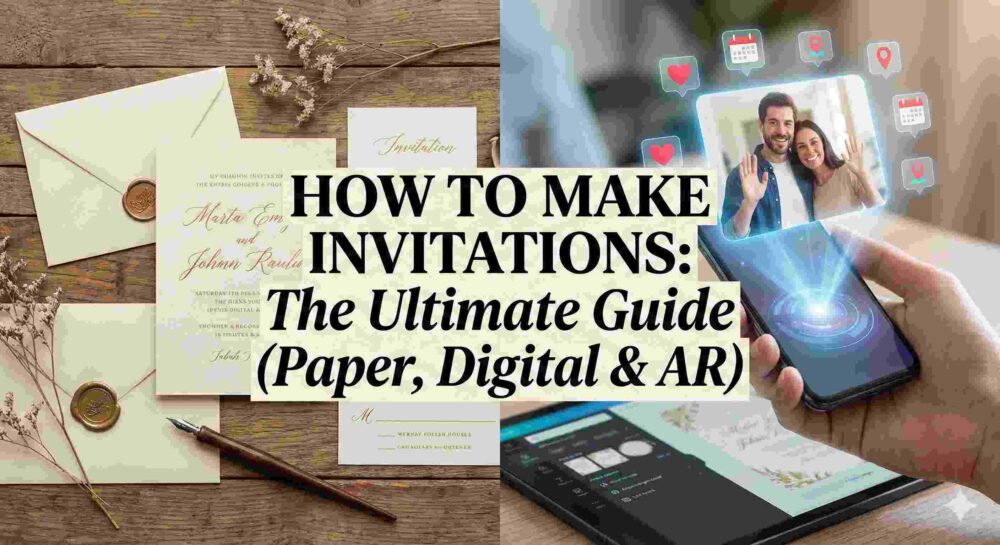
Low RSVPs are one of the most common frustrations in B2B event planning. Even beautifully designed invitations and perfectly written copy don’t guarantee attendance. Getting someone to open an email is hard. Getting them to click “Yes” is harder. Getting them to actually show up? That’s the real challenge.
If you’re searching for how to increase event attendance, the key is understanding this:
Sending the invitation is not the campaign. It’s the starting line.
You’re competing with packed calendars, digital fatigue, budget approvals, travel logistics, and good old procrastination. The days between your first invite and the event date are where attendance is won or lost.
Here are 8 proven, human-centric strategies to boost RSVPs, reduce no-shows, and fill seats.
1. Use a Strategic 3-Stage Follow-Up Sequence
One email is never enough.
Busy professionals don’t ignore invitations because they aren’t interested — they ignore them because they’re distracted. Your job is to follow up without becoming spammy.
Stage 1: The Friendly Nudge (4 days later)
Send only to:
People who opened but didn’t RSVP.
Change the subject line. Keep it casual and personal.
Example: “Hey [Name], just making sure you saw this — we’d love to have you there.”
No pressure. Just visibility.
Stage 2: The Value Add (1 week later)
Don’t beg for the RSVP yet.
Instead, announce something new:
A major speaker confirmation
A surprise guest
An exclusive giveaway
A limited-capacity breakout session
Example: “Big update: [Speaker Name] just confirmed for our keynote.”
At the bottom, remind them that seats are filling up.
Stage 3: The Last Call (72 hours before registration closes)
Now you apply urgency.
Example: “Final 24 Hours to RSVP for the [Event Name] Gala”
Short. Direct. Clear deadline.
This sequence alone can increase corporate event attendance by 15–30%.
2. Create Real (or Structured) Scarcity
If registration feels open-ended, people delay.
Scarcity drives action.
Ways to implement it:
“Only 60 seats available for this executive dinner.”
“First 40 registrants receive VIP gift bags.”
Create a waitlist once capacity is reached.
When people see “Waitlist Open,” perceived value skyrockets. Even if your event is free, scarcity creates psychological commitment.
3. Stop Relying Only on Email
If your audience isn’t responding to email, change channels.
LinkedIn Direct Messages
A short message works surprisingly well:
“Hey [Name], we’re hosting a private [Event Name] next Thursday. I’d love to personally invite you — can I save you a seat?”
It feels human. Not automated.
Personal Sales Calls
For high-value clients, nothing beats:
“Hey, I want you at my table at this event. Can I lock you in?”
Personal outreach dramatically increases event attendance among decision-makers.
4. Run a Pre-Event Hype Campaign
An RSVP is not a commitment.
In B2B events, a “Yes” often means “Maybe.”
Between registration and event day, send value-driven reminders:
A short teaser video
“5 Questions to Ask Our Keynote Speaker”
Parking instructions with a venue map
A behind-the-scenes setup photo
This keeps the event top-of-mind and reduces drop-off.
The goal: build anticipation, not reminders.
5. Remove All Friction
Many no-shows happen the morning of the event.
Why?
Because logistics feel annoying.
Fix that.
For in-person events:
Provide exact parking instructions.
Include a Google Maps pin.
Offer a rideshare code.
Share a check-in QR code ahead of time.
For webinars:
Send the access link:
1 hour before
15 minutes before
At start time
Never make attendees search their inbox while the session begins.
When you remove friction, you increase event attendance.
6. Gamify Attendance
If attendees leave after lunch, incentivize the full day.
Offer:
A high-value giveaway (iPad, premium subscription, concert tickets).
A prize announced only at the end of the final session.
A raffle entry for checking into every breakout session.
People stay when there’s something at stake.
7. Create a Pattern Interrupt with MessageAR
One of the biggest reasons corporate events struggle with attendance is this:
Digital invitations feel disposable.
Standard emails are easy to ignore.
If you’re hosting a high-stakes B2B gala, product launch, or VIP dinner, you need something memorable.
Instead of sending a flat email, send a sleek card or simple link. When the recipient scans it with their smartphone camera, a personalized video message from your CEO appears floating on their desk — addressing them by name.
The RSVP button appears right next to the message in their physical space.
It’s unexpected. It’s immersive. It’s impossible to ignore.
When a CEO “shows up” on someone’s desk, the invitation feels real. And real invitations get prioritized.
This type of immersive event invitation dramatically increases executive engagement and attendance rates.
8. Use a Commitment Deposit
For high-cost-per-head events:
Implement a refundable deposit.
Example:
$50 deposit upon RSVP.
Fully refunded at check-in.
Forfeited if they no-show (optionally donated to charity).
Even small financial commitment increases attendance behavior significantly.
When people have skin in the game, they show up.
The Bottom Line: How to Increase Event Attendance
There is no magic trick.
Increasing event attendance is about:
Relentless (but respectful) follow-up
Strategic urgency
Removing friction
Building anticipation
Personal outreach
Innovative delivery methods
The invitation is just the beginning.
Attendance is won in the days between the invite and the event.
If you combine strong corporate invitation design (from our original guide) with smart follow-up strategy and immersive engagement tools like MessageAR, you stop chasing RSVPs — and start filling rooms.
Because the event doesn’t start when you send the invite.
How to create corporate event invitations that actually drive RSVPs and fill seats starts with moving beyond a simple announcement to a strategic communication.
Let’s cut right to the chase: nobody wants to attend another boring corporate event, and they definitely don’t want to read a boring invitation.
When you are fighting for space on an executive’s calendar, a standard “You’re Invited” text email is a guaranteed fast track to the trash folder. To get decision-makers, high-value clients, and busy teams to RSVP “Yes,” you have to design an invitation that looks professional, communicates value instantly, and removes every ounce of friction from the reply process.
Here is the definitive blueprint on how to create corporate event invitations from scratch, followed by a massive swipe file of 50 wording templates you can copy, paste, and deploy right now.
Part 1: How to Create Corporate Event Invitations (The Blueprint)
Creating a high-converting invitation is a three-step process: Design, Copy, and Delivery.
Step 1: The Visual Design
Your invitation sets the immediate expectation for the quality of your event. If your invite looks cheap, they will assume the event is cheap.
The Rapid Approach: If you need something out the door today, drag-and-drop tools like Canva are perfect for whipping up clean, modern layouts. Stick to your brand’s hex codes and use plenty of negative space.
The Custom Approach: For high-stakes galas or massive product launches, building custom typography in Illustrator and editing premium imagery in Photoshop ensures your invite doesn’t look like a recycled internet template.
Step 2: The Copywriting Formula
Every successful B2B invite answers one question: What is in it for me? Do not bury the lead. Your copy must include:
The Hook: A subject line or headline that stops the scroll.
The Value: Why they need to be there (Networking? Free premium food? Industry secrets?).
The Logistics: Date, Time, Exact Location, and Dress Code.
The Call to Action (CTA): A massive, unmissable button to RSVP.
Step 3: The Delivery & The Tech Upgrade
Sending a flat PDF attachment is a relic of the past. To truly stand out and skyrocket your RSVP rates, the delivery needs to be interactive.
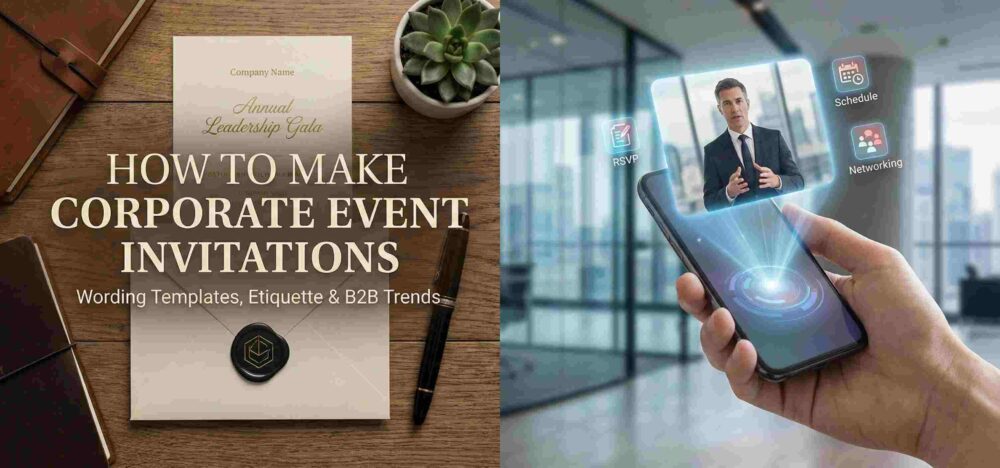
Instead of a standard email, top-tier brands are now utilizing personalized, shareable video messaging that appears in the recipient’s real-world space. Imagine sending a sleek physical card or a simple digital link to a VIP client. When they scan it with their phone, a personalized video of your CEO—addressing them by name—appears to be floating right on their office desk. The RSVP button hovers right next to the video in their physical space. It’s a frictionless, impossible-to-ignore micro-experience that makes standard e-vites look entirely obsolete.
Part 2: The Ultimate Swipe File: 50 Corporate Event Templates
Below are 50 copy-and-paste assets for every conceivable B2B scenario. Mix and match the subject lines with the body copy to fit your exact event.
🏢 Category 1: The Formal Corporate Gala & Client Appreciation (5 Templates)
Use these for black-tie events, award ceremonies, and high-net-worth client dinners.
Subject: An Exclusive Evening: The Annual [Company] Gala
Body: “We invite you to an evening of exceptional dining and industry celebration. As a valued partner, your presence is requested at our Annual Gala. RSVP by [Date] to secure your seat.”
Body: “Your trust drives our success. Please join leadership for an intimate, invite-only dinner at [Venue] as we raise a glass to our continued partnership.”
Subject: VIP Access: The [Year] Industry Excellence Awards
Body: “Celebrate the year’s biggest breakthroughs with the minds that made them happen. Reserve your VIP table via the link below.”
Subject: Join Us: A Private Tasting & Networking Event
Body: “Step away from the office. Join us for a private wine tasting and networking evening with the region’s top executives.”
Subject: Save the Date: The [Company] 10th Anniversary Charity Ball
Body: “A decade of innovation deserves a night of giving back. Save the date for a black-tie evening supporting [Charity Name].”
Figuring out how to create corporate event invitations doesn’t require reinventing the wheel. It requires a clean design, punchy copy that respects the reader’s time, and an innovative delivery method that makes saying “yes” the easiest part of their day.
Bookmark this swipe file, grab the template that fits your next event, and start packing out your venues.
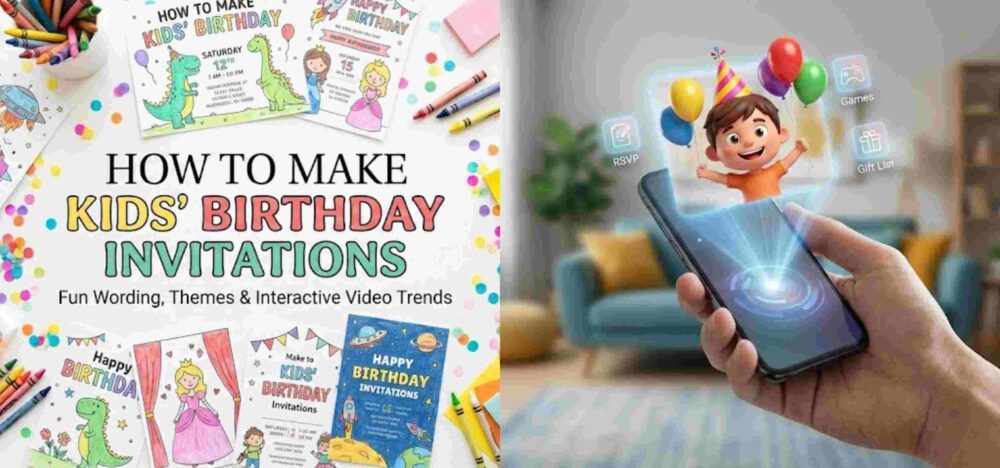
How to make kids’ birthday invitations that actually survive the bottom of a school backpack and get parents to RSVP on time is the ultimate party-planning hack. Planning a kid’s birthday party is essentially controlled chaos… Between ordering the perfect cake, booking the bouncy house, and making sure the goodie bags are stuffed, your to-do list is probably a mile long. But before you can throw the ultimate bash, you need to rally the troops.
Your invitation is the hype machine. It gets the kids excited and gives the parents all the crucial details they need to survive the weekend schedule. However, staring at a blank design canvas trying to be witty while remembering to ask about peanut allergies can be surprisingly stressful.
Whether you are throwing a wild superhero bash at a trampoline park or a cozy first birthday in your backyard, we’ve got your back. We are breaking down everything you need to include, the best ways to design them, and providing a massive list of copy-and-paste wording templates to make crossing this off your list a breeze.
1. The Core Ingredients of a Kid’s Party Invite
When wrangling a dozen toddlers or energetic third-graders, clear communication is your best friend. A kid’s invitation needs to do more than just announce the date; it needs to set boundaries and manage parent expectations.
Make sure your invite answers these essential questions:
The Birthday Star: Who is turning what age? (e.g., “Leo is turning 5!”)
The Essentials (When & Where): Date, start time, and end time. (Do not skip the end time, or you might have guests lingering until dinner). Include the full address of the venue or your home.
The “Drop-off” Rule: Are parents expected to stay and socialize, or is this a drop-and-go situation? Be explicit to avoid awkwardness.
Food & Allergies: Mention what will be served (e.g., “Pizza and cake provided!”) and request that parents flag any food allergies when they RSVP.
Special Instructions: Do they need grip socks for the trampoline? A swimsuit and towel? Clothes that can get messy?
The RSVP: Give a firm deadline and a preferred contact method (usually a text message to mom or dad).
2. Fun & Creative Wording Templates by Age
Ditch the boring standard text. The words you choose should match the energy of the theme. Here are some templates to spark your imagination.
The Milestone 1st Birthday (Sweet & Simple)
Our little wild one is turning ONE!
Join us for a wildly good time as we celebrate Maya’s first birthday.
Saturday, June 12th | 11:00 AM – 1:00 PM
The Patel Residence: 123 Maple Street
We’ll have snacks for the kiddos and plenty of coffee for the grown-ups!
Please RSVP to Sarah at [Phone Number] by June 5th.
The Action-Packed Preschooler Party (Ages 3-5)
Calling all Superheroes!
Suit up and fly on over, because Liam is turning 4!
Grab your cape and get ready for pizza, games, and cake.
Sunday, October 10th
2:00 PM – 4:00 PM
The Adventure Play Park: 456 Jump Way
Parents are welcome to stay and play, or drop off your hero! Please remember to bring grip socks.
RSVP with any food allergies to [Phone Number] by October 1st.
The Cool Tween Bash (Ages 9-12)
Level Up! Ethan is hitting Level 10!
Get ready for an epic afternoon of gaming, laser tag, and unlimited pizza.
Friday, November 20th | 5:30 PM – 8:00 PM
The Galactic Arcade: 789 Pixel Blvd.
This is a drop-off party! Parents, enjoy a free evening.
Text an RSVP to [Phone Number] by November 12th so we can load up the game cards.
3. Bringing the Theme to Life: Best Design Tools
Kids are visual creatures. The moment they see the invitation, they should know exactly what kind of party to expect. Fortunately, you don’t need a degree in graphic design to make something that looks incredible.
For the DIY Parent: Canva is the undisputed champion here. It has thousands of free, highly customizable templates for every theme imaginable—from unicorns to monster trucks.
For the Crafty Customizer: If you want to cut out your child’s face and superimpose it onto a spaceman’s body, tools like Photoshop or Illustrator will give you that precise, hilarious control.
For the Tech-Savvy Creator: If you’re building a video invite, dropping your clips into an editor like DaVinci Resolve lets you add cool sound effects, bright text animations, and really make the video pop before you send it out.
4. The Parent’s Timeline & School Etiquette
Navigating the social politics of a classroom can be tricky. Timing your invites perfectly ensures your child’s best friends can actually make it.
When to Send: Aim for 3 to 4 weeks in advance. Any earlier, and parents will forget. Any later, and their weekends will already be booked with soccer games and family trips.
The Golden Rule of School Invites: If you are handing out physical invites at school, standard etiquette dictates that you either invite the entire class, all the boys, or all the girls. If you are only inviting a handful of close friends, send the invites digitally to the parents to avoid hurt feelings on the playground.
5. The Next Big Thing: Real-World Video Invites
Paper invitations often end up lost at the bottom of a backpack, and standard text messages easily get buried in group chats. If you want to guarantee that parents remember the party—and absolutely thrill their kids in the process—the trend is shifting toward highly interactive digital formats.
Imagine a parent receiving a secure link on their phone. When they click it and point their camera at their coffee table, a video of the birthday boy or girl magically appears right there in their living room, wearing their party hat and yelling, “Come to my party!”
This magic is made possible by platforms like MessageAR. It’s not just a standard augmented reality filter; it is focused entirely on personalized, shareable video messaging that brings people into the recipient’s real-world space.
Kids lose their minds when they see their friend pop up on their kitchen counter as a lifelike video. It turns a basic RSVP chore into a memorable, interactive experience that gets everyone talking before the party even starts. Plus, it’s completely paperless, eco-friendly, and tracks your RSVPs effortlessly.
How to make corporate event invitations that actually drive RSVPs is one of the biggest challenges marketing teams and event planners face. After all, coordinating a B2B event means juggling budgets, catering, and guest speakers before the doors even open. But before the keynote is finalized and the swag bags are packed, you have to convince busy professionals to show up.
Your corporate invitation is the very first brand touchpoint for your event. It sets the tone, communicates the value of attending, and builds anticipation. But staring at a blank screen trying to figure out how to sound professional without being painfully boring can stall your entire marketing timeline.
Whether you are planning a massive, formal shareholder gala, a product launch, or an internal team retreat, this guide has you covered. We are breaking down the golden rules of B2B event etiquette, the best design tools to use, and a list of corporate invitation wording templates you can copy, paste, and deploy today.
How to make corporate invitations that convert starts with mastering the fundamentals. Before we get to the fun part of choosing brand colors and graphics, your invitation has to execute its primary job: giving your attendees the logistical details flawlessly and convincing them it’s worth their time.
Every perfect corporate invite needs these core elements:
The Host: The company, department, or executives hosting the event.
The Value Proposition: Why should they attend? (e.g., networking, learning, celebrating a milestone).
The Event Title: A clear, punchy name for the gathering.
The Date and Time: Spell out the exact date and time, including the time zone if you are inviting out-of-state or international guests.
The Location: The venue name, city, and state, or a clear indication if it is a virtual/hybrid event.
Dress Code: Do they need to wear a suit, or are jeans acceptable? Don’t leave them guessing.
The RSVP Call-to-Action (CTA): A clear deadline and a direct link or email to confirm attendance.
2. Copy-and-Paste Corporate Invitation Wording
Figuring out your corporate invitation wording depends entirely on the objective and vibe of your event. Here are a few templates you can steal right now.
The Formal VIP Gala or Dinner
[Company Name]
cordially invites you to attend our annual
Executive Leadership Gala
Join us for an evening of fine dining, networking,
and an exclusive look at our roadmap for the upcoming year.
Thursday, November 12, 2026
Reception begins at 6:30 PM | Dinner at 7:30 PM
The Grand Plaza Hotel
New York, New York
Black tie optional.
Please RSVP by October 25th at [Link]
The Product Launch or Networking Mixer
You’re Invited!
Be the first to experience the future of [Industry/Niche].
Join the [Company Name] team for the official launch of our newest platform.
Expect live demos, open bar, great music, and industry networking.
Friday, September 18, 2026 | 5:00 PM – 8:00 PM
The Innovation Hub
Austin, Texas
Business casual attire.
Space is strictly limited. Secure your spot by September 1st: [Link]
The Internal Corporate Retreat
Let’s celebrate our wins and plan for the future!
You are invited to the 2026 [Company Name] Team Retreat.
We’re stepping away from our desks for a weekend of team-building,
strategy sessions, and some well-deserved relaxation.
October 3 – October 5, 2026
The Mountain View Lodge
Denver, Colorado
Pack comfortable clothes and get ready to collaborate!
Please confirm your attendance and dietary restrictions by September 15th: [Link]
3. Design 101: Tools of the Trade
You don’t need to outsource to an expensive agency to get a stunning result. If you are learning how to make corporate invitations in-house, your choice of software is everything for maintaining brand consistency.
For Quick, On-Brand Templates: If you need to spin up an elegant design quickly, Canva is incredibly efficient for teams. You can easily plug in your brand kit and drop details into pre-made corporate layouts.
For Absolute Customization: If you want granular control over every single vector, layer, and typography tweak to perfectly match your brand guidelines, industry-standard tools like Photoshop and Illustrator are the way to go.
For High-End Video/Motion Invites: If you are creating a digital or video invite for high-value clients, you’ll want software that makes your footage look polished and cinematic. Editing platforms like DaVinci Resolve are perfect for dialing in your color grading and adding professional, sweeping motion graphics to your text.
4. The Timeline: When to Send Everything
Timing is critical in the B2B world. Professionals have packed calendars, so giving them ample notice is the best way to secure a high turnout.
Here is the golden timeline for corporate event invitations:
Item
When to Send
Notes
Save-the-Dates
8 to 12 weeks before the event
Crucial for major conferences, multi-day retreats, or events requiring travel.
Formal Invitations
4 to 6 weeks before the event
Ensure the landing page is live, and tracking links (for CRM integration) are accurate.
RSVP Deadline
1 to 2 weeks before the event
This gives you a solid buffer to track down non-responders before giving the venue a final headcount.
5. The Ultimate 2026 Trend: Real-World Video Invites
For decades, learning how to make corporate invitations meant designing a flat PDF and attaching it to a mass email or sending out standard calendar blocks. While standard emails are functional, the modern B2B landscape is incredibly noisy. If you want to stand out in a crowded inbox and boost your RSVP rates, flat files are no longer the limit.
If you want to absolutely blow your clients or stakeholders away, the industry is rapidly shifting toward immersive digital experiences.
Imagine texting or emailing a secure link to your VIP guest list. When they tap it, their phone camera opens, and suddenly, a personalized video of your CEO or Account Executive appears seamlessly in their actual office or living room, personally inviting them to the event.
This isn’t sci-fi; it is what platforms like MessageAR are pioneering. This is focused on personalized, shareable video messaging that appears in the recipient’s real-world space.
Instead of skimming a block of text, your top clients point their phone at their desk and watch a dynamic, lifelike video invitation. It completely merges the warmth and persuasive power of a face-to-face interaction with the instant deliverability and tracking of a digital link.
Your corporate event is a major investment. Choose an invitation format that cuts through the noise and makes your attendees excited to RSVP the exact moment they receive it.
How to make wedding invitations is one of the biggest questions couples face when the reality of planning sets in. After all, planning a wedding means making about a thousand decisions before you even walk down the aisle. But before the cake is tasted and the flowers are picked, you have to actually tell people to show up!
Your wedding invitation is the very first glimpse your guests will get of your big day. It sets the tone, hints at the dress code, and builds the hype. But staring at a blank screen trying to figure out what to say without sounding like an 18th-century royal decree can be incredibly stressful.
Whether you are planning a massive, black-tie ballroom gala or an intimate, barefoot beach ceremony, this guide has you covered. We are breaking down the golden rules of wedding etiquette, the best design tools to use, and a massive list of wedding invitation wording templates you can copy, paste, and check off your to-do list today.
How to make wedding invitations that guests rave about starts with mastering the basics. Before we get to the fun part of choosing fonts and colors, your invitation has to execute its primary job: giving your friends and family the logistical details flawlessly. If you leave out a crucial piece of information, your phone will be ringing off the hook the morning of your wedding.
Every perfect wedding invite needs these core elements:
The Host Line: Who is traditionally paying for or hosting the wedding? (e.g., The parents, the couple themselves, or both families together).
The Request Line: The actual invitation to attend (e.g., “request the honor of your presence”).
The Names: The couple getting married. (Usually, the bride’s name goes first in traditional formatting).
The Date and Time: Spell out the date and time for formal weddings (e.g., Saturday, the fourth of October).
The Location: The venue name, city, and state. (You don’t need the exact street address or zip code on the main invite unless it’s a private residence).
Reception Details: A simple “Reception to follow” works if it is at the same venue.
The RSVP Deadline: When do you absolutely need to know if they are coming?
2. Copy-and-Paste Wedding Invitation Wording
Figuring out your wedding invitation wording usually depends on the vibe of your event. Here are a few templates you can steal right now.
The Traditional & Formal (Hosted by Parents)
Mr. and Mrs. Thomas Smith
request the honor of your presence
at the marriage of their daughter
Eleanor Grace
to
Julian Alexander Hayes
Saturday, the twelfth of September
Two thousand twenty-six
at five o’clock in the evening
The Grand Plaza Hotel
New York, New York
Black tie reception to follow.
The Modern & Collaborative (Hosted by the Couple & Families)
Together with their families,
Maya Patel and Leo Bennett
invite you to celebrate their wedding.
Join us for vows, dinner, and dancing.
Saturday, October 24, 2026 | 4:30 PM
The Botanical Gardens
Austin, Texas
Semi-formal attire.
RSVP at [Wedding Website Link] by September 15th.
The Casual & Intimate
We’re tying the knot!
You are warmly invited to the wedding of
Chloe & Sam
10 . 12 . 2026
The ceremony starts at 4:00 PM
Drinks, BBQ, and bad dancing to follow at our home.
[Home Address]
Please RSVP by September 1st.
The Destination Wedding
Pack your bags!
We are thrilled to invite you to celebrate the marriage of
Isabella & Marcus
in beautiful Cabo San Lucas, Mexico.
Friday, May 8, 2026 | 5:00 PM
The Oceanview Resort
For travel details, accommodations, and to RSVP,
please visit our website: [Link]
3. Design 101: Tools of the Trade
You don’t need to hire an expensive boutique designer to get a stunning result. If you are learning how to make wedding invitations yourself, your choice of software is everything.
For Quick, Beautiful Templates: If you want an elegant design without a steep learning curve, Canva is incredible. You can drag and drop your details into thousands of pre-made wedding templates.
For Absolute Customization: If you want granular control over every single vector, layer, and typography tweak, industry-standard tools like Adobe Photoshop and Illustrator are the way to go.
For High-End Video/Motion Invites: If you are creating a digital or video save-the-date, you’ll want software that makes your footage look cinematic. Editing platforms like Premiere Pro or DaVinci Resolve are perfect for dialing in your color grading and adding beautiful, sweeping motion graphics to your text.
4. The Timeline: When to Send Everything
Timing is everything in the wedding world. If you send them too early, people will lose them. If you send them too late, your favorite cousins will already have non-refundable vacation plans.
Here is the golden timeline for wedding invitations:
Item
When to Send
Notes
Save-the-Dates
6 to 8 months before the wedding
Push this to 8-12 months if you are having a destination wedding.
Formal Invitations
6 to 8 weeks before the wedding
Ensure all the final details and website links are accurate.
RSVP Deadline
3 to 4 weeks before the wedding
This gives you a one-week buffer to track down late responders before you have to give your caterer a final headcount!
5. The Ultimate 2026 Trend: Real-World Video Invites
For decades, learning how to make wedding invitations meant deciding between expensive paper cardstock or sending a flat digital PDF to an inbox. While thick, embossed paper is undeniably classic, the modern wedding industry is rapidly shifting toward immersive, unforgettable digital experiences.
If you want to absolutely blow your guests away and set a standard that no one else in your friend group has touched yet, flat files are no longer the limit.
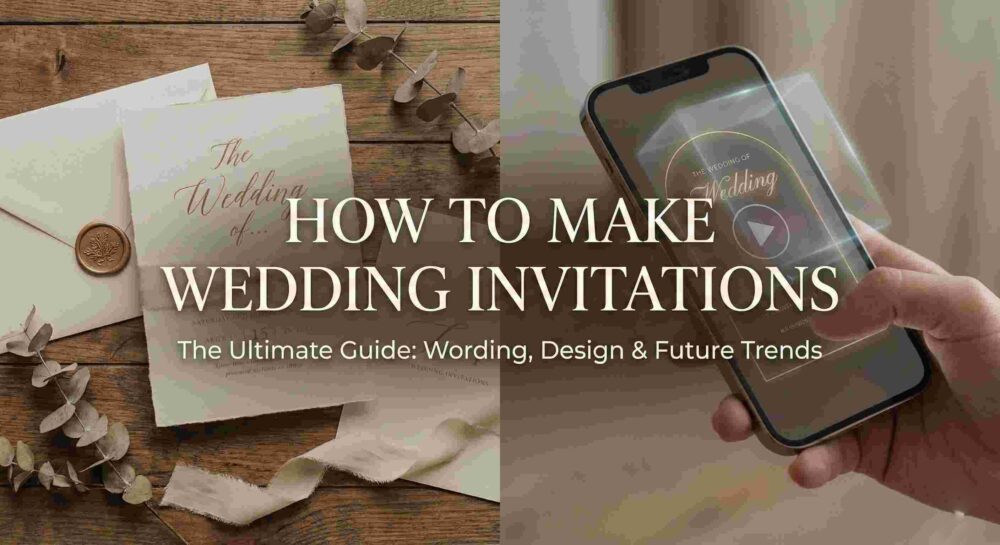
Imagine texting a beautifully designed digital envelope to your guest. When they tap it, their phone camera opens, and suddenly, a personalized video of you and your fiancé appears seamlessly in their actual living room.
This isn’t sci-fi; it is what platforms like MessageAR are pioneering. Rather than just standard augmented reality gimmicks, this is focused on personalized, shareable video messaging that appears in the recipient’s real-world space.
Instead of reading a piece of paper on their fridge, your grandmother or your best friend points their phone at their kitchen table and watches a dynamic, lifelike video of the two of you personally inviting them to share your special day. It completely merges the warmth and emotion of a face-to-face interaction with the instant, eco-friendly deliverability of a digital link.
Your wedding is going to be the best party of your life. Choose a format and a medium that makes your guests count down the days from the exact moment they receive it.
Figuring out How to make invitations can feel overwhelming, especially when you sit down at your computer to start typing and your mind goes completely blank.
Whether you’re throwing a casual backyard BBQ, wrangling speakers for a corporate webinar, or planning the wedding of the decade, the invitation is a big deal. It’s the very first hint your guests get about what kind of party this is going to be. Getting it right is about so much more than just dropping a time and a place into a group chat—it’s about building hype.
If you’re trying to figure out how to make invitations that actually get people excited (and prompt them to RSVP on time), you’re in the right place. We’re going to break down exactly what you need to include, the design tools the pros use, and a massive cheat sheet of invitation wording templates you can literally just copy and paste.
Before we talk about pretty fonts and colors, your invite has to do its actual job: tell people what is happening. If you leave out a crucial detail, you will spend the entire week of your event answering the same three text messages over and over.
Make sure you hit these points:
The Host: Who is throwing this thing?
The Vibe/Event: What are we doing? (Dinner? Networking? Dancing?)
The When: Day of the week, date, and exact start time. If it’s virtual, don’t forget the time zone.
The Where: The full address. If parking is a nightmare at your venue, mention that here.
The Dress Code: Give people a hint. “Smart casual” saves a lot of outfit panic.
The RSVP: Give a hard deadline and a clear way to respond (a link, an email, or a phone number).
2. Copy-and-Paste Invitation Wording Templates
If you are trying to figure out how to make invitations without sounding incredibly stiff and awkward, starting with a proven template is your absolute best bet.
Wedding Invitations
The Classic & Formal
Mr. and Mrs. [Parents’ Names] request the honor of your presence at the marriage of their daughter [Bride’s Name] to [Groom’s Name] Saturday, the fourteenth of November, two thousand twenty-six at four o’clock in the afternoon [Venue Name] [City, State] Dinner and dancing to follow.
The Modern & Relaxed
We’re getting married!
[Partner 1] & [Partner 2] invite you to celebrate with us. Join us for vows, drinks, and a great time.
[Date] | [Time] [Venue Name]
RSVP by [Date] at [Website Link].
Birthday Parties
The Adult Milestone (30s, 40s, 50s)
Cheers to [Age] Years!
Come celebrate [Name]’s [Age]th birthday with us. Expect great food, flowing drinks, and highly questionable dance moves.
When: [Date] at [Time] Where: [Venue/Address]
Please RSVP to [Name/Number] by [Date] so we can stock the bar properly.
The Kids’ Bash
It’s a Party!
[Child’s Name] is turning [Age]! Get ready for an afternoon of pizza, cake, and chaos.
RSVP to [Parent’s Name] at [Phone/Email] by [Date].
Dinner Parties & Casual Hangs
The Cozy Dinner Party
Eat, Drink, and Be Cozy.
You’re warmly invited to our place for dinner and drinks.
Friday, [Date] at [Time] [Your Address]
Let us know about any allergies or dietary restrictions. RSVP by [Date].
Corporate & Professional Events
The Formal Gala or Fundraiser
[Company/Organization Name] cordially invites you to the annual [Event Name]
Join us for an evening of networking, dinner, and a keynote address by [Speaker Name].
[Date] | [Time] [Venue Name]
Black tie optional. Please reserve your seat at [Link] by [Date].
3. Design 101: Making It Look Good
A huge part of learning how to make invitations that look professionally designed is simply knowing which software to use for your specific skill level.
Your wording is locked. Now, it needs to look the part. You don’t need an art degree to pull this off, you just need the right tools for the job.
For the Quick and Easy: If you want a great-looking graphic fast, Canva is your best friend. Their drag-and-drop templates are a lifesaver.
For the Pixel-Perfect Perfectionist: If you want total control over custom vectors and layouts, step up to Photoshop or Illustrator.
For High-End Video Invites: Video is taking over the invite space. If you’re cutting a cinematic “save the date” or a promo reel for an event, jump into Premiere Pro or After Effects. If you really want that professional, cinematic look, drop your footage into DaVinci Resolve to dial in your color grading and motion graphics.
One golden rule for design: Never use more than two fonts. Pair a fancy script font for the names with a clean, simple font for the address and time. Keep it readable.
4. Timeline Etiquette: When to Hit Send
You can know exactly how to make invitations look absolutely gorgeous, but if you send them out too late, your guests will already have other plans.
Weddings: Send Save-the-Dates 6–8 months out. Send the actual invites 6–8 weeks before the big day.
Corporate Events: 4–6 weeks ahead of time.
Dinner Parties & Birthdays: 2–3 weeks gives people enough notice.
Casual Hangouts: 1–2 weeks.
Pro Tip: Set your RSVP deadline at least 10 days before you actually have to give your caterer or venue a final headcount. People are forgetful; you’ll need those extra 10 days to track down the stragglers.
5. The Next Big Thing: Ditching the Flat Screen
For a long time, figuring out how to make invitations meant deciding between expensive paper cardstock or just attaching a flat PDF to an email. Both work, but honestly? They are a little boring.
If you are hosting an event in 2026 and want to actually blow your guests’ minds, the smartest hosts and brands are moving away from flat screens entirely.
Imagine texting a link to a friend. When they open it, their phone camera turns on, and a personalized video of you appears right there, standing on their living room rug. That’s what platforms like MessageARare doing. It’s all about personalized, shareable video messaging that appears in the recipient’s real-world space.
Instead of reading a boring block of text, your guest points their phone at their kitchen counter and watches a dynamic video of you personally inviting them to your wedding, pitching your webinar, or hyped up about a birthday. It combines the warmth of showing up at someone’s front door with the convenience of a digital link.
Your invitation is the kickoff to your event. Don’t settle for boring. Choose the words, the design, and the medium that makes people count down the days until the party starts.
Ultimately, knowing how to make invitations in 2026 isn’t just about passing along a schedule—it’s about leveraging tech like MessageAR to start the celebration the second they open your link.
You’re walking through a grocery store, minding your own business, looking for almond milk, when you turn a corner and are assaulted by a wall of aggressive pink.
There are teddy bears holding hearts that say “Be Mine” in a font that shouldn’t exist. There are boxes of chocolates that look like they’ve been sitting on that shelf since 1998. There are cards that range from painfully cheesy to weirdly passive-aggressive.
And then, the panic sets in.
It’s that specific, low-grade anxiety that whispers: If you don’t buy something good, it means you don’t care.
But here is the problem we rarely talk about. We aren’t actually stressed about spending money. We are stressed because we know, deep down, that the stuff in aisle 4 isn’t good enough. It’s not that a teddy bear is a “bad” gift—it’s that it’s a generic one. You could give that same bear to your partner, your mom, or your neighbor, and it would mean exactly the same thing.
Which is to say: it means nothing.
We live in a weird time for romance. We have more ways to communicate than ever before—texts, DMs, FaceTime, Snaps—yet when the one day dedicated to “Love” rolls around, we revert to traditions from the 1950s. We panic-buy flowers that die in four days. We make reservations at restaurants that jack up their prices by 30% just for the night. We focus so much on the logistics of Valentine’s Day that we forget the logic of it.
The Goal Isn’t “Stuff”
The goal isn’t to exchange goods. This isn’t a trade agreement.
The goal is to make the other person feel seen. To make them feel understood. To freeze a moment in time so that, six months from now, when you’re arguing about whose turn it is to do the dishes, they can look at something on the shelf and remember, “Oh, right. We’re good. We’re us.”
This guide isn’t about which perfume is trending or why you should buy diamonds. It’s about how to hack the system.
It’s about how to take simple, affordable things and layer them with enough genuine emotion that they outweigh the most expensive jewelry in the store. We’re going to talk about psychology, about technology (yes, really), and about how to finally stop panicking in the gift aisle.
Let’s fix your Valentine’s Day.
Chapter 1: The Psychology of the “Good Gift”
Before we talk about what to buy, we have to talk about why we buy.
I have a friend—let’s call him Dave. Dave is a “Throw Money At It” kind of guy. One year, he bought his girlfriend a designer handbag that cost more than my first car. It was beautiful. It was expensive. It was technically “perfect.”
She broke up with him two months later.
Why? Because the bag was a transaction, not a connection. It showed he had money, but it didn’t show he had listened.
The “Memory vs. Object” Theory
Human brains are wired in a funny way. We are terrible at remembering things, but we are incredible at remembering stories.
If I ask you what you got for your birthday three years ago, you probably can’t tell me. But if I ask you about the time you and your partner got caught in the rain and had to hide under a bus stop awning eating soggy pizza, you can probably describe the smell of the rain and the topping on the pizza.
That is the difference between an Object and a Memory.
An Object sits on a shelf. It has mass, it has a price tag.
A Memory sits in your hippocampus. It has emotion, it has weight.
The Holy Grail of gifting is to find an Object that triggers a Memory. When you can link a physical item to an emotional story, the value of the item becomes irrelevant. You could give someone a literal rock, and if the story attached to it is, “This is from the beach where we first said I love you,” that rock is suddenly worth more than the designer handbag.
The 3-Tier System of Value
When you are brainstorming for Valentine’s Day, run your ideas through this filter. Every gift in the world falls into one of three tiers:
Tier 1: The Utility Gift (The “I Need This” Zone)
This is stuff like socks, a new blender, or a phone charger.
The Vibe: “I see you as a roommate.”
The Verdict: Do not do this for Valentine’s Day. Unless your partner explicitly asked for a specific vacuum cleaner because they love cleaning (rare, but possible), avoid this. It’s practical, but it’s the romance equivalent of a wet blanket.
Tier 2: The Aesthetic Gift (The “This Is Pretty” Zone)
This is jewelry, flowers, décor, or clothing.
The Vibe: “I want you to have nice things.”
The Verdict: This is the safe zone. It’s fine. It works. But it’s risky because taste is subjective. If you buy a necklace she hates, she has to wear it to be polite. That’s a burden, not a gift.
Tier 3: The Narrative Gift (The “This Is Us” Zone)
This is where the magic happens. This is a gift that says something about your relationship.
It references an inside joke.
It solves a specific emotional problem.
It carries a message that only the two of you understand.
The Twist: You don’t have to choose just one. The best gifts in the world—the ones people cry over—are usually a mix of Tier 2 and Tier 3.
You buy the nice object (Tier 2), but you attach a story to it (Tier 3).
Chapter 2: The New Way to Gift (Bridging Physical & Digital)
So, we know we need a “Narrative Gift.” But how do you actually do that? Write a poem? (Please don’t, unless you are actually a poet).
For a long time, we had two separate worlds:
The Physical World: Gifts, letters, boxes.
The Digital World: Videos, voice notes, photos.
These two worlds rarely touched. You might send your girlfriend a cute video on WhatsApp in the morning, and then give her a box of chocolates at night. The video gets buried in the chat history, never to be seen again. The chocolates get eaten. Both are gone.
But recently, the lines have blurred. We are seeing a rise in “Augmented Gifting.”
Why the Greeting Card is Dead
Let’s be honest about cards. We buy them because we are too scared to say the words ourselves. We let Hallmark do the heavy lifting. We sign “Love, Mark” at the bottom of a poem written by a stranger, and we hope it counts.
But in 2025, “it counts” isn’t enough. We are all starved for real connection. We spend our days scrolling through curated lives on Instagram and having surface-level chats on Slack. We are desperate for something real.
If you can be the person who actually says the thing—who actually voices the “I love you” or the “I appreciate you” without hiding behind a pre-written rhyme—you win. You win the day, you win the moment, and frankly, you win the relationship points for the next calendar year.
Enter: MessageAR (The Secret Weapon)
This is the tool I discovered recently that completely rewired how I think about Valentine’s Day.
MessageAR is a platform that lets you attach a digital video to a physical object using Augmented Reality (AR).
It sounds sci-fi, but it’s actually incredibly simple—and it’s the cheat code for anyone who wants to give a Tier 3 gift on a Tier 1 budget.
How it works:
You record a video. A real, raw, unedited video of yourself saying the things you’re too shy to say over dinner.
You upload it. The tool turns that video into a special QR code.
You attach it. You print the code and stick it on a gift (a book, a mug, a framed photo).
When your partner scans the code, they don’t just get taken to a YouTube link. They see you. Your video plays on top of the gift, floating in the real world through their phone camera.
The “Trojan Horse” Strategy
This is my favorite way to use this new tech. I call it the Trojan Horse.
You buy a gift that looks deceptively simple. Maybe it’s a coffee mug with a funny quote. Maybe it’s a simple framed photo of the two of you.
When they unwrap it, they think, “Oh, nice. A mug.” They think the gift is the object.
Then, you tell them to scan it.
Suddenly, they realize the mug is just the delivery system. The real gift is the 2-minute video of you recounting the funniest moment of your relationship, or telling them how proud you are of their recent promotion.
You watch their face go from “polite gratitude” to “genuine shock.” You blindsided them with emotion. And in the world of gifting, a good blindside is the ultimate victory.
Why Video Beats Text Every Time
Tone is everything. Text is easily misinterpreted. If I write “I miss you” in a card, it sounds nice. But if you hear the crack in my voice when I say it, or see the way I smile when I say it, the meaning changes. Video carries nuance that ink cannot.
It makes the gift “Live.” Let’s say you buy your partner a copy of their favorite book. Great gift. But if you stick a MessageAR code inside the cover, that book is no longer just paper and glue. It’s a vessel for your voice. Every time they open that cover, they can scan it and hear you telling them why you love them. The book becomes a portal.
It solves the “Long Distance” Ache. If you are in a long-distance relationship (LDR), physical gifts are hard. You ship something, they open it alone. It feels lonely. But if that gift has a video attached to it, you are essentially teleporting yourself into the room with them for that unboxing moment.
Chapter 3: Gifting by Relationship Stage (The Danger Zones)
One of the biggest reasons people panic-buy generic gifts is because they don’t know how to calibrate the “intensity” of the gift to the length of the relationship.
Buy a diamond necklace for someone you’ve been dating for three weeks? You look like a stalker. Buy a $10 gift card for your wife of ten years? You look like you’ve given up.
Here is how to navigate the Danger Zones using the “Trojan Horse” method we talked about in Chapter 2.
Zone 1: The “We Just Started Dating” Phase (0–6 Months)
The Vibe: Exciting, tentative, and slightly awkward. You don’t want to come on too strong.
The Goal: Show you’re interested without planning the wedding.
The Mistake: “Grand Gestures.” Do not hire a skywriter. Do not buy expensive jewelry.
The Fix:
The Object: Something low-stakes. A bag of their favorite obscure candy, a book by an author they mentioned once, or a simple keychain.
The MessageAR Video: Keep it funny. Do not drop the “L-bomb” (Love) if you haven’t said it in person yet.
What to say: “Hey, I saw this and thought of you. I’ve really enjoyed getting to know you these past few months. Happy Valentine’s Day.”
Why it works: It shows you pay attention (because you remembered the candy/book) but the video keeps it light and personal without being heavy.
Zone 2: The “Comfortable & Cozy” Phase (1–3 Years)
The Vibe: You have toothbrushes at each other’s places. You have Netflix passwords shared. You are a unit.
The Goal: Remind them that the spark is still there.
The Mistake: Sliding into “Roommate Mode.” Buying practical gifts because “we need a new toaster.”
The Fix:
The Object: A framed photo of the two of you from a trip you took last year.
The MessageAR Video: This is where you get sentimental. This is the “Appreciation Bomb.”
What to say: “I was looking at this photo and realizing how much fun we had in [City]. I know life gets busy, but I’m so happy I get to come home to you every day.”
Why it works: It turns a static photo into a reminder of why you are good together.
Zone 3: The “Married / Long-Term” Phase (5+ Years)
The Vibe: You know everything about each other. You have a mortgage, maybe kids, definitely shared stress.
The Goal: Nostalgia. You need to remind them of who you were before the bills and the responsibilities.
The Mistake: Not trying. Assuming “we don’t do gifts anymore.”
The Fix:
The Object: Re-buy something from your early dating days. A vinyl record of “your song,” or a bottle of the cheap wine you used to drink when you were broke.
The MessageAR Video: A time capsule.
What to say: “Remember this wine? God, it tastes terrible. But I miss those nights. I love the life we built, but I just wanted to remind you that I’m still that guy/girl who fell for you back then.”
Why it works: It acknowledges the history. It proves you aren’t on autopilot.
Zone 4: The “Long Distance” Phase (LDR)
The Vibe: Painful. You miss them physically.
The Goal: Presence. You need to bridge the gap.
The Fix:
The Object: A hoodie of yours that smells like your cologne/perfume, or a plush toy.
The MessageAR Video: This is critical. Since you aren’t there, the video is the date.
What to say: “I hate that I’m not there. But I wanted you to have this so you can hug it when you miss me. I’m counting down the days until [Date].”
Why it works: When they scan the code on the hoodie, it feels like you are sitting on the bed next to them. It’s the closest thing to teleportation we have.
Chapter 4: What to Actually Say (The Hardest Part)
Okay, you bought the object. You printed the QR code. You are sitting in front of your phone camera.
And you freeze.
This is “Camera Shy Syndrome,” and it happens to everyone. You suddenly feel like you don’t know what to do with your hands, and your voice sounds weird, and you feel stupid talking to an empty room.
Rule #1: Imperfection is the Point. If you look like a news anchor, it feels fake. If you stumble, laugh, or look a little nervous, it feels real. Your partner loves you, not a polished version of you.
However, if you are truly stuck, do not wing it. Use one of these frameworks.
Framework A: The “Specific Memory” (Best for Long-Term Couples)
Don’t say “I love you” generally. Say “I loved you specifically when…”
The Script: “Hey. Happy Valentine’s Day. I got you this [Gift], but really I just wanted an excuse to talk about [Specific Memory, e.g., that road trip to Austin]. I was thinking about it the other day—specifically the moment when [Detail, e.g., the car broke down and we just laughed]. That was the moment I knew I was in trouble with you. I love you. Happy Valentine’s.”
Framework B: The “Unnoticed Trait” (Best for New-ish Relationships)
Compliment something they don’t think anyone notices.
The Script: “Hey. I felt a little awkward making a video, but writing this in a card felt too small. I just wanted to say that I really admire how you [Trait, e.g., are so kind to waiters / work so hard on your art]. Most people probably don’t see it, but I see it. I’m really glad you’re in my life. Scan this again whenever you need a reminder that you’re awesome.”
Framework C: The “Future Promise” (Best for Serious Partners)
Focus on where you are going together.
The Script: “Happy Valentine’s Day. I know this year has been [Crazy/Busy/Hard], but I wanted to stop for a second and say thank you. Thank you for being my teammate. My hope for us this year is that we [Goal, e.g., finally take that trip / spend more Sundays doing nothing]. I love you. Let’s go get dinner.”
Pro-Tips for Recording
Look at the Lens, Not the Screen: If you look at yourself on the screen, you look like you are looking past them. Look at the little black dot of the camera lens. That is eye contact.
Lighting: Don’t sit with a window behind you (you will look like a silhouette in a witness protection program). Face the window. Natural light makes everyone look better.
Keep it Short: 60 to 90 seconds is the sweet spot. Long enough to be meaningful, short enough to keep their attention.
Chapter 5: The Best Objects to Anchor Your Message
Now that you have your video script ready, you need a vessel.
You can technically stick a MessageAR code on anything—a banana, a car windshield, a forehead (not recommended). But for Valentine’s Day, you want an object that feels permanent. You want something they won’t throw away next week.
Here are the best “hosts” for your digital soul, ranked by vibe.
1. The “Reader” (Books)
Why it works: Books are already intimate. We hold them for hours. They sit on shelves for decades.
The Move: Buy a hardcover copy of a book they love (or one you think they should read).
The Placement: Paste the QR code on the inside front cover (the endpaper).
The Effect: It turns the book into a multimedia experience. Years from now, they can pull it off the shelf, scan the code, and see you from 2025 talking to them. It’s a literal time capsule.
2. The “Music Lover” (Vinyl Records)
Why it works: Vinyl is tactile. It’s about the ritual of taking the record out and playing it.
The Move: Buy their favorite album on vinyl.
The Placement: Stick the code on the back of the album jacket, or on the inner paper sleeve.
The Effect: “Play this record, then scan this code.” You can talk about why this album reminds you of them while the music plays in the background of your video.
3. The “Decorator” (Framed Photos)
Why it works: It’s the classic “I love us” gift, but upgraded.
The Move: Print a nice photo of the two of you. Frame it.
The Placement: This is crucial. Do NOT put the code on the glass (it ruins the photo). Put it on the back of the frame or on the bottom corner of the matting.
The Effect: The photo captures one static second. The video captures the emotion behind it.
4. The “Foodie” (The Ephemeral Gift)
Why it works: Sometimes you do just want to give chocolate or wine.
The Move: A nice bottle of wine or a box of artisanal chocolates.
The Placement: Create a custom hang-tag (like a luggage tag) and tie it around the neck of the bottle.
The Effect: They drink the wine tonight, but they can keep the tag forever. Pro-tip: If you attach it to a wine bottle, record a “toast” video that they can watch while you drink the first glass together.
5. The “DIY” (The Hand-Made Card)
Why it works: If you are broke but sentimental, this is the power move.
The Move: Buy high-quality cardstock. Write a simple note on the front.
The Placement: The QR code is the inside of the card. No long paragraphs of handwriting. Just the code and the words “Scan Me.”
The Effect: It’s mysterious. It forces interaction.
Chapter 6: Planning the “Unboxing” Experience
You have the gift. You have the code. Now, you have to nail the landing.
The biggest mistake people make with Augmented Reality gifts is assuming the other person knows what to do. If you just hand them a book with a weird black-and-white square inside, they might think it’s a barcode from the store.
You have to direct the scene.
Step 1: The Setup
Don’t do this while they are distracted (e.g., while they are driving or doing dishes). Wait until you are sitting down.
Lighting: Ensure there is decent light in the room. AR cameras need light to see the code clearly. Candlelight is romantic, but if it’s pitch black, the phone won’t scan.
Step 2: The Hand-Off
Give them the physical object first. Let them have the initial reaction to the object itself.
Let them say: “Oh, I love this book!”
You say: “I’m glad. But there’s a second part. Open the cover.”
Step 3: The Instruction (The “Call to Action”)
When they see the code, they will likely look at you confused.
You say: “Take out your phone and scan that. Trust me.”
Crucial: Don’t tell them what happens. Don’t say “I made a video.” Let the surprise happen on their screen.
Step 4: The Reaction
Watch them, not the phone. This is your payoff. Watch their eyes widen when the video starts. Watch the smile. This is the moment you paid for (with effort, not money).
Warning: If they start crying (happy tears), have tissues ready. If you start crying, well, that’s just good branding for your relationship.
Chapter 7: The Emergency Guide (If It’s February 13th)
If you are reading this and it is currently February 13th (or the morning of the 14th), don’t panic. You can still pull this off.
The beauty of “Augmented Gifting” is that it is instant. You don’t need to wait for shipping.
The 1-Hour Emergency Plan:
Go to the grocery store. Buy a bouquet of flowers (remove the plastic wrapper, wrap them in brown paper—it looks fancier) or a decent chocolate bar.
Sit in your car. Record a 60-second video on your phone. Script: “I know this is last minute, but I didn’t want to just give you flowers. I wanted to tell you…”
Upload to MessageAR. Generate the code.
Print it. If you don’t have a printer, email the code to yourself and stop at a FedEx/Office Depot, or even draw a nice card that says “Ask me for the digital code.” (Okay, printing is better).
Attach it. Tape it to the flower bouquet wrapping.
Result: You look like you planned a multimedia experience, even though you threw it together in the parking lot. We won’t tell if you won’t.
Conclusion: It’s Not About the Date, It’s About the Data
We put so much pressure on February 14th. We treat it like a pass/fail exam for our relationships.
But the truth is, the “perfect” Valentine’s Day isn’t about spending $500 on a prix fixe dinner or buying jewelry that you can’t afford. It’s about emotional data.
It’s about transferring the feelings you have in your head into a format that your partner can actually receive and keep.
A flower dies.
A dinner ends.
A video of you saying “I love you” is data that lasts forever.
This year, stop trying to win Valentine’s Day with your wallet. Win it with your voice.
Pick a simple object. Record a simple truth. And let the technology do the rest.
Business holiday greetings are effective if they are human, brief, and simple to open. The majority of companies dispatch impersonal one-liners that give the impression of being automated, hence, customers do not pay attention to them.
These manuals provide you with response-friendly dialogues (video + text), channel templates for WhatsApp and email, and a valuable option: a MessageAR greeting where your short video seems to be “in their space” through a magic link.
Why Most Business Holiday Greetings Are Simply Overlooked
Broadly speaking, the majority of festive communications
appear as mass promotional mails
are lengthy
have a promotional tone
lack of an incentive to respond
and do not sound like a human being.
In case you aim at getting responses, then your communication should contain a tiny “hook” to engage a reply – without requesting a transaction.
The 2026 Rule: Keep It Short + Specific + Safe
Use this basic formula:
Appreciation → One specific line → Warm wish → Easy reply prompt
Example:”
We really appreciate your cooperation with us this year. I wish you a calm Christmas and a prosperous 2026. How is your year going?”
That last question is the “reply magnet.”
Choose the Most Effective Channel (WhatsApp vs Email vs Link)
WhatsApp (great for instant replies)
Great for: local customers, loyal clients, B2B relationships that you have a personal chat with. Just a couple of lines + link.
Email (great for formal lists)
Great for: corporate clients, teachers/institutions, long-term B2B. Keep it brief – 120 words or less.
Link greeting (best vibe)
Great for: a premium feel and a consistent “card-style” experience.
10 Business Holiday Greeting Scripts That Get Replies
Simply text these or video record them for 15–20 seconds.
Client appreciation (simple)
“Hello [Name]—your support this year was really great. I wish you a Merry Christmas and a strong start to 2026. How is your holiday week coming along?”
Customer gratitude (friendly)
“Merry Christmas, [Name]! We are very happy that you have chosen us in 2025. We wish that 2026 brings you good health and prosperity. Do you have any fun plans for New Year’?”
B2B partnership
“Hello [Name], I am thankful for our cooperation this year. I wish you a peaceful Christmas and a fruitful 2026. What will be your main focus in Q1?”
VIP customer (warm +amp; premium)
“Hello [Name]—you have really been one of our best customers this year. Merry Christmas! Please let me know if you ever need anything.”
Service business (salon/gym/clinic)
“Merry Christmas, [Name]! Thanks for your trust in us this year. I wish you a great holiday—how was this year for you?”
Retail store
“Hi [Name]! Merry Christmas 🎄 Thank you for supporting local. I wish you a happy 2026. What would be on your wish list this year?”
Real estate / advisor
“Happy Holidays, [Name]. Thanks for your trust this year. I wish you a peaceful rest. Big dreams for 2026?”
Education / institution
“Season’s greetings, [Name]. Thank you for partnering with us this year. Wishing you a lovely Christmas and a successful 2026.”
Soft reactivation (past client)
“Hey [Name]—happy holidays! I would like to take this opportunity to wish you a Merry Christmas. I hope 2026 brings good news to you. How have you been?”
Team/employee greeting
“Merry Christmas! We want to thank you for your hard work this year. Take a rest—it’s your reward. What is one thing that you are looking forward to in 2026?”
Copy-Paste Templates (WhatsApp + Email)
WhatsApp (2-line templates)
Template A (clean):
“Hi [Name]—Merry Christmas 🎄 Thanks for your support this year. Here’s a short greeting from us: [LINK]”
Template B (reply-focused):
“Happy Holidays, [Name]! We appreciate you. How was your year? Also—here’s a quick greeting: [LINK]”
Email (copy-paste)
Subject lines:
“Thank you + Happy Holidays”
“Season’s greetings, [Name
Add Video Without Being Awkward (15–20 Seconds)
Try this mini structure:
“Season’s Greetings, [Name]…”
“I really appreciate…”
“I hope you have a great…”
“Send me a message if you want anything.”
Pro tip: Keep it simple. People
Upgrade: AR Business Greetings With MessageAR (Magic Link)
This is the point where you get noticed. Rather than a simple text blast, you send a MessageAR greeting:
MessageAR business flow
Record a short holiday video (15–20s)
Generate a magic link
Send it via WhatsApp/email
When they open it, your greeting transforms their space.
Best use cases
VIP customers
High-ticket services
Institutional partners
Premium “thank you” campaigns
Would your greeting be like a little present? Record a short video in MessageAR, share the magic link, and let your message be there with them.
Follow-Up Lines That Don’t Seem Pushy
Follow-up is done only once (after 2–4 days):
“I wanted to make sure the greeting line worked properly?”
“I hope you had a wonderful Christmas. What about your New Year week?”
“Should you require anything in January, simply send your reply here.”
What to Read Next
Virtual Christmas Card With Video Message (Hub)
Virtual Christmas Card on WhatsApp (Video + Link Templates)
How to Send a Virtual Christmas Card by Email (Video + Subject Lines)
Augmented Reality Christmas Greetings: What They Are + 10 Examples
Virtual Card Link Not Opening? iPhone/Android Fixes
Augmented reality Christmas greetings are a cool way to share your holiday wishes—so instead of just reading a message or watching a simple video, the person you send it to gets to have a small “wow moment” with their phone right in their environment.
If you wish to make your blog beyond just a collection of quotes, then AR greetings would be an ideal “blue ocean” topic: hardly any competitors, very interesting, and strongly related to what MessageAR is.
What Are Augmented Reality Christmas Greetings?
An augmented reality (AR) Christmas greeting is a festive message that can be seen by your recipient in their real world with a phone camera.
Why simply send:
a text wish, or
a regular video,
when you can send a greeting that:
show up as a message in their room,
become interactive (tap / move / view in space),
use video, voice, and festive effects together.
It is similar to the idea of sending a “mini experience” instead of a text line.
Why AR Greetings Feel More Special Than Text
AR greetings are memorable as they basically add surprise + presence:
Surprise: When it pops up in their area, it feels like a little present
Presence: A video/voice gives the feeling of closeness more than just typing
Replay value: People share it with others (“See what I got!”)
Better than scrolling: The time taken to consume is in seconds, not in minutes
For families and friends separated by long distances, “presence” is, in fact, the main thing.
What You Need to Send an AR Christmas Greeting
There is no need for costly equipment. All you need are:
A phone with a camera
A short message (video or voice) of 15–30 seconds
A method to share: link / WhatsApp / email / QR
10 MessageAR AR Christmas Greeting Examples
Front-Door Surprise Welcome
They see: A video of you greeting them, showing as if you are standing at their doorstep or in their room.
Record line: “Merry Christmas, [Name]! I am here with you—giving you a big Christmas hug.”
Living Room “Tree Side” Message
They see: Your video is visualized as a small hologram beside their Christmas tree (or any corner).
Record line: “Look under the tree—this is my Christmas message for you. I love you, [Name].”
Gift Box Reveal (Tap to Open)
They see: A gift box animation → tap → your video comes up in their place.
Record line: “Hey! This is your Christmas gift from me—the love and blessings for 2026.”
Snowfall + Your Video in Space
They see: A snow effect around your video greeting.
Record line: “Merry Christmas, [Name]! Stay warm and snug, and may 2026 bring you lots of success.”
“Thank You” Appreciation Pop-Up
They see: Large “THANK YOU, [Name]” text + your video next to it.
Record line: “Thank you for being you—I really appreciate everything that you do.”
3 Pop-Up Notes: Love / Proud / Grateful
They see: Three AR notes appear sequentially, your video plays after.
Record line: “I love you, I’m proud of you, and I’m always here for you—Merry Christmas!”
Family Photo Wall + Video Message
They see: A floating photo collage + your video comes up next to it.
Record line: “These are the times I’ve loved most with you… Merry Christmas, and let’s create more memories in 2026.”
Long-Distance “I’m Here” Hug Moment
They see: A close-up of your video showing as if you’re right in front of them.Record line: “Though we may be far apart, I’m with you today. Merry Christmas, [Name].”
Kids-Friendly “Santa Delivered This”
They see: Santa-themed overlay + your video comes up as the “delivered message”.
Record line: “Ho ho ho! Santa told me to tell you… you’re the best! Merry Christmas!”
New Year Bridge: Christmas → 2026 Promise
They see: Your Christmas greeting, then a “2026 wish” overlay comes up.
Record line: “Merry Christmas! Next year, I wish you health, peace, and lots of great opportunities—let’s make it happen!”
How to Make an AR Christmas Greeting Using MessageAR
If you desire a straightforward process that is devoid of any editing, then:
Step1: Choose a Christmas or holiday template in MessageAR
Step2: Record a video or voice (15-30 seconds)
Step3: Add text overlay: their name + one line
Step4: Preview it (confirm that it is loading quickly)
Step5: Create a shareable link or QR
Step6: Send it via WhatsApp/email with the help of the templates below
How about turning your greeting into a little surprise? Make an AR holiday greeting with MessageAR and share the link—no need for editing.
How to Make an AR Christmas Card
If you want to have a simple workflow that doesn’t involve editing:
Choose a Christmas/holiday template in MessageAR
Record your video or voice (15–30 seconds)
Add text overlay: their name + one line
Preview it (make sure it loads fast)
Generate a shareable link or QR
Send it on WhatsApp/email using the templates below
Would you like to make your greeting a mini surprise? Make an AR holiday greeting with MessageAR and share the link—no editing required.
How to Share AR Greetings (WhatsApp, Email, QR)
WhatsApp template (copy-paste)
“Made you an AR Christmas surprise 🎄 (20 seconds).
Open when you are free: [LINK]”
Email template (copy-paste)
Subject: “Just a little AR Xmas surprise for you 🎄”
Hi [Name],
I made a very short AR Christmas greeting just for you. You can open it here: [LINK]
Wish you a Merry Christmas and a Happy New Year 2026!
[Your Name]
QR idea (for parents/elders)
Send them a QR picture and write, “Point your camera at this and scan”
FAQs
Q: Can all phones use AR greetings?
A: Nearly all latest smartphones are AR compatible, but how well it works is up to your device and browser/app.
Q: Are AR greetings superior to videos?
A: Not necessarily “better,” however, they tend to stick more to a person’s memory if you are aiming for a surprise or a luxury kind of feeling.
Q: What is the ideal length for an AR greeting?
A: It is always better to keep it between 15 and 30 seconds for both completion and replay.
What to Read Next
Virtual Christmas Card With Video Message (Hub)
Virtual Christmas Card on WhatsApp (Video + Link Templates)
How to Send a Virtual Christmas Card by Email (Video + Subject Lines)
25 Christmas Video Message Scripts (Short/Funny/Heartfelt)
Virtual Card Link Not Opening? iPhone/Android Fixes
Business Holiday Greetings That Get Replies (Video + AR)