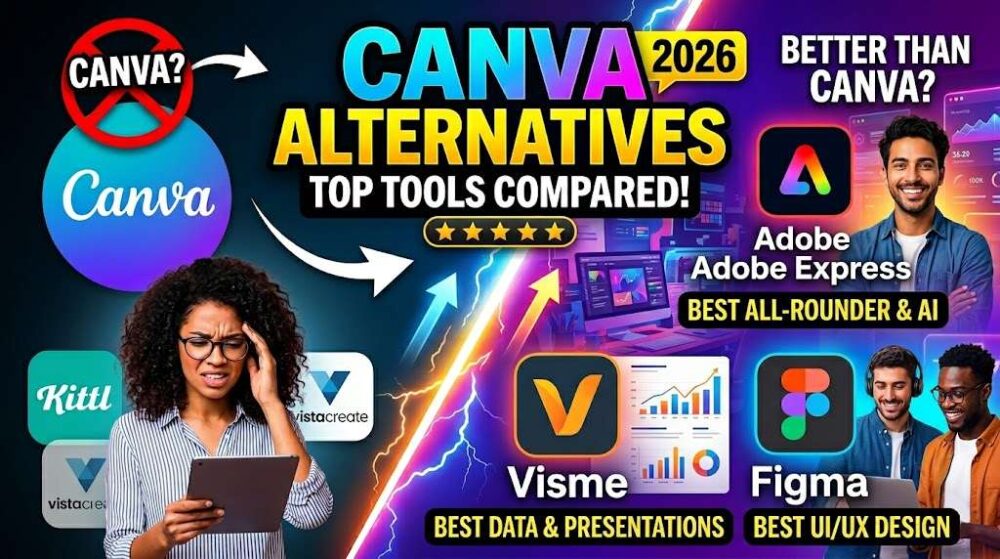
From AI-powered platforms to augmented reality tools, the design landscape has changed dramatically. Here’s everything you need to know before sticking with the status quo.
Let’s be honest for a second — Canva is genuinely great. It changed the way non-designers approach visual content, and for millions of people it’s still the go-to. But “great” doesn’t mean “the best tool for you,” and the design software market in 2026 looks nothing like it did even two years ago. AI features, collaborative workflows, augmented reality integration, and specialised use-cases have given rise to a whole new crop of tools that are, in many ways, eating Canva’s lunch.
I’ve spent the last few months testing nearly every major Canva alternative — some obvious, some obscure, and some that genuinely suprised me with how polished they’ve become. This isn’t a list of ten tools with a couple of bullet points each. This is a proper breakdown: what each tool does well, where it falls short, who it’s actually built for, and how it compares on the features that matter most. Pull up a chair.
Whether you’re a solo content creator tired of Canva’s paywalled elements, a marketing team looking for better brand control, a developer building design-adjacent apps, or someone exploring how emerging tech like augmented reality can transform how you share visual content — there is genuinely something here for you.
Why People Are Actually Leaving Canva
Before we dive into alternatives, it’s worth understanding what’s actually driving the switch. Canva has been agressive about expansion — they’ve added websites, video, AI tools, whiteboards, and presentations. But that expansion has come with some real trade-offs that power users feel every day.
The biggest complaint I hear consistently is the paywall creep. Features that used to be free have quietly migrated behind Canva Pro, and the Pro subscription has crept up in price. For individuals, that’s managable. For small teams who need multiple seats, it starts adding up fast. Then there’s the asset ownership question — a lot of the most attractive elements in Canva’s library aren’t really yours. Use a Pro element in a design, export it, and there are real limits on commercial use that aren’t always clearly communicated upfront.
- Brand kit limitations — Free users get almost no brand consistency tools, and even Pro plans limit the number of brand kits for teams.
- Export restrictions — High-res PDF exports with proper bleed and crop marks are locked to Pro, making it impractical for print work.
- Template saturation — Canva’s templates are everywhere now. Audiences can often recognise a “Canva design” immediately, which undermines originality.
- No real desktop app — The browser-based experience has its quirks, and offline work is very limited compared to native apps.
- Limited customisation depth — Canva is optimised for speed, not depth. Custom grids, advanced typography control, and multi-page document logic are all weaker than dedicated tools.
None of this makes Canva bad. It makes it the right tool for certain situations and the wrong tool for others. That distinction matters when you’re evaluating alternatives, because different tools solve different problems. Let’s look at what’s out there.
The Top Canva Alternatives, Properly Reviewed
Adobe Express — The Professional’s Stepping Stone
Adobe Express
Best for: Adobe ecosystem users, branded content, semi-professional work
Adobe Express (formerly Spark) has quietly become one of the most competitive Canva alternatives on the market. It’s not Photoshop or Illustrator — it’s designed to sit squarely in the quick-design space — but it brings Adobe’s deep asset library, Firefly AI integration, and brand controls to a surprisingly accessible interface.
The standout feature is Firefly. Adobe’s generative AI is genuinely excellent at producing on-brand imagery, removing backgrounds, and applying generative fills that actually look professional rather than slightly-off. If you’re already in the Creative Cloud ecosystem, Express starts to feel less like an alternative and more like the tier of Adobe you didn’t know you needed.
Firefly AI built-inAdobe asset libraryFree tier availableBest with CC subscription
Figma — Not Just for Designers Anymore
Figma
Best for: Teams, UI/UX, collaborative content systems
Figma is the designer’s designer tool, but it’s been making serious moves toward broader creative work. With the introduction of FigJam for whiteboarding and its expanding template marketplace, Figma is increasingly viable for marketing and content teams — not just product designers.
The real power here is in systems. If your team produces a lot of content and you want it to feel cohesive, Figma’s component and variable system is unmatched. You can build a design system once and propogate changes across thousands of assets with a single edit. For large organisations, this is enormous. The learning curve is steeper than Canva, but the ceiling is much, much higher.
Best-in-class collaborationDesign systemsGenerous free tierSteeper learning curveWeb-based
Visme — The Presentation Powerhouse
Visme
Best for: Presentations, data visualisation, interactive content
Visme occupies a really interesting space. It’s built specifically for presentations, infographics, and data visualisation — and it does those things considerably better than Canva. The data tools in Visme are genuinely powerful: live chart connections, interactivity, animation, and a data widget library that makes complex information digestable without needing a dedicated data viz specialist.
For anyone who regularly communicates data — marketers, analysts, educators, consultants — Visme is worth serious consideration. It’s not cheap, but for the right use case it pays for itself in time saved and polish gained. The presentation mode is smooth and the output looks like something built in a professional studio rather than assembled from templates.
Advanced data vizInteractive contentPricier than CanvaPresentations-focused
Picsart — AI-First and Social-Ready
Picsart
Best for: Social media creators, photo editing, AI-generated visuals
Picsart started as a mobile photo editing app and has evolved into something genuinely formidable. Its AI tools are some of the most accesssible available anywhere — background removal, object replacement, style transfer, and AI image generation are all built into a single workflow. For social media creators, this combination of photo editing depth and design capability in one app is hard to beat.
The mobile experience is particularly strong, which matters enormously in a world where a lot of content is created and consumed on phones. Canva’s mobile app is decent; Picsart’s is genuinely excellent and feels purpose-built rather than ported from a desktop experience.
Best mobile experienceStrong AI toolsFree tier availableLess template variety
VistaCreate — The Budget-Conscious Alternative
VistaCreate (formerly Crello)
Best for: Small businesses, budget-conscious creators, print-to-web
VistaCreate doesn’t get nearly enough credit. It’s backed by Vistaprint’s print network, which means if you’re designing for both digital and physical outputs — business cards, flyers, merchandise — the integration is genuinely seamless. Fewer trips to juggle files between platforms.
The design interface is clean and familiar for anyone coming from Canva. The free tier is more generous, the template library is excellent, and the animation tools for social content are solid. It’s not trying to be Figma or Adobe — it’s trying to be Canva but better for small businesses, and it largely succeeds at that.
Print integrationGenerous free tierGreat for small businessSmaller community
Specialist Tools Worth Knowing About
Beyond the direct Canva replacements, there’s a category of tools that solve much more specific problems. These aren’t trying to be everything — they’re trying to be exceptional at one thing. If that one thing is your primary need, a specialised tool will almost always outperform a generalist platform.
Snappa — For the Social Media Workflow
Snappa is built almost entirely around the social media content creation workflow. It’s fast, opinionated, and remarkably good at what it does. The template library is curated specifically for social formats, the asset library is well-organised, and the export-to-Buffer integration means you can go from blank canvas to scheduled post in minutes. For dedicated social media managers, the streamlined focus is a genuine time saver compared to navigating Canva’s more sprawling interface.
Desygner — When Brand Control Matters Most
Desygner positions itself primarily as a brand management tool with design capabilities layered on top. The brand locking features are impressive — admins can lock specific elements, colours, and fonts at the template level, so even non-designers on the team can produce content that’s actually on-brand. For franchise businesses, agencies managing multiple clients, or any organisation where brand consistency is non-negotiable, Desygner’s approach to brand governance is distinctly better than Canva’s.
“The best design tool isn’t the one with the most features. It’s the one that fits most naturally into the way you already work.”
Stencil — The Blogger’s Best Friend
Stencil deserves a mention because it’s so well suited to writers and bloggers who need visuals without design expertise. The Chrome extension alone is worth it — highlight text on any webpage, hit the extension, and you’ve got a quote graphic ready to share in under 30 seconds. The workflow optimisations throughout feel like they were built by someone who actually writes for a living. The template library is smaller than Canva’s, but what’s there is high quality and genuinely useful for content marketing.
Beyond Static Design — The Rise of Immersive Content Tools
Here’s where things get really interesting. The tools we’ve covered so far are, at their core, still producing flat visual content — images, PDFs, social cards. But the way people consume content is changing. Augmented reality, interactive messaging, and spatial experiences are no longer science fiction features reserved for big brands with big budgets. They’re accessible to independent creators and small businesses right now.
This represents a genuinely new category of tool — not a Canva alternative in the traditional sense, but something that addresses a creative need Canva doesn’t even try to meet. And it’s a category growing faster than most people realise.
Spotlight Tool
Messagear — Augmented Reality Meets Everyday Communication
Messagear is one of the more interesting tools to emerge in this space. Rather than positioning itself purely as a design tool, it takes a different angle: turning everyday messaging and communications into interactive, AR-enhanced experiences. Think of it as the bridge between the static visual content world (where Canva lives) and the emerging world of spatial and immersive content.
The core idea is that the messages and visual assets you create shouldn’t just be seen — they should be experienced. Messagear allows creators, marketers, and businesses to embed augmented reality elements directly into communications and content without needing any coding knowledge or 3D design expertise. The drag-and-drop approach is deliberately accessble, keeping the barrier to entry low while the output quality remains high.
For brands looking to stand out in saturated social feeds, Messagear offers something that conventional design tools simply can’t: content that reacts to the real world around it. A product that can be viewed in a room before purchase, a business card that comes alive when scanned, a campaign that places a branded experience in the viewer’s physical environment — these aren’t distant possibilities with Messagear, they’re use cases the platform is actively built around.
What makes it particularly relevant in a roundup of Canva alternatives is the workflow philosophy. Like Canva, Messagear is built for people who aren’t technical specialists. The interface is visual, the output is immediate, and the sharing is straightforward. But where Canva stops at a JPEG or a video export, Messagear takes the content one step further into the user’s physical space.
Who is it for? Marketers running product campaigns, event producers, educators building interactive learning materials, real estate professionals, and any creative who wants to differentiate their content with immersive experiences. It’s not a replacement for Canva in the traditional sense — it’s an addition to the toolkit for those who want to push into the next dimension of content creation.
Worth noting: Tools like Messagear represent a broader shift in how we think about “design.” Static graphics are increasingly table stakes. The creators and brands that stand out in 2026 are the ones experimenting with interactive, spatial, and layered experiences. It’s worth keeping an eye on this category even if you’re not ready to dive in today.
The AI Design Revolution — What’s Actually Useful
You can’t talk about design tools in 2026 without talking about AI, and I want to be honest here: a lot of what’s marketed as “AI-powered design” is just autofill and template suggestions dressed up with machine learning branding. Real AI design tools do something more substantive, and it’s worth knowing the difference.
Genuine AI utility in design tools falls into a few clear categories. First, generative image creation — tools like Adobe Firefly, Midjourney integrations, and Ideogram-based engines that actually produce useable creative assets from text prompts. Second, layout intelligence — AI that can suggest, adjust, or auto-generate compositions based on your content, not just your style preferences. Third, brand learning — systems that observe your design choices over time and start making suggestions that actually reflect your aesthetic rather than generic “good design” principles.
The AI Tools That Are Actually Worth Using Right Now
Adobe Firefly (via Adobe Express or Creative Cloud) remains the most commercially useable AI image generator — the training data is licensed, the output is commercially safe, and the integration into design workflows is tight.
Canva’s own Magic Studio has improved significantly. The Magic Write text tool, Magic Design layout suggestions, and background removal are all genuinely useful. But competitors are catching up fast, and the integration still feels bolted-on rather than deeply native.
Figma’s AI features, announced for broader rollout in late 2024, focus heavily on the prototyping and component intelligence side — auto-layout adjustments, component suggestions, and design system compliance checks. For professional designers, this is arguably more valuable than generative imagery.
One thing worth being cautious about: AI image generation quality has plateaued somewhat in terms of broad perception, while human discernment has sharply increased. Audiences can recognise AI-generated imagery more reliably than they could 18 months ago, and there’s growing evidence that certain categories of AI visuals — particularly human faces and hands — still carry an uncanny quality that undermines trust in some brand contexts.
The most effective use of AI in design right now isn’t to replace human creativity — it’s to accelerate the parts of the process that are genuinely tedious: background removal, format resizing, initial draft generation, and copy suggestions. The differentiating creative work still benefits enormously from a human touch.
Head-to-Head Comparison Table
Right, let’s put everything side by side. I’ve tried to be fair and specific here — the goal is to help you make an actual decision, not to produce a table that’s so hedged it’s useless.
| Tool | Free Tier | AI Tools | Collab | Mobile | Best For | |
|---|---|---|---|---|---|---|
| Canva | ✓ Good | ✓ Magic Studio | ✓ Good | Limited | ✓ | General design |
| Adobe Express | ✓ Decent | ✓ Firefly (best) | Basic | ✓ | ✓ | Adobe users |
| Figma | ✓ Best | Growing | ✓ Best | ✗ | Limited | Teams & systems |
| Visme | Limited | Basic | ✓ | ✓ | Decent | Presentations |
| Picsart | ✓ Good | ✓ Strong | Basic | ✗ | ✓ Best | Social creators |
| VistaCreate | ✓ Generous | Basic | Limited | ✓ Best | ✓ | Small business |
| Messagear | ✓ | AR-native | ✓ | N/A | ✓ | AR / immersive |
How to Actually Choose — A Practical Framework
The worst thing you can do is pick a tool based on feature lists. Feature parity across most of these platforms is closer than the marketing suggests. What actually matters is the fit between the tool’s workflow assumptions and the way you naturally work.
Here’s the framework I use when helping teams or individuals make this decision. Start with your primary output type — what are you making most often? If it’s social media graphics, almost any of these tools will serve you. If it’s presentations, Visme. If it’s a brand content system for a team, Figma. If it’s print plus digital, VistaCreate. If it’s AR-enhanced content, Messagear. The primary output type should be the first filter, and it eliminates most of the complexity immediately.
Second, consider your team dynamic. Solo creators have very different needs from collaborative teams. A tool like Figma is built around multiplayer collaboration in a way that makes it extraordinary for teams and slightly overengineered for individuals. Conversely, Stencil or Snappa are streamlined for solo workflows in a way that starts feeling limiting the moment a second person needs access.
Third — and this is the one people consistently underweight — consider where you want to be in 12 months. Tools have trajectories. Canva’s trajectory is “add every feature possible and monetise aggressively.” Adobe’s trajectory is “deep AI integration across professional tools.” Figma’s trajectory is “become the operating system for visual design teams.” Messagear’s trajectory is “make immersive content creation accessible as AR goes mainstream.” The tool you choose today will shape your skills and your content expectations tomorrow. Choose based on where the tool is going, not just where it is.
- Solo creator, social content: Picsart (mobile-first) or Snappa (desktop-focused with scheduling integration)
- Small business, print and digital: VistaCreate — the Vistaprint print integration alone justifies it
- Marketing team, brand consistency: Desygner for brand governance, or Figma if you have designers on the team
- Presentations and data storytelling: Visme, and it’s not particularly close
- Adobe Creative Cloud user: Adobe Express fills the gap between your professional tools and quick-turn content
- AR and immersive content: Messagear — it’s genuinely in its own category here
- Design teams and systems: Figma, full stop
Where Design Tools Are Heading in the Next Two Years
This feels like a relevant thing to address, because the design tool space is moving faster than at any point since Canva disrupted the market back in 2013. The forces shaping the next two years are pretty legible if you pay attention to where the investment and talent is flowing.
AI image generation will go from a feature to a commodity. By the end of 2026, the expectation that your design tool can generate images from prompts will be about as exciting as the expectation that it can resize a graphic. The differentiation will move to AI that understands brand context — systems that know your fonts, your color palette, your visual language, and can generate content that actually looks like it came from your brand rather than from a prompt on the internet.
Spatial and augmented reality content will go mainstream in ways that matter for creators. The Vision Pro generation of devices, combined with Android’s accelerating AR capabilities and the continued mass-market penetration of AR in apps like Instagram and Snapchat, means that AR-enhanced content is transitioning from “impressive demo” to “expected format.” Tools like Messagear are positioned ahead of this curve, building workflows for AR content creation at a moment when most mainstream design tools are still treating it as an edge case.
Collaboration will become real-time and AI-mediated. The next generation of design collaboration isn’t just “multiple people can edit the same file” — it’s AI assistants that can suggest, critique, and contribute to the work in real time alongside the human collaborators. Figma has hinted at this direction. It’s coming faster than most people expect.
And finally, the line between design tool and publishing platform will continue to blur. Canva has already moved aggressively into websites and document publishing. Figma is moving in a similar direction. The end state — a tool where you design and publish without the content leaving the ecosystem — is the direction every major player is heading. For creators, this means more lock-in, but also potentially smoother workflows. Navigate it with your eyes open.
The Verdict — What Should You Actually Do?
If you’re happy with Canva and it meets your needs, there’s genuinely no reason to switch. The best tool is the one you’ll actually use consistently, and switching costs — relearning a workflow, rebuilding brand assets, retraining a team — are real. Don’t switch for the sake of switching.
But if Canva is frustrating you — if the paywall keeps blocking you from features you need, if the templates feel over-familiar, if your content needs have outgrown what a generalist platform can offer — then this is a very good moment to explore alternatives. The competition has never been better, the free tiers have never been more generous, and the specialised tools have never been more capable.
My personal honest reccomendation: run two or three tools in parallel for a month. Most of these have free tiers worth committing to properly. You’ll find out more about which tool actually fits your workflow in two weeks of real use than you will in hours of reading comparisons — including this one.
The design tool space in 2026 is richer, more competative, and more interesting than it’s been in a decade. Canva is still excellent. But so are a lot of other things. You deserve the right tool for the work you’re actually doing, not just the most popular one on the market.
Design Tool
Messagear
Adobe Express
Figma
This article represents independent editorial opinion. All tools mentioned were evaluated by the author for the purposes of this review. Pricing and feature availability may have changed since publication — always check the tool’s own website for current plans.