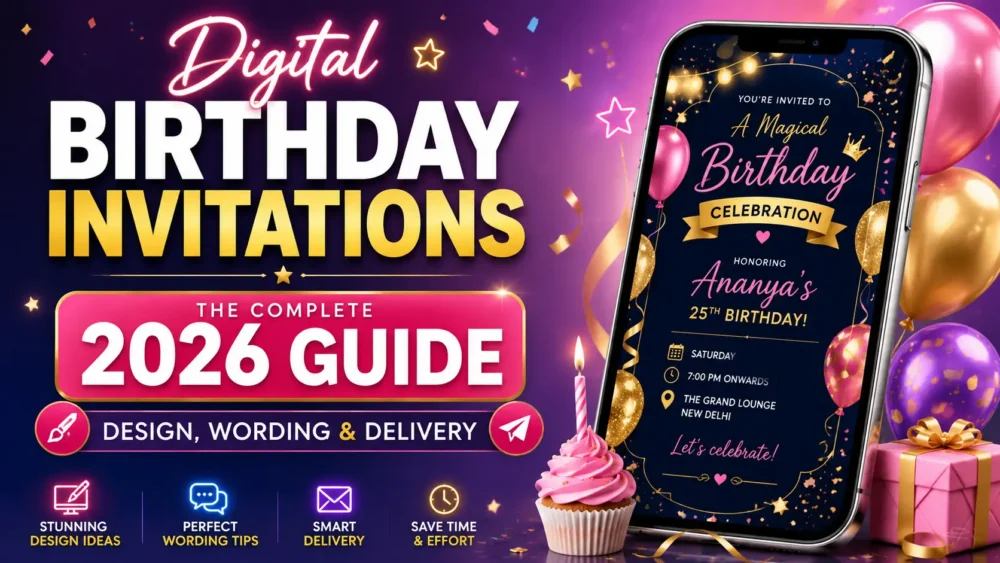
Digital birthday invitations are now the default for over 80% of birthday celebrations in the USA and Canada — and yet most people still send a blurry JPEG over WhatsApp and hope for the best. If your digital birthday invitation looks like an afterthought, your RSVP rate will reflect that. This guide changes everything.
Whether you are planning a child’s first birthday, a landmark 40th, a surprise party, or a casual backyard gathering, the way you invite people sets the emotional temperature for the entire event. A well-designed, thoughtfully worded, and correctly delivered digital birthday invitation does not just inform — it builds anticipation from the moment your guest opens it.
In this complete guide, you will get everything: how to choose the right format, how to design digital birthday invitations that people actually save, ready-to-copy wording templates for every tone and age group, a full comparison of the best digital invitation tools, step-by-step delivery guides for WhatsApp and email, and a deep look at video and augmented reality invitations that turn a birthday into an unforgettable experience from the first tap.
83% of US birthday hosts now prefer digital over paper
4.2× higher RSVP rate with video vs. static image invites
62% of birthday invites are opened on mobile first
Very little to no cost to send to 500 guests with the right tools
📖 What You’ll Learn
- What Are Digital Birthday Invitations?
- Types & Formats: Which One Is Right for Your Party?
- How to Create Digital Birthday Invitations Step by Step
- Design Principles That Make Birthday Invites Stand Out
- Wording Templates for Every Birthday Occasion
- How to Send Digital Birthday Invitations on WhatsApp
- How to Send via Email: Best Practices
- Video Birthday Invitations: Why They Work
- AR Birthday Invitations: The 2026 Upgrade
- Best Digital Birthday Invitation Tools Compared
- Digital Birthday Invitations for Kids vs. Adults
- 7 Mistakes That Kill Your RSVP Rate
- Pre-Send Checklist
- FAQ
1. What Are Digital Birthday Invitations?
Digital birthday invitations are invitation cards, videos, animated graphics, or interactive web pages created and delivered electronically — via WhatsApp, email, SMS, or a shareable link — instead of being printed and mailed. They range from a beautifully designed static image to fully animated video experiences, and at the cutting edge in 2026, augmented reality invitations that literally appear in the recipient’s room.
The shift from paper to digital birthday invitations happened gradually through 2020–2023, then accelerated sharply. Today, digital is not the “budget alternative” to paper — it is the premium standard. The most memorable birthday invitations in 2026 are digital by design, because digital is the only format that can include video, music, animation, live countdowns, one-tap RSVPs, and real-time updates after they are sent.
Why the Format You Choose Matters More Than You Think
Your birthday invitation is the first moment of your party. Before the venue, before the food, before the music — your guest’s very first emotional connection with your event happens when they open your invitation. A pixelated JPEG with clip-art balloons sends a different message than a 30-second cinematic video with music that matches the energy of the celebration.
Choosing the right type of digital birthday invitation for your occasion, your guest list, and your delivery channel is the first and most important decision you will make in the planning process.
2. Types & Formats: Which One Is Right for Your Party?
Not all digital birthday invitations are the same. Here is a breakdown of every format available in 2026, with honest guidance on when each one earns its place.
Static Image Invitations (JPEG / PNG)
The simplest form of digital birthday invitations — a designed image with all event details. Works fine for casual gatherings, internal family shares, and situations where simplicity is the right tone. The main weakness: no motion, no audio, no interactivity. In a chat full of animated content, a flat image blends into the background.
Best for: quick neighborhood gatherings, children’s casual birthday parties, budget-first situations.
Animated GIF Invitations
A step up from static — GIFs loop with simple animations like confetti, candle flames, or text reveals. They add visual energy without requiring the recipient to tap play. However, GIF quality degrades heavily when shared via WhatsApp (compressed to near-unreadable), and audio is not possible.
Best for: email delivery where GIFs render cleanly; not recommended for WhatsApp sends.
Video Birthday Invitations
A short-form video (20–60 seconds) with motion design, music, event details, and your personal message. Video digital birthday invitations consistently produce 4x more RSVPs than static images because they engage multiple senses simultaneously — vision, audio, and narrative. A guest who watches your video invitation all the way through is already emotionally invested in your event.
Best for: milestone birthdays (18th, 21st, 30th, 50th, 60th), adult parties, weddings/events with a combined birthday element, any occasion where first impressions matter.
→ See our full guide: How to Create a Video Message That People Actually Want to Watch
Interactive Web-Based Digital Invitations
A shareable URL that opens a mini-webpage with animated design, countdown timer, embedded RSVP form, photo gallery, maps, and music. This is the professional standard for large-scale birthday events. The host gets RSVP tracking, open analytics, and the ability to update the invitation details after it has been sent.
Best for: guest lists over 30, corporate milestone birthdays, surprise parties (the countdown timer builds anticipation), any event with complex logistics.
AR Birthday Invitations
The most distinctive format in 2026. Augmented reality digital birthday invitations use the guest’s phone camera to place a 3D birthday experience in their real space — a birthday cake on their kitchen counter, a floating message in their living room, a video greeting that appears to exist in their world. No app download required: the guest taps a link, their browser activates the camera, and the AR experience begins.
Best for: milestone celebrations where the wow factor is the point, corporate and client birthday recognition, any host who wants their invitation to be genuinely unforgettable.
→ Learn more: The Designer’s Guide to Digital & AR Invitation Assets (2026 Edition)
3. How to Create Digital Birthday Invitations Step by Step
Creating digital birthday invitations from scratch takes less time than most people assume — if you follow the right sequence. Here is the exact process, whether you are using a design platform or a dedicated invitation tool.
1
Define the Event Tone
Before opening any tool, decide: Is this playful or elegant? Intimate or large-scale? Kid’s party or adult milestone? The tone governs every design, color, and wording decision that follows.
2
Choose the Right Format
Use the format guide above. For most birthday celebrations in 2026, a vertical video or animated web invitation is the right choice. Choose based on your delivery channel (WhatsApp vs. email) and guest count.
3
Select Your Platform
See the tool comparison table in Section 10. For premium personalized digital birthday invitations, MessageAR offers the AR and video options no other platform provides.
4
Design Your Invitation
Start with a template; customize colors, fonts, photos, and music. For video invitations, use a 9:16 portrait format at 1080×1920px. Keep motion clean and purposeful.
5
Write Your Invitation Copy
Use the wording templates in Section 5. Lead with the emotional hook (name + age + energy), then deliver the logistics in a scannable format: date, time, venue, dress code, RSVP.
6
Test Before You Send
Send the invitation to yourself and open it on mobile. Check that quality held, links work, RSVP form functions, and the video plays at full quality before distributing to guests.
7
Send Using the Right Delivery Method
WhatsApp: send as a Document (not Media) for full quality, or use a hosted link. Email: embed your hosted link with a compelling subject line. See Sections 6 and 7 for full protocols.
8
Follow Up with Purpose
One reminder message 7–10 days before the event to guests who have not responded. Two messages total is the etiquette standard. Keep the follow-up warm, brief, and direct.
4. Design Principles That Make Birthday Invitations Stand Out
Good design for digital birthday invitations follows different rules than print design. Mobile-first, motion-aware, and emotionally resonant — here is what separates a screenshot-worthy invitation from a forgettable one.
1. Portrait-First Layout (9:16)
62% of birthday invitation recipients open on mobile. Design for the phone screen first, not a desktop canvas. A 9:16 vertical format fills the screen, looks intentional, and communicates professionalism. Landscape birthday invitations look like accidents on a phone.
2. Maximum Three Fonts
One display font for the honoree’s name (should be the visual star of the design), one body font for event details, and optionally one accent font for subheadings or decorative phrases. More than three fonts creates visual noise. For milestone birthdays, a serif or calligraphy-style font for the name creates elegance without effort.
3. Color Palette Discipline
Two dominant colors and one accent. For children’s digital birthday invitations: saturated, playful palettes — bright primaries or neon pastels. For adult milestone digital birthday invitations: restrained, sophisticated palettes — champagne, navy, sage, terracotta, or monochrome with metallic accents. Never use more than four colors in a single invitation design.
4. The Honoree’s Name at Maximum Size
The single most important text element in any birthday invitation is the name of the person being celebrated. It should be the largest, most prominent design element on the invite — at least 40% larger than the event details text. This one rule, consistently applied, elevates the feeling of personalization instantly.
5. Music Is Not Optional for Video Invitations
A video birthday invitation without audio is half an invitation. Music establishes the emotional register of the event before a single word is read. Choose a track that matches the energy: upbeat pop for a casual party, jazz for an elegant dinner, electronic for a nighttime celebration, children’s songs for a kids’ birthday. Keep the volume at a level that enhances rather than overpowers.
🎨 Pro Design Tip
For truly personalized digital birthday invitations, include a recent photo of the birthday person as the background layer — blurred at low opacity — beneath the design elements. It creates an intimate, custom feel that no template-only invitation can match, and it signals to guests that this invitation was made specifically for this person.
6. One Clear Call to Action
Every digital birthday invitation needs exactly one prominent call to action: RSVP by [date]. Not two CTAs. Not “RSVP or call or email.” One action. Make it a tappable button if your format supports it, or a clearly bolded link in the accompanying message text. Ambiguity about what the guest is supposed to do next is the single biggest cause of low RSVP rates.
For a complete look at modern invitation design strategy, see our resource: The Ultimate Blueprint for Modern Invitations: Hosting in the Digital Age (2026)
5. Wording Templates for Every Birthday Occasion
Getting the wording right is where most digital birthday invitations fall apart. Too formal feels stiff; too casual feels careless. These ready-to-copy templates cover every tone and age group — personalize the brackets and use them directly.
Children’s Birthday Party (Ages 1–12)
🎈 Playful
Kids
🎉 [NAME] is turning [AGE]! 🎉
Join us for a birthday celebration full of fun, cake, and memories!
📅 [Day], [Date] | [Time]
📍 [Venue Name], [Address]
👗 Dress code: [casual / costume theme / etc.]
✅ RSVP by [Date]: [link or contact]
🧒 Kids only / Family welcome — [specify]
We can’t wait to celebrate with you! 🎂
Teen Birthday Party (Ages 13–17)
⚡ Teen
Energetic It’s happening. [NAME] turns [AGE].
Come celebrate with us — the night is going to be legendary.
📅 [Day], [Date] | Doors open [Time]
📍 [Venue / Address]
🎵 Theme: [theme if applicable]
👕 Vibe: [dressy / casual / costume]
RSVP by [Date] so we know to save you a spot:
👉 [RSVP link]
See you there. 🔥
Milestone Adult Birthday (30th, 40th, 50th, 60th+)
🥂 Elegant Milestone
You are warmly invited to celebrate
the [30th / 40th / 50th] birthday of
[FULL NAME]
Join us for an evening of dinner, dancing, and celebrating
[X] remarkable years.
📅 [Day, Date]
🕖 [Time] — [End Time]
📍 [Venue Name]
[Address, City]
👗 Attire: [Smart Casual / Black Tie / Cocktail]
Kindly RSVP by [Date]:
[RSVP link / contact name]
Dinner and drinks will be served.
Casual Adult Birthday (Backyard / Rooftop / Brunch)
☀️ Casual
Fun Hey [Name]!
[NAME] is turning [AGE] and we’re making it a whole thing. 🎉
Come hang with us:
📅 [Day], [Date]
⏰ [Time] onwards
📍 [Venue / Address]
🍹 Food & drinks sorted — just bring yourself (and maybe some sunshine)
RSVP so we know the numbers → [link or contact]
Deadline: [Date]
Can’t wait to see you there! 🥳
Surprise Party
🤫 Surprise Party
⚠️ THIS IS A SURPRISE — please do not mention to [NAME] ⚠️
We are throwing [NAME] a surprise birthday party and we need your help to pull it off!
📅 [Day], [Date]
⏰ Please arrive by [Time – 15 mins before guest of honour]
📍 [Venue / Address]
The plan: [NAME] will arrive at approximately [Time]. We will all be hidden / waiting in the [room]. When they walk in — you know what to do. 🎉
RSVP (discreetly!) by [Date]:
[RSVP link / contact]
Questions? Contact [Organiser Name] directly at [number].
For a full deep-dive on invitation wording including tone, formality, and what to include for different event types, see: The Complete Guide to Digital Invitation Wording (2026 Edition)
6. How to Send Digital Birthday Invitations on WhatsApp
WhatsApp is the dominant channel for sending digital birthday invitations in 2026 — but it compresses video by default, strips quality from images, and handles large files awkwardly. Here is how to use it correctly so your digital birthday invitation arrives looking exactly as it was designed.
The Document Method (Best for Quality)
When you send a video invitation through WhatsApp as a normal media file, WhatsApp compresses it automatically. When you send the exact same file as a Document, WhatsApp delivers it without compression at full original quality. The recipient taps once to download and open — one extra step, full quality in exchange.
How to do it on iPhone: Open the WhatsApp conversation → tap the attachment icon → select Document → browse to your video file → send.
How to do it on Android: Open the WhatsApp conversation → tap the attachment icon → select Document → navigate to the video file → send.
The Hosted Link Method (Best for Scale)
For birthday parties with more than 20 guests, sending a hosted link is the professional standard. Your digital birthday invitation lives on a server; guests tap the link and see it at full quality in their browser, with no file download required. Changes made to the invitation (venue update, time change) are reflected instantly for all recipients — you cannot “un-send” a video file, but you can update a hosted page.
The VIT Framework for WhatsApp Birthday Invitations
Structure every WhatsApp birthday invitation message using the Video-Image-Text (VIT) framework:
- Video first — your emotional hook. The video plays first and sets the tone.
- Image second — a high-res JPEG of the key details (name, date, time, venue). Guests screenshot and save this.
- Text third — scannable logistics with emojis: date 📅, time ⏰, venue 📍, RSVP link ✅, map link 🗺.
📲 WhatsApp Birthday Invite Timing Tip
Send digital birthday invitations at 10–11am or 6–7pm for the highest open rates. Avoid late-night sends — they generate “seen” receipts but no action until morning. For milestone events, send 3–4 weeks in advance. For casual gatherings, 1–2 weeks is standard.
For a complete technical guide including file formats, size limits, and broadcast list strategy: How to Send a Video Invitation on WhatsApp (The Right Way)
7. How to Send Digital Birthday Invitations via Email
Email remains the preferred channel for formal birthday celebrations, corporate events, and large guest lists where a broadcast approach is needed. Done correctly, an email birthday invitation feels curated and personal; done poorly, it lands in spam and never gets opened.
Subject Lines That Get Opened
Your subject line is your invitation’s first impression in email. Use the birthday person’s name and create a sense of personal relevance:
- “You’re invited — [Name]’s [Age] is happening 🎉”
- “Save the date: [Name] turns [Age] on [Date]”
- “[Name]’s big birthday — will you be there?”
- “It’s official: [Name] is turning [Age] and you need to be there”
Avoid generic subjects like “Birthday Party Invitation” or “You’re Invited” — these have the lowest open rates in every email benchmark study.
Email Invitation Structure
Keep email birthday invitations tight and scannable. The structure that works: bold preview image of the invitation at the top (linked to the hosted invitation page), followed by the four critical details in a clean text block (name, date, time, venue), followed by a single prominent RSVP button. Everything else — directions, parking, gift registry, dietary options — belongs on the linked invitation page, not crammed into the email body.
Personalization at Scale
For guest lists over 50, use a platform with mail-merge capability to insert each recipient’s first name into the email subject line and opening line. “Hey Sarah, you’re invited to Emma’s 40th” feels personal. “You’re invited to Emma’s 40th” is a broadcast. The difference in RSVP rate is measurable — typically 15–25% higher with personalization.
8. Video Birthday Invitations: Why They Work and How to Make Them
Video birthday invitations represent the largest upgrade most hosts can make to their event communications. The data is consistent across every platform and occasion: video invitations get watched, get shared, and get responded to at significantly higher rates than static alternatives.
Here is why video digital birthday invitations work so effectively and how to create one that lives up to the format’s potential.
The Science Behind Video Invitation Engagement
When a guest receives a video invitation, multiple things happen simultaneously that a static image simply cannot trigger. The music establishes an emotional state before a single detail is read. The motion design builds visual momentum that carries the viewer forward. The combination of audio and visual information creates a richer memory encoding — guests not only remember receiving your invitation, they remember how it made them feel. That emotional imprint is directly connected to your RSVP rate and your day-of attendance.
Technical Specifications for Video Birthday Invitations
- Aspect ratio: 9:16 vertical (portrait) — fills the phone screen, looks intentional
- Resolution: 1080 × 1920 pixels — the mobile-first standard
- Length: 20–45 seconds for casual events; up to 60 seconds for milestone birthdays
- Frame rate: 24fps for cinematic feel; 30fps for energetic, contemporary look
- Format: MP4 (universally compatible; MOV can cause Android playback issues)
- File size: Under 30MB for smooth delivery when sending as a document via WhatsApp
- Audio: Always include it — background music is 50% of the emotional impact
What to Include in a Video Birthday Invitation
A well-structured 30-second video birthday invitation covers five beats in sequence: an opening visual hook (birthday person’s name or a striking visual), the event energy (music + motion that establishes the vibe), the key details (date, time, venue — on screen for at least 3 seconds each), the call to action (RSVP by [date] — on screen with a link or contact), and a closing that feels like an emotional payoff rather than just an end.
For a masterclass in video message creation: How to Create a Video Message That People Actually Want to Watch (The 2026 Guide)
9. AR Birthday Invitations: The 2026 Upgrade
Augmented reality digital birthday invitations are the single most distinctive format available to hosts in 2026, and the bar to create and send them is lower than almost anyone assumes. Here is what they are, why they work, and how to use them.
How AR Birthday Invitations Work
An AR birthday invitation is sent as a simple link — via WhatsApp, email, or SMS, exactly like any other digital birthday invitation. The guest taps the link. Their phone’s browser activates the camera. A 3D experience appears to exist in their real physical space: a birthday cake on their kitchen table, a floating balloon arrangement with the event details, a personalized video message that appears to be playing in their living room. No app download is required. The entire experience runs in the mobile browser.
The guest’s reaction to receiving an AR birthday invitation is, almost universally, immediate and visceral. They show people around them. They replay it. They share it. An AR invitation is not just effective as a communication tool — it is memorable as an experience, which means it generates social proof and buzz for your event before a single guest has arrived.
When AR Birthday Invitations Are Worth It
AR is the right format for any birthday occasion where the first impression is the point — where you want guests to feel, from the very first moment they receive your invitation, that this event is going to be extraordinary. Specifically:
- Milestone birthdays (18th, 21st, 30th, 40th, 50th, 60th, 70th) — when the age itself calls for a celebration that matches the moment
- Surprise parties — the AR element amplifies the surprise energy; receiving an AR invitation signals that the event is going to be unlike anything expected
- Children’s themed birthday parties — kids’ reactions to AR experiences are unparalleled; a 3D character from the party theme appearing in their bedroom is a moment they will talk about
- Corporate and client birthday recognition — when you want a gesture that goes beyond a standard digital card
MessageAR (messagear.com) is the platform built specifically for this format — letting hosts create and send personalized AR birthday invitations that play directly in the guest’s environment, no app required. The link is shared exactly like any other digital birthday invitation, but the experience is something guests consistently describe as the most memorable invitation they have ever received.
For a full breakdown of AR invitation design assets and creation: The Designer’s Guide to Digital & AR Invitation Assets (2026 Edition)
10. Best Digital Birthday Invitation Tools Compared (2026)
Choosing the right platform is one of the most practical decisions in the digital birthday invitation creation process. Here is an honest, side-by-side comparison of the main tools available in 2026.
| Platform | Best For | Video | AR | RSVP Tracking | Free Tier | WhatsApp Ready |
|---|---|---|---|---|---|---|
| MessageAR Best for WOW factor | AR + video invites, milestone events | ✓ | ✓ | ✓ | ✓ | ✓ |
| Canva | Static design, branded events | ✓ | ✗ | ✗ | ✓ | ✓ |
| Evite | US-based email invitations, RSVP management | Limited | ✗ | ✓ | ✓ | ✗ |
| Paperless Post | Elegant formal invitations | ✗ | ✗ | ✓ | Partial | ✗ |
| Punchbowl | Children’s birthday invitations | Limited | ✗ | ✓ | Partial | Partial |
| Adobe Express | Design-forward custom invites | ✓ | ✗ | ✗ | Partial | ✓ |
| Greenvelope | Eco-conscious formal events | ✗ | ✗ | ✓ | ✗ | ✗ |
💡 Platform Selection Logic
If your priority is RSVP tracking for a large guest list → use a web-based platform (Evite, Paperless Post, Greenvelope). If your priority is design quality for WhatsApp delivery → Canva or Adobe Express plus Document-sending method. If your priority is an unforgettable experience that gets talked about → MessageAR for AR and video, no other platform competes on this.
For a broader look at all digital invitation tools and how to evaluate them: Ultimate Guide to Digital Invitations in 2026: Ideas, Trends & Tools for Every Occasion
11. Digital Birthday Invitations for Kids vs. Adults: Key Differences
Digital birthday invitations serve fundamentally different purposes depending on the age of the honoree. Getting this distinction right changes everything about the design, tone, and delivery strategy.
Digital Birthday Invitations for Kids (Ages 1–12)
The primary audience for a children’s birthday invitation is the parent, not the child — but the design should delight the child when the parent shows them. This dual-audience dynamic shapes every decision:
- Design: Bold, saturated colors; themed characters or motifs (dinosaurs, princesses, superheroes, animals); playful, rounded fonts; animated confetti or balloons
- Tone: Warm, enthusiastic, simple language — written to parents, but readable by older kids
- Logistics emphasis: Drop-off/pick-up time (critical for parents); allergy information; parking at venue; whether siblings are invited; RSVP deadline with a firm headcount request for catering
- Delivery: WhatsApp to parent groups or class parent networks; email if the event is more formal (school class parties)
Digital Birthday Invitations for Adults
Adult digital birthday invitations prioritize the emotional quality of the occasion. The logistics matter, but the feeling the invitation creates is the differentiator between an event people make a genuine effort to attend and one they “try to make it to.”
- Design: Elegant, restrained palette; personal photo; sophisticated typography; for milestone events, cinematic video or AR
- Tone: Matched precisely to the relationship — close friends warrant warmth and humor; professional contacts warrant formality; family warrants intimacy
- Logistics emphasis: Dress code (adults need this; kids do not); parking and transport options; accommodation recommendations for out-of-town guests; gift guidance (or “no gifts please”)
- Delivery: WhatsApp for close social network; email for formal events or large guest lists; both channels for milestone celebrations
12. 7 Mistakes That Kill Your Digital Birthday Invitation RSVP Rate
These are the most common errors in sending digital birthday invitations — each one measurably reduces your RSVP rate and the impression your event makes before it has even started.
- Sending as media instead of a document on WhatsApp. WhatsApp compresses video when sent as media. The fix is one extra tap: send as a Document instead. Your digital birthday invitation arrives at full original quality every single time.
- No RSVP mechanism. Every digital birthday invitation needs a single clear action for the guest to take. A link, a phone number, a form — but something explicit. An invitation without an RSVP call to action will be watched, appreciated, and not responded to.
- Sending to a group chat instead of individually. A group message to 60 people is a broadcast, not an invitation. Receiving a birthday invitation alongside dozens of other names signals low effort. Use WhatsApp’s Broadcast List feature — it delivers the same message privately to each recipient.
- Landscape video format. Portrait video fills the phone screen. Landscape video plays in a small strip with black bars above and below. It looks like an accident. Design all video birthday invitations in 9:16 portrait, always.
- No event image following the video. The video creates emotional engagement; the image delivers the logistics in a format guests can screenshot and save. Always follow a video invitation with a clean, readable image of the key details — date, time, venue — as a separate message.
- Sending too late. For milestone birthday events: 3–4 weeks minimum. For casual gatherings: 1–2 weeks. Sending digital birthday invitations fewer than 5 days before the event, regardless of the quality, will reliably produce a low RSVP rate — guests’ calendars are already committed.
- Forgetting the follow-up. One follow-up message, 7–10 days before the event, to guests who have not responded. That’s it — one follow-up, warmly worded, brief. For guidance on driving attendance after the invitation goes out: How to Increase Event Attendance When RSVPs Are Low
13. Pre-Send Checklist for Digital Birthday Invitations
Before you send your digital birthday invitation to a single guest, run through this checklist. One broken or low-quality send to 100 guests cannot be unsent.
- Invitation is in 9:16 portrait format (for video) or mobile-optimized layout (for web/image)
- Honoree’s name is the dominant visual element
- All five key details are present and accurate: name, date, time, venue, RSVP
- RSVP deadline is specific (e.g., “RSVP by July 10” — not “please RSVP soon”)
- RSVP link or contact is active and tested
- Video file is MP4 format, under 30MB, with audio present
- Sending method confirmed: Document (not Media) for WhatsApp, or hosted link
- Tested on your own phone — quality held, links work, video plays
- Sending to individuals or a Broadcast List — not a group chat
- Following the VIT structure (Video → Image → Text) for WhatsApp sends
- Send time planned: 10–11am or 6–7pm on a weekday or Saturday morning
- Sending 2–4 weeks in advance (for milestone events) or 1–2 weeks (casual)
- Follow-up reminder scheduled 7–10 days before event date
14. Frequently Asked Questions About Digital Birthday Invitations
Are digital birthday invitations free to make and send?
Yes — the majority of digital birthday invitation tools offer a free tier sufficient for most personal events. Canva, Evite, and Adobe Express all provide free templates and distribution. MessageAR offers a free plan for AR and video invitations. Paid tiers typically unlock premium templates, RSVP tracking, analytics, and the ability to remove platform branding.
How far in advance should I send digital birthday invitations?
For milestone birthday events (30th, 40th, 50th) and large celebrations: 3–4 weeks in advance. For standard adult birthday parties: 2–3 weeks. For casual gatherings with close friends: 1–2 weeks is acceptable. For children’s birthday parties: 2–3 weeks minimum to give parents time to plan childcare and logistics.
What is the best format for digital birthday invitations on WhatsApp?
For video: send as a Document (not via the Photo/Video option) to prevent WhatsApp’s automatic compression. For the highest quality and most professional delivery: use a hosted invitation link from a platform like MessageAR, which delivers the invitation at full quality in the guest’s browser with zero compression. Combine with a high-res image of key details and a clean text block using the VIT framework.
Can I update my digital birthday invitation after sending it?
Yes, if you used a hosted platform (web-based invitation with a shareable link). Any update you make to the hosted invitation is reflected instantly for every guest who opens the link. This is one of the key advantages of hosted digital birthday invitations over file-based sends (video files and images sent directly on WhatsApp cannot be recalled or updated after delivery).
Are AR birthday invitations difficult to create?
No — platforms like MessageAR handle all the technical complexity. You select your AR experience, personalize it with the birthday details and your message, and receive a shareable link. Sending the link to guests is identical to sending any other digital birthday invitation: paste it into WhatsApp or email. The guest taps, their camera opens, and the AR experience appears. No technical knowledge required from you or your guests.
What should every digital birthday invitation include?
Every digital birthday invitation must include: the honoree’s name (prominently), the date, the start time (and end time for formal events), the venue name and address, the dress code (for anything beyond casual), an RSVP deadline and mechanism (link or contact), and whether the event is children-welcome or adults-only. For large events, add a map link and parking guidance. For out-of-town guests, add accommodation recommendations.
How do I get more people to RSVP to my digital birthday invitation?
The most effective tactics: (1) personalize the message with the recipient’s first name rather than mass-sending; (2) include a specific RSVP deadline — “please let me know” produces far fewer responses than “RSVP by July 15”; (3) use video format, which produces measurably higher engagement than static images; (4) send at the right time (10–11am or 6–7pm); (5) send a single follow-up reminder 7–10 days before the event to non-responders. See also: How to Increase Event Attendance When RSVPs Are Low
Ready to Send a Birthday Invitation Nobody Will Forget?
Create a personalized AR or video birthday invitation with MessageAR — no app required, no technical skills needed. Your guests tap a link, and your birthday invitation comes to life in their world.Create Your Birthday Invitation →
The Bottom Line on Digital Birthday Invitations
Digital birthday invitations in 2026 are not a workaround for people who do not want to print cards. They are the format that allows the most personalization, the most consistent quality, the most actionable guest experience, and the most memorable first impression of your event.
The gap between a mediocre digital birthday invitation (a blurry JPEG with no RSVP link, sent to a group chat) and an excellent one (a full-quality video in portrait format, sent as a Document via WhatsApp with a clean VIT structure and a clear RSVP deadline) is entirely a matter of knowing the right approach. You have that knowledge now.
For milestone celebrations where the first impression genuinely matters, go one step further. An AR birthday invitation sent through MessageAR creates an experience guests describe, share, and remember — something a static or even video invitation, however well-designed, simply cannot replicate.
Your birthday celebration is worth an invitation that matches it. Make it one.
Related Guides You’ll Find Useful
- Ultimate Guide to Digital Invitations 2026: Ideas, Trends & Tools
- How to Send a Video Invitation on WhatsApp (The Right Way)
- The Complete Guide to Digital Invitation Wording (2026 Edition)
- How to Create a Video Message People Actually Want to Watch
- The Ultimate Blueprint for Modern Invitations: Hosting in the Digital Age
- How to Increase Event Attendance When RSVPs Are Low