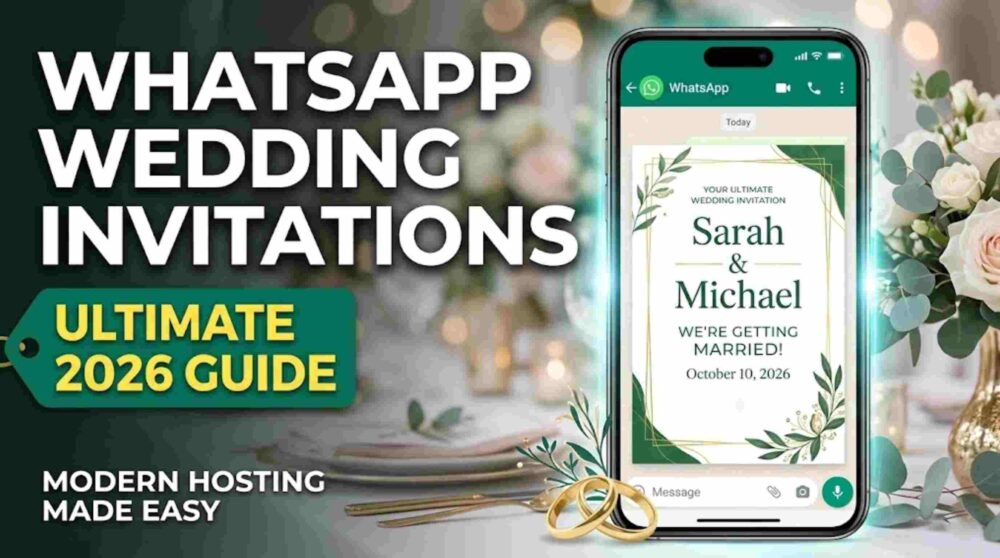
WhatsApp Wedding Invitations have become one of the most popular ways for modern couples to share wedding details with guests. In 2026, the shift from traditional paper invites to digital-first event planning has accelerated. This medium is no longer seen only as a budget option; for many couples, it has become a practical communication hub for weddings. WhatsApp Business materials often cite very high message open rates, sometimes around 98%, which is why many hosts prefer it for fast and direct communication.
1. The 2026 Shift: Why Digital Is Becoming the New Standard
The global wedding industry has increasingly embraced a convenience-led approach to planning. Guests often prefer having wedding details readily available on their phones instead of relying only on a physical card. They want quick access to the gift registry, venue directions, RSVP links, and schedule updates in one place.
The Benefits of a Digital-First Approach
Instant RSVP Tracking: No more waiting weeks for mail-in cards. Links can take guests directly to your RSVP system for faster and more organized headcounts.
Live Updates: If a ceremony time changes or weather affects the plan, you can update a large number of guests within minutes.
Integrated Navigation: One tap on a Google Maps or Apple Maps link helps guests navigate directly to the venue.
Sustainability: Reducing paper usage supports the growing interest in more eco-conscious celebrations.
2. The Professional “Media Bundle” (VIT Framework)
To make your WhatsApp Wedding Invitations feel polished and premium, avoid sending a single low-resolution image on its own. Instead, follow the Video-Image-Text (VIT) framework to create a more immersive experience.
Phase 1: The Cinematic Hero (The Video)
Send a 15-second vertical (9:16) video first. This acts as the emotional hook. It can feature high-quality footage of the couple or the venue, with minimal and elegant typography layered over it.
Phase 2: The Detail Card (High-Res Image)
Immediately after the video, send a high-resolution JPEG. This works like a digital fridge magnet that guests can easily screenshot and save. It should contain the key details: names, date, venue, and time. To preserve better quality, consider sending the file as a document or using HD media options where supported.
Phase 3: The Action Message (Text)
The text beneath the media is where the practical details live. Keep it clear, easy to scan, and include any important interactive links.
3. Technical Mastery: Tools for 2026 Hosting
A professional invite is only as good as the technology supporting it. To maximize the effectiveness of your WhatsApp Wedding Invitations, integrate these three core features:
- The “Save to Calendar” Link: Use a tool like AddEvent to generate an add-to-calendar link. When guests click it, the wedding details, including the venue location, can be saved to their mobile calendar. AddEvent officially supports add-to-calendar links across major calendar platforms including Apple Calendar, Google Calendar, Outlook, Outlook.com, and Yahoo Calendar.
- Interactive RSVP Buttons: Don’t just ask guests to reply. Link to a dedicated wedding website, such as Zola, WithJoy, or a custom site, where they can manage RSVPs, dietary preferences, and plus-ones. Zola officially supports RSVP tracking, plus ones, meal selections, and guest messaging tools.
- One-Click Location Sharing: Always provide a direct Google Maps or Apple Maps link to help guests find the venue quickly and easily.
4. Professional Wording Templates
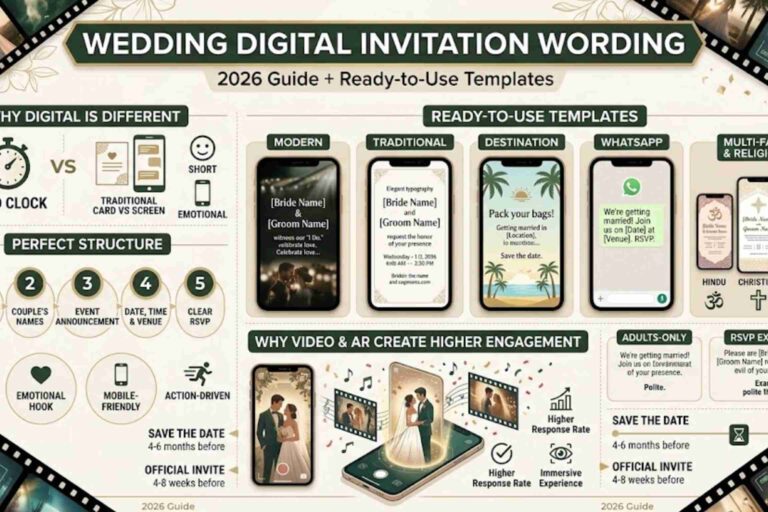
These templates are designed for high readability on mobile screens. Replace the bracketed text with your own details.
Template 1: The Modern & Energetic Vibe
Best for a vibrant, contemporary celebration.
We are so excited to share that we’re getting married! 🥂 We can’t wait to celebrate this new chapter with our favorite people.
When: October 10 | 4:30 PM
Where: The Grand Terrace, Riverside
Dress Code: Cocktail Attire
RSVP & Registry: [Link]
Map & Directions: [Google Maps Link]
Please RSVP by September 1st via the link above. We can’t wait to see you there!
Template 2: The Formal & Traditional Vibe
Best for formal circles and respectful family communication.
With the blessings of our families, we cordially invite you to the wedding ceremony of Thomas and Elizabeth. Your presence and blessings would mean the world to us as we begin our life together.
Date: June 20, 2026
Time: 5:00 PM
Venue: St. Jude’s Cathedral
Location Link: [Google Maps Link]
We look forward to celebrating this auspicious occasion with you.
Please confirm your attendance by May 1st: [Link]
Template 3: The Destination Wedding Itinerary
Best for weddings requiring travel and multi-day events.
Pack your bags! ✈️ We’re heading to the coast to say I Do.
We are so excited for a weekend of celebrations. To make your travel as smooth as possible, we’ve put together a full digital guide including hotel blocks and the weekend itinerary.
Main Event: November 15 at 4:00 PM
Venue: Oceanview Resort
Full Travel Guide & RSVP: [Link]
Booking Deadline: Please secure your stay via the link above by July 15th.
5. Global Etiquette Protocols
Sending WhatsApp Wedding Invitations comes with a few practical etiquette rules to help the experience feel thoughtful rather than intrusive.
Avoid Group Chats: Don’t add a large number of guests to one WhatsApp group for your wedding invite. It can feel overwhelming and also exposes participants’ phone numbers to one another. If you want to message many guests at once, a broadcast list is often more appropriate, though recipients generally need to have your number saved for broadcast delivery to work properly.
The Personal Touch: Start every message with a personal greeting. A simple “Hi [Name], we have some exciting news…” makes the invite feel warmer and more intentional.
The “Plus One” Clarification: Because digital invites can be forwarded easily, be very clear about who is invited. A line such as “We have reserved 2 seats in your honor” helps avoid confusion.
6. The RSVP “Nudge” Strategy
One common challenge with digital invitations is that guests may read the message and forget to respond. A simple follow-up plan can help:
The Initial Send: 8–10 weeks before the wedding.
The Two-Week Warning: Two weeks before your catering deadline, send a gentle reminder:
“Hey [Name]! We’re getting so close! Just checking in to see if you’ll be joining us as we finalize the seating chart this week. Hope to see you there! 🙏”
The Final Call: About 24 hours before the RSVP link closes, send a final reminder graphic or short message.
7. The Final Touch: Immersive Upgrades
As you finalize your WhatsApp Wedding Invitations, consider adding one more layer of guest engagement. For hosts who want to combine digital convenience with a stronger wow factor, augmented reality can create a more memorable experience.
By using tools like MessageAR, you can turn a static digital card into an interactive moment where a video message appears on the guest’s own personal space. It can be a memorable way to make the invitation feel more personal and distinctive.