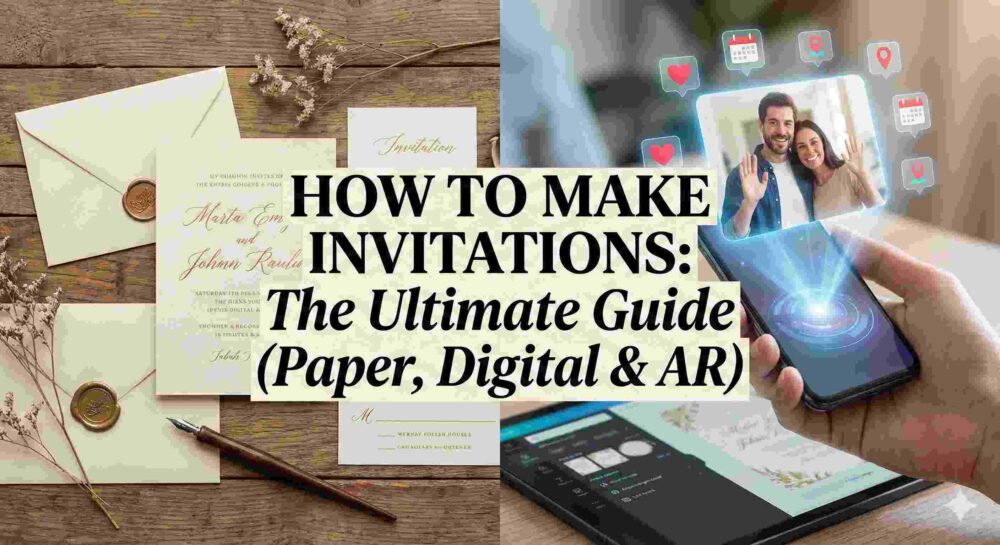
Figuring out How to make invitations can feel overwhelming, especially when you sit down at your computer to start typing and your mind goes completely blank.
Whether you’re throwing a casual backyard BBQ, wrangling speakers for a corporate webinar, or planning the wedding of the decade, the invitation is a big deal. It’s the very first hint your guests get about what kind of party this is going to be. Getting it right is about so much more than just dropping a time and a place into a group chat—it’s about building hype.
If you’re trying to figure out how to make invitations that actually get people excited (and prompt them to RSVP on time), you’re in the right place. We’re going to break down exactly what you need to include, the design tools the pros use, and a massive cheat sheet of invitation wording templates you can literally just copy and paste.
Let’s dive in.
Table of Contents
- The “Don’t Mess This Up” Checklist
- Copy-and-Paste Invitation Wording Templates
- Design 101: Making It Look Good
- Timeline Etiquette: When to Hit Send
- The Next Big Thing: Ditching the Flat Screen
1. The “Don’t Mess This Up” Checklist
Before we talk about pretty fonts and colors, your invite has to do its actual job: tell people what is happening. If you leave out a crucial detail, you will spend the entire week of your event answering the same three text messages over and over.
Make sure you hit these points:
- The Host: Who is throwing this thing?
- The Vibe/Event: What are we doing? (Dinner? Networking? Dancing?)
- The When: Day of the week, date, and exact start time. If it’s virtual, don’t forget the time zone.
- The Where: The full address. If parking is a nightmare at your venue, mention that here.
- The Dress Code: Give people a hint. “Smart casual” saves a lot of outfit panic.
- The RSVP: Give a hard deadline and a clear way to respond (a link, an email, or a phone number).
2. Copy-and-Paste Invitation Wording Templates
If you are trying to figure out how to make invitations without sounding incredibly stiff and awkward, starting with a proven template is your absolute best bet.
Wedding Invitations
The Classic & Formal
Mr. and Mrs. [Parents’ Names]
request the honor of your presence
at the marriage of their daughter
[Bride’s Name]
to
[Groom’s Name]
Saturday, the fourteenth of November, two thousand twenty-six
at four o’clock in the afternoon
[Venue Name]
[City, State]
Dinner and dancing to follow.
The Modern & Relaxed
We’re getting married!
[Partner 1] & [Partner 2] invite you to celebrate with us.
Join us for vows, drinks, and a great time.[Date] | [Time]
[Venue Name]RSVP by [Date] at [Website Link].
Birthday Parties
The Adult Milestone (30s, 40s, 50s)
Cheers to [Age] Years!
Come celebrate [Name]’s [Age]th birthday with us.
Expect great food, flowing drinks, and highly questionable dance moves.When: [Date] at [Time]
Where: [Venue/Address]Please RSVP to [Name/Number] by [Date] so we can stock the bar properly.
The Kids’ Bash
It’s a Party!
[Child’s Name] is turning [Age]!
Get ready for an afternoon of pizza, cake, and chaos.Date: [Date]
Time: [Start Time] – [End Time]
Location: [Address]RSVP to [Parent’s Name] at [Phone/Email] by [Date].
Dinner Parties & Casual Hangs
The Cozy Dinner Party
Eat, Drink, and Be Cozy.
You’re warmly invited to our place for dinner and drinks.
Friday, [Date] at [Time]
[Your Address]Let us know about any allergies or dietary restrictions.
RSVP by [Date].
Corporate & Professional Events
The Formal Gala or Fundraiser
[Company/Organization Name]
cordially invites you to the annual
[Event Name]Join us for an evening of networking, dinner, and a keynote address by [Speaker Name].
[Date] | [Time]
[Venue Name]Black tie optional.
Please reserve your seat at [Link] by [Date].
3. Design 101: Making It Look Good
A huge part of learning how to make invitations that look professionally designed is simply knowing which software to use for your specific skill level.
Your wording is locked. Now, it needs to look the part. You don’t need an art degree to pull this off, you just need the right tools for the job.
- For the Quick and Easy: If you want a great-looking graphic fast, Canva is your best friend. Their drag-and-drop templates are a lifesaver.
- For the Pixel-Perfect Perfectionist: If you want total control over custom vectors and layouts, step up to Photoshop or Illustrator.
- For High-End Video Invites: Video is taking over the invite space. If you’re cutting a cinematic “save the date” or a promo reel for an event, jump into Premiere Pro or After Effects. If you really want that professional, cinematic look, drop your footage into DaVinci Resolve to dial in your color grading and motion graphics.
One golden rule for design: Never use more than two fonts. Pair a fancy script font for the names with a clean, simple font for the address and time. Keep it readable.
4. Timeline Etiquette: When to Hit Send
You can know exactly how to make invitations look absolutely gorgeous, but if you send them out too late, your guests will already have other plans.
- Weddings: Send Save-the-Dates 6–8 months out. Send the actual invites 6–8 weeks before the big day.
- Corporate Events: 4–6 weeks ahead of time.
- Dinner Parties & Birthdays: 2–3 weeks gives people enough notice.
- Casual Hangouts: 1–2 weeks.
Pro Tip: Set your RSVP deadline at least 10 days before you actually have to give your caterer or venue a final headcount. People are forgetful; you’ll need those extra 10 days to track down the stragglers.
5. The Next Big Thing: Ditching the Flat Screen
For a long time, figuring out how to make invitations meant deciding between expensive paper cardstock or just attaching a flat PDF to an email. Both work, but honestly? They are a little boring.
If you are hosting an event in 2026 and want to actually blow your guests’ minds, the smartest hosts and brands are moving away from flat screens entirely.
Imagine texting a link to a friend. When they open it, their phone camera turns on, and a personalized video of you appears right there, standing on their living room rug. That’s what platforms like MessageAR are doing. It’s all about personalized, shareable video messaging that appears in the recipient’s real-world space.
Instead of reading a boring block of text, your guest points their phone at their kitchen counter and watches a dynamic video of you personally inviting them to your wedding, pitching your webinar, or hyped up about a birthday. It combines the warmth of showing up at someone’s front door with the convenience of a digital link.
Your invitation is the kickoff to your event. Don’t settle for boring. Choose the words, the design, and the medium that makes people count down the days until the party starts.
Ultimately, knowing how to make invitations in 2026 isn’t just about passing along a schedule—it’s about leveraging tech like MessageAR to start the celebration the second they open your link.