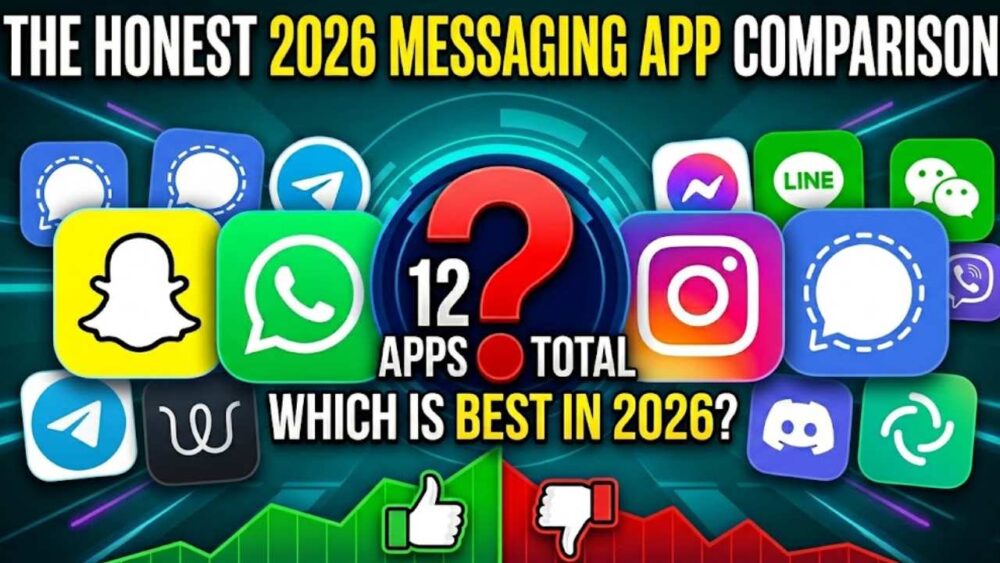
A look at what 11 popular messaging tools actually do well, what they fail at, and why the most interesting one in this entire list isn’t Snapchat, Instagram, or even Signal.
Let me start with a confession.
I have eleven messaging apps on my phone right now. Eleven. And yet last month, when my best friend from college moved to Singapore for work, the best I could manage was a voice note on WhatsApp and a “miss you already” GIF on Instagram. She replied with a thumbs up react. That was it. That was the farewell.
It felt weirdly hollow for two people who spent four years doing absolutely everything together. And I started thinking — with all these apps, all these features, all this technology — why does communicating with the people we actually care about still feel so… flat?
I’ve been using messaging apps since the BBM era (if you know, you know). I’ve watched platforms rise, copy each other, die, come back, and rebrand. And after testing pretty much every major messaging tool available in 2026 — some for weeks, some for months — I have opinions. Strong ones. And I think a lot of the conversation around “which app is best” is asking entirely the wrong question.
The right question isn’t “which app has the best filters?” It’s “which app actually helps you make someone feel something?”
Those are very different questions. And the answers will probably suprise you.
Table of Contents
- The Real Problem With Modern Messaging (Most People Won’t Admit This)
- The 5-Layer Messaging Framework: How to Actually Evaluate These Apps
- 1. Snapchat — The OG Disruptor That Got Too Comfortable
- 2. WhatsApp — The Workhorse You Take For Granted
- 3. Instagram DMs — The App That Forgot It Was a Messaging Tool
- 4. Telegram — The Power User’s Paradise
- 5. Signal — Paranoid in All the Right Ways
- 6. iMessage — The Blue Bubble That Runs Half the World’s Friendships
- 7. TikTok Messages — When the Feed Ate the Inbox
- 8. Marco Polo — The App That Solved Async Video (Sort Of)
- 9. Discord — Communities First, Conversations Second
- 10. BeReal — An Interesting Social Experiment That Got Boring
- 11. MessageAR — The One That’s Playing a Completely Different Game
- The Big Comparison Table
- So What Should You Actually Use?
- The Uncomfortable Truth About Messaging
The Real Problem With Modern Messaging (Most People Won’t Admit This)
We’re in a strange paradox right now. We have more ways to reach people than ever before in human history, yet studies on loneliness have shown that people in developed, hyper-connected countries report feeling more isolated than generations before them did. You can send a message to someone on the other side of the planet in under a second. You can video call your grandmother in rural Punjab from a beach in Bali. You can send a disappearing photo that self-destructs like something out of Mission: Impossible.
And yet — most digital messages don’t actually land. They’re read and forgotten. They compete with fifty other notifications for two seconds of attention. They get reacted to with a thumbs up because that’s easier than typing a real response.
The problem, as I see it, is this: most messaging apps optimise for frequency, not depth. They want you sending more messages, more often, to more people. That’s great for engagement metrics. It’s terrible for actually feeling connected.
There’s also the compression problem nobody talks about enough. When you send a video on WhatsApp, it gets compressed to a point where grandma looks like she’s made of pixels. Your kid’s birthday video that took you twenty minutes to record turns into a blurry mess by the time it reaches the recipient. Instagram compresses even further, and Snapchat — well, Snapchat made ephemerality its whole personality, which is great for sharing a silly face and genuinely terrible for sending something you actually want someone to keep.
Then there’s the occasion problem. Most messaging apps are built for casual, everyday conversation. But not all messages are casual. Some messages are for birthdays. Farewells. Weddings. Graduations. A “congrats, you did it” to someone who worked five years to get their PhD. For those moments, dropping a sticker into a chat feels embarassingly inadequate. But we do it anyway because we don’t have a better option — or at least, we didn’t think we did.
I want to come back to that. But first — let me give you a proper framework for evaluating these tools, because comparing Snapchat to Signal without context is like comparing a sports car to a bulldozer. Technically both vehicles. Not remotely the same thing.
The 5-Layer Messaging Framework (Use This To Stop Picking the Wrong App)
The 5-Layer Messaging Stack — How to Actually Judge These Apps
Layer 1 — Utility: Does it work? Is it fast, reliable, cross-platform? Can you use it without a tutorial?
Layer 2 — Privacy: Who owns your messages? Can anyone read them? What happens to your data?
Layer 3 — Expression: Can you actually say what you mean — in video, voice, images, whatever format fits the message?
Layer 4 — Emotional Weight: Does the format make the recipient actually feel something? Or is it just noise in an inbox?
Layer 5 — Permanence vs Ephemerality: Should this message last forever, or was it better as a moment?
Most articles compare apps on Layer 1 and Layer 2. That’s the boring stuff — and yes, it matters. But the apps that actually change how you communicate are the ones doing something interesting at Layer 3, 4, and 5. Keep that in mind as we go through each one.
1. Snapchat — The OG Disruptor That Got Too Comfortable
What it is: The app that invented disappearing messages, popularised Stories, and genuinely changed how a generation of teenagers thought about digital communication.
The honest take:
Snapchat deserves enormous credit for things people have completely forgotten to give it credit for. In 2011, when every other social platform was racing to make your content as permanent and shareable as possible, Snapchat zigged. It said: what if messages just… disappeared? What if you didn’t have to perform for an archive? What if the message was just for this moment?
That was genuinely radical. And it resonated because it felt human. Conversations in real life disappear. They’re not stored in a database forever. Snapchat understood something fundamental about communication that the rest of Silicon Valley missed.
Then a lot happened. They introduced Stories (great). Instagram copied Stories (devastating to their growth). They rolled out Snap Map (useful but slightly creepy), Spotlight (their attempt to compete with TikTok), and a redesign in 2018 that was so badly recieved that a celebrity tweet against it got 1.2 million signatures on a petition to revert it. They didn’t fully revert it.
In 2026, Snapchat is still very much alive — it reportedly has over 400 million daily active users, a number that would make almost any other company ecstatic. But the question is whether those users are there because Snapchat is good, or because streaks are basically a hostage situation. (If you’ve never had a 200-day streak broken because your phone died while travelling, you haven’t truly suffered.)
What Snapchat actually does well
- 📸 AR lenses and filters — still among the best in the world. Genuinely creative, frequently updated, often delightful
- 👻 The ephemeral format for casual communication — selfies, moments, “look what I’m eating right now” energy
- 🗺️ Snap Map — underrated for seeing what friends are up to geographically
- 🔥 Streaks — controversial but effective at building daily communication habits
Where Snapchat falls flat
- The interface is genuinely confusing to new users. Swiping in four different directions to access four different things is not UX, it’s a puzzle
- Video quality is heavily compressed. What you record is not what they recieve
- Privacy concerns haven’t fully gone away — Snap has had its share of data breaches and controversies about how long it actually stores “disappearing” content
- Spotlight is not TikTok and will probably never be
- It’s fundamentally a casual platform. It has no answer for meaningful, high-stakes communication
Verdict — Snapchat
Layer 1 (Utility): ★★★☆☆ — Works fine, confusing interface
Layer 2 (Privacy): ★★★☆☆ — Better than it used to be, not Signal
Layer 3 (Expression): ★★★★☆ — Filters and lenses are genuinely great
Layer 4 (Emotional Weight): ★★☆☆☆ — Hard to send something meaningful on a platform built for silly faces
Layer 5 (Permanence): ★★★★☆ — Ephemerality is the whole point and it works for what it’s for
Best for: Daily casual communication with close friends, especially for the 13–28 age bracket. Not the tool you want when you actually have something important to say.
2. WhatsApp — The Workhorse You Take For Granted
What it is: Two billion users. Cross-platform. End-to-end encrypted. The global default for “let me give you my number.” The app that basically runs on every phone in India, Brazil, Europe, and much of Africa.
The honest take:
WhatsApp is the Toyota Corolla of messaging apps. It’s not exciting. It doesn’t have a personality. It doesn’t make you feel anything particular when you open it. But it works, it’s everywhere, and it will probably outlast everything else on this list just by sheer inertia.
Meta (formerly Facebook) bought WhatsApp in 2014 for $19 billion, which was the most expensive acquisition in tech history at the time. Everyone panicked about privacy. Then they announced in 2021 that data would be shared with Facebook. The panic intensified. Signal gained 25 million users in a week. And then… most people went back to WhatsApp anyway, because their mum was on it, and their work group was on it, and their school reunion group was on it, and abandoning it would require convincing everyone in those groups to move, which is approximately as likely as convincing your family to switch from rice to quinoa permanently.
The compression issue I mentioned earlier is most visable on WhatsApp. Send a video of a wedding ceremony, a birthday surprise, or your kid’s first steps, and by the time it reaches the other person, it looks like it was recorded through a shower door. WhatsApp prioritises delivery speed over quality, which is a totally legitimate design choice — but it’s a choice that makes the platform bad for anything that’s visually important.
They’ve added status updates (Stories-lite), voice notes (actually underrated — the 2x speed playback is a lifesaver), communities (basically a better version of broadcast lists), and a slowly improving desktop experience.
What WhatsApp does well
- 📞 Universal — if someone has a smartphone, odds are they have WhatsApp
- 🔐 End-to-end encryption by default on all messages — this is genuinely important
- 🎙️ Voice notes — the best implementation of async audio messaging in any mainstream app
- 📂 Group management — for anything up to a couple hundred people, WhatsApp groups are functional and familiar
- 💻 Desktop client — actually usable now
Where WhatsApp struggles
- Video quality compression is brutal. Not ideal for anything where the visual actually matters
- The Meta association makes privacy purists uncomfortable, rightly or wrongly
- Status/Stories feature is mostly ignored — nobody really checks WhatsApp statuses the way they check Instagram Stories
- No real creativity tools — limited filters, no AR features to speak of
- Group chats can become genuinely unbearable. We’ve all been in the family group chat that won’t stop
Verdict — WhatsApp
Layer 1 (Utility): ★★★★★ — Basically perfect for what it is
Layer 2 (Privacy): ★★★★☆ — E2E encryption is solid; Meta affiliation is the asterisk
Layer 3 (Expression): ★★☆☆☆ — Limited creative tools, video compression is a real problem
Layer 4 (Emotional Weight): ★★★☆☆ — A voice note can carry real warmth; text messages less so
Layer 5 (Permanence): ★★★☆☆ — Messages persist but media auto-deletes unless saved
Best for: Everyday communication with anyone, anywhere. The default choice and deservedly so. Just don’t use it to share something you want to look beautiful.
3. Instagram DMs — The App That Forgot It Was a Messaging Tool
What it is: What started as a photo sharing app quietly became one of the world’s most used direct messaging platforms. Instagram Direct now handles billions of messages a day.
The honest take:
Here’s a thing nobody talks about: a massive percentage of Instagram usage is actually private messaging. Not the feed. Not Reels. The DMs. People share memes, have conversations, send voice notes, coordinate plans, and maintain relationships almost entirely in Instagram’s inbox — often while barely posting anything public at all.
And yet, Instagram has never quite decided whether it’s primarily a messaging app or a content platform. The DM interface has improved significantly over the years — you can now send disappearing photos (Snapchat-style), do group video calls, react with emoji, share your screen (to an extent), and send posts from the feed directly into a conversation. The Vanish Mode feature, which makes messages disappear after they’re viewed, is a direct lift from Snapchat that works reasonably well.
The issue is that Instagram DMs carry the weight of Instagram’s broader culture — performance, aesthetics, follower counts. There’s always a faint awareness that you’re in someone’s inbox, and they’re in yours, and how you present yourself matters. It lacks the casualness of WhatsApp and the intimacy of something like Marco Polo. It’s messaging with a social veneer over everything.
Also: if you’ve ever tried to find an old message in Instagram DMs, you know the search is genuinely terrible. Not slightly bad. Actually, genuinely, unusably bad. For a platform with the engineering resources of Meta, this remains baffling.
Where Instagram DMs shine
- 🎭 Meme sharing and content forwarding — the primary use case for a huge portion of its user base, and it’s great at this
- 📱 Rich media previews — sharing links, posts, reels, all look clean in conversation
- 🎬 Voice notes and video messages — quality is decent
- 👥 Group chats — manageable for small groups
Where Instagram DMs struggle
- The search is a catastrophe. Looking for something from six months ago is effectively impossible
- The social performance layer is always present — it doesn’t feel fully private
- DM requests from strangers are noisy and annoying, especially for anyone with a public profile
- Heavy compression on video just like WhatsApp
- Algorithm-driven feed means Instagram often wants you scrolling instead of conversing
Verdict — Instagram DMs
Layer 1 (Utility): ★★★☆☆ — Works but has weird gaps (the search situation)
Layer 2 (Privacy): ★★★☆☆ — Meta. You know the deal
Layer 3 (Expression): ★★★★☆ — Great for forwarding content, decent media tools
Layer 4 (Emotional Weight): ★★★☆☆ — Can be warm between close friends; often performative
Layer 5 (Permanence): ★★★☆☆ — Vanish mode is a nice option; otherwise messages persist
Best for: Meme sharing, quick messages to Instagram friends, casual groups. Not for anything serious or private.
4. Telegram — The Power User’s Paradise
What it is: A cloud-based messaging platform with channels (for broadcasts), groups (up to 200,000 members), bots, secret chats, and a philosophy of being the thing WhatsApp and Facebook Messenger aren’t.
The honest take:
Telegram is what happens when engineers build a messaging app for engineers. The feature list is staggering. You can have a group of 200,000 people. You can schedule messages. You can create bots that automate tasks. You can have polls, quizzes, reaction buttons, pinned messages with multiple levels, topics within groups, channels that work like broadcast media, anonymous posting, and self-destructing messages in secret chats. The file transfer limit is 2GB — which means you can legitimately send uncompressed videos of almost any length to anyone on the platform.
That last bit is underappreciated. Telegram does not compress your files. If you send a 4K video, the other person receives a 4K video. In a world where WhatsApp turns your videos into pixelated memories, this is kind of a superpower.
The privacy picture is more complicated than Telegram’s fans would have you believe, though. Regular Telegram chats are not end-to-end encrypted — they’re server-encrypted, stored on Telegram’s own servers. Only “Secret Chats” use E2E encryption, and those don’t sync across devices. The company is headquartered in Dubai, its founder Pavel Durov has had a complicated year (he was arrested in France in 2024), and critics have long pointed out that Telegram’s channels are frequently used for organising illegal activity. The platform has gotten better at moderation but it’s still a concern.
Despite all that, for people who know what they’re using it for, Telegram is a remarkably capable tool. If you’re running a community, co-ordinating a team, or just want to share large files without quality loss, it’s genuinely excellent.
Verdict — Telegram
Layer 1 (Utility): ★★★★★ — Arguably the most feature-rich messaging app available
Layer 2 (Privacy): ★★★☆☆ — Complicated. Not as private as it markets itself unless you’re using Secret Chats
Layer 3 (Expression): ★★★★☆ — Custom stickers, large files, bots — very flexible
Layer 4 (Emotional Weight): ★★★☆☆ — Functional for meaningful conversations, not particularly designed for them
Layer 5 (Permanence): ★★★★☆ — Cloud storage means messages are accessible everywhere, always
Best for: Communities, power users, file sharing, large groups. If you’re organising anything involving more than 20 people, Telegram is probably your best option.
5. Signal — Paranoid in All the Right Ways
What it is: The gold standard for private messaging. End-to-end encrypted by default, everything. Built by a non-profit. No ads. No tracking. No data sold. The app that security researchers, journalists, activists, and privacy advocates recommend without caveat.
The honest take:
Signal is the messaging app equivalent of someone who wears a seatbelt, helmets while cycling, and carries a first aid kit on hikes. It is responsibly, thoroughly, sometimes exhaustingly doing the right thing.
The encryption is unimpeachable. The business model (a non-profit funded by donations) means there is literally no financial incentive to monetise your data. Disappearing messages, note-to-self feature, sealed sender (which hides who sent you a message from Signal’s own servers), and a Stories feature that is at least as good as WhatsApp’s.
The problem is network effects. Signal’s value depends entirely on how many people you know who are also on Signal. In most social circles, that number is low. You can have the most private, secure messaging app in the world and it is completely useless if the person you want to message is on WhatsApp and has zero interest in switching.
Signal has made efforts to improve its UX and add features (note-taking, group calls, usernames instead of phone numbers now available) but it still has a slight “I’m choosing ethics over fun” energy to it that makes it feel less like a communication tool and more like a principled stance. Both things can be true at once.
Verdict — Signal
Layer 1 (Utility): ★★★☆☆ — Great software, limited by its small network in most circles
Layer 2 (Privacy): ★★★★★ — The absolute best. No caveats
Layer 3 (Expression): ★★★☆☆ — Improving but not creative
Layer 4 (Emotional Weight): ★★★☆☆ — Warmth comes from knowing the conversation is truly private
Layer 5 (Permanence): ★★★★☆ — You control everything about message retention
Best for: Sensitive conversations, professional communications, activists, journalists, anyone who genuinely cares about privacy first. Less practical as your everyday all-purpose messenger.
6. iMessage — The Blue Bubble That Runs Half the World’s Friendships
What it is: Apple’s built-in messaging system, which works brilliantly between iPhones and iPads and Macs — and falls back to green-bubble SMS when the recipient is on Android.
The honest take:
The blue bubble versus green bubble divide is one of the strangest social phenomena of the last decade. In the United States especially, being on Android in a group of iPhone users has real social consequences. Teenagers have literally reported being excluded from friend groups over it. This is objectively ridiculous and yet entirely real.
Within the Apple ecosystem, iMessage is genuinely excellent. The integration is seamless — your messages sync across your iPhone, iPad, and Mac. You can send high-quality photos and videos. Tapbacks (the little react icons) work intuitively. You can share your screen, send audio messages, use stickers, and send Memoji. The recently-added ability to edit and unsend messages was long overdue and works well.
The problem is that iMessage is, by design, a walled garden. The moment someone outside that garden tries to join a conversation, quality degrades significantly. Apple has begun supporting RCS (Rich Communication Services) which improves green bubble conversations somewhat — but it’s still not the same. The fundamental exclusivity of the platform is both its biggest strength (seamless Apple-to-Apple experience) and its most significant weakness (everything else is worse).
Verdict — iMessage
Layer 1 (Utility): ★★★★★ (Apple-to-Apple) / ★★☆☆☆ (with Android users)
Layer 2 (Privacy): ★★★★☆ — End-to-end encrypted between Apple devices
Layer 3 (Expression): ★★★★☆ — Stickers, Memoji, screen sharing, high quality media
Layer 4 (Emotional Weight): ★★★★☆ — The seamlessness makes warm conversations feel natural
Layer 5 (Permanence): ★★★★☆ — Messages persist across devices, easily searchable
Best for: Anyone in a mostly-Apple friend/family network. Frustrating the moment Android enters the picture.
7. TikTok DMs — When the Feed Ate the Inbox
What it is: TikTok has a messaging feature that most people forget exists, buried under the tsunami of content the app is actually designed to deliver.
The honest take:
TikTok DMs are to messaging what a drive-through is to fine dining. Technically it’s food. But you’re not here for the ambiance.
The primary use case for TikTok DMs is sharing videos with someone who’s also on TikTok. You see something funny, you forward it to a friend. That’s it. That’s basically the whole functionality. The inbox is minimal, the features are sparse, and the platform has exactly zero interest in making you message more — it wants you to scroll more.
There’s nothing wrong with this, exactly. It’s just honest about what TikTok actually is: an algorithmically-driven content experience disguised (not very hard) as a social network. The social part — the actual person-to-person connections — is almost incidental to the product design.
In markets where TikTok has faced regulatory challenges (the US, India), the messaging feature has become even less central to how people use the app. If you’re using TikTok DMs as your primary communication channel, you’ve made an unusual choice and I have questions.
Verdict — TikTok DMs
Layer 1 (Utility): ★★☆☆☆ — Functional but barebones
Layer 2 (Privacy): ★★☆☆☆ — Significant unresolved concerns about data handling, particularly government access
Layer 3 (Expression): ★★★☆☆ — Good for sharing TikTok videos, not much else
Layer 4 (Emotional Weight): ★★☆☆☆ — “lol look at this” is the primary emotional register
Layer 5 (Permanence): ★★☆☆☆ — Not designed to be a record of anything
Best for: Sharing TikToks with your friends. Not much else.
8. Marco Polo — The App That Solved Async Video (Sort Of)
What it is: A video messaging app built around asynchronous communication — you record a video message, they watch it when they have time, they record one back. Like video voicemail, but designed with real thought.
The honest take:
Marco Polo is the sleeper hit of this entire list. It doesn’t have Snapchat’s cultural cachet or WhatsApp’s global ubiquity, but it does something genuinely important: it makes video messaging feel natural and low-pressure in a way no other mainstream app has quite figured out.
The core insight is simple but smart: not every video conversation needs to happen in real time. A live video call requires both parties to be available at the same moment, in a presentable state, with good lighting, ideally in a quiet room. That’s a lot of friction. Marco Polo removes all of it. You record when you want, they watch when they want. The video stays for a while (depending on your settings) rather than disappearing immediately.
For long distance friendships, long-distance relationships, keeping in touch with relatives in different time zones — Marco Polo is quietly brilliant. It’s particularly popular among parents with young kids who can’t always have a full phone call but want more than a text message.
The downsides: it requires the other person to download yet another app, and its user base is significantly smaller than the big platforms. The filters and editing tools are minimal. And it has the feeling of a product that peaked a few years ago and isn’t quite sure where to go next. The paid tier (Marco Polo Plus) adds some features but the free version is genuinely usable.
Verdict — Marco Polo
Layer 1 (Utility): ★★★★☆ — Simple, reliable, does exactly what it promises
Layer 2 (Privacy): ★★★☆☆ — Privacy policy is reasonable; not Signal but not terrible
Layer 3 (Expression): ★★★☆☆ — Limited editing tools, but video itself is expressive
Layer 4 (Emotional Weight): ★★★★☆ — Video messages carry real warmth; this is the app’s genuine strength
Layer 5 (Permanence): ★★★☆☆ — Videos persist for a configurable period
Best for: Staying in touch with people in different time zones, anyone who finds phone calls stressful but wants more than a text. Genuinely underrated.
9. Discord — Communities First, Conversations Second
What it is: Started as a voice chat app for gamers. Evolved into a full-featured community platform with text, voice, video, threads, bots, and server customisation. Used by gaming communities, study groups, businesses, fan communities, and basically anyone who needs a permanent online meeting place.
The honest take:
Discord solved a specific and real problem: how do you have ongoing community conversation that’s more organised than a WhatsApp group but less formal than a workplace Slack? The answer is servers with channels — different rooms for different topics, all in one persistent, searchable, well-organised space.
For gaming, Discord is basically mandatory at this point. The low-latency voice chat during games is exceptional. The integration with game notifications, streaming, and screen sharing makes it indispensable for that use case. For non-gaming communities — online study groups, hobby circles, fan servers for TV shows or artists — it’s equally capable.
As a personal messaging tool between two people? It’s fine. The DM feature works. But it’s a bit like using a stadium to host a dinner party. Technically possible, not really the point.
Discord’s userbase skews young (heavy 16–30 demographic) and heavily male (though this is changing). It has had to deal with serious content moderation challenges given how easy it is to create private or semi-private communities that fly under the radar. But for community building and organised group conversation, it remains the best free option available.
Verdict — Discord
Layer 1 (Utility): ★★★★★ — Exceptional for what it’s designed for
Layer 2 (Privacy): ★★★☆☆ — Server content can be accessed by Discord; DMs have more privacy but not E2E
Layer 3 (Expression): ★★★★☆ — Bots, threads, reactions, video, screen share — very flexible
Layer 4 (Emotional Weight): ★★★☆☆ — Great for community belonging, less good for one-on-one depth
Layer 5 (Permanence): ★★★★★ — Everything is searchable, stored indefinitely
Best for: Online communities, gaming groups, fan servers, organised team communication. Not the right choice for personal one-on-one messaging.
10. BeReal — An Interesting Social Experiment That Got Boring
What it is: A French social app that sends you a daily notification asking you to take a simultaneous front-and-back camera photo within two minutes. The idea: no filters, no curation, no performance. Just real life, right now.
The honest take:
BeReal had a genuinely refreshing idea. In a social media landscape saturated with carefully curated, filtered, idealised versions of everyone’s life, here was an app saying: just show us what’s actually happening. No time to set up a shot. No makeup touch-up. Your lunch or your ceiling or your commute, exactly as it is.
For about six months in 2022, it felt like it might actually break through. Then people figured out they could delay posting until they were doing something interesting, which entirely defeated the point. Then the novelty wore off. Then TikTok released a BeReal clone (TikTok Now). Then Instagram did the same thing. The app was acquired by Voodoo in 2024 for about €500 million — a decent outcome for its founders but somewhat anticlimactic given the early hype.
As a messaging tool, BeReal isn’t really one. There’s a reaction system and you can comment on friends’ BeBlinks, but it’s a social sharing platform with a specific philosophy, not a communication tool. I’ve included it here because it represents an interesting branch of thinking about authenticity in digital communication — even if the execution didn’t quite land long-term.
Verdict — BeReal
Layer 1 (Utility): ★★☆☆☆ — Fine but limited
Layer 2 (Privacy): ★★★☆☆ — Straightforward data practices; not complicated
Layer 3 (Expression): ★★☆☆☆ — Very constrained by design
Layer 4 (Emotional Weight): ★★★☆☆ — When it works, the authenticity is genuinely touching
Layer 5 (Permanence): ★★☆☆☆ — Not really what it’s for
Best for: Honestly, it’s mostly an interesting historical footnote now. Worth using if the concept appeals to you, but don’t expect it to replace anything.
11. MessageAR — The One That’s Playing a Completely Different Game
What it is: An augmented reality video greeting platform that lets you record a personal video message, attach it to a trigger image (a physical card, a photo, a gift tag, anything), share a magic link — and when the recipient points their phone at that image, your video plays right there, in their real environment, as an augmented reality experience.
The honest take:
Okay. This one is different. Let me explain why I’ve saved it for last, and why it’s not really competing with any of the other apps on this list — because it’s solving a fundamentally different problem.
Every app I’ve covered so far is built for one thing: getting a message from you to someone else as efficiently as possible. More features, faster delivery, better filters, bigger groups. The race is always toward more.
MessageAR isn’t interested in that race. It’s asking a different question: what if a message wasn’t just information to be transmitted, but an experience to be felt?
Here’s how it actually works. You go to messagear.com, record a video message (no editing required — the platform handles templates and overlays), and link that video to a trigger image. The trigger image can be anything with visual contrast — a printed photo, a birthday card, a gift tag, even a specific pattern. You then share a “magic link” with the recipient. When they click the link and point their phone camera at the trigger image, your video appears to play in their real-world space. Not on a screen. In their room. At their table. On top of the card you gave them.
The first time you see this, it is, without exaggeration, a little bit magical.
I sent a MessageAR greeting to my younger brother for his graduation last year. He’d opened cards, gotten texts from thirty different people saying congrats, watched about eleven WhatsApp voice notes. By the time he got to the MessageAR greeting — attached to a printed photo I’d included in a card — he said he literally stopped and just watched it twice. He kept it. The card is still on his desk.
Nobody keeps a WhatsApp voice note on their desk. Nobody goes back and replays a Snapchat on the anniversary of their graduation. But a video that appears to float in your space, attached to something physical that you can hold — that’s a different category of experience entirely.
The real-world problems MessageAR actually solves
The “I don’t know what to say” problem. We’ve all frozen in front of a birthday post, unsure what to write that doesn’t sound generic. MessageAR flips this. You say something to the camera, naturally, the way you’d speak to someone standing in front of you. That’s harder to phone in than a typed message.
The “digital gifts feel cheap” problem. There’s a growing sense that digital greetings — an eCard, a WhatsApp message, even a video call — don’t carry the same weight as something physical. MessageAR bridges this gap. The trigger image can be physical. The video experience is digital. The result is something that feels like it has both presence and permanence.
The long-distance intimacy problem. When you can’t be there — for a wedding, a graduation, a farewell, a new baby — what you want is not to send data. You want the person to feel like you showed up. A video that appears in their space, right in front of them, gets closer to that feeling than anything a standard messaging app can offer.
The forgettable birthday problem. Be honest: how many birthday messages do you actually remember receiving? The ones that stick are the ones that required real effort — a handwritten letter, a personalised video, something that showed the person thought specifically about you. MessageAR makes that kind of effort available to anyone with a smartphone, in minutes, without editing skills.
How it compares technically
MessageAR doesn’t compress your video into oblivion. The recipient experiences full-quality playback. No app required on their end — the whole thing works through a browser link, which removes the biggest barrier to any new communication tool (persuading someone to download yet another app).
The platform is built for specific occasions — birthdays, weddings, graduations, Christmas, farewells — rather than everyday chatter. That’s actually a strength, not a limitation. It’s the app you reach for when something matters, not the app you use to send your friend a meme at 2am.
The creation process is straightforward: choose a template, record your video (15–30 seconds is the sweet spot, though you can go longer), link to your trigger image, share the magic link. The whole thing takes under ten minutes for someone who has never used it before. There’s no timeline, no followers, no algorithm, no feed. Just your message, and the person it’s for.
It’s also worth noting that MessageAR works brilliantly for business contexts. A real estate agent attaching a personalised property walkthrough message to a physical mailer. A brand sending a holiday greeting that comes to life when the recipient scans a card. A sales team making follow-up messages feel like experiences rather than email blasts. The core technology scales from intensely personal to professionally polished without changing anything fundamental about how it works.
Verdict — MessageAR
Layer 1 (Utility): ★★★★☆ — Easy to use, browser-based for recipients, no app download needed
Layer 2 (Privacy): ★★★★☆ — No social feed, no followers, messages are shared via private link
Layer 3 (Expression): ★★★★★ — The AR format is unlike anything else available. Templates handle the heavy lifting
Layer 4 (Emotional Weight): ★★★★★ — This is the entire point. When it lands, it really lands
Layer 5 (Permanence): ★★★★★ — Physical trigger image means the experience can be revisited as long as the image exists
Best for: Any occasion where you want to send something that actually means something. Birthdays, graduations, weddings, farewells, long-distance relationships, business greetings that stand out. Not a replacement for WhatsApp — a supplement for the moments that deserve more than a WhatsApp message can give.
Try MessageAR For Your Next Special Occasion
No app download needed on the recipient’s end. Works on any modern smartphone. Visit messagear.com and turn your next greeting into something they’ll actually remember.
The Big Comparison Table — All 11 Apps at a Glance
| App | Best Use Case | Privacy | Video Quality | Emotional Impact | Unique Edge |
|---|---|---|---|---|---|
| Snapchat | Casual daily chat, filters | ★★★☆☆ | ★★★☆☆ | ★★☆☆☆ | Best AR lenses |
| Universal everyday messaging | ★★★★☆ | ★★☆☆☆ | ★★★☆☆ | Voice notes + global reach | |
| Instagram DMs | Meme sharing, content friends | ★★★☆☆ | ★★☆☆☆ | ★★★☆☆ | Content-rich messaging |
| Telegram | Communities, large groups | ★★★☆☆ | ★★★★★ | ★★★☆☆ | No compression, huge groups |
| Signal | Private sensitive conversations | ★★★★★ | ★★★☆☆ | ★★★☆☆ | Best-in-class privacy |
| iMessage | Apple-to-Apple communication | ★★★★☆ | ★★★★☆ | ★★★★☆ | Seamless Apple ecosystem |
| TikTok DMs | Sharing TikTok videos | ★★☆☆☆ | ★★★☆☆ | ★★☆☆☆ | Native TikTok sharing |
| Marco Polo | Async video with close contacts | ★★★☆☆ | ★★★★☆ | ★★★★☆ | Low-pressure video messaging |
| Discord | Online communities, gaming | ★★★☆☆ | ★★★★☆ | ★★★☆☆ | Server structure for communities |
| BeReal | Authentic daily sharing | ★★★☆☆ | ★★★☆☆ | ★★★☆☆ | Anti-curation philosophy |
| MessageAR | Special occasions, memorable greetings | ★★★★☆ | ★★★★★ | ★★★★★ | AR video in real space, no app needed |
So What Should You Actually Use? (The Non-Fluffy Answer)
Here’s the thing about all these apps: they’re not really competing with each other in most cases. You don’t have to choose between WhatsApp and Signal the way you choose between Android and iPhone. These tools serve different purposes, different moments, different kinds of communication. Most people use three or four without thinking about it.
The more useful question is: what kind of communication moment are you in, and which tool is actually built for that moment?
Let me break this down properly:
Use WhatsApp if…
You want to reliably reach anyone, anywhere, on any phone. It’s the default, and defaults exist for a reason. For everyday conversations, group coordination, voice notes, and file sharing (just don’t expect video quality), WhatsApp is probably the right answer 80% of the time.
Use Signal if…
Privacy matters more than convenience. Journalist conversations, medical discussions, sensitive work topics, anything you genuinely don’t want anyone else to ever read. Signal is the answer whenever the contents of the conversation matter more than the feature set.
Use Telegram if…
You’re running a community, managing a large group, or want to share large files without losing quality. The 2GB file limit and genuinely unlimited group sizes are hard to beat for those specific use cases.
Use Marco Polo if…
You have a close relationship with someone in a different timezone and you want video conversation without the stress of scheduling a call. It’s quietly excellent for this. Give it a real try before dismissing it.
Use Snapchat if…
You want to share casual moments with friends who are already on it. The AR lenses are genuinely good. Just don’t try to have a meaningful conversation through it — that’s not what it’s for.
Use Discord if…
You have or want a community. Gaming groups, hobby circles, study servers — Discord’s structured server model is the best free option for organised group conversation that persists over time.
Use MessageAR if…
You want the message to actually matter. For birthdays, graduations, farewells, anniversaries, long-distance connections, or any moment where sending a text or a voice note feels like you’re getting away with something — MessageAR gives you a way to make the person feel like you actually showed up.
The key insight here is that MessageAR occupies a category that nobody else in this list is really competing in. It’s not trying to replace WhatsApp or Signal or Snapchat. It’s filling the gap they all leave — the gap between “I sent a message” and “I made someone feel something.”
The Uncomfortable Truth About Modern Messaging (The Part Most Articles Skip)
We’ve collectively trained ourselves to expect that communication is frictionless. Instant. Low-effort. And for everyday conversation, that’s completely fine — even great. You don’t want to write a personalised heartfelt message every time you ask someone if they’ve eaten lunch.
But the problem is we’ve started applying that same low-effort, low-friction logic to moments that actually deserve more. Birthdays get a generic “happy birthday!! 🎉” that we’ve typed fifty times this month. Graduations get a thumbs-up react on the announcement post. Farewells get a voice note recorded in two takes while cooking dinner.
The apps aren’t entirely to blame for this. But they’ve made the low-effort option so available and so normal that reaching for something more now feels awkward, like you’re being weird for trying too hard. And that’s genuinely sad. It means the moments that deserve the most from us are getting the least.
The rise of tools like MessageAR suggests there’s a growing recognition of this problem. People want something that closes the gap between what they feel and what they’re able to actually communicate. An AR video that appears in someone’s living room, delivered through a physical card they can keep, is one answer to that problem — and so far, it’s the most interesting answer I’ve seen.
I’m not saying every message needs to be an experience. Most messages don’t. But some messages do. And having the right tool for those moments — the ones that actually count — is worth thinking about more carefully than most people do.
Your friend’s birthday is not just another Tuesday. Your colleague’s last day is not just another group chat notification. Your grandmother’s 80th is not just a video call you schedule and forget.
Treat those moments differently. Use a tool that’s actually built for them.
That’s the whole argument. Everything else is just apps.
Frequently Asked Questions
Q: Is Snapchat still relevant in 2026?
Yes, though the question of whether it’s growing or slowly consolidating is debated. Its core audience (teens and early-20s) remains loyal, particularly in the US and UK. The AR lenses continue to be best-in-class. But its cultural dominance has clearly passed. It’s a strong product for what it does; it’s just that what it does is more narrow than it used to be.
Q: Which messaging app is the most private?
Signal, without serious competition. End-to-end encryption on everything, nonprofit business model, no advertising, no tracking, sealed sender technology. If privacy is the criterion, Signal wins. The tradeoff is that it’s less fun and less widely adopted.
Q: How much does MessageAR cost?
MessageAR is a paid platform. Visit messagear.com to see current pricing and available plans.
Q: Do I need to download an app to receive a MessageAR message?
No. This is one of the genuinely clever things about MessageAR’s design. The recipient doesn’t need to download anything — they just click a link and the AR experience plays in their mobile browser. This removes the biggest friction point in getting people to try any new communication format.
Q: Which app is best for long-distance relationships?
Combination approach works best: WhatsApp or Signal for everyday texting, Marco Polo for async video conversation without call pressure, and MessageAR for anniversaries, birthdays, or moments when you want the other person to feel genuinely surprised and cared for. No single app does everything well.
Q: WhatsApp vs Telegram — which is actually better?
They’re designed for different things. WhatsApp is better for personal one-on-one messaging with people you already know. Telegram is better for large groups, communities, bots, and sharing large files without quality loss. Most people who say “Telegram is better than WhatsApp” are power users who specifically need what Telegram offers. For the average person’s average day, WhatsApp is simpler and more universally accessible.
Q: Can businesses use MessageAR?
Yes, and it’s particularly effective for businesses wanting to stand out. Real estate agents, brands, event companies, and sales teams can use MessageAR to make outreach feel personal and memorable rather than templated. An AR greeting card that comes to life is significantly harder to ignore than an email.